
How to Export Extracted Data to Your FTP/SFTP Server
Follow these steps to seamlessly export your processed data from Algodocs directly to your own server.
Step 1: Access FTP Integration Settings
Log in to your account, go to the Integrations section in the side menu, and select FTP.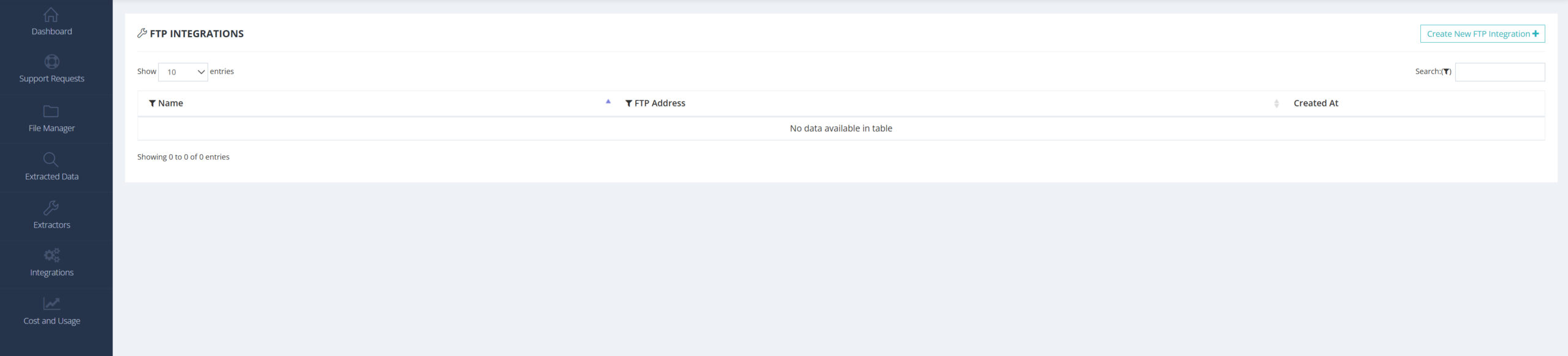
Step 2: Create a New Integration
Click to create a new FTP integration and provide the following details:
Name: Give your integration a clear name for identification.
Select Extractor: Choose the extractor that will provide the data you want to export.
Select Folders: Choose the specific folder(s) from which the extracted data should be sent. You can select all folders or just specific ones.
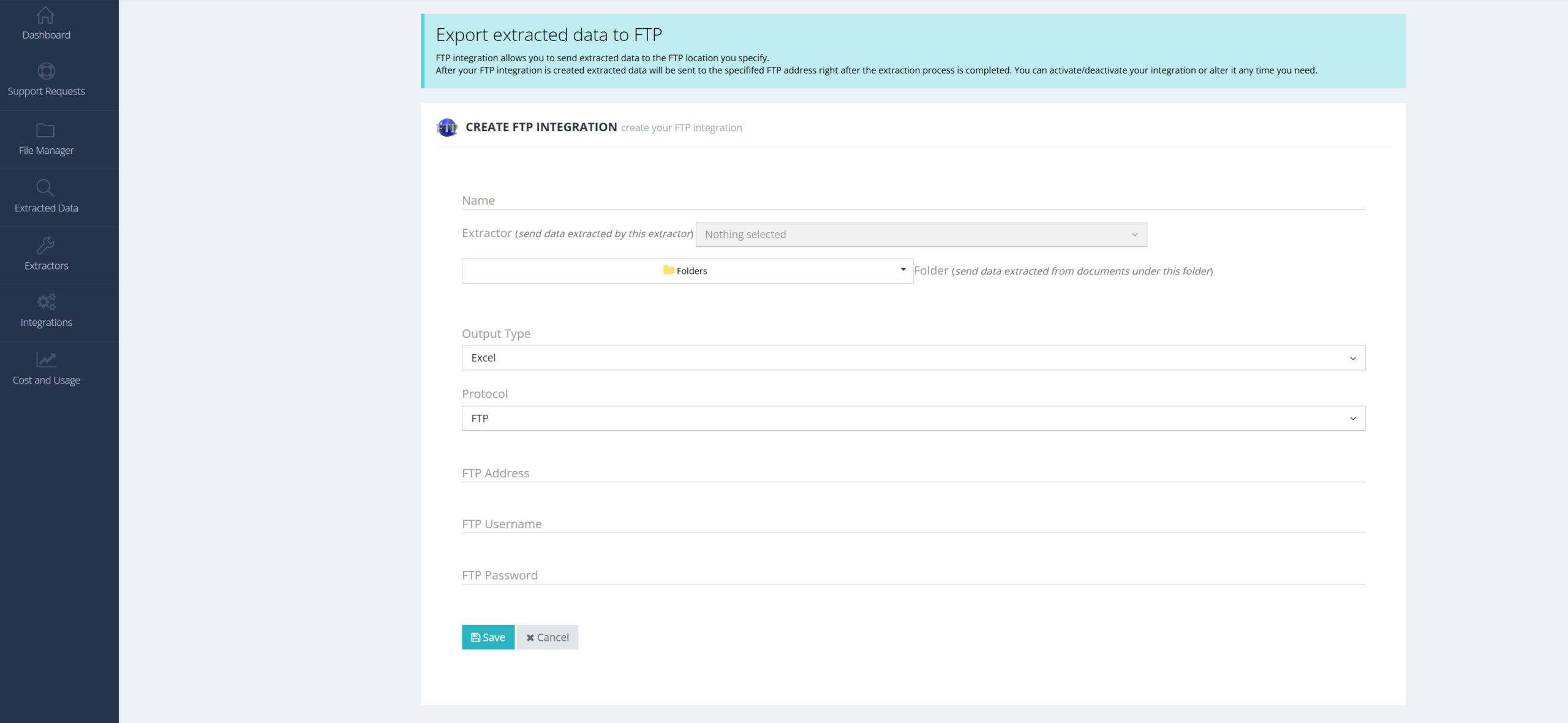
Step 3: Define Output and Protocol
Output File Type: Select your desired file format (e.g., Excel, CSV, JSON).
Protocol: Choose between FTP or SFTP based on your server’s security requirements.
Step 4: Enter Server Credentials
FTP Address: Input your server’s address.
Tip: To export to a specific directory, include the file path directly in the address (e.g.,
[ftp.yourserver.com/folder_name](https://ftp.yourserver.com/folder_name)).Credentials: Enter your username and password for the server.
Step 5: Save and Test
Click Save & Test. Algodocs will attempt to send a test file to your server to verify the connection.
Step 6: Verify Exported Data
Open your FTP application (such as FileZilla) to confirm the data has arrived. You should see your exported file in the root directory or the specific folder path you defined.
