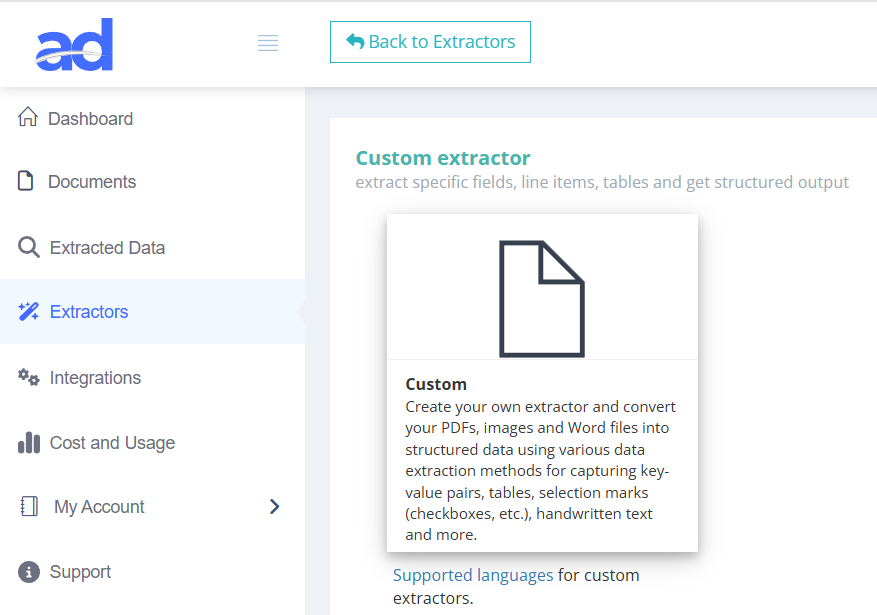
Create a new extractor
After signing in to your Algodocs account, navigate to Extractors. Create a new extractor by choosing the “Custom” option.
Extract data with natural language
Tell Algodocs what you need in plain English—no rigid templates. Define fields with prompts (e.g., “invoice total”, “customer VAT”, “ship-to address”), and the model finds the right values across varied layouts. Add validation rules, set confidence thresholds, and route low-confidence items to review. Export to CSV, Excel, JSON or hand off via the REST API.

Describe the fields you need: use plain English prompts like “invoice total”, “customer VAT number”, or “ship-to address”.
Flexible by design: prompts work across varied layouts—no rigid templates or page zones required.
Boost results: add context (e.g., “amount due at the bottom right” or “the buyer’s tax ID”).
Name your outputs: map each prompt to a field key (e.g., total_amount, vat_id, ship_to_city).
Types & formatting: choose data types (currency, date, string, number) and normalizations (ISO dates, currency symbols).
Reusable sets: save prompt+mapping bundles and reuse them across projects and destinations.
Add guardrails: regex checks, numeric ranges, date sanity, and cross-field math (e.g., subtotal + tax = total).
Normalization: auto-clean currency symbols, thousand separators, and locale-specific date formats.
Business rules: make fields required, set fallbacks, or compute derived values.
Control quality: set per-field confidence thresholds; low-confidence items route to human review.
Source highlights: reviewers see exactly where a value was found to approve or correct in one click.
Learning loop: corrections feed back to improve future prompt extraction.
Send anywhere: export CSV/Excel/JSON or deliver via REST API & webhooks.
Integrations: map fields to ERP/CRM/AP systems and reuse mappings per destination.
Operate at scale: batch queues, async webhooks, and audit logs for compliance.
| Field | Value |
| invoice_number | 11223344 |
| invoice_date | 6/30/2024 |
| vendor_name | algodocs |
| vendor_address | 435 Columbus Ave, San Francisco, CA 94133 |
| vendor_state | CA |
| vendor_city | San Francisco |
| vendor_zip_code | 94133 |
| customer_name | John Doe |
| customer_address | 600 Montgomery St, San Francisco, CA 94111 |
| customer_state | CA |
| customer_city | San Francisco |
| customer_zip_code | 94111 |
| subtotal | 1130 |
| tax_rate | 18% |
| invoice_total | 1333.4 |
| Col1 | Col2 | Col3 | Col4 |
| description | quantity | unit_price | amount |
| Service description 1 | 2 | 115 | 230 |
| Service description 2 | 1 | 375 | 375 |
| Service description 3 | 3 | 175 | 525 |



Extract data from invoices, purchase orders, medical reports, forms, and other documents of any layout with Generative AI. Algodocs makes extraction super easy—just enter a question. Pull fields, tables, selection-mark state, and signature presence by typing a prompt. You can also summarize documents, run comparisons, or perform analysis.

After signing in to your Algodocs account, navigate to Extractors. Create a new extractor by choosing the “Custom” option.

Click Manage on the extractor to open the editor. Press Add to choose a data extraction method, then select Generative AI Prompts.
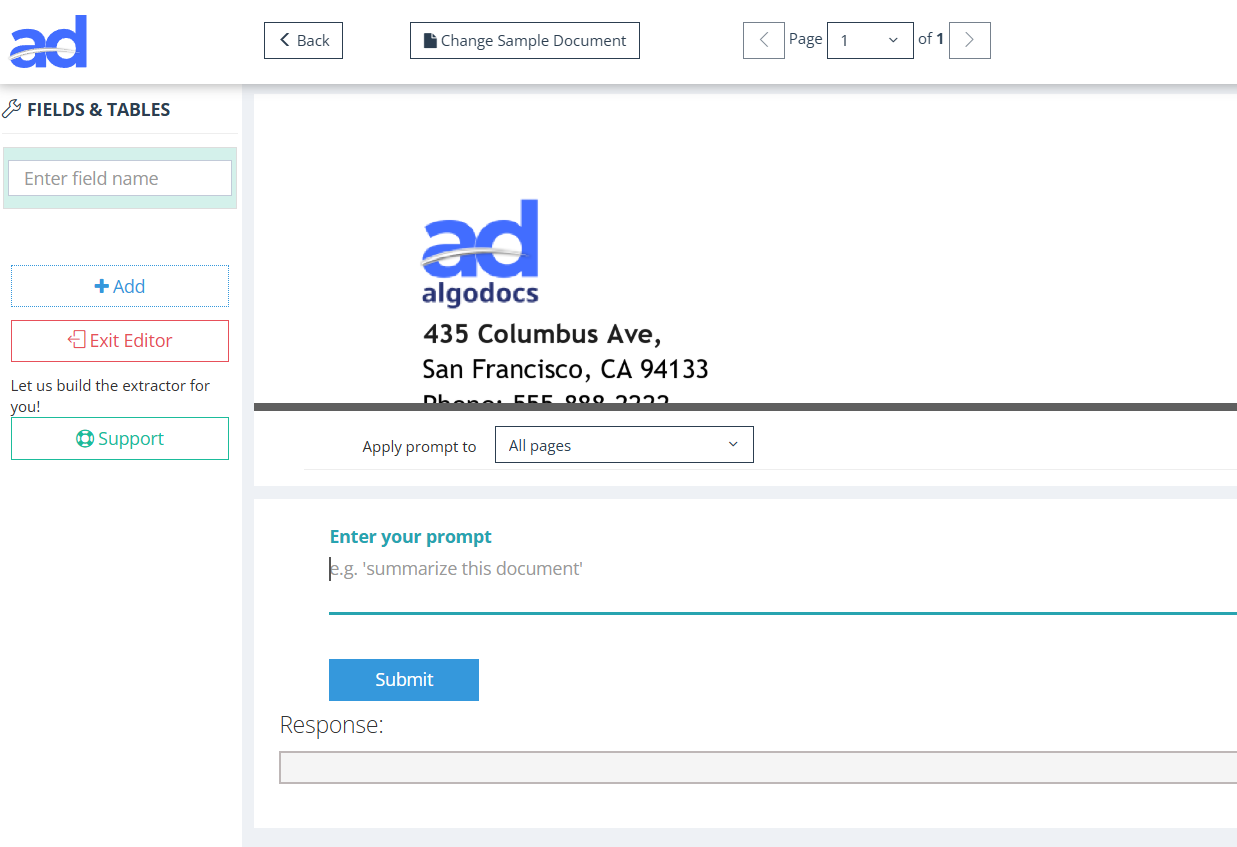
The page shows your uploaded sample document on top and the prompts configuration section below for quick setup.
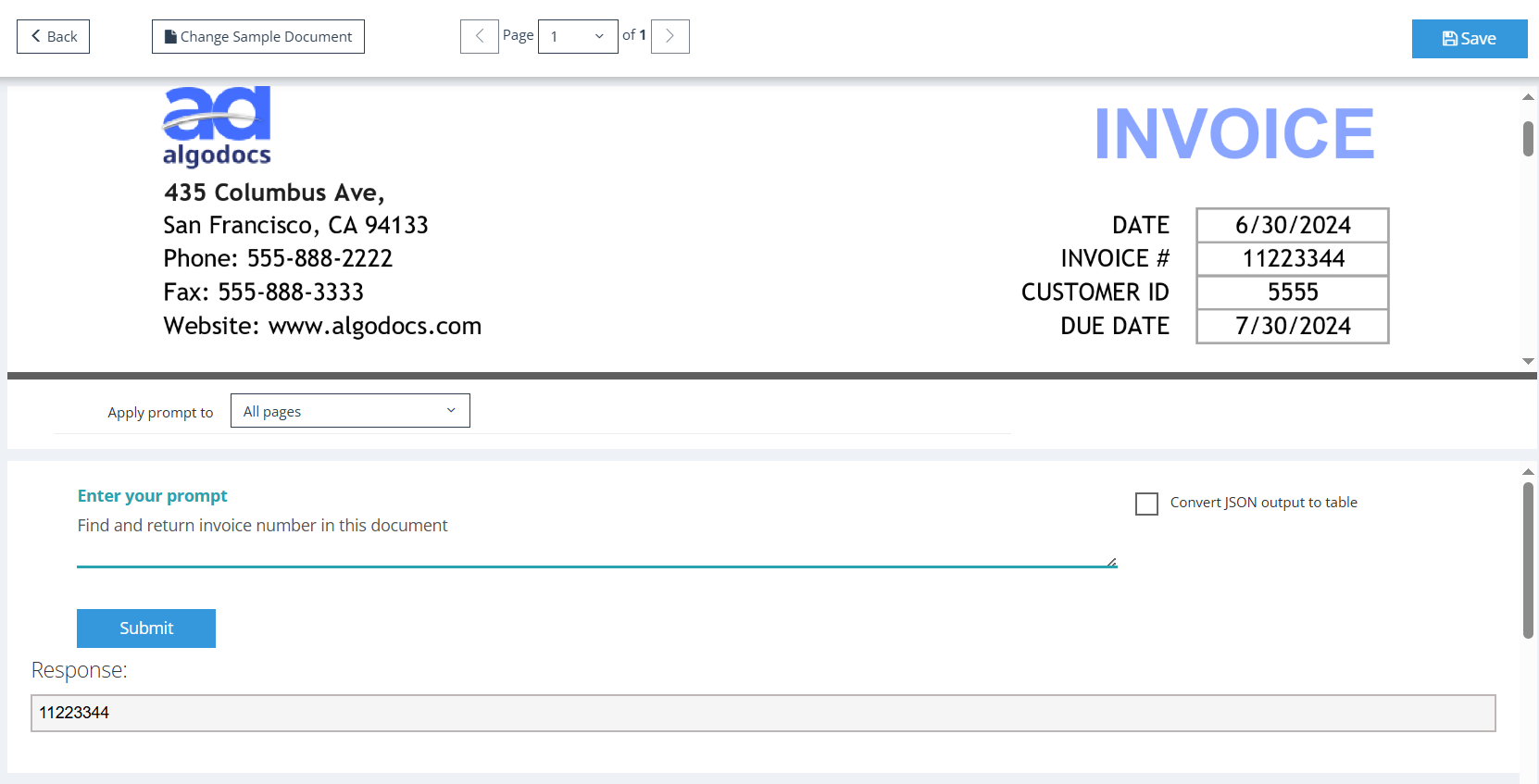
Enter natural-language prompts to extract fields and tables. Example: “Find and return invoice number in this document.”

For speed, extract multiple fields in one prompt and ask the model to return JSON. Enable Convert JSON output to table to render results as a table.
Example: “Extract invoice number and invoice date. Return result in JSON format.”
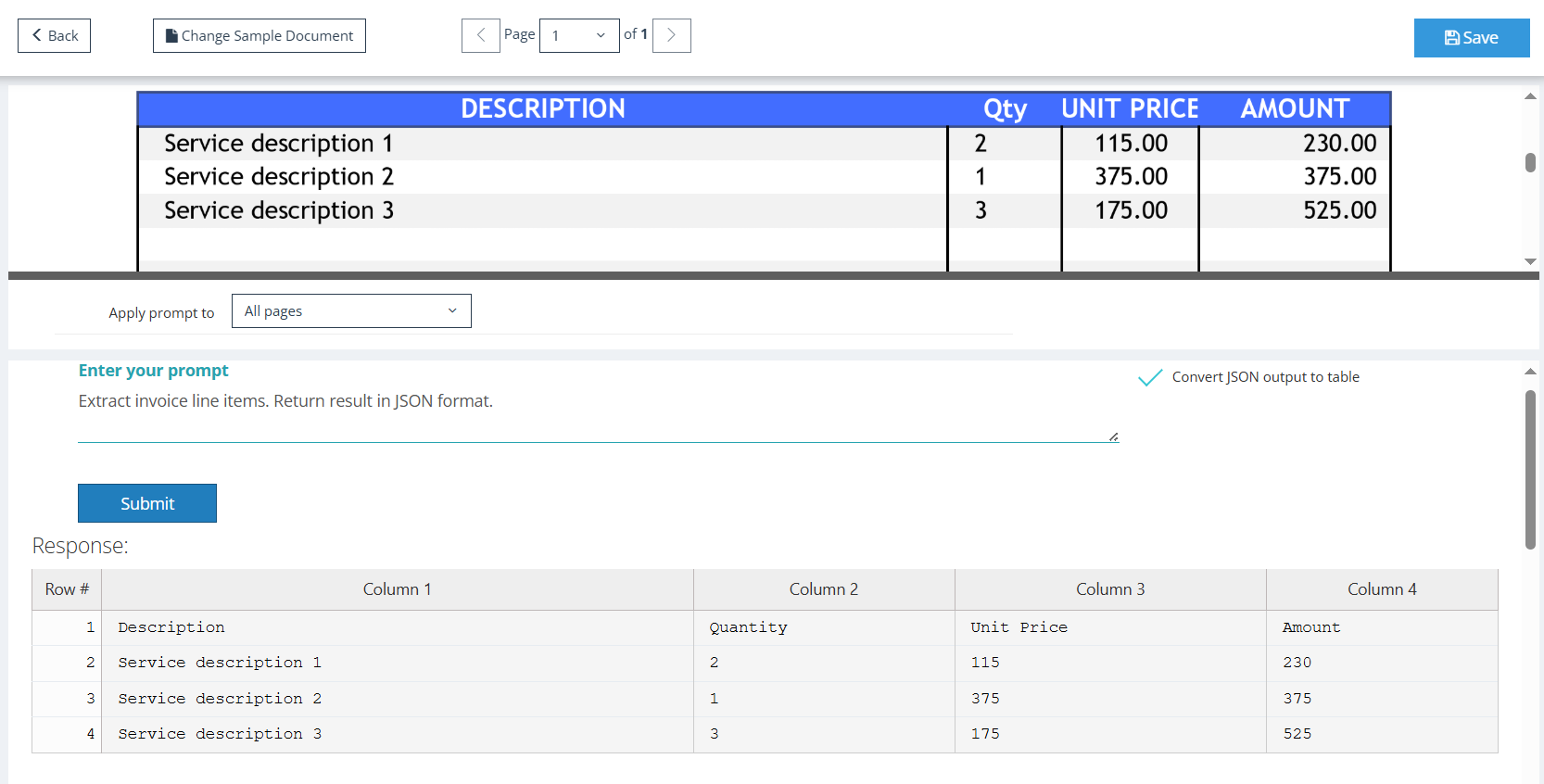
Extract tables with the same approach. Example: “Extract invoice line items. Return result in JSON format.” Keep Convert JSON output to table checked.

Apply filters to clean, normalize, and format extracted values as needed—entirely optional but handy for production data.
We are very happy with the service Algodocs have provided. Each query gets actioned almost immediately. Extractors can be tricky but with the support they are set up quick and easy. Great price and would highly recommend.
This performance of Algodocs looks amazing! Accuracy is 100%. Well done Algodocs team. And your customer service is incredible. Really appreciate your team's hard work on this stuff.
Algodocs was exactly the program our firm was looking for to process thousands of pages of data. Their customer service is unparalleled and they go the extra mile to meet the customer's needs.
We were attempting to index and extract data from over 10,000 pages within a short time frame for litigation. A 2 person 100 hour project was handled in less than a few hours. Truly amazing service that I will absolutely use again in the future!
Processing around 5K documents per day was a headache that our customers had. Our partnership with Algodocs played a vital role in addressing this problem. With on-premise solution of Algodocs and its flexible extracting rules we believe Algodocs is a leader in document data extraction.
Get a personalized walkthrough of document ingestion, auto-classification, and 99%+ accurate AI extraction. We’ll map the demo to your workflows and answer anything you need.
Pick a time—see real results in minutes.
Book a Demo