📥
Document Import
Import scanned passports from email, cloud, or 100+ integrations.

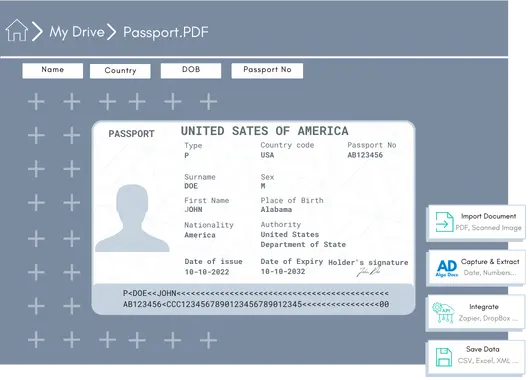
Extract key fields from passport with 99% accuracy. Works on scans, photos, and PDFs of any layout—no training or setup required. Export structured data to CSV, XLS, JSON, or XML and push straight into your ERP/procurement workflows.




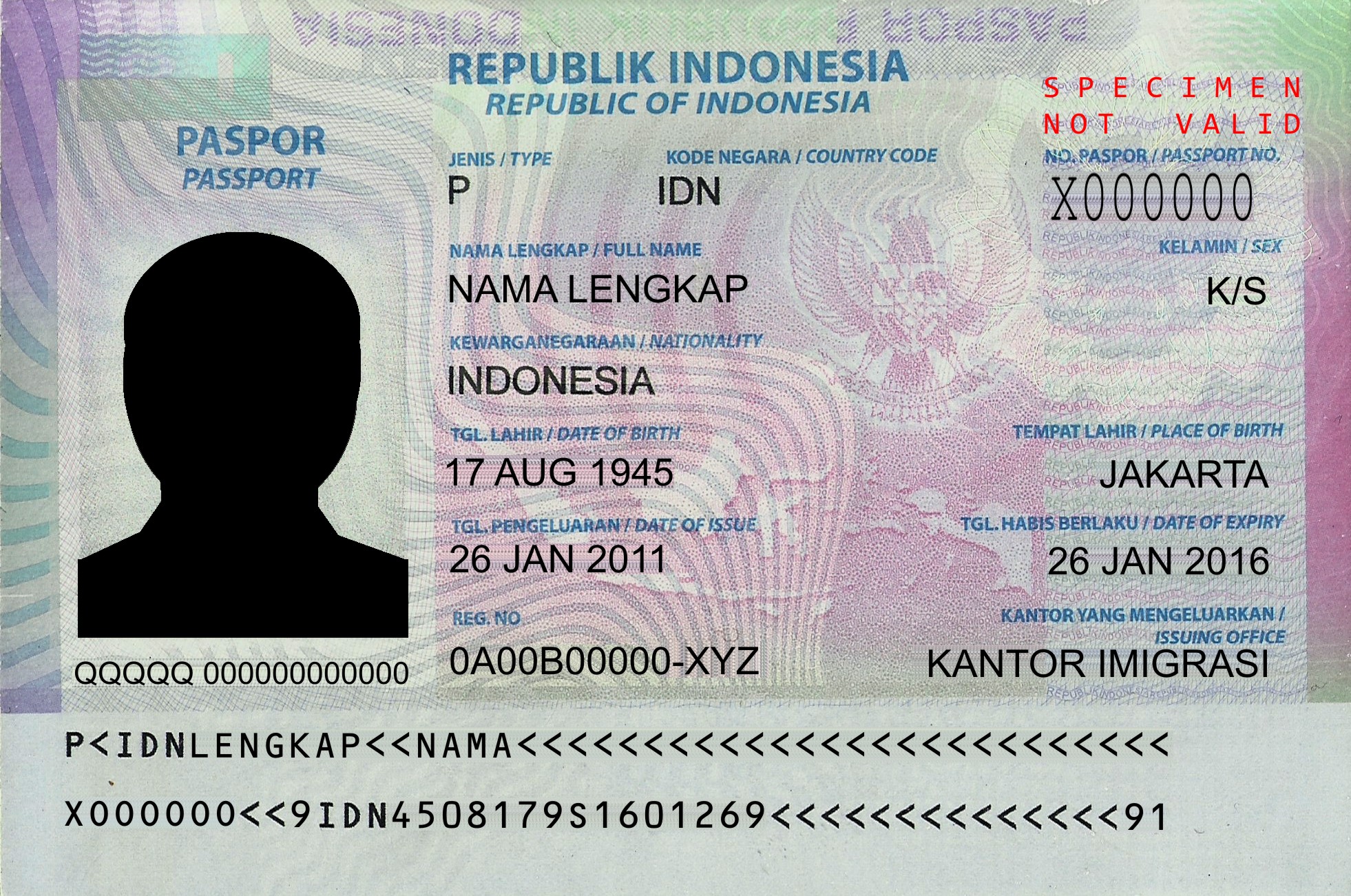
| Field | Value |
| passport_number | X000000 |
| document_type | P |
| full_name | NAMA LENGKAP |
| nationality | INDONESIA |
| date_of_birth | 17 AUG 1945 |
| date_of_issue | 26 JAN 2011 |
| date_of_expiry | 26 JAN 2016 |
| MRZ_line_1 | P<IDNLENGKAP<<NAMA<<<<<<<<<<<<<<<<<<<<<< |
| MRZ_line_2 | X000000<<9IDN4508179S1601269<<<<<<<<<<<<<<91 |


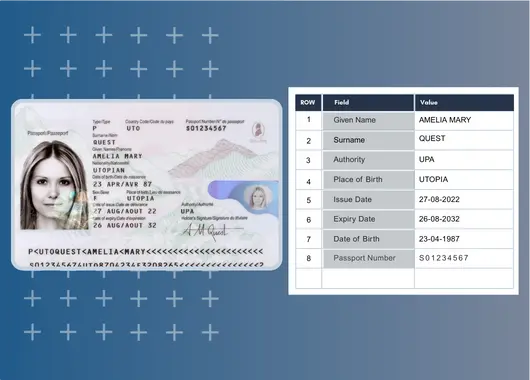
Data extraction from passports with 99% accuracy using Algodocs passport ocr app. Works on scans, photos, and PDFs of any layout no training or setup required. Export structured data to CSV, XLS, JSON, or XML and push straight into your ERP/procurement workflows.
Automate data extraction from passports with 99% accuracy using Algodocs’ pre built AI models…
Data extraction from passports with 99% accuracy. Extract fields from passports of over 150 countries without training AI models or configuration setups. Use our pre trained models for capturing passport fields and/or producing a summary.

Error-free data extraction. You can capture fields from passports using the pre-trained AI model, adjust the model to produce fields the way you need, or train your own AI model to capture exactly what you require.
Export structured data in your preferred format or connect Algodocs directly with your systems to power end-to-end automation.
Everything you need to know about extracting passport data with Algodocs.
Algodocs Passport OCR can extract key passport fields including passport number, passport type, full name, given name, surname, nationality, date of birth, place of birth, gender, date of issuance, date of expiration, country code, issuing authority, signature, and MRZ data.
Yes. Algodocs' pre-trained Passport OCR model can extract passport data from documents issued by more than 150 countries without requiring separate training or configuration for each passport layout.
Yes. Algodocs can process passport scans, photos, and PDFs, including documents with different layouts. The Passport OCR model is designed to extract structured data without requiring manual template setup.
Yes. Algodocs can automatically extract both MRZ lines along with other passport fields such as passport number, nationality, date of birth, and expiration date.
No. Algodocs provides a pre-trained Passport OCR model that can be used without training or configuration. You can also adjust the extracted fields or train a custom model if your workflow requires additional data.
Yes. Algodocs supports automatic splitting of PDFs containing multiple scanned passports, allowing the passport documents to be processed and their data extracted individually.
The Passport OCR solution supports JPG, PNG, and PDF files. The live demo accepts one-page files up to 5 MB.
Extracted passport data can be exported in CSV, Excel, JSON, or XML formats. You can also send the extracted data directly to business systems through APIs and webhooks.
Yes. Algodocs supports integrations with ERP systems, CRM platforms, databases, APIs, and cloud storage services such as Google Drive, Amazon S3, and SharePoint. This allows extracted passport data to flow directly into existing workflows.
Yes. Algodocs states that passport data is SSL-encrypted and secured on Microsoft Azure and Google Cloud. The platform also follows ISO 27001, GDPR, and HIPAA compliance standards.
Yes. The pre-trained Passport OCR model can be adjusted to capture the fields required for your workflow. You can modify the model's output or create a custom AI model when additional extraction requirements are needed.
Yes. Algodocs provides a live Passport OCR demo where you can upload your own passport files and test the extraction capabilities. Algodocs also offers 50 free pages per month after signing up.
The basic monthly billing starts at $35 USD per month. You can also try our free plan to test the Passport OCR capabilities, features, and other aspects of the tool. You can find more details about plans and pricing on our official pricing page.
