Create a new extractor
After signing in to your Algodocs account navigate to Extractors section. Create a new extractor by choosing “Custom” option.
Extract tables with AI — no templates
Algodocs automatically detects table regions, headers, and column boundaries—even when layouts vary, rows are uneven, or cells are merged. Capture line items across multi-page tables with header carry-forward, handle spanning cells, rotated text, totals, and sub-totals. Validate with confidence scores, rules (column types, ranges, required fields), and post-process with normalization for numbers, dates, and currencies. Export to CSV, Excel, JSON, or push via REST API for seamless integration.

Automatic detection: Find table regions, headers, and column boundaries in scans or digital PDFs—no templates.
Robust to noise: Skewed pages, low-contrast scans, stamps, and background graphics handled with stable accuracy.
Cell-level capture: Extract values with their row/column coordinates and per-cell confidence.
Across pages: Carry forward repeating headers and column types across multi-page tables.
Smart pagination: Keep rows intact over page breaks and merge split rows automatically.
Totals aware: Recognize sub-totals/grand totals and tag them separately from line items.
Messy tables welcome: Uneven rows, merged/spanning cells, nested tables, and rotated text.
Typed columns: Enforce numbers, dates, SKUs, and currencies with normalization and locale rules.
Anomalies: Outlier checks on quantities, prices, and tax math to flag suspicious rows.
Human-in-the-loop: Click a cell to see source highlights. Approve, edit, or split/merge cells quickly.
Guardrails: Regex, range checks, column required/unique, sum vs. line item validation, and tax/discount math.
Continuous improvement: Reviewer fixes feed back into training data to improve table parsing on the next run.
Ship anywhere: Export CSV/Excel/JSON (one or multiple sheets), or push via REST API & webhooks.
Field mapping: Map columns once to your ERP/AP system and reuse mappings per vendor or destination.
Governance: Run-level audit logs, confidence traces, and change history for every corrected cell.
| Field | Value |
| invoice_number | 11223344 |
| invoice_date | 6/30/2024 |
| vendor_name | algodocs |
| vendor_address | 435 Columbus Ave, San Francisco, CA 94133 |
| vendor_state | CA |
| vendor_city | San Francisco |
| vendor_zip_code | 94133 |
| customer_name | John Doe |
| customer_address | 600 Montgomery St, San Francisco, CA 94111 |
| customer_state | CA |
| customer_city | San Francisco |
| customer_zip_code | 94111 |
| subtotal | 1130 |
| tax_rate | 18% |
| invoice_total | 1333.4 |
| Col1 | Col2 | Col3 | Col4 |
| description | quantity | unit_price | amount |
| Service description 1 | 2 | 115 | 230 |
| Service description 2 | 1 | 375 | 375 |
| Service description 3 | 3 | 175 | 525 |



Extract tables of any complexity from invoices, purchase orders, medical reports, various forms, and other documents of any layout automatically. Algodocs detects tables of any form that exist on the document and lets you keep only the ones you need. Moreover, you can easily reformat the table to keep only the rows and columns that you need.

After signing in to your Algodocs account navigate to Extractors section. Create a new extractor by choosing “Custom” option.
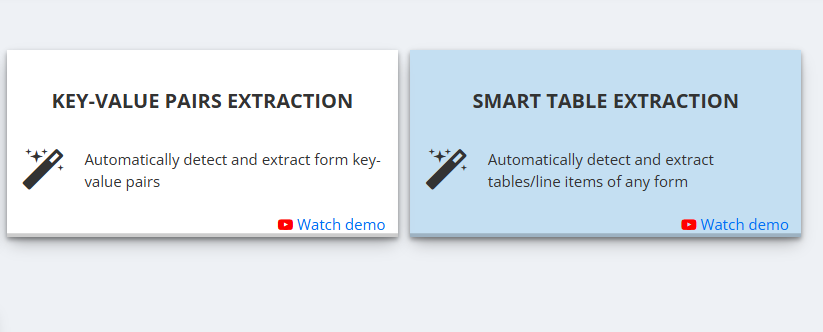
Go to extractor editor by clicking on “Manage” button of the newly created extractor. In the extractor editor click on “Add” button to choose the data extraction method for adding fields or tables to extract. Choose Smart Table Extraction method.
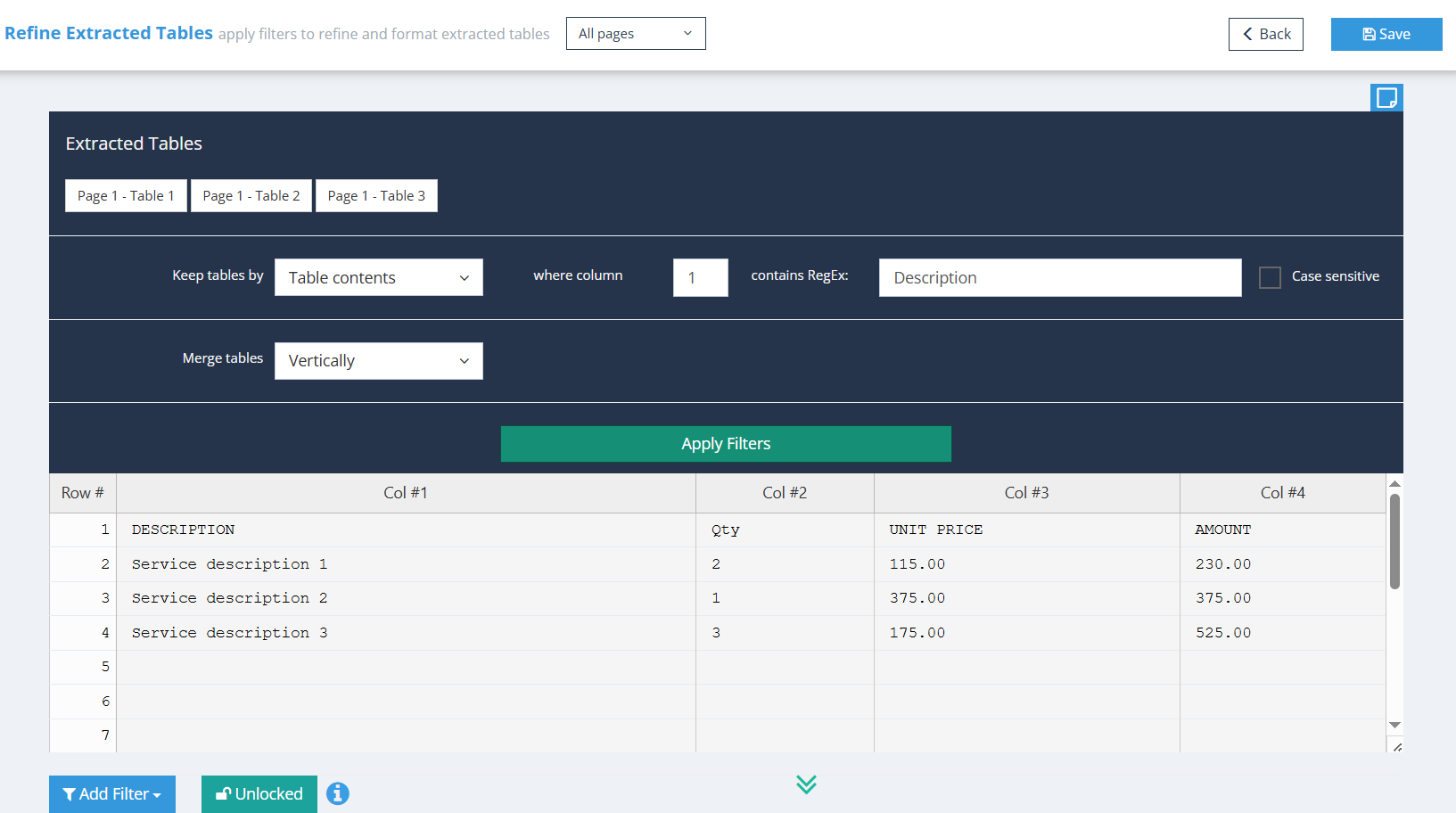
After choosing Smart Table Extraction method click on “Continue” button on the top right, which will take you to the page that contains all auto-detected tables in your document. On this page you can apply filters in order to keep only the table you need.
We are very happy with the service Algodocs have provided. Each query gets actioned almost immediately. Extractors can be tricky but with the support they are set up quick and easy. Great price and would highly recommend.
This performance of Algodocs looks amazing! Accuracy is 100%. Well done Algodocs team. And your customer service is incredible. Really appreciate your team's hard work on this stuff.
Algodocs was exactly the program our firm was looking for to process thousands of pages of data. Their customer service is unparalleled and they go the extra mile to meet the customer's needs.
We were attempting to index and extract data from over 10,000 pages within a short time frame for litigation. A 2 person 100 hour project was handled in less than a few hours. Truly amazing service that I will absolutely use again in the future!
Processing around 5K documents per day was a headache that our customers had. Our partnership with Algodocs played a vital role in addressing this problem. With on-premise solution of Algodocs and its flexible extracting rules we believe Algodocs is a leader in document data extraction.
Get a personalized walkthrough of document ingestion, auto-classification, and 99%+ accurate AI extraction. We’ll map the demo to your workflows and answer anything you need.
Pick a time—see real results in minutes.
Book a Demo