AI Powered AP Automation: The Complete Guide for Automating Financial Documents
TL;DR Summary
AI powered AP automation uses artificial intelligence to read invoices, check them for errors, match them to purchase orders, and send them for approval, almost without any human help. It is different from older AP software because it learns and gets smarter over time, instead of just following fixed rules. Companies use it to save time, cut costs, stop fraud, and get paid faster. This guide explains what accounts payable software is, how AI makes it better, and which AI powered AP tools are worth checking out in 2026.
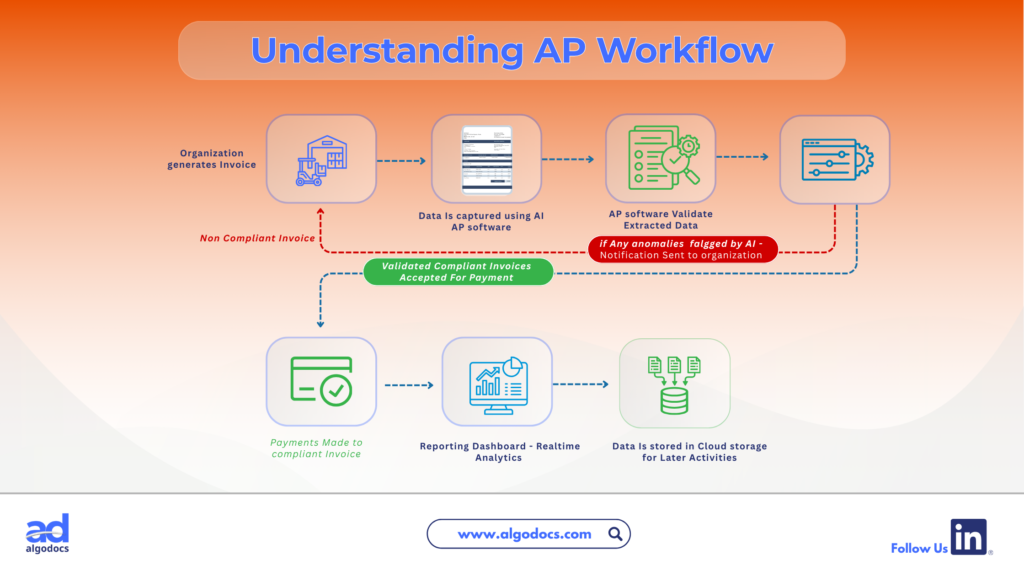
AI powered AP automation is changing the way how finance teams handle bills and payments. For years, accounts payable (AP) teams spent hours typing invoice numbers, checking amounts, and chasing approvals by email. The process was slow, boring, and full of human errors. But these days, AI powered AP automation manages most of this work in an organization. It can read invoices, checks the numbers, matches them to purchase orders, and process them for approval, all in a fraction of the time.
This shift matters because accounts payable is one of the busiest parts of any finance department. Every invoice that comes in needs to be checked, coded, approved, and paid on time. If even one step is slow or wrong, it can lead to late fees, upset vendors, or even fraud. That is why more companies are moving toward smart tools driven by AI instead of manual data entry or basic automation.
In this guide, we will break down what accounts payable software is, how it solves real business problems, and why AI is now the biggest driver of change in this space. We will also look at how AI powered AP automation stands apart from older automation tools and share a list of top platforms worth exploring.
What Is An Accounts Payable Software
Accounts payable software is a digital tool that helps finance teams manage the money a business owes to its vendors and suppliers. Instead of tracking invoices on paper or in spreadsheets, the software stores everything in one place. It helps teams see which bills are due, which ones are paid, and which ones need approval.
Try Algodocs AI Data Extraction Tool To Automate and Extract Data From Invoices & Purchase Order Documents. Signup For A Free Account Today
Most accounts payable software connects with a company’s accounting system or ERP (enterprise resource planning) software. This connection means that when an invoice is approved and paid, the numbers update automatically in the company’s books. There is no need to enter the same data twice.
Basic accounts payable software usually includes:
- A place to upload or receive invoices
- Simple data entry tools
- Approval workflows (sending invoices to the right person to sign off)
- Payment tracking
- Basic reporting
This kind of software is a big step up from paper files and email chains. But on its own, it still needs a lot of human effort to check details and fix errors. This is where AI invoice processing starts to make a real difference, which we will explain later in this guide.
What Is the Use of Accounts Payable Software
The main use of accounts payable software is to make the bill payment process faster, cleaner, and easier to track. Here are the core ways businesses use it every day:
1. Storing and organizing invoices All invoices are kept in a digital system rather than paper folders or email inboxes. This makes it easy to search for any invoice within seconds.
2. Managing approvals The software sends each invoice to the right manager to sign off. It also keeps a record of who approved what, and when.
3. Tracking payment due dates Finance teams can see which invoices are due soon, which are overdue, and which vendors offer early payment discounts.
4. Reducing duplicate payments The system flags invoices that look the same, which helps stop a company from paying the same bill twice.
5. Supporting audits and compliance Since every action is logged, it becomes much easier to prove that the company followed its own rules when a bill was paid.
6. Giving visibility into cash flow Leaders can see how much money is going out, and when, which helps with planning and budgeting.
In short, accounts payable software gives structure to a process that used to be messy and hard to track.
How AI Powered Accounts Payable Software Solves Problems
Manual AP work causes a lot of everyday problems for finance teams. Accounts payable software fixes many of these issues directly.
Problem: Slow invoice processing When invoices are entered by hand, it can take days to process one batch. Software speeds this up by capturing data automatically and routing it right away.
Problem: Human errors in data entry People make typos. A wrong number on an invoice can lead to overpaying a vendor or messing up financial reports. Software reduces these mistakes with checks built right in.
Problem: Missed payment deadlines Late payments can damage vendor relationships and lead to late fees. Automated reminders and due date tracking help teams pay on time, every time.
Problem: Lack of visibility Without software, it is hard to know how many invoices are still waiting for approval or how much money is set to go out this month. Dashboards solve this by showing everything in real time.
Problem: Fraud risk Fake invoices and duplicate billing are common fraud tactics. Software with checks built right in can catch these issues before payment is made.
Problem: Hard to scale As a business grows, invoice volume grows too. Manual processes cannot keep up. Software scales easily, handling hundreds or thousands of invoices without adding more staff.
While standard accounts payable software solves many of these problems, it still depends heavily on rules that someone has to set up and update. This is exactly the gap that artificial intelligence is built to close.
Use of AI in Accounts Payable Software
Artificial intelligence adds a new layer of intelligence to accounts payable software. Instead of just following fixed steps, AI can read, understand, learn, and make smart suggestions. Here is how AI is used across the AP process:
AI Invoice Data Capture
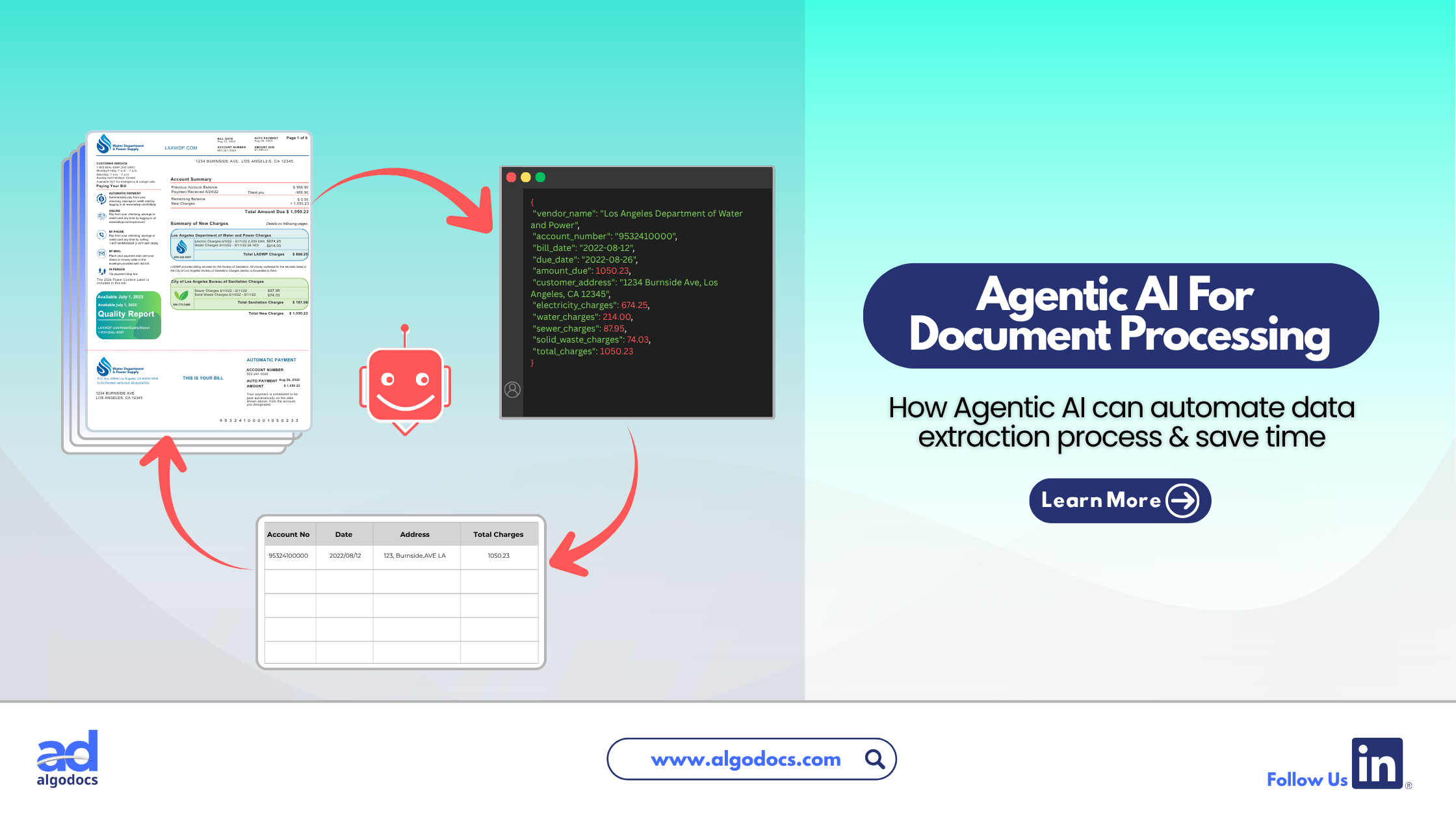
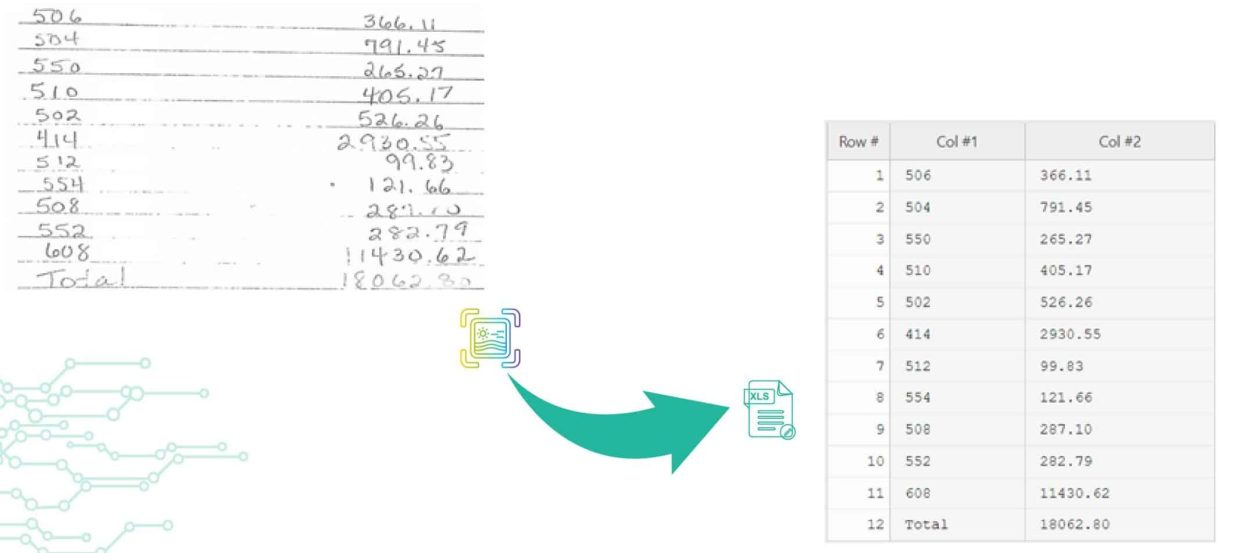
One of the biggest uses of AI in AP is ai invoice data capture. Instead of someone typing in invoice details by hand, AI reads the invoice, whether it is a PDF, scanned paper, or email attachment, and pulls out the important information automatically. This includes the vendor name, invoice number, amount, due date, and line items.
AI Invoice Processing Automation
ai invoice processing automation goes a step further. Once the data is captured, AI checks it against purchase orders and receiving records. This is often called two way or three way matching. If everything lines up, the invoice can move forward without anyone touching it. If something looks off, AI flags it for a human to review.
AI Invoice Capture Across Formats
Every vendor sends invoices differently. Some use PDFs, some use scanned images, and some send data through email or online portals. ai invoice capture tools are trained to handle many formats at once, so teams do not need separate processes for each vendor type. This supports automated invoice processing solutions custom document formats, meaning the AI can adjust to a vendor’s unique invoice layout instead of forcing every invoice into one template.
Smart Coding and Approval Routing
AI learns from past invoices. If a certain vendor’s bills are always coded to the same expense category, the AI can predict and apply that coding automatically. It can also learn which approver usually signs off on which type of invoice, and route it there directly.
Fraud and Anomaly Detection
AI is very good at spotting patterns. It can notice if an invoice amount is unusually high, if a vendor’s bank details suddenly changed, or if two invoices look suspiciously similar. These are strong signs of fraud, and AI can flag them instantly, something manual review often misses.
Predictive Insights and Reporting
Beyond processing invoices, AI can study historical data to predict cash flow needs, highlight early payment discount opportunities, and generate reports without someone building them from scratch.
Together, these AI capabilities are what make ai based invoice processing so much more powerful than older systems that only follow rules.
How AI Powered AP Automation Is Different From Traditional AP Software
Many people think traditional AP automation and AI powered AP automation are the same thing. They are not. The difference comes down to how each system thinks and behaves.
| Feature | Traditional AP Automation | AI Powered AP Automation |
| How it works | Follows fixed rules set in advance | Learns from data and adapts over time |
| Invoice reading | Needs templates for each vendor format | Reads and understands many formats automatically |
| Accuracy over time | Stays the same unless rules are updated by hand | Improves the more invoices it processes |
| Exception handling | Sends most exceptions to a human | Resolves many exceptions on its own |
| Fraud detection | Basic duplicate checks | Spots unusual patterns and behavior changes |
| Setup effort | Requires detailed manual work to build rules | Learns patterns with less manual setup |
| Scalability | Struggles with new formats or vendors | Adjusts easily as the business grows |
Traditional automation is like a machine that only knows how to follow the exact instructions it was given. If an invoice does not match the expected format, the system gets stuck and a human has to step in. AI powered AP automation behaves more like a smart assistant. It studies past invoices, learns the patterns, and applies that knowledge to new invoices, even ones it has never seen the exact layout of before.
This is the real value of ai invoice automation: it does not just speed up a fixed process, it actually gets smarter with use.
Why Organizations Should Consider Using AI Powered AP Automation
Businesses of every size are moving toward ai powered ap automation, and for good reason. Here are the main benefits organizations gain:
1. Major time savings Teams spend far less time on manual data entry, freeing them up for more valuable work like vendor relationships and financial planning.
2. Fewer errors and lower costs AI reduces the small mistakes that lead to overpayments, missed discounts, or incorrect financial records.
3. Stronger fraud protection AI constantly watches for unusual patterns, giving finance teams an extra layer of protection against fake or duplicate invoices.
4. Faster month end close Because invoices are processed quickly and accurately, finance teams can close their books faster each month.
5. Better cash flow visibility Real time dashboards and forecasts driven by AI give leaders a clearer picture of upcoming payments and cash needs.
6. Easier scaling As invoice volume grows, AI powered systems can handle the load without needing to hire more AP staff.
7. Improved vendor relationships Paying on time, avoiding errors, and responding to vendor questions quickly all help build trust with suppliers.
8. Better compliance and audit readiness Every step is logged automatically, which makes audits smoother and reduces compliance risk.
For any organization processing a meaningful volume of invoices each month, the case for AI powered AP automation is simple: it saves money, saves time, and reduces risk, all while giving finance teams better data to make smarter decisions.
Best AI Powered AP Automation Software to Consider
There are several strong platforms in the market today. Here is a quick look at some of the most recognized options, based on their AI capabilities as of 2026:
- Vic.ai: Known for AI first invoice processing, high accuracy rates, and strong no touch invoice handling for mid size and large finance teams.
- Stampli: Offers an AI assistant that manages invoice capture, coding, routing, and duplicate detection, with support for many ERPs.
- Medius: Focuses on agentic AI that goes beyond automation into more autonomous AP decision making, including fraud detection and supplier communication.
- Ottimate: Built for finance first teams, with strong tools for catching overpayments, preventing fraud, and optimizing cash flow.
- Rillion: Provides AI native invoice capture, an AI assistant for answering AP questions, and flexible approval workflows.
- Serrala: Offers AI powered automation aimed at large, global organizations with complex compliance and multi country needs.
- Sage Intacct: Combines AI powered data extraction and duplicate flagging within a broader accounting platform, well suited for growing businesses.
When comparing platforms, look beyond marketing claims. Check how well each tool handles different invoice formats, how it manages exceptions, how it grows smarter over time, and how easily it connects with your existing ERP or accounting system. The right choice depends on your invoice volume, industry, and how much automation your team is ready to adopt.
Conclusion
AI powered AP automation is no longer just something nice to have. It is quickly becoming the standard way finance teams manage invoices and payments. Traditional accounts payable software solved many problems by digitizing paper processes, but it still relied heavily on fixed rules and manual oversight. AI changes that by adding the ability to read, learn, adapt, and make smart decisions on its own.
From ai invoice data capture to fraud detection and predictive cash flow insights, AI is reshaping every step of the AP process. Organizations that adopt AI powered AP automation gain real advantages: faster processing, fewer errors, stronger fraud protection, and better visibility into company spending.
As invoice volumes keep growing and finance teams are asked to do more with less, AI powered AP automation offers a clear path forward, one where technology handles the repetitive work, and people focus on the decisions that truly need human judgment.
What does AI powered AP automation mean?
It means using artificial intelligence to automatically read, process, and manage accounts payable tasks like invoice capture, coding, matching, and approval routing, with less manual work than traditional automation.
Is AI powered AP automation only for large companies?
No. Businesses of many sizes use it. Smaller companies benefit from saved time and fewer errors, while larger companies benefit from handling high invoice volumes across multiple entities.
How is AI different from regular AP automation?
Regular automation follows fixed rules and needs manual updates. AI powered automation learns from data, adapts to new invoice formats, and improves its accuracy over time without constant manual reprogramming.