Algodocs

Purchase Order OCR

Data Extraction, purchase order

How to Extract Data from Purchase Orders With AlgoDocs Purchase Order OCR. A Comprehensive Guide For 2025

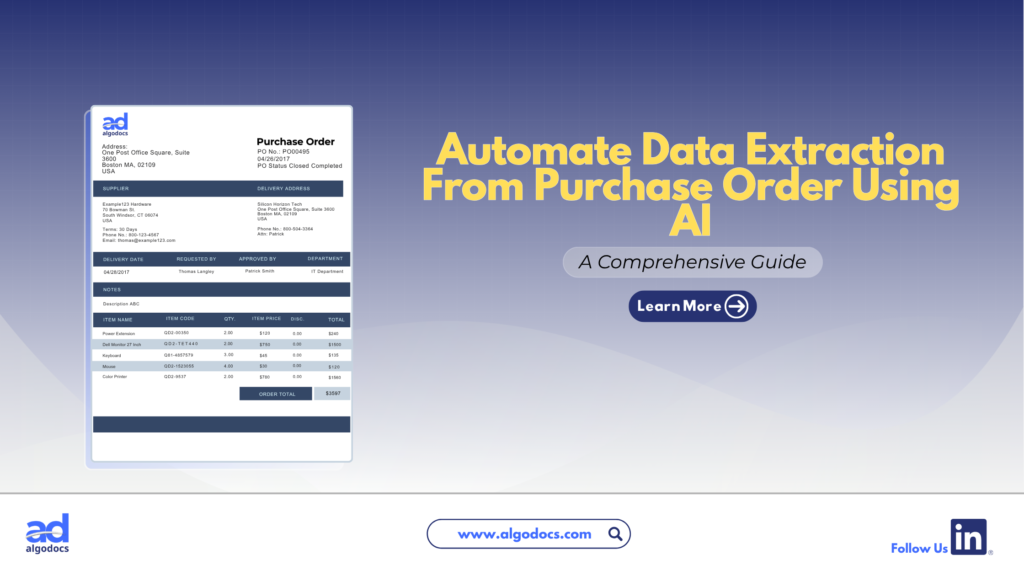
Back to Blog Table of contents On this page How to Extract Data from Purchase Orders With AlgoDocs Purchase Order OCR. A Comprehensive Guide For 2025 Home › Blog › Algodocs › How to Extract Data from Purchase Orders With AlgoDocs Purchase Order OCR. A Comprehensive Guide For 2025 Categories Algodocs Tags algodocs data extraction IDP intelligent document processing machine learning OCR Optical Character Recognition Purchase Order OCR web-based ai platform for data extraction By Ibrahim Nalbant Published January 2, 2025, 07:18 Updated July 10, 2026, 09:25 Purchase orders (POs) are critical documents in business operations, which makes purchase order data extraction and automation an important step in processing purchase orders. They ensure clear communication between buyers and sellers, detailing the goods or services, pricing, and other contractual terms. With the rise of digitization, extracting data from purchase orders efficiently has become essential for modern businesses. Both b2b and b2c business scenarios use a purchase order to facilitate clear communication between two parties. It helps in maintaining important information related to the transaction of goods between two parties. This guide explores how to extract data from purchase orders, focusing on tools like purchase order OCR and strategies to streamline the process. What is a Purchase Order?  A purchase order (PO) is a written document issued by a buyer to a seller that indicates the type, quantity, and agreed price for products or services by two parties. It plays a very crucial role in ensuring smooth procurement operations and is a legally binding document once accepted by the seller. In simple terms, a purchase order (PO) document describes what goods have been requested by the buyer to sellers to confirm their interest in procuring goods and services. Key Elements of a Purchase Order  PO Number: A unique identifier.  Buyer and Seller Information: Contact details and addresses.  Order Details: Description, quantity, and price of items.  Delivery Terms: Shipping method, destination, and date.  Payment Terms: Agreed payment timelines and methods.  Manually managing this information is time consuming, especially for businesses handling large volumes of POs. Challenges of Manually Extracting Data From Purchase Order  Relying on manual methods to extract and process data from purchase orders leads to many challenges for businesses. Time Consuming: Extracting data from a purchase order manually is a time-consuming task. If you have to extract data from a single page document, then manually it can take hours, but using a purchase order app for data extraction only takes 5 to 10 minutes. Error Prone: One of the biggest challenges with manually extracting data from a purchase order is that it is prone to error. The most common human errors, such as typos or missed fields, can disrupt workflows and lead to costly mistakes. Due to the high volume of data, errors tend to happen if data is being extracted with manual method. Scalability Issues: As businesses grow, manually processing hundreds or thousands of purchase orders becomes unsustainable. The manual processing of 100 purchase order documents can slow down the productivity of an organization, which can lead to other challenges, such as loss of profit and time. Resource Intensive Manual methods require significant labour, which leads to a rise in operational costs. To overcome these challenges, businesses are turning to automation tools like purchase order OCR technology. Since the purchase order OCR technology requires very little or no human intervention. What is a Purchase Order OCR Technology  Purchase Order OCR (Optical Character Recognition) is a technology that captures and converts a printed or handwritten text into machine-readable data. This type of OCR technology is built and trained to capture and extract data such as vendor name, buyer name, date, amount, address, and other information from a PO document. You can save this extracted data in Excel, CSV, JSON, or another file format. With the help of purchase order OCR technology, businesses can significantly save time and money and scale their business to greater heights. The advent of AI OCR tools such as AlgoDocs Purchase Order OCR has made data extraction from purchase orders more accurate and productive. How Does Purchase Order OCR Work?  Purchase Order OCR (Optical Character Recognition) is a technology that streamlines the extraction of information from purchase orders. It works by scanning documents in various formats—such as PDFs, images, or scanned papers—and recognizing text to extract key data like order numbers, item descriptions, quantities, prices, and delivery dates. The data is subsequently organized into a structured format, facilitating seamless integration into procurement systems. Automating this process allows Purchase Order OCR to decrease manual data entry, reduce errors, and improve the efficiency of the procurement workflow. Scanning Documents: Paper POs are digitized using scanners.  Data Recognition: The OCR engine identifies text fields such as PO numbers, item descriptions, and quantities.  Data Extraction: The software extracts relevant fields and organizes them into a structured format.  Integration: The extracted data is transferred into systems like ERP or accounting software. What Is AlgoDocs Purchase Order OCR AI App Algodocs is an AI-based purchase order OCR app that extracts data from PO documents. AlgoDocs uses AI technology to automate data extraction from pdfs, scanned documents, and handwritten notes. You can build your own extractor in Algodocs and train the AI model to capture, analyze, and process the data from a document. You can integrate Algodocs with third-party apps for document processing and data extraction. Signup for AlgoDocs Free-Forever plan and access all premium features for free Sign Up Real World Application of Purchase Order OCR Technology A purchase order OCR (Optical Character Recognition) app is a highly beneficial tool for industries of all types. Whether you are operating in a B2B (Business-to-Business) or B2C (Business-to-Consumer) environment, implementing a PO OCR solution can significantly enhance productivity and drive business growth. However, certain industries stand to gain the most from the adoption of OCR technology: Retail and E-commerce: In the fast-paced world of retail and e-commerce, businesses generate a high volume of purchase order documents daily. As customer transactions increase, so does the number

bill of lading, intelligent document processing, passport, PDF

Bank Statement Extraction: How To Revolutionize Financial Data Management with AlgoDocs AI

Back to Blog Table of contents On this page Bank Statement Extraction: How To Revolutionize Financial Data Management with AlgoDocs AI Home › Blog › bill of lading › Bank Statement Extraction: How To Revolutionize Financial Data Management with AlgoDocs AI Categories bill of lading intelligent document processing passport PDF Tags agentic ai Invoice Data Extraction passport data extraction pdf to text Purchase Order OCR By Ibrahim Nalbant Published December 31, 2024, 11:13 Updated June 25, 2025, 16:52 Introduction In today’s world, managing financial data quickly and accurately is very important. One task that takes a lot of time is bank statement extraction. Thanks to technology, especially Optical Character Recognition (OCR), and more advanced technology like Intelligent Document Processing (IDP) and AI, this job has become much easier. This blog will explain what bank statement extraction is, why it’s needed, the challenges it presents, and the best tools for the job. We’ll also discuss how AlgoDocs’ Intelligent Document Processing (IDP) tool can make extracting bank statement data easier and more convenient. What is a Bank Statement? A bank statement is a record of all the financial transactions that have occurred in a bank account over a specific period. These bank statements can be personal or corporate financial statements. They provide a detailed overview of all the deposits, withdrawals, and other activities that have impacted the account’s balance. This includes transactions like cash deposits and withdrawals, checks written and cleared, electronic transfers, ATM withdrawals, and even interest earned or fees charged. Essentially, it’s a comprehensive summary of the account’s financial activity, allowing account holders to track their spending, monitor their income, and identify any discrepancies or unauthorized transactions. What is Bank Statement Data Extraction? Bank statement data extraction means extracting data from bank statements. These bank statements can be in PDF files, Excel files, or scanned documents. In a bank statement or a standard financial document, you will find data such as transaction details, account balances, dates, amounts, account holder names, tax details, etc. If you want to extract data from a bank statement, you can either choose the manual data extraction method or pick an online financial data extraction tool to get the job done. However, manual data extraction takes a lot of time and is prone to errors, which can create more problems. That’s why businesses these days often use bank statement OCR to make data extraction easy and effective. Why Bank Statement Extraction is Needed Many businesses handle a large number of financial receipts, bank statements, and financial records as part of their daily operations. Extracting and organizing this vast amount of data can be a challenging task. Here are some key reasons why bank statement extraction is essential: Financial Analysis: Extracting data from bank statements allows businesses to understand their spending patterns, income sources, and overall financial activities. This analysis helps in making informed financial decisions, budgeting, and forecasting future financial needs. Bookkeeping and Accounting: Accurate data extraction simplifies the bookkeeping and accounting processes. By having organized and structured financial data, businesses can maintain accurate records and easily reconcile transactions, ensuring that their financial books are always up-to-date. Audit and Compliance: Extracting data from bank statements is crucial for meeting legal requirements and ensuring transparency in financial reporting. During audits, having organized data makes it easier to demonstrate compliance with financial regulations and standards, such as those set by tax authorities. Fraud Detection: Monitoring financial transactions through data extraction helps in detecting and preventing fraudulent activities. By analyzing bank statement data, businesses can identify suspicious patterns or unauthorized transactions, allowing them to take timely action to mitigate risks. Which Industries Require Bank Statement Extraction Many industries require efficient bank statement extraction, including: Banking and Finance: This industry relies heavily on bank statement extraction for monitoring transactions, processing loans, and managing accounts. Efficient data extraction helps in maintaining accurate records and ensuring compliance with financial regulations. Accounting Firms: Accounting firms use bank statement extraction to prepare financial statements and provide tax services. Accurate data extraction simplifies the accounting process, making it easier to maintain precise financial records and ensure timely tax compliance. Legal Firms: Legal firms need bank statement extraction for forensic accounting and legal support. Extracted data can be crucial in investigating financial discrepancies, supporting legal cases, and providing accurate financial evidence in court. Healthcare: The healthcare industry uses bank statement extraction for handling payments and processing insurance claims. Efficient data extraction helps in managing patient billing, ensuring accurate insurance claim processing, and maintaining financial transparency. E-commerce and Retail: E-commerce and retail businesses rely on bank statement extraction to manage cash flow and vendor payments. Extracted financial data helps in monitoring sales transactions, managing expenses, and ensuring timely payments to suppliers. Challenges with Manual Bank Statement Extraction Manually extracting data from bank statements has several problems: Time-Consuming: Entering data manually is time-consuming. Extracting data from each sheet of a bank statement requires significant time for analysis and capture, making the process even more cumbersome. Error-Prone: Human errors can lead to inaccurate records. Manual data extraction is prone to mistakes, as human eyes can’t always interpret everything correctly. This can result in serious consequences, such as data extraction errors, missed valuable data, and other issues. High Costs: Manual data extraction is costly because it requires employing more personnel to extract data from documents. This ultimately increases the operational costs for the company. Scalability Issues: With manual data extraction, you can’t adjust the number of personnel based on requirements. Therefore, scalability options with manual data extraction are very limited. Data Security: When your data is exposed to human intervention, there is a risk that it can be misused for illegal activities. Bank statement data is very sensitive, and exposure to the wrong hands can lead to serious trouble for individuals or organizations. What is a Bank Statement OCR? Optical Character Recognition (OCR) is a technology that converts various types of documents, such as scanned papers, PDFs, or images, into editable and searchable data. A bank statement OCR specifically

Scroll to Top