Best Software for Automating Document Processing: A Practical Guide for 2026
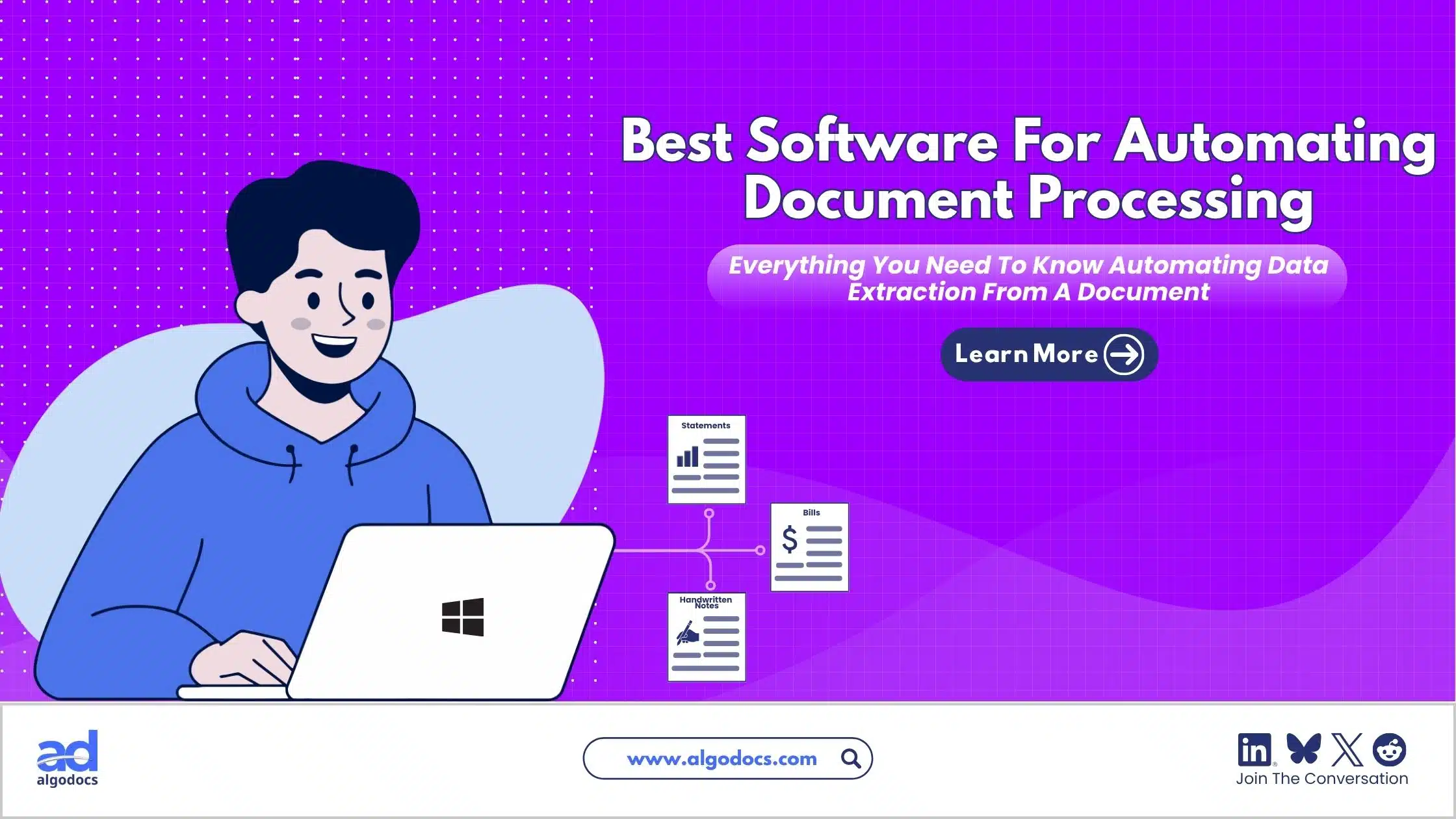
Modern business runs on data. The more data a business can capture, process, and analyze, the better the outcome. But to process data in large quantities, you need a reliable tool. That technology is known as document processing. However, choosing the best software for automating document processing is often difficult. Documents come in various forms, including invoices, bills, financial reports, contracts, and even handwritten notes. To process all of these efficiently, you need robust IDP tools that can capture, extract, and automate the entire journey in just one click.
Finding a reliable solution among the thousands of document processing applications available on the market can be overwhelming and frustrating. Every vendor claims to have the most accurate AI, the fastest engine, or the easiest interface. But the reality is that the right choice depends entirely on your specific workflow, document types, and business goals. That is why this guide exists. It will help you cut through the noise and find the best tool for document processing for your specific needs. But before we compare platforms, let us first understand what document processing actually is and why it matters so much in today's data-driven world.
.
TL;DR Summary
Choosing the best software for automating document processing does not have to be complicated. Automated tools save time, reduce errors, and scale with your business. Cloud document capture has become the standard for modern teams. Algodocs stands out as a top choice because it offers template-free AI extraction, strong security, and affordable pricing. Start with one document type, test with real documents, and keep a human in the loop for exceptions.
What is Document Processing?
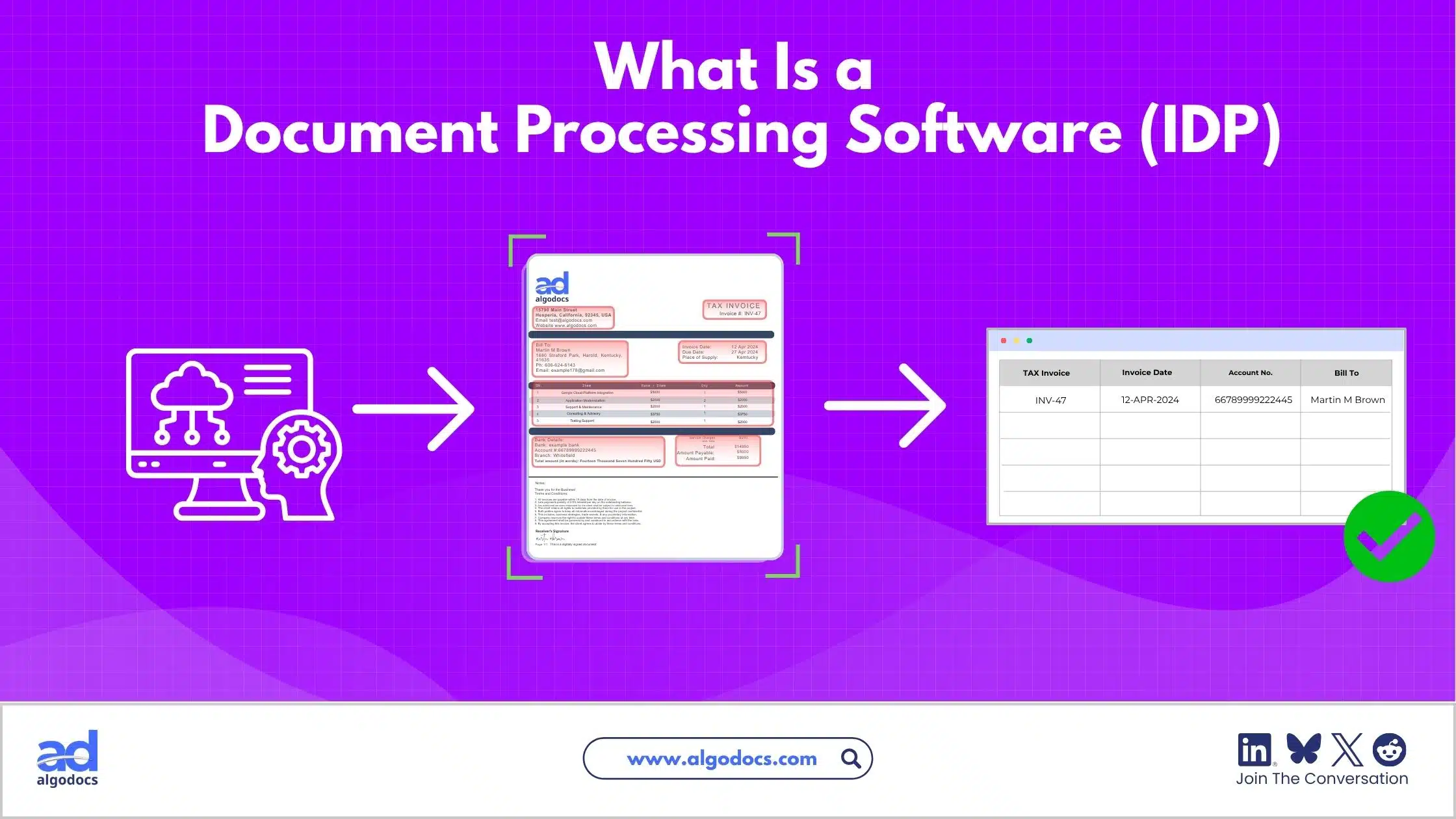
Document processing is the method of capturing and extracting data from various types of documents, such as invoices, bills, passports, and contracts, using automated technology. These tools can be computer software like OCR (Optical Character Recognition), IDP (Intelligent Document Processing), ICR (Intelligent Character Recognition), or AI (Artificial Intelligence). The oldest method is manual document processing, where humans identify and extract data by hand.
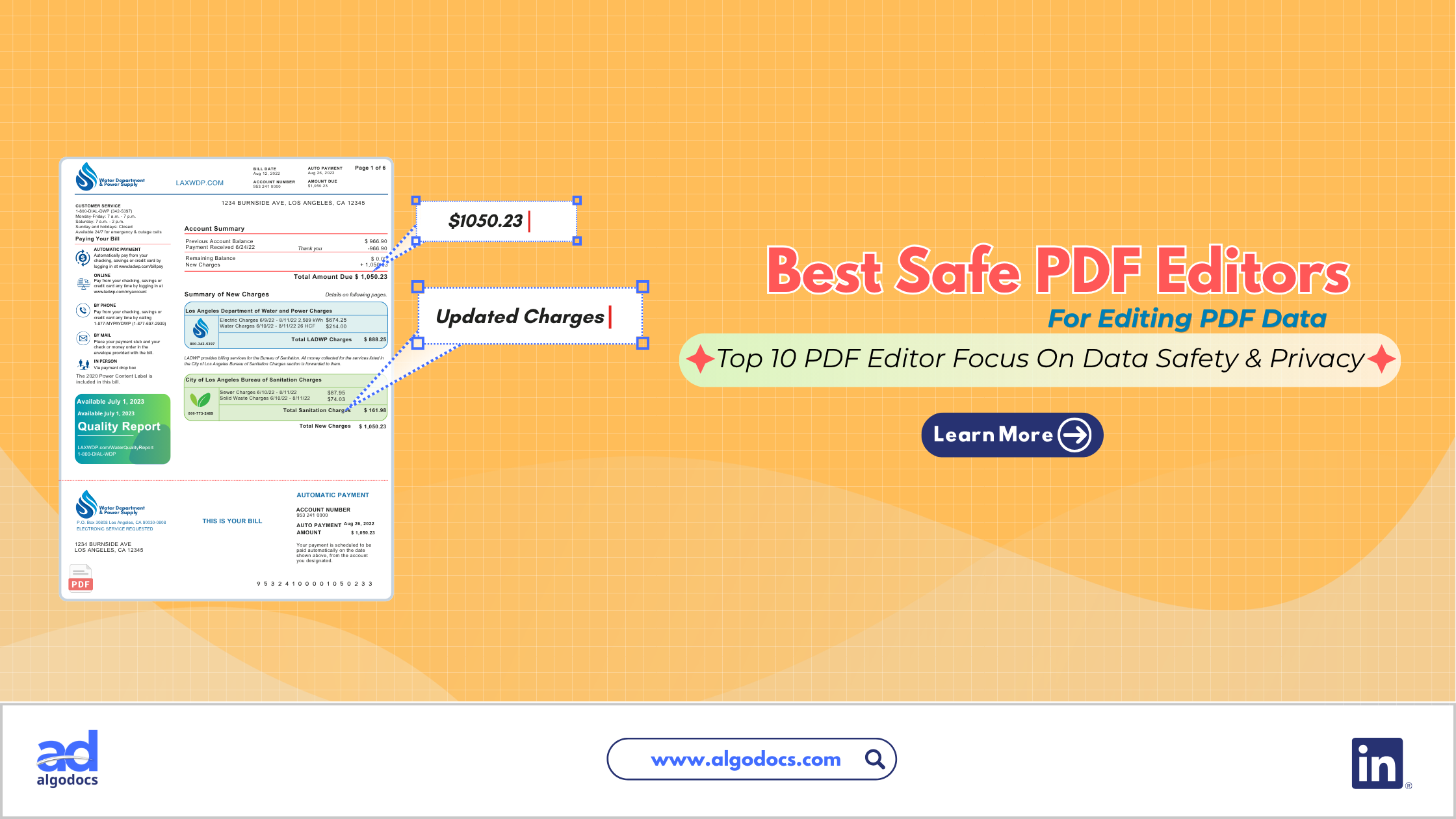
 This approach is slow, expensive, and full of errors. Anyone who has ever spent hours typing data from PDFs into an Excel spreadsheet knows exactly how painful this process can be.
On the other hand, automated tools use technology to complete the process with greater accuracy and faster speed. We often call this cloud document capture, as the data is extracted using web-based tools and saved on a secure cloud platform. This is the foundation of the best AI document processing available today, as it removes the physical limitations of local hardware and allows teams to work from anywhere. Instead of being tied to a desk with a scanner, employees can simply upload a photo from their phone or forward an email to a processing inbox. The system handles the rest.
This approach is slow, expensive, and full of errors. Anyone who has ever spent hours typing data from PDFs into an Excel spreadsheet knows exactly how painful this process can be.
On the other hand, automated tools use technology to complete the process with greater accuracy and faster speed. We often call this cloud document capture, as the data is extracted using web-based tools and saved on a secure cloud platform. This is the foundation of the best AI document processing available today, as it removes the physical limitations of local hardware and allows teams to work from anywhere. Instead of being tied to a desk with a scanner, employees can simply upload a photo from their phone or forward an email to a processing inbox. The system handles the rest.
The shift from manual to automated processing is not just a convenience; it is a competitive advantage. Businesses that automate their document workflows can process more volume with fewer resources, reduce costly errors, and free up their human talent for higher-value work. This is why so many organizations are actively searching for the best software for automating document processing to stay ahead of the curve.
How Does Document Processing Work?
In the manual method, a human expert uses analytical skills to read data from a document and then types that data into another file format. This is not only time-consuming but also mentally draining. After hours of repetitive data entry, even the most careful employee will start making mistakes. Those mistakes can lead to incorrect invoices, missed deadlines, and unhappy customers.
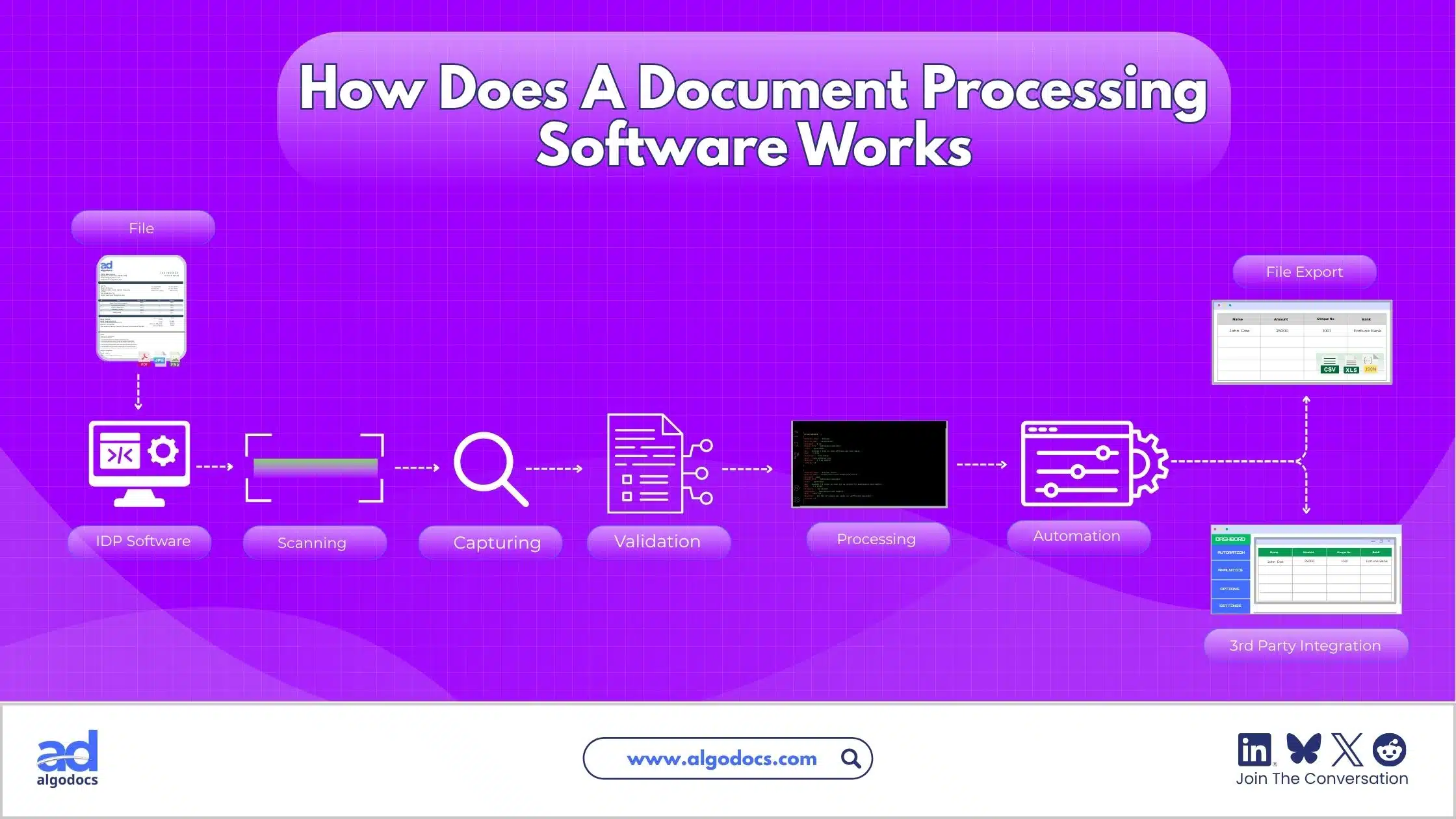 In the automated method, computer software handles everything from start to finish. The system first captures the document, whether it arrives as a PDF, a scanned image, or a photo taken on a smartphone. Next, it extracts the relevant data points using AI algorithms that can identify names, dates, amounts, addresses, and other key fields. After extraction, the system validates the data to ensure it meets certain quality thresholds. If the confidence score is low, the document is routed to a human reviewer for a quick check. Finally, the validated data is exported to a database, CRM, or ERP system for further use.
Once extracted, the data can be saved locally or on a cloud drive. From there, it can be shared with team members or integrated with third-party business apps to support smarter business decisions and organizational growth. This automated flow is the core advantage that separates modern IDP tools from outdated manual processes. The best part is that this entire journey can happen in seconds, not hours. A document that would take a human five minutes to process manually can be handled by software in under ten seconds. When you multiply that across thousands of documents per month, the time savings become enormous.
Manual vs. Automated Document Processing
There is a major difference between manual and automated data extraction methods. Understanding this difference is essential before you invest in any software. The table below highlights the key distinctions:y.
These are the major differences.
| Features & Difference | Automated Data Extraction | Manual Data Extraction |
| Speed | Fast | Slow |
| Accuracy | Accurate | Not Accurate |
| Cost | Affordable | Expensive |
| Automation | Fully Automated | Not Available |
| 3rd Party Integration | Possible | Not Possible |
| Scalability | Highly Scalable | Not Scalable |
| Best Suited For | All types of business | Limited to small business |
| Human Supervision | Only during exceptions | Very High |
The biggest reason automated data extraction beats manual is reliability. Manual processing loses its value when dealing with large volumes. You cannot process 10,000 documents in a day with humans alone. Even if you hired a team of twenty data entry clerks, they would still struggle to keep up with that kind of volume, and the error rate would be unacceptably high. To get things done efficiently, you need the best software for automating document processing for your specific needs.
Another factor to consider is employee satisfaction. Data entry is one of the most tedious jobs in any organization. When you automate it, you free up your team to focus on more meaningful work, which improves morale and reduces turnover. Instead of spending their days copying numbers from invoices into spreadsheets, they can focus on analyzing trends, improving customer relationships, or developing new strategies. This is a win for both the employee and the employer.
5 Best AI Document Processing Tools You Should Try
We have discussed why automation is essential for growth. Now, let us look at the top IDP tools you can consider for extracting data from documents. While all of these qualify as document processing applications, they each have unique strengths and weaknesses. The right choice for you will depend on your industry, document volume, and technical resources.
Algodocs
Algodocs is a powerful option if you are looking for the best AI document processing without rigid templates or complex setup. It lets you extract data from invoices, bills, Bills of Lading (BOL), financial statements, and other document types. It can easily handle tables, key-value pairs, and handwritten notes from PDFs or scanned images. You can create custom extractors and train models to pull specific data from a document without writing a single line of code. Once extracted, the data can be exported in XML, CSV, or JSON formats, making it easy to integrate with your existing systems.
What sets Algodocs apart is its balance of power and simplicity. Many tools on the market are either too basic for complex documents or too complicated for non-technical users. Algodocs sits right in the sweet spot. It offers advanced AI capabilities like handwriting recognition and batch processing, but it remains accessible to operations teams who do not have a background in computer science. This makes it a strong candidate for the best tool for document processing across a wide range of industries, from logistics to healthcare to finance.
Rossum
Rossum is a great tool for finance departments. Its low-code interface and flexible approval routing are designed around invoices, purchase orders, and other finance-related documents. The platform uses deep learning to understand the context of a document, not just the text on the page. This means it can handle variations in invoice layouts without requiring you to set up new templates every time a vendor changes their format. The good news is that most teams can get it running without a lengthy implementation project, which is always a bonus for fast-moving teams looking for a practical best tool for document processing in accounting.
However, Rossum is primarily focused on finance use cases. If your document processing needs extend beyond invoices and purchase orders, you may find its features limiting. It is an excellent choice for accounts payable teams, but less suitable for organizations that need to process contracts, HR forms, or logistics documents on a regular basis.
UiPath Document Understanding
For companies already using UiPath for robotic process automation, Document Understanding feels like a natural next step. It feeds extracted data directly into your existing bots, which makes workflows smooth and eliminates the need for manual data transfer between systems. If you have already invested in the UiPath ecosystem, adding Document Understanding is a logical way to expand your automation capabilities without introducing a new vendor.
However, it is deeply tied to the larger UiPath ecosystem. This can be a heavy commitment, especially for teams that only need document extraction on its own and nothing else. The learning curve can be steep, and the pricing may be prohibitive for smaller businesses. If you are not already using UiPath, there are simpler and more affordable options available.
Docsumo
Docsumo is a smart tool that focuses on extracting data from complex documents like invoices, bank statements, and insurance forms. It uses AI to learn from your data over time, so it keeps getting more accurate the more you use it. The platform is user-friendly, with pre-built integrations that connect easily to systems like Salesforce or QuickBooks. It does not require a big IT team to set up, which makes it ideal for small and mid-sized businesses evaluating document processing applications for the first time.
One of Docsumo's strengths is its focus on financial documents. If your primary need is processing bank statements, tax forms, or insurance claims, Docsumo is a strong contender. However, like Rossum, it may not be the best fit for organizations with a diverse range of document types outside the financial domain.
Nanonets
Nanonets is a flexible tool that works well for a wide range of industries and document types. It uses smart AI technology that can be trained to recognize specific fields and data points, even on messy or unstructured documents. The platform connects smoothly with popular tools like Google Sheets, QuickBooks, and various CRM systems. Teams can also set up automated workflows quickly, saving time on manual data entry almost immediately.
Nanonets is known for its flexibility. Whether you are processing receipts, contracts, or medical records, you can train the AI to recognize the specific fields you need. This makes it a solid choice for businesses with unique document types that do not fit neatly into standard categories. The main drawback is that training the models can take time, especially if your documents vary significantly in layout and format.
Things to Consider While Choosing Document Processing Applications
Choosing document processing software is less about finding the longest feature list and more about matching the tool to your actual documents and team. Before comparing vendors, work through a few key questions. What is your document volume? A tool built for a handful of contracts a week behaves very differently from one built for tens of thousands of invoices a month. If your volume is low, you may not need the most expensive enterprise solution. But if you are processing thousands of documents daily, you need a platform that can handle that scale without slowing down.
How varied are your document formats? Highly structured forms are easier to automate than free-form contracts or handwritten notes. If your documents come from many different sources with different layouts, you need an AI that can adapt and learn. Some tools rely heavily on templates, which means they work well when documents are consistent but struggle when layouts change. Others use more flexible AI that can handle variation without requiring manual configuration.
You should also consider who will configure and maintain the tool. Some platforms need dedicated engineering time to build and maintain workflows. Others are designed for operations teams to manage without code. If you do not have a technical team available, look for a no-code solution that your existing staff can manage independently. Integration is another critical factor. If a platform cannot connect cleanly with your accounting software or CRM, it creates a new manual step instead of removing one. Before you sign a contract, confirm exactly how the extracted data will flow into your existing systems and who will be responsible for maintaining that connection.
Finally, ask how exceptions are handled. Even the most accurate document processing applications will encounter documents they are not confident about. Look for a clear human review step rather than relying on a raw accuracy claim. If you operate in a regulated industry, you may also need to decide between cloud document capture or on-premises deployment to meet compliance requirements. Some organizations are required to keep data within specific geographic boundaries or on their own servers, which limits their options.
Cloud Document Capture: What It Is and Why It Matters
Cloud document capture refers to document capture software hosted in the cloud rather than on local servers. Instead of installing software on office hardware, documents are uploaded, scanned, or emailed directly into a cloud-based system that processes them and delivers structured data back to your business applications. This approach has become the default for most organizations in 2026, and for good reason.
Cloud-based capture typically lowers infrastructure costs because there is no on-premises server to buy or maintain. You do not need to worry about hardware failures, software updates, or server rooms. The vendor handles all of that for you. Updates happen automatically, so new AI models roll out without an internal IT project. This means you always have access to the latest features without having to schedule downtime or hire consultants.
It also offers access from anywhere, which is essential for remote teams. If your employees are spread across different locations or working from home, cloud document capture allows them to process documents from any device with an internet connection. This flexibility is especially important in today's distributed work environment, where teams are no longer confined to a single office.
Organizations that move to cloud document capture often report a lower total cost of ownership compared to on-premises systems. The main tradeoff to consider is data residency, particularly for healthcare, finance, and government sectors. Some regulations require data to be stored within specific countries or on private servers. Leading platforms now offer enterprise-grade security and regional hosting options, but you should confirm certifications like SOC 2 or HIPAA directly with a vendor before making a commitment.
Practical Examples of Document Processing Automation
To understand the real value of these tools, it helps to look at how they are used in practice. In accounts payable, an invoice arrives by email. The document processing software automatically classifies it, extracts the vendor name, amount, and due date, matches it against a purchase order, and routes it for approval. This happens without anyone opening the PDF manually. It reduces the invoice processing time from days to minutes and eliminates the risk of duplicate payments.
In customer onboarding, a new client uploads a driver's license and proof of address. The software extracts and validates the required fields, flags any mismatch for a human reviewer, and pushes verified data into the CRM. This creates a seamless experience for the customer and reduces the administrative burden on your team. Instead of waiting days for manual verification, the customer can be onboarded in minutes.
In insurance claims, a claim form and supporting photos arrive together. The tool classifies each document type, extracts relevant details, and routes the claim toward the right adjuster based on severity and completeness. This speeds up the claims process and improves customer satisfaction, which is critical in a competitive insurance market.
Best Practices for Automating Document Processing
Start with one document type. Invoices are the most common starting point because they are high-volume and relatively structured, which makes early wins easier to prove. Once you have success with invoices, you can expand to other document types like contracts or HR forms. Test with your real documents, not a vendor demo. A clean sample invoice tells you very little about how a tool performs on your actual faxed forms or scanned contracts.
Set a clear accuracy target and measure it from the first week, not just after rollout. Track metrics like straight-through processing rate and field-level accuracy to understand how well the system is performing. Keep a human in the loop for exceptions by routing low-confidence extractions to a reviewer rather than assuming full automation from day one. This ensures that errors are caught early and that the AI improves over time based on human feedback.
Plan the integration before you sign a contract. You need to confirm exactly how extracted data will reach your ERP, CRM, or database. If the integration is complicated, the project may stall before it ever delivers value. Finally, revisit your configuration regularly. Document layouts change as vendors update their templates, so accuracy needs periodic review even after a successful launch.
Common Mistakes to Avoid
Many buyers make the mistake of purchasing based on a single accuracy percentage. Ask whether the quoted accuracy is measured at the character level or the field level. They are not the same thing. A 99% character-level accuracy can still result in significant field-level errors. Skipping a real pilot is another common error. A tool that looks great in a sales demo can behave differently once it meets your actual document mix.
Underestimating integration work is also risky. Some of the most capable document processing applications require real engineering time to connect to internal systems. If you do not plan for this, you may end up with a tool that extracts data perfectly but cannot deliver it where it needs to go. Ignoring change management can also cause a great tool to fail, especially if the people validating exceptions are not trained on the new workflow.
Finally, avoid choosing the biggest name instead of the best fit. A platform built for high-volume, clean invoices will not necessarily be the best tool for document processing involving handwritten forms or highly variable contracts. Take the time to test multiple options and find the one that matches your actual needs.
AlgoDocs stands out as one of the top choices for the best software for automating document processing because it takes the hassle out of the process. It automates data extraction from all kinds of business documents, from invoices and contracts to handwritten forms and bank statements. What makes it special is that it does not rely on rigid templates or lengthy manual training, so you can get started right away.
It works across multiple industries like finance, healthcare, logistics, and legal, making it a flexible choice for teams with different document needs. The platform is known for being easy to use, even for people who are not tech experts. This means less time spent on training and more time actually getting work done. AlgoDocs also offers strong security with compliance standards like ISO27001, GDPR, and HIPAA, making it a safe option for businesses that handle sensitive information. It supports batch processing, so you can process hundreds or even thousands of documents at once without slowing down.
The tool comes with a generous free plan that lets you process up to 50 pages per month, which is great for testing it out or for small businesses with lighter needs. For larger teams, paid plans are affordable, starting at around $35 per month. Users consistently praise its accuracy, speed, and the fact that it can handle handwritten text with up to 97% accuracy. That is a big deal for documents that are not neatly typed. It also connects easily to tools you might already be using, like Google Drive, Dropbox, Zapier, and Gmail, so it fits right into your existing workflow.
With real-time processing and a clear human review step for tricky cases, AlgoDocs helps you catch errors early and keeps your data clean. All of this adds up to real time savings and fewer manual errors, which is exactly what teams want from an IDP tool. Whether you are a small business just getting started with automation or a large enterprise looking to scale, AlgoDocs offers the features, security, and ease of use that make it a top contender.
Conclusion
Finding the right tool does not have to be complicated. By focusing on your document volume, integration needs, and the flexibility of the AI, you can narrow down the list quickly. If you are looking for a balance of power, security, and ease of use, Algodocs is a strong candidate for the best software for automating document processing. It saves time, reduces errors, and scales with your business as it grows.
The key is to start small, test with your real documents, and measure the results. Document processing automation is not a one-time project. It is an ongoing journey of continuous improvement. With the right tool in place, you can transform your back-office operations, improve accuracy, and free up your team to focus on what really matters: growing your business.
Key Takeaways
- Automated document processing is faster, more accurate, and more affordable than manual data entry.
- Cloud document capture removes the need for on-premises servers and allows remote access.
- The best AI document processing tools can handle invoices, contracts, handwritten notes, and more.
- Algodocs is a strong candidate for the best software for automating document processing due to its ease of use, security, and flexibility.
- Always test tools with your real documents before committing to a purchase.