

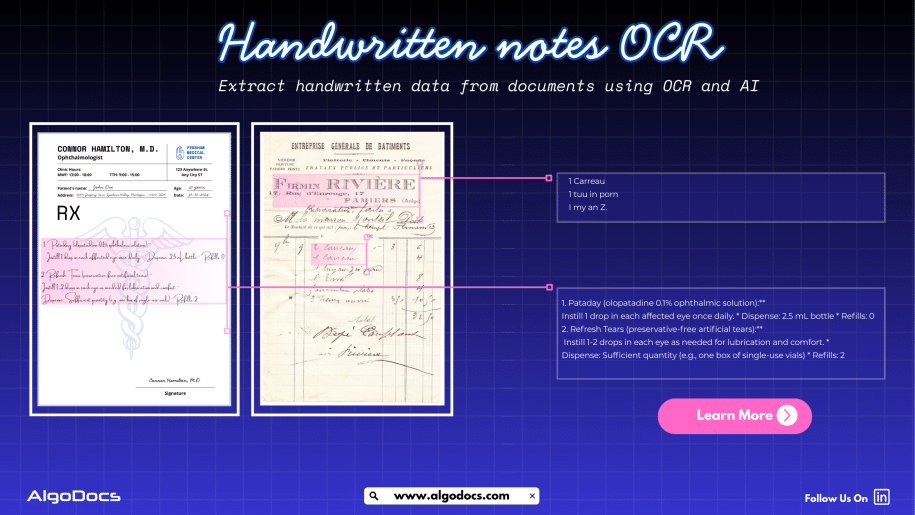
How To Extract Handwriting Data With Handwritten Notes OCR
Back to Blog Table of contents On this page How To Extract Handwriting Data With Handwritten Notes OCR Home › Blog › Algodocs › How To Extract Handwriting Data With Handwritten Notes OCR Categories Algodocs Tags algodocs data extraction deep learning Handwriting data extraction handwriting recognition machine learning OCR ocr api By Shubhankar Biswas Published August 31, 2025, 18:20 Updated July 13, 2026, 07:16 Handwritten notes capture some of our most important ideas, such as meeting minutes, classroom assignments, diary entries, handwritten invoices, medical forms, and much more. But when these valuable insights are trapped on paper, sharing, searching, or analyzing them can be a major challenge. But what if we could instantly turn stacks of handwritten sheets, sticky notes, or scanned handwritten image documents into searchable, editable data? It would surely make our work much easier and more productive. All this can be achieved with the technology called handwritten notes OCR, an advanced data extraction technology that brings the power of optical character recognition (OCR) with AI and ML to process handwritten data from various types of documents with accuracy. In this blog, you will discover how handwritten notes OCR works, why it is now more powerful than ever thanks to AI and machine learning, how modern handwritten notes OCR technology such as intelligent document processing revolutionizes data extraction, and practical tips for digitizing handwritten information in your business or personal life What Is Handwritten Notes OCR? Handwritten notes OCR is a specialized form of optical character recognition designed to capture, convert, and extract handwritten text from various types of documents. These documents are either in scanned image formats or can be PDF documents as well. Handwritten notes OCR turns document data into a digital, machine-readable format. Unlike standard OCR, which works well on clear, formatted images or document data, handwritten notes OCR can recognize the complex and unique nature of individual handwriting styles, even when the text is messy, faded, or uses old-fashioned scripts. With a high-performing handwritten notes OCR tool, you can:• Scan and digitize handwritten assignments, meeting notes, and personal memos.• Preserve historical letters, diaries, and legacy records for research and genealogy.• Archive and search medical forms, receipts, or contracts with handwritten details.• Export transcribed data to systems like Excel, Word, or your business platform — all in seconds. Handwriting vs. Traditional OCR: Why Is It Hard? Older OCR systems struggled to read handwriting, often failing to produce useful results. Anyone who has tried to scan a doctor’s prescription knows the frustration. This is where advanced handwritten notes OCR solutions powered by artificial intelligence come in. How Handwritten Notes OCR Works Modern handwritten notes OCR combines several powerful technologies to capture and convert handwriting into text: Image CaptureThe process starts with a scanned image or photo of your handwritten document — anything from a notebook scan to a smartphone snapshot of a meeting agenda. PreprocessingTo enhance recognition accuracy, the system may adjust brightness and contrast, remove background noise, and straighten text lines. Character RecognitionAI-based OCR analyzes each character, word, and phrase using machine learning models trained on countless samples of handwritten text. Unlike rigid, template-based systems, these models can identify even highly variable writing. Context UnderstandingNewer systems use natural language processing (NLP) and large language models (LLMs) to predict words and recognize context when text is unclear, filling in gaps with intelligent guesses. Data ExportFinally, the transcribed text is exported to your chosen software, converted into a searchable PDF, or sent directly to a database or document management system. Intelligent Document Processing: Putting AI and ML to Work Today, OCR for handwritten notes is supercharged by intelligent document processing (IDP), a blend of AI, machine learning (ML), computer vision, and NLP that turns “just text” into actionable data. Here is what makes IDP so powerful:• Automates data entry from scanned forms, notes, contracts, and even sticky notes.• Learns and adapts to new handwriting styles, layouts, and languages over time.• Classifies documents by type and context, not just by keywords or layout.• Extracts unstructured data, even from non-standard or messy notes.• Reduces manual work, errors, and operational costs, in some cases by up to 32 percent. For example, a handwritten meeting note attached to a scanned invoice is not just digitized for archiving. AI-powered IDP can link the note to the correct customer record and make the content searchable for everyone on your team in seconds. AI and ML: Raising the Bar in Handwritten Notes Data Extraction Artificial intelligence and machine learning have transformed handwritten notes OCR:• Machine Learning Models: By training on thousands or even millions of handwriting samples, these models can recognize a wider variety of writing styles, languages, and scripts.• Neural Networks: Mimicking how human brains read, deep learning models adapt over time, improving accuracy as they process more documents.• Large Language Models (LLMs): When OCR struggles with a word or phrase, LLMs use context clues to predict the correct transcription, boosting results beyond basic pattern matching.• Document Layout Analysis: Advanced IDP tools understand page layouts, tables, forms, and structures, allowing even heavily formatted notes to be converted accurately.• Continuous Learning: Every correction or manual review helps the system improve for the next time. Practical Use Cases and Benefits of Handwritten Notes OCR: • Education: Teachers and students can archive and search assignment notes, grade papers faster, and collaborate on shared materials.• Healthcare: Transcribe doctors’ handwritten notes, prescriptions, and patient forms for secure digital records.• Finance & Legal: Convert contracts, receipts, and case notes into searchable, compliant formats.• Business Operations: Make meeting notes, idea sketches, and legacy documents accessible across the company.• Historical Research: Preserve and analyze old letters, diaries, and census records for genealogy or academic studies. Digitized handwritten notes are easier to search, analyze, share, and back up, making your organization more agile and data-driven. How to Digitize Handwritten Notes: Simple Steps Choose the Right OCR ToolLook for systems that advertise dedicated handwritten notes OCR, ideally with AI-powered data extraction. Platforms such as Algodocs, Transkribus, Adobe Scan, and Google Document AI offer specialized handwriting recognition features. Scan or Photograph Your NotesUse a smartphone, scanner, or dedicated app to capture images of your handwritten documents. Clear, well-lit images with straight lines
