Algodocs

data extraction

Data Extraction

SMB Document Automation & Processing Using IDP and AI

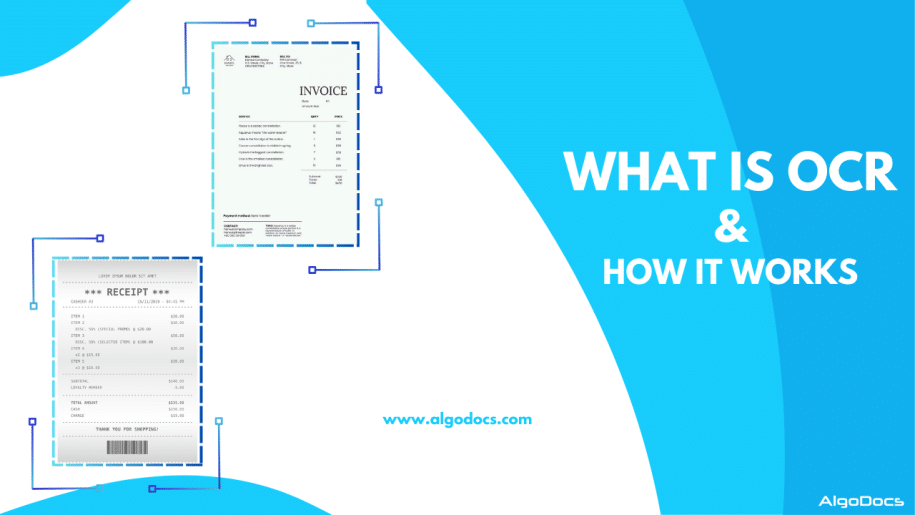
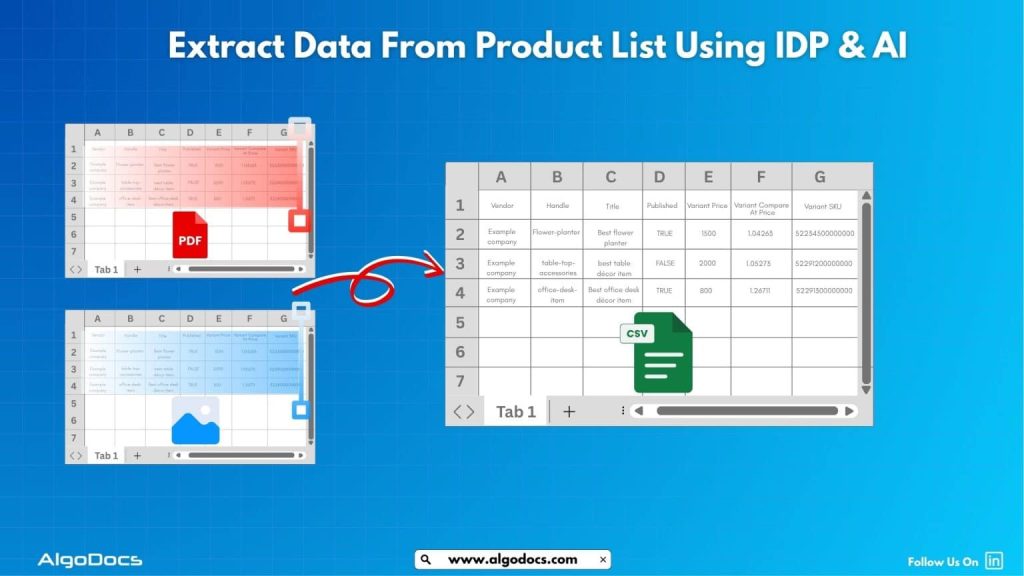
Back to Blog Table of contents On this page SMB Document Automation & Processing Using IDP and AI Home › Blog › Data Extraction › SMB Document Automation & Processing Using IDP and AI Categories Data Extraction Tags algodocs data extraction data extraction from images deep learning image recognition By Shubhankar Biswas Published September 1, 2025, 05:13 Updated July 23, 2026, 06:53 Growing a business in today’s hyper-competitive world can be a real challenge for small and medium enterprises (SMEs). One of the reasons that hinders their progress is the lack of resources to invest in essential services such as smb document automation services etc. One of these essential and important services is processing data from various types of documents, which can come in the form of invoices, bills, receipts, contacts, etc. While larger corporations often have solid resources to invest in extensive digital transformation initiatives, many SMBs feel left behind, struggling with manual processes that drain valuable time and resources from the organization. But what if there were a way to scale your business beyond the grips of manual data entry and unlock the true potential of your information? Yes, it is possible with an AI-powered Intelligent Document Processing (IDP) platform. IDP is emerging as a game-changer for SMBs, offering a powerful blend of artificial intelligence (AI), machine learning (ML), and optical character recognition (OCR) to transform how documents are processed. In this blog, we will delve deep into the world of IDP, exploring its mechanics, its immense benefits for SMBs, the challenges it addresses, and what to consider when choosing the right solution to propel your business forward. What is Intelligent Document Processing (IDP)? At its core, Intelligent Document Processing (IDP) is an AI- and ML-based data extraction tool that helps automate data extraction from various types of documents. It can classify, extract, validate, and organize data from both structured and unstructured documents. These documents can be invoices, bills, HR forms, medical bills, shipping documents, etc. Unlike traditional OCR, which merely converts standard images or documents into machine-readable formats, IDP goes beyond basic data extraction. It leverages advanced technologies such as AI and ML algorithms to understand the context of the information, identify relevant data fields, and even handle variations in document layouts and formats. Think of it as a computer program that has the ability to “read” and “understand” documents in a way that mimics human cognition, but at a speed and accuracy level far beyond human capabilities. This means it can process everything from standardized forms and invoices (structured data) to emails, contracts, and even handwritten notes (unstructured and semi-structured data) with 10 times more speed and accuracy. One of the major advantages of intelligent document processing tools is that they can be integrated with desired third-party platforms and business apps. This makes data exchange and processing smooth and saves time. IDP’s automation capability makes repetitive tasks more productive and cost-effective for the organization. How Intelligent Document Processing Works Intelligent document processing is a multistep process, from capturing, processing, and classifying to extracting the final data. We have written a detailed blog on how intelligent document processing works Meanwhile, you can learn how intelligent document processing works: Document Ingestion: The journey begins with ingesting documents into the IDP system. This can be done through various channels, including scanners for physical documents, email attachments, network folders, or direct integrations with business applications. The system can handle a wide array of file formats, such as PDFs, images (JPEG, PNG, TIFF), Word documents, and more. Pre-processing and Enhancement: Once ingested, documents undergo a pre-processing phase to optimize them for accurate data extraction. This involves techniques like de-skewing (straightening crooked images), noise reduction (removing specks and imperfections), binarization (converting to black and white for better text recognition), and de-speckling. These steps significantly improve the quality of the document image, ensuring higher accuracy in subsequent stages. Document Classification: This is where the “intelligent” aspect truly shines. The IDP solution uses AI and ML algorithms, often incorporating Natural Language Processing (NLP), to automatically classify the ingested documents. For instance, it can distinguish between an invoice, a purchase order, a customer complaint, or an HR application. This classification is crucial for routing documents to the appropriate processing workflows and applying the correct extraction rules. The system learns from historical data and user feedback, becoming increasingly accurate over time in its classification abilities. Data Extraction: Once a document is classified, the IDP system employs sophisticated algorithms to identify and extract specific data points. This is where OCR works in tandem with AI and ML. For structured documents, it might use pre-defined templates. However, for semi-structured and unstructured documents, it uses contextual understanding to locate key-value pairs (e.g., “Invoice Number: 12345”, “Total Amount: $500.00”), dates, names, addresses, and other relevant information, regardless of their position on the page. Machine learning continuously refines the extraction models, leading to higher accuracy with each processed document. Data Validation and Verification: To ensure data integrity, extracted information undergoes a rigorous validation process. This can involve: Rule-based validation: Checking against pre-defined business rules (e.g., ensuring a total amount matches the sum of line items). Cross-referencing: Validating extracted data against existing databases or internal systems (e.g., verifying a vendor’s name against a vendor master list). Human-in-the-Loop (HITL): For uncertain or low-confidence extractions, the system flags the data for human review and correction. This human feedback is invaluable, as it feeds back into the machine learning models, enabling continuous improvement and higher automation rates over time. Data Export and Integration: The final, validated data is then exported in a structured format (e.g., CSV, JSON, XML) and seamlessly integrated into your existing business applications. This could include Enterprise Resource Planning (ERP) systems, Customer Relationship Management (CRM) software, accounting platforms, document management systems, or any other critical business application, ensuring a unified and accessible data flow. Benefits of Intelligent Document Processing for Small and Medium Enterprises Small and Medium size business can greatly benefit from intelligent document processing as it give more power to small scale business owners to do more with versatile IDP tool.

Algodocs

How To Extract Handwriting Data With Handwritten Notes OCR

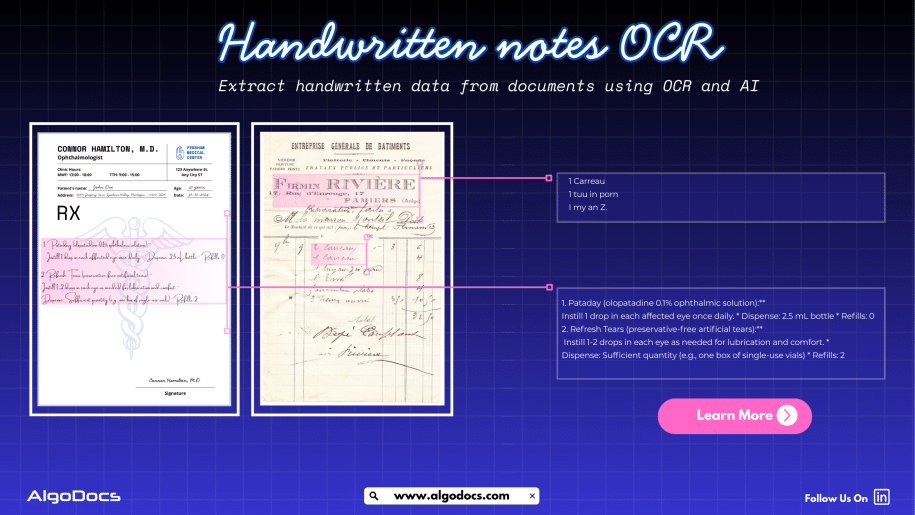
Back to Blog Table of contents On this page How To Extract Handwriting Data With Handwritten Notes OCR Home › Blog › Algodocs › How To Extract Handwriting Data With Handwritten Notes OCR Categories Algodocs Tags algodocs data extraction deep learning Handwriting data extraction handwriting recognition machine learning OCR ocr api By Shubhankar Biswas Published August 31, 2025, 18:20 Updated July 13, 2026, 07:16 Handwritten notes capture some of our most important ideas, such as meeting minutes, classroom assignments, diary entries, handwritten invoices, medical forms, and much more. But when these valuable insights are trapped on paper, sharing, searching, or analyzing them can be a major challenge. But what if we could instantly turn stacks of handwritten sheets, sticky notes, or scanned handwritten image documents into searchable, editable data? It would surely make our work much easier and more productive. All this can be achieved with the technology called handwritten notes OCR, an advanced data extraction technology that brings the power of optical character recognition (OCR) with AI and ML to process handwritten data from various types of documents with accuracy. In this blog, you will discover how handwritten notes OCR works, why it is now more powerful than ever thanks to AI and machine learning, how modern handwritten notes OCR technology such as intelligent document processing revolutionizes data extraction, and practical tips for digitizing handwritten information in your business or personal life What Is Handwritten Notes OCR? Handwritten notes OCR is a specialized form of optical character recognition designed to capture, convert, and extract handwritten text from various types of documents. These documents are either in scanned image formats or can be PDF documents as well. Handwritten notes OCR turns document data into a digital, machine-readable format. Unlike standard OCR, which works well on clear, formatted images or document data, handwritten notes OCR can recognize the complex and unique nature of individual handwriting styles, even when the text is messy, faded, or uses old-fashioned scripts. With a high-performing handwritten notes OCR tool, you can:• Scan and digitize handwritten assignments, meeting notes, and personal memos.• Preserve historical letters, diaries, and legacy records for research and genealogy.• Archive and search medical forms, receipts, or contracts with handwritten details.• Export transcribed data to systems like Excel, Word, or your business platform — all in seconds. Handwriting vs. Traditional OCR: Why Is It Hard? Older OCR systems struggled to read handwriting, often failing to produce useful results. Anyone who has tried to scan a doctor’s prescription knows the frustration. This is where advanced handwritten notes OCR solutions powered by artificial intelligence come in. How Handwritten Notes OCR Works Modern handwritten notes OCR combines several powerful technologies to capture and convert handwriting into text: Image CaptureThe process starts with a scanned image or photo of your handwritten document — anything from a notebook scan to a smartphone snapshot of a meeting agenda. PreprocessingTo enhance recognition accuracy, the system may adjust brightness and contrast, remove background noise, and straighten text lines. Character RecognitionAI-based OCR analyzes each character, word, and phrase using machine learning models trained on countless samples of handwritten text. Unlike rigid, template-based systems, these models can identify even highly variable writing. Context UnderstandingNewer systems use natural language processing (NLP) and large language models (LLMs) to predict words and recognize context when text is unclear, filling in gaps with intelligent guesses. Data ExportFinally, the transcribed text is exported to your chosen software, converted into a searchable PDF, or sent directly to a database or document management system. Intelligent Document Processing: Putting AI and ML to Work Today, OCR for handwritten notes is supercharged by intelligent document processing (IDP), a blend of AI, machine learning (ML), computer vision, and NLP that turns “just text” into actionable data. Here is what makes IDP so powerful:• Automates data entry from scanned forms, notes, contracts, and even sticky notes.• Learns and adapts to new handwriting styles, layouts, and languages over time.• Classifies documents by type and context, not just by keywords or layout.• Extracts unstructured data, even from non-standard or messy notes.• Reduces manual work, errors, and operational costs, in some cases by up to 32 percent. For example, a handwritten meeting note attached to a scanned invoice is not just digitized for archiving. AI-powered IDP can link the note to the correct customer record and make the content searchable for everyone on your team in seconds. AI and ML: Raising the Bar in Handwritten Notes Data Extraction Artificial intelligence and machine learning have transformed handwritten notes OCR:• Machine Learning Models: By training on thousands or even millions of handwriting samples, these models can recognize a wider variety of writing styles, languages, and scripts.• Neural Networks: Mimicking how human brains read, deep learning models adapt over time, improving accuracy as they process more documents.• Large Language Models (LLMs): When OCR struggles with a word or phrase, LLMs use context clues to predict the correct transcription, boosting results beyond basic pattern matching.• Document Layout Analysis: Advanced IDP tools understand page layouts, tables, forms, and structures, allowing even heavily formatted notes to be converted accurately.• Continuous Learning: Every correction or manual review helps the system improve for the next time. Practical Use Cases and Benefits of Handwritten Notes OCR: • Education: Teachers and students can archive and search assignment notes, grade papers faster, and collaborate on shared materials.• Healthcare: Transcribe doctors’ handwritten notes, prescriptions, and patient forms for secure digital records.• Finance & Legal: Convert contracts, receipts, and case notes into searchable, compliant formats.• Business Operations: Make meeting notes, idea sketches, and legacy documents accessible across the company.• Historical Research: Preserve and analyze old letters, diaries, and census records for genealogy or academic studies. Digitized handwritten notes are easier to search, analyze, share, and back up, making your organization more agile and data-driven. How to Digitize Handwritten Notes: Simple Steps Choose the Right OCR ToolLook for systems that advertise dedicated handwritten notes OCR, ideally with AI-powered data extraction. Platforms such as Algodocs, Transkribus, Adobe Scan, and Google Document AI offer specialized handwriting recognition features. Scan or Photograph Your NotesUse a smartphone, scanner, or dedicated app to capture images of your handwritten documents. Clear, well-lit images with straight lines

Data Extraction, purchase order

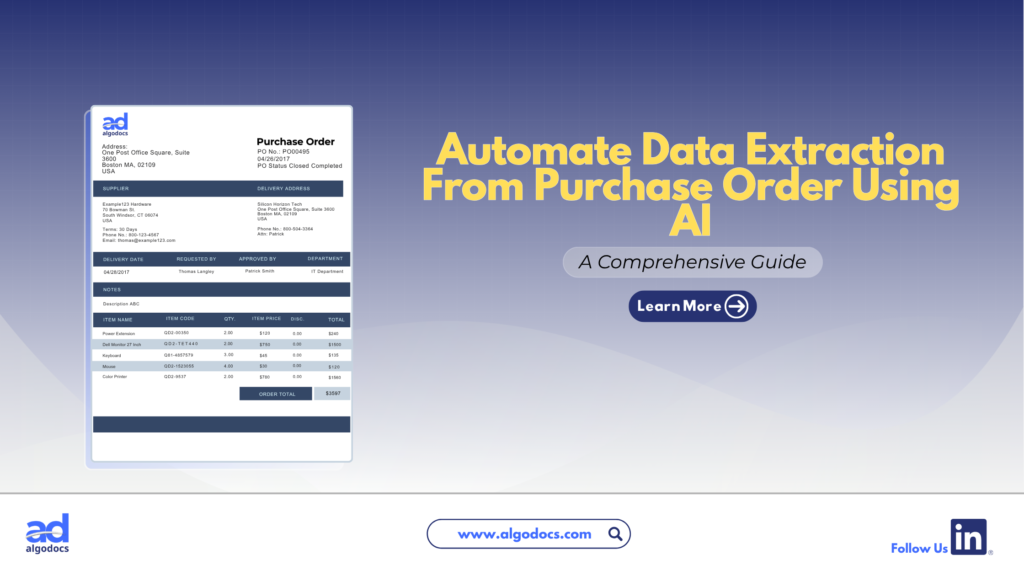
How to Extract Data from Purchase Orders With AlgoDocs Purchase Order OCR. A Comprehensive Guide For 2025

Back to Blog Table of contents On this page How to Extract Data from Purchase Orders With AlgoDocs Purchase Order OCR. A Comprehensive Guide For 2025 Home › Blog › Algodocs › How to Extract Data from Purchase Orders With AlgoDocs Purchase Order OCR. A Comprehensive Guide For 2025 Categories Algodocs Tags algodocs data extraction IDP intelligent document processing machine learning OCR Optical Character Recognition Purchase Order OCR web-based ai platform for data extraction By Ibrahim Nalbant Published January 2, 2025, 07:18 Updated July 10, 2026, 09:25 Purchase orders (POs) are critical documents in business operations, which makes purchase order data extraction and automation an important step in processing purchase orders. They ensure clear communication between buyers and sellers, detailing the goods or services, pricing, and other contractual terms. With the rise of digitization, extracting data from purchase orders efficiently has become essential for modern businesses. Both b2b and b2c business scenarios use a purchase order to facilitate clear communication between two parties. It helps in maintaining important information related to the transaction of goods between two parties. This guide explores how to extract data from purchase orders, focusing on tools like purchase order OCR and strategies to streamline the process. What is a Purchase Order?  A purchase order (PO) is a written document issued by a buyer to a seller that indicates the type, quantity, and agreed price for products or services by two parties. It plays a very crucial role in ensuring smooth procurement operations and is a legally binding document once accepted by the seller. In simple terms, a purchase order (PO) document describes what goods have been requested by the buyer to sellers to confirm their interest in procuring goods and services. Key Elements of a Purchase Order  PO Number: A unique identifier.  Buyer and Seller Information: Contact details and addresses.  Order Details: Description, quantity, and price of items.  Delivery Terms: Shipping method, destination, and date.  Payment Terms: Agreed payment timelines and methods.  Manually managing this information is time consuming, especially for businesses handling large volumes of POs. Challenges of Manually Extracting Data From Purchase Order  Relying on manual methods to extract and process data from purchase orders leads to many challenges for businesses. Time Consuming: Extracting data from a purchase order manually is a time-consuming task. If you have to extract data from a single page document, then manually it can take hours, but using a purchase order app for data extraction only takes 5 to 10 minutes. Error Prone: One of the biggest challenges with manually extracting data from a purchase order is that it is prone to error. The most common human errors, such as typos or missed fields, can disrupt workflows and lead to costly mistakes. Due to the high volume of data, errors tend to happen if data is being extracted with manual method. Scalability Issues: As businesses grow, manually processing hundreds or thousands of purchase orders becomes unsustainable. The manual processing of 100 purchase order documents can slow down the productivity of an organization, which can lead to other challenges, such as loss of profit and time. Resource Intensive Manual methods require significant labour, which leads to a rise in operational costs. To overcome these challenges, businesses are turning to automation tools like purchase order OCR technology. Since the purchase order OCR technology requires very little or no human intervention. What is a Purchase Order OCR Technology  Purchase Order OCR (Optical Character Recognition) is a technology that captures and converts a printed or handwritten text into machine-readable data. This type of OCR technology is built and trained to capture and extract data such as vendor name, buyer name, date, amount, address, and other information from a PO document. You can save this extracted data in Excel, CSV, JSON, or another file format. With the help of purchase order OCR technology, businesses can significantly save time and money and scale their business to greater heights. The advent of AI OCR tools such as AlgoDocs Purchase Order OCR has made data extraction from purchase orders more accurate and productive. How Does Purchase Order OCR Work?  Purchase Order OCR (Optical Character Recognition) is a technology that streamlines the extraction of information from purchase orders. It works by scanning documents in various formats—such as PDFs, images, or scanned papers—and recognizing text to extract key data like order numbers, item descriptions, quantities, prices, and delivery dates. The data is subsequently organized into a structured format, facilitating seamless integration into procurement systems. Automating this process allows Purchase Order OCR to decrease manual data entry, reduce errors, and improve the efficiency of the procurement workflow. Scanning Documents: Paper POs are digitized using scanners.  Data Recognition: The OCR engine identifies text fields such as PO numbers, item descriptions, and quantities.  Data Extraction: The software extracts relevant fields and organizes them into a structured format.  Integration: The extracted data is transferred into systems like ERP or accounting software. What Is AlgoDocs Purchase Order OCR AI App Algodocs is an AI-based purchase order OCR app that extracts data from PO documents. AlgoDocs uses AI technology to automate data extraction from pdfs, scanned documents, and handwritten notes. You can build your own extractor in Algodocs and train the AI model to capture, analyze, and process the data from a document. You can integrate Algodocs with third-party apps for document processing and data extraction. Signup for AlgoDocs Free-Forever plan and access all premium features for free Sign Up Real World Application of Purchase Order OCR Technology A purchase order OCR (Optical Character Recognition) app is a highly beneficial tool for industries of all types. Whether you are operating in a B2B (Business-to-Business) or B2C (Business-to-Consumer) environment, implementing a PO OCR solution can significantly enhance productivity and drive business growth. However, certain industries stand to gain the most from the adoption of OCR technology: Retail and E-commerce: In the fast-paced world of retail and e-commerce, businesses generate a high volume of purchase order documents daily. As customer transactions increase, so does the number

Scroll to Top