Algodocs

data extraction

Agentic AI Document Processing
Algodocs, Data Extraction

Agentic AI Document Processing: How To Automate Data Extraction Smartly With Agentic AI In 2026

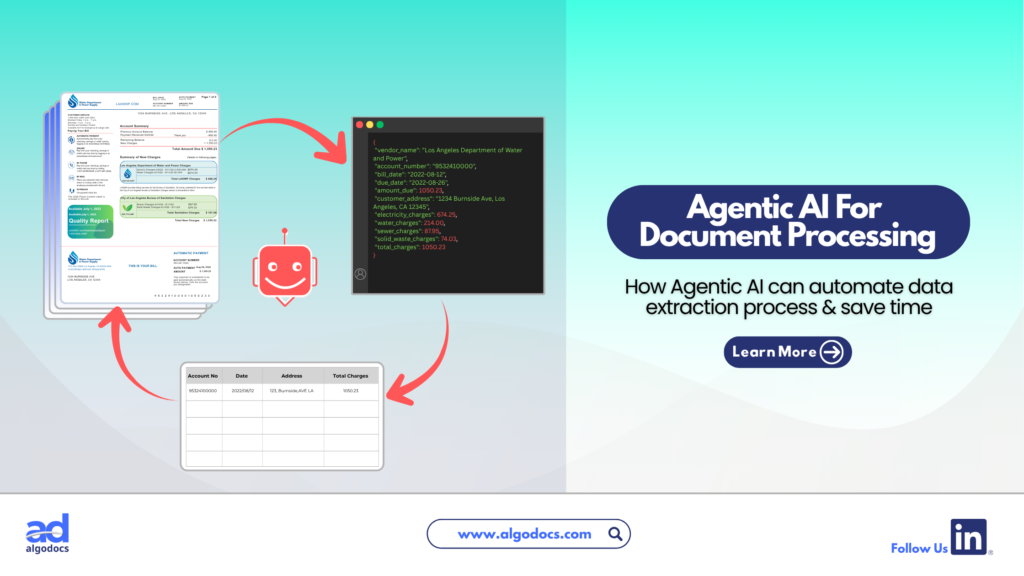
Back to Blog Table of contents On this page Agentic AI Document Processing: How To Automate Data Extraction Smartly With Agentic AI In 2026 Home › Blog › Algodocs › Agentic AI Document Processing: How To Automate Data Extraction Smartly With Agentic AI In 2026 Categories Algodocs Data Extraction Tags agentic ai ai platform for data extraction data extraction By Shubhankar Biswas Published June 26, 2026, 04:09 Updated July 10, 2026, 06:04 When it comes to extracting and processing data from documents, there is no match for sophisticated, computer-powered tools like an Intelligent Document Processing (IDP) tool. Even traditional methods like OCR are effective for basic data extraction. However, in the age of AI, information moves faster than ever and older technologies like OCR are quickly becoming outdated in the face of emerging AI data extraction tools. These modern tools handle all the data extraction work with little or no human intervention. We are talking about Agentic AI, the new standard for automating data extraction from documents compared to older methods. Let us explore exactly what Agentic AI document processing is, how it works, and why it matters for your business. What is Agentic AI? Agentic AI is an autonomous tool able to plan and execute specific tasks with little or no human intervention. Unlike standard AI tools that are only good at providing specific answers to questions, Agentic AI goes further. It can find answers, plan entire workflows according to set goals, follow instructions, manage, organize, and filter data efficiently. In simple terms, Agentic AI tools can plan and execute tasks to achieve goals with minimal human help. So how does Agentic AI work in the document processing and data extraction space? Let us explore. How Agentic AI Works in Document Processing Agentic AI in document processing works when you provide specific instructions to AI agents. These agents can perform tasks like image preprocessing, layout adjustments, data capturing, and data filtration. Large Language Models are only able to perform one task at a time, and you always need human intervention. Agentic AI can perform all these tasks by itself. It only requires a few instructions or goals in the beginning, and the Document Agentic AI tool takes care of the rest. One of the biggest differences between an LLM based data extraction approach and an Agentic AI based approach is autonomy. Agentic AI can perform tasks from start to finish, while LLM extraction is limited to single, specific tasks. Document Ingestion and Preprocessing: The AI agent automatically ingests files from emails, folders, or APIs. It enhances image quality, fixes skewed angles, and readies the file for reading. Layout and Context Analysis: Instead of just reading flat text, specialized vision agents look at the document structure. They map out tables, headers, signatures, and charts to understand the visual context. Semantic Data Extraction: Agents pull out the exact data you need, like an invoice total or patient ID. They do this by understanding the meaning of the words instead of just their location. Validation and Action: The agent cross checks the extracted data against your company databases to ensure accuracy. If everything is correct, it automatically pushes the data into your ERP or CRM system without a human pressing a button. Difference Between Agentic AI Data Extraction and LLM Based Extraction (IDP) To truly understand Agentic AI document processing, we need to see how it compares to older LLM based Intelligent Document Processing (IDP) systems. Key Features Agentic AI Based Data Extraction LLM Based Data Extraction (IDP) Autonomy Fully autonomous. Plans and executes end to end workflows. Requires human prompts and step by step guidance. Handling Complex Layouts Understands charts, nested tables, and complex formats easily. Struggles with anything outside of a standard text template. System Integration Can log into your ERP, check data, and trigger actions on its own. Usually extracts data into a file like a CSV and waits for a human. Exception Handling Reasons through errors and searches for context in past documents. Flags errors and stops the process until a human fixes it. Scale and Speed Multiple specialized AI agents work together as a team at the same time. A single model processes one task at a time sequentially. Benefits of Agentic AI Based Document Processing Traditional data extraction methods are slow and prone to errors. A business that processes over 10000 documents a day cannot rely on manual data extraction. Manual methods lack speed, contain human errors, lack automation, and require continuous monitoring. An Agentic AI document processing system changes the game entirely. Research indicates that Agentic AI could create nearly $450 billion in value for organizations by 2028. Here is why this technology is so beneficial: Zero Template Flexibility: Older OCR tools break if a vendor changes their invoice layout. Agentic AI document processing does not rely on rigid templates. Because it understands the meaning of the document, it can read a completely new layout perfectly on the first try. True Automation: Traditional systems extract data and drop it into a spreadsheet. Agentic AI takes action. If it reads an invoice, it can automatically log into your accounting software, match the invoice to a purchase order, and schedule the payment. Multi Modal Understanding: Today documents are messy. They contain text, handwritten notes, barcodes, and charts. Agentic systems use multiple specialized agents working together. One reads the text, another analyzes the charts, and another verifies the handwriting. Massive Cost Savings: By shifting from a human driven process to a fully autonomous AI workforce, businesses can scale up their document processing overnight without needing to hire more staff. Humans only step in to handle highly strategic decisions. How AlgoDocs Agentic AI Processes Documents and Data Extraction When looking at real world platforms, AlgoDocs is a powerful example of how modern data extraction works. AlgoDocs uses a blend of optical character recognition (OCR), machine learning, and advanced AI models to turn messy documents into structured, usable data. With Agentic AI document processing, AlgoDocs acts like a versatile

handwritten notes extraction

How to Convert Handwritten PDF to Text in 2026

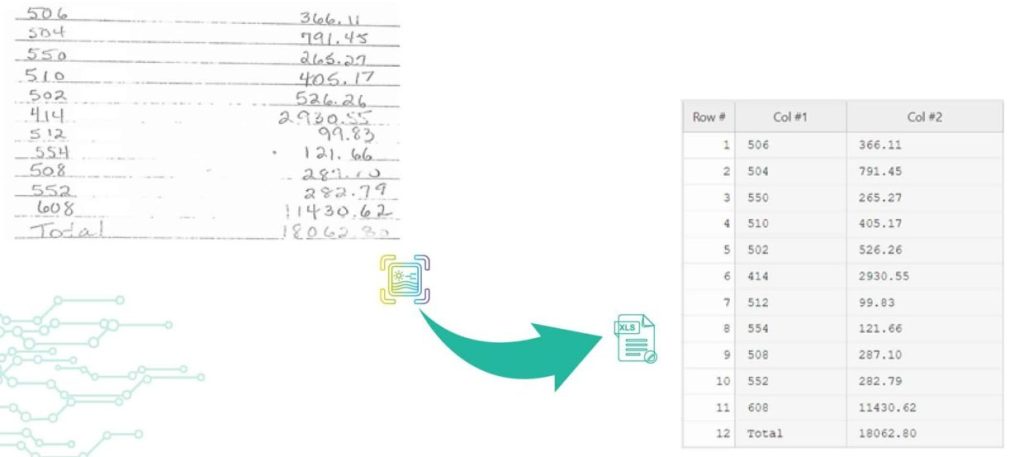
Back to Blog Table of contents On this page How to Convert Handwritten PDF to Text in 2026 Home › Blog › handwritten notes extraction › How to Convert Handwritten PDF to Text in 2026 Categories handwritten notes extraction Tags ai powered tools algodocs convert handwritten to text data extraction digital transformation free online tools handwriting recognition handwritten pdf machine learning ocr technology pdf to text converter text recognition accuracy By Shubhankar Biswas Published October 13, 2025, 12:13 Updated July 23, 2026, 07:38 Digitization enables ease in handling documents to save, share, and access material. However, converting handwritten PDFs to text is still a big challenge. Old methods of digitization are not precise enough in the conversion of handwriting to editable and machine-printed text because they lead to errors and confusion. In the current era of advanced technology, many tools and techniques are very helpful to handle this challenge. The tools to convert handwritten PDFs to text use OCR technology and transform them into editable text within seconds. Such tools make it easier to organize and share your words in that document. To know how to convert scanned files with handwritten text, we will discuss free options that will simplify your conversion of handwritten PDFs. These tools also make digitization and data extraction more manageable. Challenges in Handwriting data extraction There are many challenges in handwriting data extraction due to several reasons. The process of handwriting data extraction includes digitization. It converts handwritten documents into that digital format. This step is easy and straightforward. The real and noteworthy challenges in handwriting data extraction arise when we have to turn these scanned images into editable text. Here we will see some valid challenges in the extraction of data from handwritten scanned images; 1. Irregularities in handwriting styles The primary challenge is the irregularities in handwriting styles. People generally write in many different ways. They use different angles, forms, and sizes of letters. These irregularities make text recognition a complicated process. In this case, machine learning algorithms are very useful to improve accuracy, but sometimes, they also struggle with chaotic or unreadable handwriting. 2.  Transcription The second most important challenge is transcription. It can also be problematic, especially when you are dealing with older documents where liquid ink is faded or scanned image paper has worsened. In these situations, the conversion of scanned PDF images into editable text can produce errors. These errors lead to inappropriate data extraction. 3.  Context The third important challenge is context. It plays a crucial role in precise data extraction. Sometimes, handwriting recognition systems misinterpret numbers or letters. They interpret wrongly, especially when there is high uncertainty or misplaced information. Addressing this challenge needs cutting-edge technology and advanced Machine Learning Algorithms. Such technologies ensure correct transcription and reliable Data extraction. What are the main methods or tools for Automated Handwriting data extraction? For automated handwriting data extraction, there are numerous primary techniques or tools available. However, a few noteworthy and useful ones are as follows: 1.    Optical Character Recognition The most common method for converting handwritten PDFs into editable text is Optical Character Recognition. It works by examining the scanned images of documents and identifying the shapes and patterns of individual characters. Optical Character Recognition tools can help in extracting text from native PDFs. However, its performance decreases when used for extracting handwritten. 2.    Intelligent Character Recognition The second most common method is Intelligent Character Recognition. It is considered for Handwriting recognition text. This Automated Handwriting data extraction method uses machine learning algorithms to understand several styles of handwriting. Intelligent Character Recognition is particularly convenient when you need to convert handwritten PDFs to text. The main reason behind this is that it can; Handle different handwriting styles Produce editable text with greater accuracy Intelligent Character Recognition is far more flexible than in print fonts. 3.    Free Online Tools Many free online tools can help you convert handwritten PDFs to text. These online tools often use both OCR and ICR technologies for the conversion of PDF to text. Some prominent and helpful tools are; Google Drive with Google Docs Microsoft OneNote OnlineOCR.net i2OCR Algodocs Users can upload their handwritten PDFs to these online services. These tools process the documents to extract text. The best part of these tools is that you can download the resulting editable text or copy it for further use. These free online tools offer a suitable way to convert handwritten PDFs to text. Algodocs, on the other hand, is an excellent choice if you’re searching for a more specialized tool that enables you to extract not just handwritten data but also any kind of data, including tables and structured data. Algodocs offers a forever free subscription, with 50 pages processed every month. Handwriting to Text: Easily Convert Handwriting to Text using Algodocs The best way to convert handwritten pdf to text is by using Algodocs. It is a convenient and amazing tool for converting handwriting to text online for free. It streamlines the process of digitization by providing an easy platform for usage. You can convert scanned handwritten documents and convert into editable text. Algodocs is equipped with advanced text recognition and machine learning algorithms. It guarantees high accuracy even with several handwriting styles. How to extract handwritten data using Algodocs Step 1: Log in to your Algodocs account and go to the home page, which is the Dashboard. Step 2: Click on the Extractors tab, where you can see the Create button on the top right side, and click on it. Step 3: Choose the custom extractor for getting structured data from your documents as you need it. Step 4: A pop-up window will come out, and this is where you upload your sample file to extract data from. Click on the Choose file to locate the document from your device storage folder, then assign a name to the extractor. Once done, click on the Create Extractor button. It will populate under Extractors as below; in this article, our example is called “Sample 1.” Step 5: Click on the blue button labeled “Manage”, to create the data to

Data Extraction, PDF

PDF Data Extraction: The Best Tool and Techniques

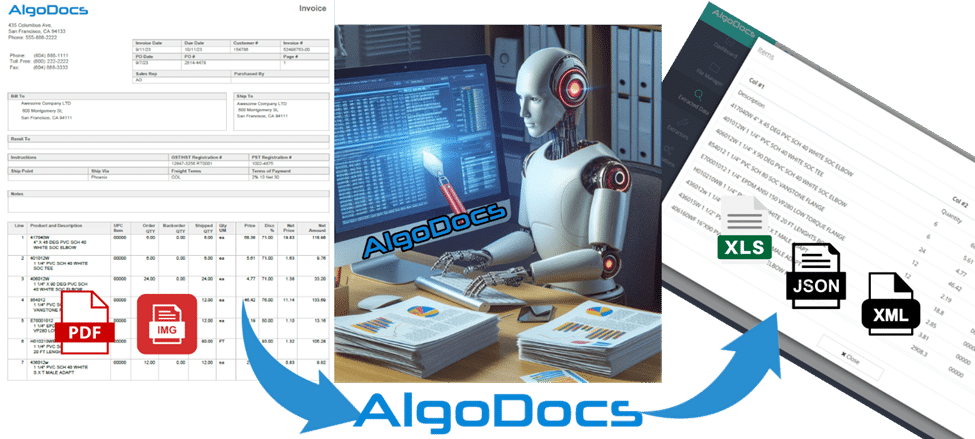
Back to Blog Table of contents On this page PDF Data Extraction: The Best Tool and Techniques Home › Blog › Data Extraction › PDF Data Extraction: The Best Tool and Techniques Categories Data Extraction PDF Tags ai powered tools algodocs convert handwritten to text data extraction digital transformation free online tools handwriting recognition handwritten pdf machine learning ocr technology pdf to text converter text recognition accuracy By Shubhankar Biswas Published October 13, 2025, 12:09 Updated July 21, 2026, 04:09 PDFs are ubiquitous in every organization, serving as the go-to format for sharing and exchanging business data. However, extracting, editing, or parsing data from these files can be a lot of work to do. In today’s data-driven world, efficiently extracting information from PDF documents is essential. This article talks about the problems with getting data from PDFs and shows how to extract data from PDFs to Excel online. Whether you need to get text, and tables, or make PDFs searchable, we’ll cover solutions that are fast, accurate, and easy to use. Challenges in PDF Data Extraction: Let’s explore some of the key challenges encountered in PDF data extraction, shedding light on why what may seem like a simple task can often become quite complex. Manual PDF text extraction requires meticulous attention to detail, making it a time-consuming endeavor. A slight error can lead to inefficiencies and potential errors. Human errors are common in manual extraction, potentially impacting the accuracy of the extracted data. Unlike other document formats like DOC, XLS, or CSV, editing PDF data is not straightforward, hindering customization according to specific requirements. Extracting data from tables in PDFs often results in the loss of original formatting, making it challenging to maintain data integrity. How to Extract Data from PDF Files in 2024: Extracting data from PDFs used to be a lot of work when the technology hadn’t advanced back in the days. However, now, with the advent of AI, OCR, and NLP, you don’t have to spend hours on manually extracting the data. All you need is an efficient tool like Algodocs that does the job for you accurately and easily. Let’s look at different PDF data extraction methods in 2024: Do it Manually While not the preferred method in 2024, manual data extraction remains a necessity for startups or beginners who are not ready to invest in good PDF data extraction software or are new to technology. Whether handling school documents, business reports, medical records, or any other file type, manual extraction is still widely utilized, although it is considered a less refined approach. Use Adobe Acrobat For more professional-grade PDF page extraction, Adobe Acrobat is a solid option. Although it’s not free, you can try it out with a 7-day free trial. Adobe Acrobat offers various plans, with Acrobat Pro starting at $19.99/month. This plan includes a range of features to streamline your document management process. Adobe Acrobat retains all interactive components of the PDF, including hyperlinks, comments, and forms. It allows you to extract any number of pages and save them as separate files or split the PDF into multiple PDFs, but all at a cost. You wouldn’t think it’s free, right? While Adobe Acrobat is a well-established tool for working with PDFs, it lacks the advanced data extraction capabilities of automated data extraction tools like Algodocs. Such a tool utilizes the latest technology to extract a wide range of information from PDFs and images, including handwriting, tables, and key-value pairs. This extracted data can then be exported into usable formats like CSV or Excel, making it ideal for integrating with accounting software or further analysis. In contrast, Adobe Acrobat offers limited data extraction functionalities. Automate Data Extraction with AI-powered OCR Technology What if you need to extract pages based on their content? Consider a scenario where you need to extract and analyze all invoices or pages containing specific key values such as names, dates, emails, total, address, etc. In such cases, an AI-powered OCR (Optical Character Recognition) tool can be invaluable. One important and powerful tool is Algodocs which we’re going to discuss in detail later in the article. It is the easiest way to get data from PDFs to Excel. Automated PDF Data Extraction: Algodocs Experience the power of Algodocs, an innovative AI data extraction platform designed to streamline your document processing workflow. With Algodocs, you can effortlessly extract valuable information from scanned files, including images, PDFs, Word, and Excel files. Whether these are HR forms, bank statements, purchase lists, or sales invoices, Algodocs handles them all with high accuracy. Gone are the days of manual data extraction. Algodocs empowers you to access and extract editable data effortlessly. Now get rid of the tedious tasks and say hello to editable formats like Excel, JSON, and XML, and seamless integrations with other software such as accounting or databases. Best of all, Algodocs offers a forever free subscription plan, allowing you to process up to 50 pages per month without any cost, so you can extract data from PDFs for free! Key Features of Algodocs PDF Extraction: Algodocs automates the extraction of tables from scanned files, including handwritten tables and those spanning multiple pages. The advanced AI-powered OCR engine can handle low-quality scanned PDFs and images at as low as 75 dpi. Using Intelligent Character Recognition (ICR) functions, Algodocs can extract handwritten text and convert it into machine-printed text. Algodocs can extract data, fields, and tables from native and scanned documents and save them as Excel, JSON, or XML files. Get Started in Minutes: The screencast video below shows how to quickly convert PDF files and photos into editable formats like Microsoft Word, Excel, PowerPoint, Text, or RTF. Moreover, a summary of the steps required for transforming a PDF into an editable Excel file is provided below. Convert PDF files and images into editable files in less than a minute. Step 1: Log in to your Algodocs account. Step 2: From the Dashboard, click on the File Manager tab  Step 3: Right-click on the root , and a drop-down menu will pop up showing available options

Data Extraction

Mastering AI Data Extraction: A Comprehensive Guide to Unlocking Valuable Insights

Back to Blog Table of contents On this page Mastering AI Data Extraction: A Comprehensive Guide to Unlocking Valuable Insights Home › Blog › Data Extraction › Mastering AI Data Extraction: A Comprehensive Guide to Unlocking Valuable Insights Categories Data Extraction Tags data extraction web-based ai platform for data extraction By Shubhankar Biswas Published October 13, 2025, 09:14 Updated July 20, 2026, 04:44 What is AI Data Extraction? According to a Forbes 2024 study, 2.5 quintillion bytes of data are generated every single day. By 2025, this figure is expected to balloon to 463 exabytes daily [1]. Businesses and individuals alike are drowning in a sea of information. Deriving insights from this raw data is no longer a luxury—it’s a necessity. Manually extracting data from documents like scanned files, PDFs, and images is incredibly time-consuming and error-prone. This is where data extraction tools steps in. Think of AI data extraction as having a genius robot at your disposal.  It can sift through mountains of documents, read and understand their content, and then pinpoint and extract the information you need.  Whether it’s text, tables, marks, or signatures, the AI understands your requirements and delivers the results in a flash. This powerful combination of machine learning and natural language processing is revolutionizing the way businesses manage data. Imagine the time and energy you could save by automating this tedious task. Let’s explore how AI data extraction works and the benefits it can bring. Understanding the AI Data Extraction Process So, how does this AI magic actually happen? Let’s break it down. You start by providing the data extraction tool with your own documents, whether they are scanned papers, PDFs, or images. This is where the technology starts its work. That data is fed to the AI using Optical character recognition (OCR), which converts all those uneditable formats(images) into text that AI can understand. But it doesn’t stop there. Natural language processing (NLP) now takes over, enabling the AI model to grasp the meaning behind its own words. It is somewhat like teaching a computer to read, think, and speak like a human–but faster! Here’s where true cleverness lies. Whether you are looking for names, dates, or addresses, the AI will look for the specifics. It can even handle complicated data structures like tables and handwritten; it’s like having a digital assistant that can accurately extract the exact data you need. Once your required data is extracted and transformed into a structured format, it is ready for analysis or integration within your systems, such as a CSV file, an Excel spreadsheet, or even directly into your CRM / accounting software. Benefits of AI Data Extraction Why is AI Data Extraction Essential for Your Business? Let us imagine the following: We can spend less time on data entry and more time unraveling insights. That is the magic of AI data extraction. It can even automate this time-consuming process, freeing up human resources to work on the more important and critical tasks—making informed decisions. AI data extraction is your business superpower. It increases productivity by processing a large amount of data in shorter intervals and with greater accuracy. Humans make mistakes and are inconsistent! Armed with accurate extracted data, you will be able to uncover new patterns and trends that may significantly impact your business. In other words, AI data extraction gives companies in industries—finance, healthcare, and any industry that depends on information to operate their business—that leverage big data an efficient way of automating boring tasks while speeding up processes geared at accelerating growth rate. This is not only a question of saving time and money but rather allowing your data to fulfill its potential. Challenges and Considerations Overcoming AI Data Extraction Challenges AI data extraction might be very powerful, but that does not mean that we will not face some challenges. One of the primary challenges in AI data extraction is handling inconsistent data formats. Documents vary in layout, font, and structure, which can pose difficulties for AI data extraction systems. Additionally, extracting handwriting from scanned files can be a tricky puzzle, especially if the handwriting is messy or illegible. But fear not! With the right automated data extraction tool, we can easily overcome such problems. Advanced data extraction tools like Algodocs are equipped to handle these challenges. Algodocs employs sophisticated algorithms and machine learning models that can adapt to diverse document types and decipher even the most challenging handwriting. Data Preparation: The Key to Accuracy The accuracy of any data extraction model hinges on the quality of the input data. Data cleaning and normalization—removing errors, inconsistencies, and irrelevant information—are crucial steps in ensuring optimal results. Here, Algodocs allows users to optionally fine-tune (train) the model on their specific document types for enhanced accuracy. Ethical Considerations in AI Data Extraction Like any computer-based technology, AI-automated data extraction has raised some ethical questions. Privacy is a major concern in handling data responsibly, and following regulations is essential. Keeping crucial data secure is an utmost priority. Bias is another ethical consideration. AI models learn from data; any biases in the training set can lead to biased output. You should implement some important steps to avoid those biases. Algodocs takes the integrity of your data very seriously. They are ISO 27001 (Information Security Management System) and ISO 9001 (Quality Management System) certified and GDPR ready. Furthermore, Algodocs models are trained on diverse and representative datasets to ensure fairness and equity in the data extraction process. AI Data Extraction Tools and Platforms Choosing the right AI data extraction tool is crucial for your success. Due to the numerous alternatives available, it may be difficult to find the best fit. However, the following factors should get immediate attention: the kind of documents you deal with, accuracy, availability, the complexity of the data, the price, and the desired level of customization. A number of tools are designed for specialized applications, while others offer a more general approach. Algodocs: Your Trusted AI Data Extraction Partner Algodocs is one of the best AI

Data Extraction

The Ultimate FAQ: Mastering AI Data Extraction for Efficient Document Processing

Back to Blog Table of contents On this page The Ultimate FAQ: Mastering AI Data Extraction for Efficient Document Processing Home › Blog › Data Extraction › The Ultimate FAQ: Mastering AI Data Extraction for Efficient Document Processing Categories Data Extraction Tags data extraction invoice process loan forms machine learning ocr api By Shubhankar Biswas Published October 12, 2025, 20:25 Updated July 20, 2026, 04:17 As technologies advance in this vast world, information is abundant around us. Data is everywhere: from invoices, bank statements, HR forms, sales orders, contracts, and social media to customer feedback. That brings the question, how can we handle this flood of information around us? This is where data extraction tools pops in. AI data extraction is like a smart digital assistant rummaging through piles of documents, emails, and images to pick out what you need. It’s like having employees working round the clock, with no strikes and no coffee break arguments. In its simplest form, AI data extraction uses machine learning and natural language processing to ‘think’ in a language just as you and I do. It uses this capability to recognize data like tables and handwritten and then extract information. Subsequently, it converts unstructured data into structured form that is easy to work with. But why is this so important? Data extraction can unravel the hidden riches embedded deep within your data. It is time-saving, error-free, and enables individuals to make the right decisions that may prove beneficial to any business. It identifies patterns, filters data, and transforms complex data structures into easily analyzable formats. How AI Data Extraction Works Data Extraction involves using complex technologies such as Optical Character Recognition (OCR), Natural Language Processing (NLP), and Computer Vision. OCR is the system’s eyes that read documents and images to input text. NLP understands text meaning and context, while Computer Vision interprets visual elements like table borders, brand names, warranties, signatures, etc. The process typically starts with data preprocessing, cleaning, and preparing the raw data for extraction. Then, AI-based models, such as Algodocs trained on vast amounts of data, swing into action. They identify patterns and extract relevant/required entities like names, dates, amounts, tables, marks, signatures, etc. Next, Algodocs allows users to export the extracted data directly into their software or structured formats like spreadsheets, XML, or JSON. It’s like teaching a computer to read, understand, and extract wanted/essential info, just like you would with a book or an article. AI data extraction tools like Algodocs handle massive data volumes in seconds or minutes instead of hours or days. Types of Data That Can Be Extracted with AI AI data extraction isn’t limited to just plain text on a page. It’s like a versatile detective, capable of uncovering clues hidden within various data types. First, there is textual data extraction. AI extracts pertinent textual data like names, addresses, and products from PDFs, screenshots, emails, and social media posts. It’s as if you have a secretary who summarizes the important parts of a large pile of documents. Then, numerical data extraction, such as table extraction, is performed. AI extracts prices, quantities, and dates from invoices and financial statements, even handling complex multipage tables. This includes everything from logos and warranty details to signatures, making it a valuable tool for finance, healthcare, manufacturing, etc. Lastly, AI data extraction can address the Wild West or relatively free-for-all environment of semi-structured and unstructured data. It uncovers unknown heroes in your data, whether stored in paperwork or digital formats. Besides, it is imperative to note that Algodocs is the leading AI platform for unlocking rich information from PDFs and images. We have no time for manual data entry anymore! You can easily export your data as Excel, Word, JSON, XML, etc. In addition, a powerful API is available to export extracted data to your apps directly. Furthermore, Zapier lets you connect 2,000+ other web services and set them up in minutes without coding. It also provides a forever-free plan where you can process up to 50 pages every month! Affordable plans are available if you need to process more pages. Use Cases for AI Data Extraction AI data extraction is no longer an idea – it has become an essential tool that is revolutionizing businesses in many industries. Let’s delve into some compelling use cases: Invoice Processing and Accounts Payable Automation: No more manually inputting data and dealing with piles of papers containing invoices. This can involve extracting meaningful information from invoices, such as the vendor details, the invoice number, and the items purchased, thereby saving you a lot of time and effort when it comes to your accounts payable. Experience the Algodocs feature for free, and start automating your invoices today! Streamlining Data Entry and Document Digitization: Irrespective of whether your company processes customer forms, HR records, or legal documents, AI data extraction can turn your data into digital assets in no time. Enhancing Customer Onboarding and KYC Processes: Institutional KYC (Know Your Customer) checks are essential for fraud prevention in financial institutions, but the paperwork can be cumbersome. AI data extraction can help collect client data from ID documents, accelerating the onboarding process and decreasing compliance issues. Contract Analysis and Legal Document Review: Legal documents generally exhibit complexity and require long reading and analysis times. Here, AI data extraction can help recognize keywords such as clause, date, and obligation, thus freeing professionals for more important matters. Empowering Market Research and Competitive Intelligence: Sometimes, data collection of market trends and competitors could be a challenge. AI data extraction can assist in data gathering and analysis. Revolutionizing Healthcare Data Extraction and Analysis: The healthcare industry is saturated with patient information, clinical documents, and trial results. From such documents, AI data extraction can extract useful information to aid in diagnosis and treatment and as a reference for research. Benefits of AI Data Extraction That is why it is necessary to discuss the potential advantages of AI data extraction, for which various application cases have been described above. It’s not just about fancy new technologies


Algodocs

Top 5 Challenges in Document Data Extraction and How to Overcome Them With Algodocs

Back to Blog Table of contents On this page Top 5 Challenges in Document Data Extraction and How to Overcome Them With Algodocs Home › Blog › Algodocs › Top 5 Challenges in Document Data Extraction and How to Overcome Them With Algodocs Categories Algodocs Tags AI Data Extraction ai platform for data extraction algodocs data extraction Document Automation IDP OCR By Shubhankar Biswas Published October 12, 2025, 18:32 Updated July 13, 2026, 06:37 In today’s fast-paced digital world, document data extraction has become an essential process for businesses across various industries. Whether it’s extracting data from invoices, medical records, contracts, or financial reports, the need for efficient and accurate document processing has never been greater. As the need for data in business grows, so does the requirement for intelligent document processing platforms and other AI technologies for document data extraction. However, the path to seamless document data extraction is not without its challenges. In this blog, we will explore the top five challenges in document data extraction and how Algodocs can help overcome them. By the end, you’ll gain a comprehensive understanding of how to streamline your workflows and achieve better efficiency. What is Document Data Extraction? Document data extraction refers to the process of extracting structured or unstructured data from various document formats, such as PDFs, scanned images, or handwritten forms. This data is often critical for making business decisions, automating workflows, or maintaining accurate records. With advancements in technology, many organizations rely on automated tools for data extraction. However, the complexity of handling diverse document formats and ensuring data accuracy remains a significant hurdle. Before we dive into the top challenges faced by businesses in this domain, we need to understand the two major types of data extraction from documents. Types of Document Data Extraction: Manual Vs Automated Extracting data from documents is a complex task with both advantages and disadvantages. In recent years, the advent of artificial intelligence and machine learning has made data extraction smoother and more accurate. When it comes to data extraction, you have two options: manual data extraction and automated data extraction. Manual Document Data Extraction: In manual document data extraction, we copy and paste data from one document to another file. This basic method is considered very time-consuming and prone to errors. Manual data extraction is limited to a few document types and cannot process data from a variety of document formats. Automated Document Data Extraction: Automated document data extraction uses technologies such as OCR and Intelligent Document Processing (IDP) to automate the extraction of data from various types of documents and data sources. This method employs advanced technologies such as AI, ML, and NLP to capture and process data from both structured and unstructured document types. One key feature of automated data extraction is the speed and accuracy of the technology, and it can be scaled according to operational needs. Algodocs is an excellent example of an automated data extraction tool that allows you to extract data from both structured and unstructured documents. The Top 5 Challenges in Document Data Extraction Diverse Document Formats: Businesses deal with a wide range of document types, including PDFs, images, scanned forms, and handwritten notes. Each document format comes with its own set of challenges. For example: PDFs may contain hidden text layers or embedded images that are difficult to extract. The complexity of PDFs can vary greatly depending on how they were created, making it challenging to extract data accurately. Scanned documents often suffer from poor quality or inconsistent alignment. Issues such as low resolution, skewed scans, and variations in lighting can all affect the accuracy of data extraction from scanned documents. Handwritten documents pose significant challenges due to varying handwriting styles and legibility. The diversity in handwriting can lead to errors in recognizing characters and extracting correct information. These issues make it difficult to standardize data extraction processes and require tools that can adapt to diverse formats. Advanced technologies like AI and Machine Learning are essential to handle these variations effectively, ensuring that the extracted data is accurate and reliable. Solution: Algodocs’ AI-powered algorithms are designed to handle diverse document formats seamlessly. It uses Artificial Intelligence (AI) and Machine Learning to extract text from images and scanned documents while maintaining high accuracy. The platform’s adaptability ensures that even complex documents are processed efficiently. 2. Data Accuracy and Consistency Accuracy is paramount in document data extraction, especially when dealing with critical information like medical records, financial statements, or legal documents. Errors in data extraction can lead to serious consequences, including financial loss or compliance issues. While manual data extraction is one of the most common methods prone to data inaccuracies, basic OCR extraction tools sometimes fail to extract data accurately, leading to various operational issues. Common causes of inaccuracy include: Poor Document Quality: Poor document quality, such as smudged or faded text, often creates issues when scanned documents are in PDF or image formats. Scanning documents with scanners frequently results in blurry images, making data extraction from these documents a significant challenge.   Misinterpretation of Symbols, Fonts, or Layouts: Misinterpretation of symbols, fonts, or layouts in documents is one of the reasons why inaccuracies in data extraction occur. OCR technology or manual data extraction methods sometimes can’t read and understand these complex symbols or fonts, leading to errors. Variations in Document Templates and Structure: Variations in document templates and structure can also create issues with data extraction accuracy and consistency. Different formats such as PDF, Image, and Word documents offer different layouts, and extracting data from these varying layouts can sometimes cause accuracy issues. Maintaining consistency across multiple documents or batches is another challenge. Without a reliable system, errors can propagate and undermine data integrity. Solution: Algodocs employs advanced machine learning models that continuously improve accuracy by learning from data patterns. Its robust validation features allow users to cross-check extracted data against predefined templates, ensuring consistency and reliability. 3. Dealing with Unstructured Data One of the major challenges businesses face when extracting data from documents is dealing with unstructured

Data Extraction, Image Data Extraction, Legal Document Extraction

Data Extraction for Legal Industry : How Intelligent Document Processing (IDP) Can Transform Legal Industry Document Workflow

Back to Blog Table of contents On this page Data Extraction for Legal Industry : How Intelligent Document Processing (IDP) Can Transform Legal Industry Document Workflow Home › Blog › Data Extraction › Data Extraction for Legal Industry : How Intelligent Document Processing (IDP) Can Transform Legal Industry Document Workflow Categories Data Extraction Image Data Extraction Legal Document Extraction Tags AI algodocs data extraction IDP intelligent document processing Legal Industry machine learning By Shubhankar Biswas Published October 12, 2025, 16:36 Updated July 22, 2026, 10:08 The global law and legal services industry is expected to reach $1,591.56 billion by the end of 2032, according to a report. The legal industry primarily relies on information, with activities such as contracts, court filings, discovery documents, and legal research forming the foundation of every case and legal process. These tasks involve a significant amount of documentation and data. However, managing this mountain of data has always been a challenge for the legal industry. Traditional methods of manual review and data entry are time-consuming, expensive, and prone to human error. Fortunately, technologies such as Artificial Intelligence (AI) and Intelligent Document Processing (IDP) have revolutionized how law firms and legal departments handle data extraction from multiple documents and files, significantly improving their work efficiency. In this blog, we will discuss how IDP (Intelligent Document Processing) can enhance document processing efficiency for the legal industry and why Algodocs AI is an ideal document processing solution that can elevate data extraction and document management for legal service business owners. Data Extraction for Legal Industry : A Major Challenge for Law Firms and Legal Service Providers Data is the lifeblood of the legal profession and law firms. Whether it involves extracting key clauses from contracts, identifying vital information in discovery documents, or analyzing legal precedents, the ability to quickly and accurately extract data is critical. This is where IDP (Intelligent Document Processing) for the legal industry comes into play. IDP automates the process of identifying and extracting relevant information from various legal documents, transforming unstructured data into a structured, usable format. This process is vital for several reasons: Efficiency: Manual data extraction is notoriously slow and labor-intensive. IDP and AI automate this process, freeing legal professionals to focus on higher-value tasks like strategy and client interaction. Accuracy: Human error is inevitable when manually extracting data. IDP and AI solutions, such as Algodocs, significantly reduce errors, ensuring data integrity and reliability. Cost Savings: Manual data extraction is not cost-effective, especially when dealing with bulk documents, which are abundant in the legal industry. By automating data extraction, law firms and legal departments can reduce overhead costs and improve their bottom line. Improved Decision-Making: Extracted data can be analyzed to provide valuable insights, enabling lawyers to make more informed decisions and develop stronger legal strategies. The Limitations of Traditional Data Extraction Methods Before the advent of technologies like IDP, AI, or OCR, legal professionals relied heavily on manual methods for data extraction. These methods, while sometimes necessary, come with significant challenges: Time-Consuming: Sifting through hundreds or thousands of pages of legal documents to locate and extract specific information is tedious and time-intensive. Error-Prone: Manual data entry is susceptible to human error, which can have severe consequences in legal matters. Inconsistent: Manually extracted data can vary in format and accuracy depending on the individual performing the task, leading to inconsistencies and difficulties in analysis. Costly: Labor costs associated with manual data extraction can be significant, particularly for large-scale legal projects. These limitations highlight the need for a more efficient, accurate, and cost-effective solution for data extraction in the legal industry. This is where IDP steps in. How IDP Works IDP leverages the power of artificial intelligence (AI) technologies such as machine learning (ML), natural language processing (NLP), computer vision, and OCR to automate data extraction from legal documents. Here’s how it works: Document Ingestion: IDP solutions can ingest various document formats, including PDFs, scanned images, Word documents, handwritten notes, and emails. Pre-Processing: Documents undergo pre-processing steps like optical character recognition (OCR) to convert scanned images into machine-readable text and remove noise. Data Extraction: NLP and ML algorithms identify and extract relevant information based on pre-defined rules or learned patterns, such as clauses, dates, names, addresses, and financial figures. Data Validation: Extracted data is validated using techniques like cross-referencing and pattern matching to ensure accuracy. Output: The validated data is exported into a structured format, such as a spreadsheet or database, for easy analysis and use. The Benefits of IDP for Legal Data Extraction IDP offers numerous benefits for legal professionals seeking to streamline data extraction: Increased Efficiency: Automates the data extraction process, significantly reducing time and effort. Improved Accuracy: Minimizes human intervention, reducing errors and ensuring greater precision. Enhanced Consistency: Provides consistent data extraction across all documents, regardless of complexity. Reduced Costs: Cuts labor costs by automating repetitive tasks. Better Risk Management: Identifies potential risks and liabilities within documents. Improved Compliance: Ensures adherence to legal and regulatory requirements. Enhanced Client Service: Enables legal professionals to deliver faster, more accurate services. Use Cases of IDP in the Legal Industry Contract Analysis: Automatically extracts key details like parties, dates, payment terms, and clauses. Due Diligence: Speeds up the review process for mergers and acquisitions by analyzing contracts and financial statements. Discovery: Analyzes vast amounts of discovery data to identify relevant information and patterns. Legal Research: Automatically extracts relevant information from case law, statutes, and legal journals. Compliance Monitoring: Ensures documents adhere to regulations and internal policies. Choosing the Right IDP Solution To maximize its benefits, selecting the right IDP solution is crucial. Consider factors such as accuracy, scalability, integration, security, user-friendliness, and vendor support when making your choice. Algodocs: A Leading IDP Solution for Legal Industry Algodocs is a powerful IDP solution tailored to address the challenges of data extraction in the legal field. It automates document processing, ensures high accuracy, offers customizable data extraction, and integrates seamlessly with existing systems. By implementing Algodocs, law firms and legal departments can enhance efficiency, accuracy, and cost-effectiveness, enabling better outcomes for clients. Conclusion Intelligent Document Processing is transforming the legal industry by automating critical processes. By improving efficiency, accuracy, and cost-effectiveness, IDP empowers law firms and legal departments to

Healthcare

Healthcare Data Extraction: Improving Healthcare Document Workflow with AI and IDP In 2025: A Case Study

Back to Blog Table of contents On this page Healthcare Data Extraction: Improving Healthcare Document Workflow with AI and IDP In 2025: A Case Study Home › Blog › Healthcare › Healthcare Data Extraction: Improving Healthcare Document Workflow with AI and IDP In 2025: A Case Study Categories Healthcare Tags algodocs data extraction deep learning healthcare intelligent document processing machine learning ocr api By Shubhankar Biswas Published October 12, 2025, 16:30 Updated July 20, 2026, 10:11 Healthcare data extraction has always been a challenge for hospitals, healthcare providers, and insurance companies. Extracting data from multiple documents was a complex task. However, the advent of AI and Intelligent Document Processing (IDP) technologies has significantly impacted how the healthcare industry processes data from various healthcare documents. The healthcare industry is a vast sea of data. Every patient interaction, medical procedure, and insurance claim relies on information. This data, locked within various document formats, holds immense potential to improve patient care, streamline healthcare operations, and drive innovation. However, extracting this valuable information from diverse healthcare documents has traditionally been laborious, error-prone, costly, and inefficient. This is where technologies like IDP, AI, Machine Learning (ML), Large Language Models (LLM), and Optical Character Recognition (OCR) come into play. With these innovative technologies, we have improved data extraction for the healthcare industry. According to a recent report, the healthcare industry is a USD 5,862.1 billion industry and is expected to reach USD 9,245.8 billion by 2033. Another report by Deloitte suggests that AI technologies can save USD 360 billion in costs in the USA by next year. The healthcare industry generated up to 2.3 zettabytes of data worldwide in 2020. In this blog, we will discuss how AI is changing data extraction for the healthcare industry across the globe and the technologies and tools behind this technological advancement. The Diverse Landscape of Healthcare Documents The healthcare industry is inundated with various documents, each containing critical information crucial for patient care, administration, and research. Understanding these documents is the first step in effectively leveraging data extraction. Let’s delve into the key document types: Medical Bills Medical bills are more than just invoices; they are detailed records of services rendered to a patient. They contain crucial information, including: Patient Demographics: First Name, Last Name, address, date of birth, insurance, and other crucial details. Provider Information: Name, address, National Provider Identifier (NPI), etc. Service Details: Procedure codes (CPT/HCPCS), diagnosis codes (ICD-10), dates of service, quantities, and descriptions. Charges and Payments: Itemized charges, adjustments, insurance payments, patient responsibility, payment methods, tax details, etc. Efficiently extracting data from medical bills is vital for revenue cycle management, claims processing, cost analysis, and identifying trends in healthcare spending. Accurate data extraction ensures timely reimbursements, reduces claim denials, and provides insights into cost-effective care delivery. Handwritten Bills Despite the growing adoption of Electronic Health Records (EHRs), handwritten bills persist in many healthcare settings, particularly in smaller practices or during field visits. Many developing Asian countries, as well as developed countries, still rely on handwritten bills. These bills often contain information such as: Patient Information: Basic details like first name, last name, sometimes age or contact information, dates, etc. Treatment Details: Brief descriptions of services provided, often in abbreviated form. Charges: Handwritten amounts for each service or an overall total. Extracting data from handwritten bills presents a unique challenge due to variations in handwriting styles, abbreviations, and the potential for smudges or illegible entries. Advanced OCR coupled with Natural Language Processing (NLP) is essential for accurate data extraction from these documents. Patient Forms Patient forms are the cornerstone of patient intake and data collection. They gather essential information that forms the basis of a patient’s medical record. Sometimes these forms are filled with handwritten data, which presents a challenge for data extraction. Though the majority of patient forms are computer-generated, in many cases, they are handwritten. Common types of patient forms include: Registration Forms: Collect basic demographics, insurance information, and emergency contacts. Medical History Forms: Document past illnesses, surgeries, allergies, medications, and family history. Consent Forms: Obtain patient authorization for treatment, procedures, or release of information. HIPAA Forms: Ensure compliance with the Health Insurance Portability and Accountability Act regarding patient privacy. These forms often contain valuable information such as first name, last name, address, body weight, blood group details, current health issues, and previous diagnoses. They often contain a mix of structured (checkboxes, multiple-choice) and unstructured (free-text) data. Effective data extraction from these forms relies on advanced form recognition and NLP techniques to capture both types of information accurately. Health Insurance Documents Health insurance documents, including Explanation of Benefits (EOBs) and insurance cards, are crucial for understanding a patient’s coverage, verifying eligibility, and processing claims. They contain: Insurance Cards: Provide member ID, group number, plan type, contact details, and other information. Explanation of Benefits (EOBs): Detail how a claim was processed, including allowed amounts, co-pays, deductibles, and reasons for any denials. Data extraction from insurance documents enables accurate billing, reduces claim rejections, and helps patients understand their financial responsibilities. It also provides valuable data for insurance companies to analyze utilization patterns and manage risk. Other Vital Documents Beyond these core document types; the healthcare ecosystem encompasses a multitude of other documents: Lab Reports: Contain results of diagnostic tests, including blood work, imaging, and pathology reports. Prescription Forms: Detail medication name, dosage, frequency, and refill information. Referral Forms: Facilitate specialist consultations and continuity of care. Discharge Summaries: Provide a comprehensive overview of a patient’s hospital stay, including diagnosis, treatment, and follow-up instructions. Clinical Notes: Document physician observations, assessments, and treatment plans. Each document plays a unique role in patient care and administration. This diverse range provides a holistic view of a patient’s journey, enabling better care coordination, research, and population health management. How AI, ML, and IDP Leverage Healthcare Data Extraction The traditional approach to extracting data from these diverse healthcare documents has been manual data entry, a process fraught with challenges. However, the emergence of AI, ML, and IDP has revolutionized data extraction, offering a more efficient, accurate, and scalable solution. Try Algodocs AI data extraction platform to extract data from variou types of documents. Sign up

what is ocr
Algodocs

What is OCR and How Does it Work? A Comprehensive Guide to Understand Optical Character Recognition

Back to Blog Table of contents On this page What is OCR and How Does it Work? A Comprehensive Guide to Understand Optical Character Recognition Home › Blog › Algodocs › What is OCR and How Does it Work? A Comprehensive Guide to Understand Optical Character Recognition Categories Algodocs Tags data extraction guide machine learning OCR ocr api By Shubhankar Biswas Published September 1, 2025, 09:29 Updated July 21, 2026, 05:24 When it comes to data extraction, you have multiple options, including IDP, OCR, ICR, and more. OCR (Optical Character Recognition) is a widely used technology for extracting data from various types of documents, such as PDFs, scanned images, and Word files. While manual data extraction methods like copy-pasting are still used, they are less reliable and can be time-consuming. In today’s data-driven business landscape, effective data extraction tools have become essential for successful decision-making. This comprehensive guide delves deep into the world of OCR, exploring its intricacies, applications, benefits, and other aspects. Whether you’re a seasoned tech enthusiast or just starting to explore the possibilities of data extraction, this article will provide you with a thorough understanding of OCR and how it can revolutionize your data management processes. What is OCR? OCR is a technology that converts different types of documents, such as scanned papers, PDF files, or images, into editable machine-readable text. In simpler terms, it can extract unstructured data from scanned images, PDFs, and Word files into a structured data format. Imagine a super-efficient assistant who can tirelessly read through piles of documents and convert them into a format your computer can understand. Consider this scenario: you have a mountain of invoices in various formats – some are printed, some are handwritten, and others are even photographs of documents. Manually entering all that data into your system would be a logistical nightmare, prone to errors and incredibly time-consuming. OCR simplifies this process by automatically extracting the text from these documents, saving you countless hours and resources. History of OCR The history of Optical Character Recognition (OCR) is a fascinating journey that spans over a century, evolving from early mechanical devices to sophisticated artificial intelligence-powered systems. In the early 1900s, pioneers like Emanuel Goldberg envisioned machines that could read characters and convert them into telegraph code, marking the first steps towards OCR. These early efforts focused on specialized tasks like reading specific fonts or recognizing machine-readable characters. The mid-20th century witnessed significant advancements with the development of electronic computers. Researchers began exploring ways to use computers to analyze images and recognize patterns, laying the foundation for modern OCR technology. Early OCR systems were limited in their capabilities, often struggling to recognize complex fonts, handwritten text, and low-quality images. However, with the rise of artificial intelligence and machine learning in the late 20th and early 21st centuries, OCR technology experienced a dramatic transformation. Researchers developed sophisticated algorithms that could learn to recognize patterns in text, adapt to different fonts and styles, and even handle handwritten input. These advancements have led to significant improvements in accuracy, speed, and reliability, making OCR a valuable tool in various applications. Today, OCR technology is widely used in a variety of fields, including data entry, document management, archival research, and accessibility for the visually impaired. From digitizing historical documents to automating invoice processing, OCR plays a crucial role in streamlining workflows and improving efficiency across numerous industries. As technology continues to evolve, we can expect further advancements in OCR, such as improved accuracy for handwritten text, support for more languages, and integration with other emerging technologies like natural language processing and computer vision. These advancements will further expand the potential of OCR, making it an even more powerful and indispensable tool in the digital age. How Does OCR Work? At its core, OCR technology mimics the human process of reading. It analyzes the structure of an image, identifies characters, and then converts them into machine-encoded text. This seemingly simple process involves several intricate steps: Image Pre-processing: Before the actual character recognition takes place, the input image is prepared for analysis. This often involves techniques like noise reduction, skew correction, and binarization to remove unwanted artifacts, straighten the image, and enhance contrast. Character Segmentation: Once the image is pre-processed, it’s divided into individual characters or glyphs. This step is crucial for accurate recognition, as it isolates each character for subsequent analysis. Feature Extraction: In this step, unique features of each character are extracted and analysed. These features might include lines, curves, loops, and other distinguishing characteristics that differentiate one character from another. Character Recognition: The extracted features are then compared to a database of known characters. The system uses sophisticated algorithms, often based on machine learning or neural networks, to determine the closest match for each character. Post-processing: The recognized text is further refined to correct any errors and improve accuracy. This may involve using dictionaries, contextual analysis, grammatical rules, or even machine learning algorithms to identify and correct misspellings, incorrect spacing, or other inconsistencies. The Benefits of OCR OCR offers a multitude of benefits across various industries and applications, but here are some of the essential benefits that suit all industry and business needs: Improved Efficiency: OCR automates data entry, eliminating the need for manual input and freeing up valuable time and resources that can be redirected to more strategic tasks. This eventually improves work efficiency and allows you to focus on more important work. Reduced Costs: By automating manual tasks, OCR can significantly reduce labor costs associated with data extraction. This can lead to substantial cost savings, especially for organizations that handle large volumes of documents. Enhanced Accuracy: OCR systems can achieve high accuracy rates, minimizing errors associated with manual data extraction. This ensures data integrity and reliability. Better Searchability: OCR converts scanned documents and images into searchable text, making it easier to find information within large volumes of data. This can significantly improve information retrieval and knowledge management. Improved Data Management: OCR helps organize and manage data more efficiently. By converting unstructured data into structured formats, OCR facilitates data analysis, reporting, and decision-making.

invoice extraction, Logistics Data Extraction

SKU List Data Extraction With Artificial Intelligence and IDP: Benefits, Features, Risks & More

Back to Blog Table of contents On this page SKU List Data Extraction With Artificial Intelligence and IDP: Benefits, Features, Risks & More Home › Blog › invoice extraction › SKU List Data Extraction With Artificial Intelligence and IDP: Benefits, Features, Risks & More Categories invoice extraction Logistics Data Extraction Tags data extraction Invoice Data Extraction Logistics By Shubhankar Biswas Published September 1, 2025, 06:42 Updated July 21, 2026, 08:07 What is An SSKU List Data Extraction With Artificial Intelligence and IDP: Benefits, Features, Risks & MoreKU List? The paradigm shift of global shoppers has changed from offline to online in recent years. The eCommerce industry is currently a $7.5 trillion economy and is growing at a very fast pace according to a report. This rapidly growing eCommerce economy has given birth to many big platforms as well as small eCommerce businesses. Many traditional retail businesses have transitioned their business model from offline channels to online channels in recent years. And this transition has increased their sales and revenue. Now eCommerce businesses thrive on many factors such as their business model, where their customers are, how they want to target their customers, and how the sold product will be delivered to the customer. Unlike a physical store that is only able to display and market a limited number of inventory items, an online store is able to display and share countless numbers of items without requiring much space and manpower. With such a large number of products and items, businesses need to maintain a list of product data which is known as an SKU list. An SKU list is used in both online and offline channels. But data extraction from an SKU list is a challenging task. Due to the number of items, various fields, and tables, data extraction becomes a challenging task. The old manual data extraction method is prone to human errors and data accuracy remains a big challenge. But with tools such as SKU list OCR, intelligent document processing, and Artificial Intelligence, SKU data extraction has become more accurate, speedy, and efficient. In this blog post, we will discuss various aspects of SKU list data extraction, including its challenges, benefits, and other key considerations. What is An SKU List? An SKU list or Stock Keeping Unit is a list of products that shows the available and sold inventory of a store. An SKU list consists of details such as product name, title, variants, color variants, size variants, SKU number, product URL, price variants, availability, etc.This helps businesses to maintain a record of what products have been sold and what is in stock, with all corresponding details of product types, variants, etc. In both online and offline businesses, the SKU list plays a vital role, but specifically in online and eCommerce businesses, it holds major importance. Difference between SKU List vs. Product List: There are many types of documents used on a day-to-day basis in online and offline businesses for various types of business activities. Documents such as bills, invoices, SKU lists, packing lists, and purchase orders are a few essential documents that are frequently used in business. But every document is different; similarly, an SKU list and a packing list are two different documents. But sometimes people get confused and consider the SKU list as a packing list. Here are the differences: Feature Packing List SKU List Purpose Details shipment contents Tracks products in inventory Scope Focuses on shipped items Covers all stock in a system Usage Used in logistics and shipping Used in warehousing and retail Contents Item descriptions, weights, packaging details Product codes, descriptions, stock levels Format Structured for shipping documentation Formatted for inventory databases Tracking Ensures shipment verification Monitors stock movement and availability Customization Focuses on shipment accuracy Includes pricing and supplier details Regulatory Role Required for customs clearance and freight calculations Not required for shipping Verification Helps buyers confirm received goods Helps businesses manage stock levels Integration Linked to shipping and order fulfilment Integrated with inventory management systems What is the Purpose of an SKU List in eCommerce? The real purpose of an SKU list is to keep a record of the items that are available or being sold by a store or business. This helps businesses manage their inventory and keep a record of which products are in stock and which have been sold. Secondly, when an online business or store fulfills an order, they can ensure that the right product has been packed and shipped to the logistics company. The third important role of an SKU list is to help with product listing in both online stores and offline stores. If a business sells its product on multiple online eCommerce platforms, then with a single SKU list, you can manage your product listings across all channels. Analysis and reporting of sold and unsold products can also be done with the SKU list.A well-maintained SKU list is the backbone of smooth eCommerce operations. But extracting and organizing this data can be tricky. What is SKU List Data Extraction? SKU list data extraction means extracting information such as product names, titles, variants, SKU ID, size, color, availability, and other information from an SKU list using automated software. The main purpose of SKU list data extraction is to improve workflow efficiency for logistics, product listing, and other decision-making activities for an online or offline store. A typical SKU list is usually generated in Excel or CSV format, but in some cases, it could be a scanned image PDF, native PDF, handwritten note, or JPG image as well.Extracting data from a long and bulky SKU list manually isn’t efficient, but tools such as SKU list OCR and Intelligent Document Processing have made this task more efficient and smoother. Challenges with SKU List Data Extraction Extracting data from an SKU list manually is not very reliable for a business. Manual SKU list data extraction poses great challenges such as: Multiple Formats:SKU lists generally come in Excel format, but sometimes they can be PDFs, scanned images, or emails as

Scroll to Top