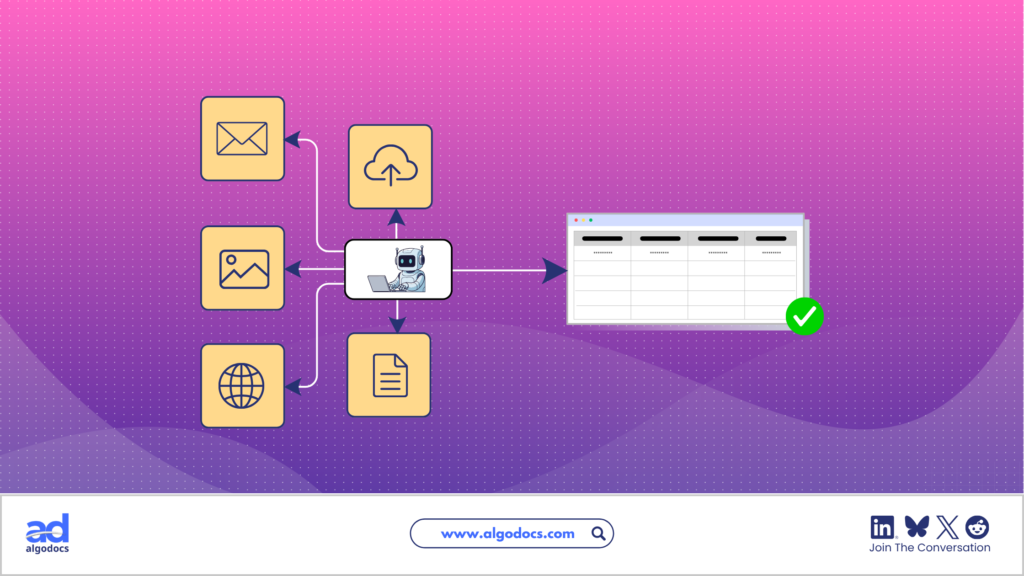
Back to Blog Table of contents On this page How to Automate Patient Chart Data Extraction and Streamline Healthcare Data Processing Using AI and IDP Home › Blog › Healthcare › How to Automate Patient Chart Data Extraction Categories Healthcare Tags AI Data Extraction Healthcare Healthcare OCR By Shubhankar Biswas Published September 1, 2026, 09:35 Healthcare organizations deal with huge amounts of patient information every day. The majority of this information is stored in physical documents, PDFs, scanned images, or handwritten notes. These documents include intake forms, medical reports, lab reports, prescriptions, insurance documents, clinical notes, scanned records, and, most importantly, patient charts. A recent study shows that 80% of healthcare data is stored in an unstructured format, and processing data from these documents using legacy EHR platforms (Electronic Health Record) can be challenging. A patient record can be a manually filled document or may arrive in PDF, scanned image, fax, photograph, or Word document format. Staff members often have to manually read these documents, find important information, type it into another system, and check it for errors. This process takes time and can create unnecessary work for healthcare teams. But modern AI-based data extraction tools, such as intelligent document processing, Optical Character Recognition (OCR), Large Language Models (LLMs), and Artificial Intelligence can streamline healthcare and patient chart data extraction processing. This article explains how patient chart data extraction works, why traditional methods create problems, how AI and IDP improve the process, and how organizations can build a reliable healthcare document processing workflow. TL;DR AI-powered patient chart data extraction can help healthcare organizations: Extract patient and contact information Capture medical history, medications, and allergies Identify diagnosis and procedure information Extract insurance details Process lab reports and test results Handle scanned documents, images, and handwritten forms Reduce manual data entry Improve data consistency Connect extracted information with EHRs and other systems Process large document volumes faster A modern healthcare extraction workflow typically combines OCR, document classification, AI, LLMs, validation, human review, and system integration. The goal is not simply to read healthcare documents. It is to convert them into reliable structured data that can support real healthcare workflows. What Is a Patient Care Document? A patient care document is a healthcare record that is used to capture information about a patient’s identity, medical history, treatment, diagnosis, and other details during the course of care. Common examples include: Patient intake and medical history forms Clinical notes and discharge summaries Lab and diagnostic reports Prescription and referral forms Insurance documents and medical bills These documents may be printed, scanned, digitally created, or contain selectable text. They can also include tables, checkboxes, signatures, stamps, and handwritten notes. For example, a patient intake form may contain: Patient information: Name, date of birth, gender, address, phone number, and email. Medical information: Existing conditions, previous surgeries, allergies, medications, and family history. Insurance information: Provider, member ID, group number, and policy number. Patient care document data extraction uses automated technologies to identify this information and convert it into structured data for healthcare applications and workflows. What Is Patient Chart Data Extraction? Patient chart data extraction means the process of extracting data from patient care documents using automated data extraction technologies to improve healthcare workflow. This extracted information can include patient details, medical history, medications, allergies, diagnoses, lab results, insurance information, and other clinical or administrative data. Data extraction technologies such as IDP, OCR, AI, and ML can automate this process across PDFs, scanned documents, images, forms, and other healthcare records. Challenges With Patient Chart Data Extraction Healthcare documents are more complex than standard business forms. They can contain different layouts, scanned text, handwriting, tables, medical terminology, and sensitive patient information. Extracting data from a patient chart or any other health document can come with the following challenges: Multiple formats: A patient chart or any other health document can be a PDF, scan, image, fax, Word file, or handwritten form. Different layouts: These documents can have different layouts and structures, as every hospital has its own document layout. Poor scan quality: Patient charts can sometimes be blurry, skewed, have shadows, or have low resolution, which can affect data extraction accuracy. Medical terminology: Abbreviations, drug names, codes, measurements, and clinical terms require contextual understanding. Accuracy: Extracted information needs validation, with uncertain records sent for human review. Data security: Patient information must be processed and stored using appropriate security and privacy controls. Manual vs. Automated Patient Chart Data Extraction Pros & Cons Manual data extraction requires hospital staff to read healthcare documents, identify relevant fields, and enter the information into another application. This method is only reliable if the number of documents is low, but as the workload increases, the document volume grows. Extracting data from 1,000 or 10,000 patient charts becomes difficult manually. But an AI-powered HIPAA-compliant data extraction tool can automate this process instantly. Here is the difference between manual and automated patient chart data extraction: Factor Manual Extraction AI and IDP Extraction Processing speed Slow Fast Data entry Human-driven Automated Scalability Limited High Format handling Depends on staff Supports varied layouts Validation Manual Automated plus human review Data output Manually entered Structured automatically Integration Often manual API and workflow-based Staff effort High Lower With automation and AI, the automated data extraction method also uses a human-in-the-loop approach so that data accuracy and authenticity can be improved during the extraction process. A strong workflow combines automated extraction with validation and human review for uncertain or high-risk records. How to Extract Data from Patient Chart Documents Now, the patient chart data extraction workflow can be multi-step, depending on the tools or method an organization chooses. But this is a recommended and reliable patient chart data extraction workflow a healthcare organization should use. 1. Collect Patient Documents A hospital or any other healthcare organization collects various types of health records. These documents may come from scanners, email attachments, EHR exports, shared folders, fax systems, cloud storage, or other sources. These files should first be brought into a controlled processing environment.