
Algodocs

image data extraction

Extract Text from Image _ Main Header
Image Data Extraction

How to Extract Text from Image: Tools, Methods, and Best Practices

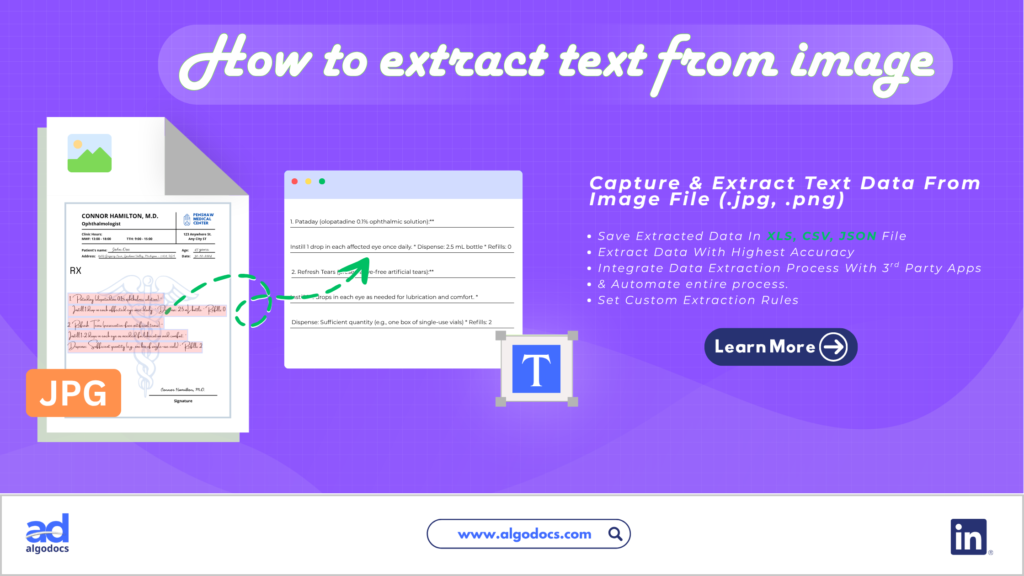
Back to Blog Table of contents On this page How to Extract Text from Image: Tools, Methods, and Best Practices You Must Know Home › Blog › Image Data Extraction › How to Extract Text from Image: Tools, Methods, and Best Practices Categories Image Data Extraction Tags AI Data Extraction how to guide image data extraction image text extraction By Shubhankar Biswas Published August 7, 2026, 06:38 Updated August 7, 2026, 06:40 Introduction Text data can be carried through various types of document file extensions: a PDF, Word, or CSV, as well as an image. But when you need to extract text from image files, the process can get complicated fast, largely because of file complexity and how the text sits within the picture. That’s why so many people search for a reliable image text extractor: a tool that lets you pull text from image content quickly, whether you prefer an online text from image extractor or an offline desktop app. An image with text data is used in various business and personal settings. A business may receive a scanned invoice in image format that contains important financial data. A large business can also record keep old files by scanning paper documents as image PDF files to save physical space in an office. In this blog, we will discuss how to extract text from image files, the challenges involved, the best tools for the job, and other useful tips. But before we start, what exactly is image text data? TL;DR Summary Extracting text from image files means pulling readable text out of a picture, screenshot, or scanned document so it can be edited, searched, or stored digitally. You can do this manually or, more effectively, with an automated text extractor powered by OCR (Optical Character Recognition) or IDP (Intelligent Document Processing). Automated tools like Algodocs, Nanonets, Rossum, and Klippa let you extract data from image files with higher accuracy and speed than manual entry, especially for blurry, skewed, or complex documents. When choosing a picture text extractor, consider features, pricing, data privacy, and integrations. What Is an Image with Text Data An image with text data can be a screenshot or scanned copy of a document created as a .jpg or .png file format. You will also find scanned image text files in PDF format, which is very common in business settings. You may have a website opened on your cellphone and want to save some visible part of text or data, so you take a screenshot and it becomes a text image file. Similarly, you might take multiple screenshots of a website, or a preview of a file in your browser that you can’t save, but you still want that text data stored somewhere, so you take screenshots and turn those screenshots into a PDF, or simply keep them as they are to save the data on your computer. Where the Image with Text Data Is Used As discussed earlier, an image text file is used in various ways, from personal data keeping and sharing to sending data files as email attachments. Many organizations safekeep old records as scanned image text files. A vendor can send a handwritten invoice to a supplier via a scanned image email attachment. So the uses of image text data can be seen in many scenarios, which is why the ability to extract text from image files becomes more important. Challenges with Image Text Data One of the biggest challenges with image text extraction is the quality of the image and how visible the text and data are within the file. As you know, scanned image quality can be poor. Oftentimes, document quality and text visibility are hurdles for users or machines trying to capture the data from an image. Old, blurry documents are the most troublesome cases, where blurry, skewed fonts, broken page layouts, and torn images create the most trouble. Trying to pull text from image files like these often becomes nearly impossible. Even OCR based data extraction technologies struggle to understand, capture, and extract data from these types of image text documents. Manual vs Automated Image Data Extraction There are primarily two ways to extract data from an image: manually or through an automated method using OCR and IDP. Manual data extraction is prone to many errors, and its data accuracy is not reliable. Automated methods using technologies such as OCR, IDP, AI, and NLP offer higher data extraction accuracy, faster extraction speed, better control, and third-party automation, which makes them the preferred choice for anyone who needs to extract data from image files regularly. How Do You Pull Text from Image Files (Step by Step) As discussed above, there are two primary methods of extracting text from an image. But using automated methods, such as AI based data extraction tools and OCR tools, gives you far better results than typing everything out by hand. We have previously covered this topic in another blog dedicated entirely to how to extract text from image files. You can read our blog on this for a detailed walkthrough. Technologies Behind Image Text Extraction One of the foundations of image data extraction is OCR technology, which has been around for many years and remains a common way to turn image into text. OCR is widely used for data extraction from many types of files and formats. Then came ICR, which was also useful, with a few updated features. But in recent times, a new technology emerged known as IDP (Intelligent Document Processing). IDP has taken the ability to extract text from picture files to a whole new level. IDP can extract text data from very poor, skewed, and blurry images, which was not possible with OCR and ICR alone. Since IDP uses machine learning and artificial intelligence to capture and extract data, this technology is highly effective for precision and faster text extraction. Best Tools for Extracting Text from Image There are many tools you will find on the internet to pull text from
Data Extraction, PDF

PDF Image Extraction: A Comprehensive Guide To Extracting Image Data From Scanned Pdf Files In 2025

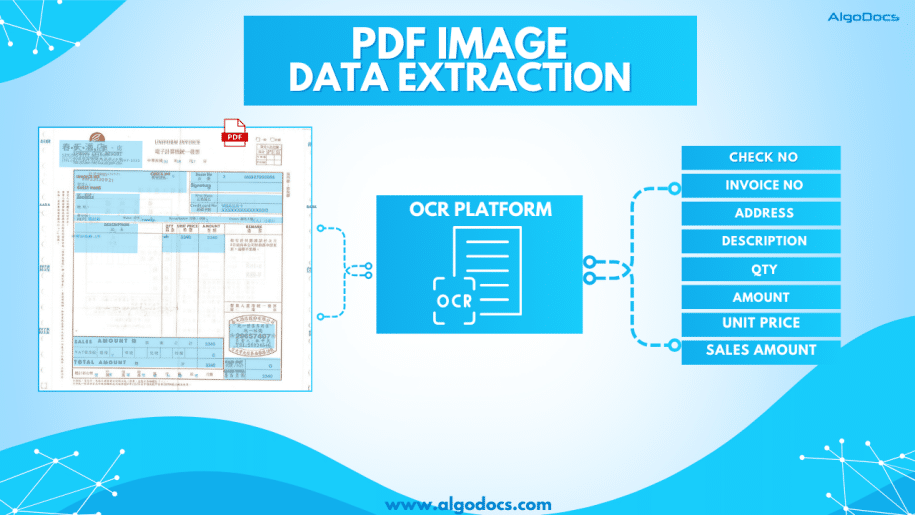
Back to Blog Table of contents On this page PDF Image Extraction: A Comprehensive Guide To Extracting Image Data From Scanned Pdf Files In 2025 Home › Blog › Data Extraction › PDF Image Extraction: A Comprehensive Guide To Extracting Image Data From Scanned Pdf Files In 2025 Categories Data Extraction PDF Tags ai platform for data extraction algodocs image data extraction pdf image extraction By Shubhankar Biswas Published September 1, 2025, 09:19 Updated July 23, 2026, 05:45 PDF image extraction is a challenging process. Without proper tools and technology, this process can be tedious and prone to errors, which can eventually lead to a loss of money and time for an organization. PDFs have always been one of the most convenient and reliable ways to store, carry, and share information with others. However, lots of data in PDFs is locked as scanned images. When you have multiple images or scanned documents to deal with, it becomes easy for a person to bind all these multiple image documents into one with the PDF format.The PDF document format is widely used for business communication and personal document sharing as well.Unlike other document formats such as. doc, CSV, or TXT formats, PDFs are considered much safer because they can be locked with a password, or data can’t be edited or altered unless you allow it. However, one of the most common challenges faced when dealing with PDFs is extracting data from scanned PDF images. Scanned PDFs are essentially images of text, making it difficult to directly copy or edit the content. This is where the concept of PDF image extraction comes into play. In this blog, we’ll explore how to extract data from scanned PDF images, the tools and techniques involved, and why this process is crucial for efficient data management. What is PDF Image Extraction? PDF image extraction refers to the process of extracting text, images, or other data from scanned PDF documents. Unlike standard PDFs, which contain selectable and editable text, scanned PDFs are essentially pictures of pages. This means that the text within these documents is not machine-readable unless processed using Optical Character Recognition (OCR) technology.The ability to perform PDF image extraction is essential for businesses that deal with large volumes of scanned documents, such as invoices, contracts, or historical records. By converting these images into editable and searchable text, organizations can streamline their workflows, improve data accuracy, and enhance accessibility. Why is Extracting Data from Scanned PDFs Important? Improved Data Accessibility: Scanned PDFs are often unsearchable, making it difficult to locate specific information. Extracting data from these documents makes the content searchable and easier to navigate. Enhanced Productivity: Manually typing out text from scanned documents is time-consuming and prone to errors. Automated extraction tools save time and reduce the risk of mistakes. Data Integration: Extracted data can be integrated into databases, spreadsheets, or other software systems, enabling better data analysis and decision-making. Compliance and Record-Keeping: Many industries require digital records for compliance purposes. Extracting data from scanned PDFs ensures that information is stored in a usable and retrievable format. How Does PDF Image Extraction Work? Image PreprocessingBefore extracting text, the scanned image may need to be pre-processed to improve OCR accuracy. This can include tasks like: Deskewing: Correcting the alignment of the image. Noise Reduction: Removing background noise or artifacts. Binarization: Converting the image to black and white for better contrast. Optical Character Recognition (OCR)OCR is the core technology behind PDF image extraction. It analyzes the scanned image and identifies characters, words, and sentences. Modern OCR tools are highly accurate and can recognize text in multiple languages and fonts. Text Extraction and FormattingOnce the OCR process is complete, the extracted text is formatted to match the original document’s layout. This includes preserving headings, paragraphs, tables, and other structural elements. Data Validation and CorrectionWhile OCR technology has advanced significantly, it’s not perfect. Extracted data may require manual validation and correction to ensure accuracy. Tools for PDF Image Extraction Algodocs: A powerful data extraction tool that combines the power of AI and OCR technology. It lets you extract data from scanned PDF images. ABBYY FineReader: Known for its good accuracy and support for multiple languages. Tesseract OCR: An open-source OCR engine that can be integrated into custom workflows. Online OCR Tools: Websites like Smallpdf and ILovePDF offer quick and easy solutions for occasional users. Python Libraries: For developers, libraries like PyTesseract and PDFPlumber provide flexibility for custom solutions. You can automate bulk PDF image extraction with Algodocs’ advanced AI app. Our app can extract data from blurry and distorted scanned PDF images with 10X speed without making any errors. Access For Free Best Practices for PDF Image ExtractionTo achieve the best results when extracting data from scanned PDF images, consider the following tips: Use High-Quality Scans: The quality of the scanned image directly impacts OCR accuracy. Ensure that the document is scanned at a high resolution (300 DPI or higher). Choose the Right Tool: Select an OCR tool that meets your specific needs, whether it’s a one-time extraction or a large-scale automation project. Validate Extracted Data: Always review the extracted text for errors, especially when dealing with handwritten or poorly scanned documents. Leverage Automation: For businesses handling large volumes of scanned PDFs, consider automating the extraction process using scripts or software. Protect Sensitive Data: Ensure that any tools or services used for PDF image extraction comply with data privacy regulations. Applications of PDF Image Extraction The ability to extract data from scanned PDF images has a wide range of applications across industries. Here are a few industries where PDF image extraction is widely used: Healthcare: Digitizing patient records and medical forms for easier access and analysis. Legal: Converting scanned contracts, case files, and legal documents into editable formats. Finance: Extracting data from invoices, receipts, and financial statements for accounting purposes. Education: Digitizing textbooks, research papers, and handwritten notes. Archives and Libraries: Preserving historical documents and making them searchable for researchers. Challenges in PDF Image ExtractionWhile PDF image extraction offers numerous benefits, it’s not without its challenges: Handwritten

Scroll to Top