Algodocs

data extraction from images

PDF

How To Convert PDF to Text Using AI: A Comprehensive Guide For 2025

Back to Blog Table of contents On this page How To Convert PDF to Text Using AI: A Comprehensive Guide For 2025 Home › Blog › PDF › How To Convert PDF to Text Using AI: A Comprehensive Guide For 2025 Categories PDF Tags ai platform for data extraction algodocs data extraction from images deep learning pdf to text By Shubhankar Biswas Published September 1, 2025, 08:25 Updated July 21, 2026, 07:03 Challenges of Converting How To Convert PDF to Text Using AI: A Comprehensive Guide For 2025PDF to Text Using AI PDF files remain the backbone of sharing textual data across various departments in businesses today. From contracts and invoices to research papers and reports, they are the preferred format for information storage and exchange. However, extracting valuable text from these documents can be a tedious and time-consuming task. This is where AI-powered solutions revolutionize PDF to text conversion. A PDF can exist in different formats, such as scanned documents, scanned images, or native PDFs that are easily searchable. Extracting data from scanned images or documents requires advanced AI technology to ensure accuracy and efficiency. In today’s business landscape, AI-based OCR technology is transforming how we interact with PDFs by offering seamless text extraction, enhanced accuracy, and increased efficiency. This guide explores the complexities and challenges of converting PDF to text using AI, along with its benefits, applications, and future advancements. Challenges of Converting PDF to Text Using AI PDF files come in different types: Native PDFs: These files allow easy editing and copying of text. Scanned PDFs: These contain embedded images of text, making manual extraction difficult.The challenge arises when dealing with scanned PDFs or image-based documents, where data cannot be directly copied or edited. Extracting information manually from thousands of PDFs is time-consuming, prone to errors, and inefficient. Traditional OCR tools offer basic character recognition but struggle with complex layouts, varied fonts, and handwritten text, often leading to inaccurate results. This highlights the need for an advanced AI-powered solution to convert PDF to text using AI efficiently. AI-Based OCR: Transforming PDF to Text Conversion Intelligent Document Processing (IDP) combines Artificial Intelligence (AI), Natural Language Processing (NLP), and Machine Learning (ML) to enhance traditional OCR capabilities. Instead of merely recognizing characters, AI-powered solutions understand document structures, identifying elements like headings, paragraphs, tables, and images while preserving formatting and ensuring high accuracy. AI-powered OCR tools convert PDFs to text with unmatched precision, making document processing easier and more efficient. How AI-Based OCR Works to Convert PDF to Text The efficiency of AI-based OCR lies in its sophisticated algorithms. Here’s how it works: Document Preprocessing: The PDF undergoes enhancement to remove noise, correct skew, and improve readability. Layout Analysis: AI analyzes the document structure, recognizing sections, columns, and tables. Enhanced OCR with AI: Unlike traditional OCR, AI-driven engines recognize a wide range of fonts, styles, and even handwritten text with high precision. Natural Language Processing (NLP): AI interprets the extracted text, corrects errors, and ensures contextual accuracy. Text Extraction & Formatting: The extracted text is presented in readable formats like plain text, HTML, or structured data (e.g., JSON) while preserving its original formatting. Benefits of Using AI to Convert PDF to Text With our Algodocs Generative AI Feature You Can Convert PDF To Text With Few Prompts. Try Our Free App Today AI-powered solutions provide numerous advantages, including: High Accuracy: Minimizes errors and reduces the need for manual corrections. Efficiency: Automates extraction, saving time and resources. Enhanced Data Accessibility: Converts PDFs into text for easy analysis and decision-making. Scalability: Processes large volumes of PDFs quickly and efficiently. Cost Savings: Reduces labor costs and boosts productivity. Seamless Integration: Extracted text can be integrated into various applications and systems. Applications of AI-Based PDF to Text Conversion AI-powered OCR tools are used across industries: Legal: Extracts text from contracts and case files. Finance: Processes invoices and financial reports. Healthcare: Extracts data from medical records and patient forms. Education: Converts research papers and textbooks into accessible formats. Government: Processes official documents and forms. Research: Extracts insights from scientific publications. Data Entry Automation: Automates data extraction from forms and documents. Content Management: Makes PDF content searchable and accessible. Key Challenges and Considerations in Converting PDF to Text Using AI While AI-based OCR significantly improves PDF to text conversion, some challenges remain: Complex Layouts: Multi-column formats and tables can still pose difficulties. Low-Quality Scans: Poorly scanned documents and handwritten text may require additional processing. Security & Privacy: Choose AI tools that prioritize data security. Cost: Pricing varies based on features and processing volume. Choosing the Right AI Tool to Convert PDF to Text When selecting an AI solution, consider: Accuracy: High precision in text extraction. Speed: Quick and efficient processing. Scalability: Ability to handle large document volumes. Features: Support for table extraction, formatting preservation, and multiple languages. Security: Strong data protection measures. Cost: Budget-friendly pricing models. Integration: Compatibility with existing workflows and systems. Algodocs AI: Simplifying PDF to Text Conversion One of the most powerful AI-based OCR tools is Algodocs AI. It combines AI and traditional OCR to extract data from various document types, including PDFs, scanned images, and complex layouts. Algodocs AI ensures high accuracy and efficiency, allowing users to extract text, tables, and structured data with ease. It simplifies PDF to text conversion, making it effortless to unlock valuable information within your documents. Algodocs AI makes it easier than ever to convert PDFs to text using AI, streamlining business workflows. The Future of AI in PDF to Text Conversion The field of AI-based OCR is constantly evolving. Future advancements will further enhance accuracy, efficiency, and functionality. With the integration of Robotic Process Automation (RPA) and cloud computing, AI solutions will enable seamless automation and data analysis across industries. Conclusion Converting PDFs to text using AI is a game-changing innovation, streamlining workflows, reducing errors, and improving data accessibility. With applications across multiple industries, AI-powered solutions like Algodocs AI are leading the way in automated document processing. As businesses become increasingly data-driven, leveraging AI to convert PDF to text will remain a crucial tool for unlocking and utilizing

Algodocs

Making Bank Cheque Data Extraction Easy: With AI and ML

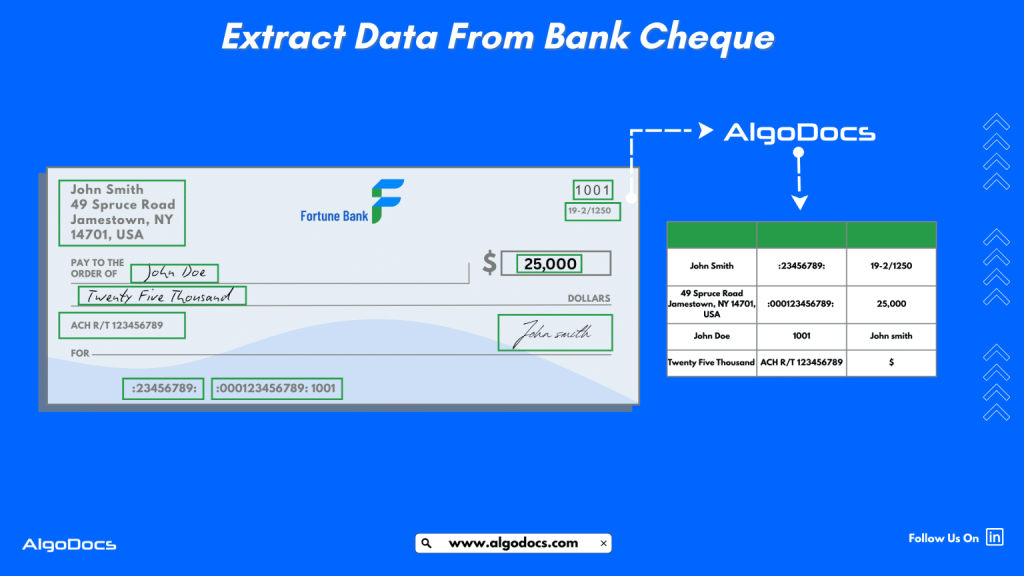
Back to Blog Table of contents On this page Making Bank Cheque Data Extraction Easy: With AI and ML Home › Blog › Algodocs › Making Bank Cheque Data Extraction Easy: With AI and ML Categories Algodocs Tags algodocs bank ocr data extraction from images Finance ocr machine learning ocr api By Shubhankar Biswas Published September 1, 2025, 07:35 Updated July 13, 2026, 09:21 Imagine this: you visit your bank to deposit a cheque, only to find out it’ll take days to process because every data validation and processing from the cheque will be done manually. Frustrating, right? Now, picture a world where that same cheque is scanned, analysed, and processed in seconds—all without a single human hand touching it. That’s the magic of AI, which makes bank cheque data extraction smooth and more efficient. This is technology that’s quietly transforming the way banks operate. In today’s fast-paced digital age, where time is money, automating data extraction from bank cheques has become a necessity for financial businesses. Whether you’re a banker, a business owner, or just someone who occasionally uses cheques, understanding this process can save you time, effort, and headaches. In this blog, we’ll dive deep into what bank cheque data extraction is all about, how it works, and why cutting-edge tools like AI and ML are improving bank cheque data extraction. We’ll also explore challenges associated with bank cheque data extraction and how tools like Algodocs are game-changers for these types of operations. So, let’s get started! What is a Bank Cheque? Before we dive into the world of bank cheque data extraction, we need to understand what a bank cheque is. So, let’s cover its basics. Basically, a bank cheque is like a promise on paper. It’s a document you write and sign, telling your bank to take money from your account and give it to someone else—or even yourself if it’s a self-cheque. Think of it as a secure, old-school way to move money around without carrying cash. Cheques have been around for centuries, and even in today’s world of digital payments, they’re still widely used, especially for big transactions like paying rent, settling bills, or business deals, etc. They’re simple, reliable, and trusted. But processing them manually? That’s where things get slow and messy. That’s why we need smarter solutions—like automated bank cheque data extraction solutions—to keep up with modern demands. So What are the Components of a Bank Cheque? So, what makes up a cheque? It’s not just a random piece of paper—it’s packed with important details that tell the bank what to do. Here’s a quick rundown of the key parts: Payee Name: This refers to the individual, business, or entity receiving the payment. On a cheque, it’s typically written following the phrase “Pay to the order of” on a designated line. Accuracy is key here—any misspelling or incorrect naming could lead to processing issues or the cheque being rejected by the payee’s bank. Amount: The exact sum of money being transferred, recorded in two distinct formats for clarity and security. The courtesy amount is written in numerals (e.g., $50.75) in a box or space provided, making it quick to read. The legal amount is spelled out in words (e.g., “Fifty dollars and 75/100”) on a separate line, serving as the official figure in case of disputes or discrepancies. This dual notation helps prevent alterations or misinterpretation. Date: The specific day the cheque is written or issued, usually entered in a format like MM/DD/YYYY (e.g., 04/04/2025). This is critical because banks may not honor cheques deemed “stale-dated”—typically those older than six months—though policies can vary by institution. Some cheques can also be postdated (dated for a future day), but acceptance depends on the payee and bank. Account Number: A unique identifier assigned to your bank account, printed at the bottom of the cheque as part of the MICR line (Magnetic Ink Character Recognition). This string of digits, often following the routing and cheque numbers, tells the bank which account to debit. The MICR line uses special magnetic ink, enabling automated processing by bank machines for efficiency and accuracy. Routing Number: A 9-digit code that identifies your financial institution within the banking system, also located in the MICR line (usually the first set of numbers). This number ensures the cheque is routed to the correct bank or credit union for processing. It’s standardized across the U.S. by the American Bankers Association (ABA) and is essential for domestic transactions. Cheque Number: A unique serial number assigned to each cheque, typically printed at the top-right corner and/or within the MICR line. This identifier helps you, your bank, and the payee track the specific cheque, especially useful for record-keeping, reconciling accounts, or investigating issues like lost or disputed payments. Signature: Your handwritten authorization, usually placed on a line at the bottom-right of the cheque. This acts as your official approval for the bank to release funds, making it a critical security feature. Without a valid signature matching the one on file with your bank, the cheque is considered invalid and will not be processed. Bank Name and Address: The name and often the physical or mailing address of the financial institution issuing the cheque, printed prominently on the document. This information identifies which bank or credit union is responsible for honoring the payment, providing transparency to the payee and facilitating communication if issues arise during processing. What is Bank Cheque Data Extraction? Bank cheque data extraction is the process of pulling out all those key details—such as the payee’s name, amount, account number, cheque number, and other important information—from a cheque with the help of automated tools or manually by humans. Instead of a bank employee squinting at handwriting or typing numbers into a system, machines do the heavy lifting. It’s like giving the cheque a quick scan, and the computer captures and extracts all the information from a bank cheque. A bank cheque can be a physical paper on which all the details are written,
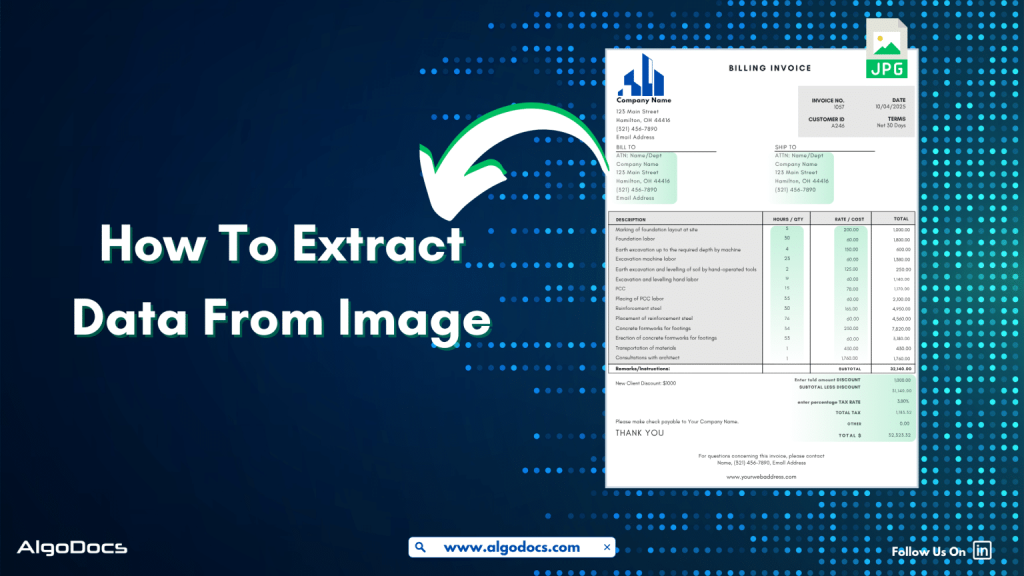
Image Data Extraction

How to Extract Data from Image: With 99% Accuracy

Back to Blog Table of contents On this page How to Extract Data from Image: With 99% Accuracy Home › Blog › Image Data Extraction › How to Extract Data from Image: With 99% Accuracy Categories Image Data Extraction Tags ai platform for data extraction algodocs data extraction from images machine learning By Shubhankar Biswas Published September 1, 2025, 06:37 Updated July 21, 2026, 05:49 Data in today’s digital age comes in various formats. It could be in an Excel sheet, scanned PDFs, Word documents, scanned images, or more complex formats such as JSON or XML. But extracting data from image feels more challenging than others. Why? Because the unstructured content, skewed letters, and blurry images are difficult to process. If we talk about data extraction from images, then these images are obtained from various sources. These might be a scanned copy of a report from your office scanner, a mobile screenshot of a passport or driving license, or photos taken from your mobile of your certificates. It can be handwritten notes, invoices, bills, etc. As we can see, data in image format can be found in many life scenarios. But data extraction from images remains a challenge for us due to inconsistent document layouts, poorly scanned documents, and skewed letters, which make data extraction difficult. The manual method of data extraction is slow and full of human errors, which reduces work efficiency. But with the rise of advanced technologies such as Artificial Intelligence, Machine Learning, Intelligent Document Processing, and OCR, extracting data from images has become easy. In this blog, we will discuss the challenges associated with image data extraction, tools and technologies for extracting data from images, how manual image data extraction is not reliable, the best tools you can consider for image data extraction, and how Algodocs is the best tool for extracting data from images. Let’s explore. What is Image Data Extraction? Image data extraction means to capture and extract data from an image document using technologies such as AI, IDP, and OCR. These image documents can be in the form of JPG, PNG, or other image formats. The extracted data is later stored in a structured format and utilized for various business activities such as analytics, record keeping, decision-making, etc. One of the crucial aspects of image data extraction is that modern businesses thrive on data. The more accurate data extraction from images is, the better the business results. What Types of Data Can an Image Contain? An image can carry a wide variety of data. Here are some major types: Handwritten Notes (Scanned) –Handwritten notes written on paper and scanned with a scanner or mobile device are very common types of image data. Personal notes, bills, invoices, memos, patient forms, college admission forms, etc., are good examples of images containing valuable data. Scanned Documents –Documents are scanned in various scenarios. This could be in the office, where you need to scan a sales report or an ID card such as passports, driving licenses, etc., for verification purposes or any other documents for business or personal needs. Mobile Screenshot Images –A mobile device has become the backbone of our digital life. Except for any personal images, we also tend to carry lots of documents and screenshots of documents on our mobile devices. In many scenarios, we tend to take lots of screenshots of documents or web pages for business and personal use. Computer Screenshot Images –A screenshot taken from a sales report, dashboard, or document is often in image format. These images contain valuable business information, and processing and extracting data from these images is essential for business activities. Types of Documents That Are in Image Data Format Image files containing valuable data often come in the form of scanned documents, photographed documents, screenshots, etc. These documents can be of various types such as: Invoices –Talking about image data, what can be a more useful example than an invoice? An invoice contains data such as item, price, address, invoice number, etc. Generally, invoices are generated as docs or PDF files. But sometimes the same invoice documents are scanned or their pictures taken for sharing and record-keeping purposes. Extracting data from these types of images becomes important for many reasons. Bills and Receipts –A bill is used in many B2B and B2C settings. It’s a proof of sale from the seller to the customer. This contains details such as vendor name, item description, billing date, payment info, etc. A general bill or receipt document can be a physical copy of the actual bill or receipt generated in PDF or document formats. But sometimes this can be in the form of JPG images or screenshots as well. Certificates –Educational certificates often provided by educational institutions, colleges, or schools are generally available in physical formats. But sometimes we carry them in the form of scanned images or photographs as well. ID Cards –ID cards are crucial documents for various types of KYC verification and other business activities. While a physical identity card such as employee ID, passports, driving licenses, etc., can be found in physical formats, sometimes we need to carry these documents in the form of scanned images, pictures, and other digital formats for ease. Bank Statements, Bills, and Others –We can also see the example of bank statements or various types of bills which are often available in physical paper form and are often carried in image, screenshot, or scanned document formats. Challenges Associated with Image Data Extraction While image data extraction is important, there are many challenges that persist in extracting data from images. The challenges include: Sign up for Algodocs Free-Forever Plan Today & Enjoy Premium Features For Free Create Free Account Poor Image Quality –One of the major problems with image data extraction is poor image quality. Poor-quality image data is difficult to capture by human eyes as well as by automated data extraction software such as OCR and Intelligent Document Processing. This can lead to data errors during extraction. Handwritten Texts –Handwritten notes or text that have been converted into an image file

Data Extraction

SMB Document Automation & Processing Using IDP and AI

Back to Blog Table of contents On this page SMB Document Automation & Processing Using IDP and AI Home › Blog › Data Extraction › SMB Document Automation & Processing Using IDP and AI Categories Data Extraction Tags algodocs data extraction data extraction from images deep learning image recognition By Shubhankar Biswas Published September 1, 2025, 05:13 Updated July 23, 2026, 06:53 Growing a business in today’s hyper-competitive world can be a real challenge for small and medium enterprises (SMEs). One of the reasons that hinders their progress is the lack of resources to invest in essential services such as smb document automation services etc. One of these essential and important services is processing data from various types of documents, which can come in the form of invoices, bills, receipts, contacts, etc. While larger corporations often have solid resources to invest in extensive digital transformation initiatives, many SMBs feel left behind, struggling with manual processes that drain valuable time and resources from the organization. But what if there were a way to scale your business beyond the grips of manual data entry and unlock the true potential of your information? Yes, it is possible with an AI-powered Intelligent Document Processing (IDP) platform. IDP is emerging as a game-changer for SMBs, offering a powerful blend of artificial intelligence (AI), machine learning (ML), and optical character recognition (OCR) to transform how documents are processed. In this blog, we will delve deep into the world of IDP, exploring its mechanics, its immense benefits for SMBs, the challenges it addresses, and what to consider when choosing the right solution to propel your business forward. What is Intelligent Document Processing (IDP)? At its core, Intelligent Document Processing (IDP) is an AI- and ML-based data extraction tool that helps automate data extraction from various types of documents. It can classify, extract, validate, and organize data from both structured and unstructured documents. These documents can be invoices, bills, HR forms, medical bills, shipping documents, etc. Unlike traditional OCR, which merely converts standard images or documents into machine-readable formats, IDP goes beyond basic data extraction. It leverages advanced technologies such as AI and ML algorithms to understand the context of the information, identify relevant data fields, and even handle variations in document layouts and formats. Think of it as a computer program that has the ability to “read” and “understand” documents in a way that mimics human cognition, but at a speed and accuracy level far beyond human capabilities. This means it can process everything from standardized forms and invoices (structured data) to emails, contracts, and even handwritten notes (unstructured and semi-structured data) with 10 times more speed and accuracy. One of the major advantages of intelligent document processing tools is that they can be integrated with desired third-party platforms and business apps. This makes data exchange and processing smooth and saves time. IDP’s automation capability makes repetitive tasks more productive and cost-effective for the organization. How Intelligent Document Processing Works Intelligent document processing is a multistep process, from capturing, processing, and classifying to extracting the final data. We have written a detailed blog on how intelligent document processing works Meanwhile, you can learn how intelligent document processing works: Document Ingestion: The journey begins with ingesting documents into the IDP system. This can be done through various channels, including scanners for physical documents, email attachments, network folders, or direct integrations with business applications. The system can handle a wide array of file formats, such as PDFs, images (JPEG, PNG, TIFF), Word documents, and more. Pre-processing and Enhancement: Once ingested, documents undergo a pre-processing phase to optimize them for accurate data extraction. This involves techniques like de-skewing (straightening crooked images), noise reduction (removing specks and imperfections), binarization (converting to black and white for better text recognition), and de-speckling. These steps significantly improve the quality of the document image, ensuring higher accuracy in subsequent stages. Document Classification: This is where the “intelligent” aspect truly shines. The IDP solution uses AI and ML algorithms, often incorporating Natural Language Processing (NLP), to automatically classify the ingested documents. For instance, it can distinguish between an invoice, a purchase order, a customer complaint, or an HR application. This classification is crucial for routing documents to the appropriate processing workflows and applying the correct extraction rules. The system learns from historical data and user feedback, becoming increasingly accurate over time in its classification abilities. Data Extraction: Once a document is classified, the IDP system employs sophisticated algorithms to identify and extract specific data points. This is where OCR works in tandem with AI and ML. For structured documents, it might use pre-defined templates. However, for semi-structured and unstructured documents, it uses contextual understanding to locate key-value pairs (e.g., “Invoice Number: 12345”, “Total Amount: $500.00”), dates, names, addresses, and other relevant information, regardless of their position on the page. Machine learning continuously refines the extraction models, leading to higher accuracy with each processed document. Data Validation and Verification: To ensure data integrity, extracted information undergoes a rigorous validation process. This can involve: Rule-based validation: Checking against pre-defined business rules (e.g., ensuring a total amount matches the sum of line items). Cross-referencing: Validating extracted data against existing databases or internal systems (e.g., verifying a vendor’s name against a vendor master list). Human-in-the-Loop (HITL): For uncertain or low-confidence extractions, the system flags the data for human review and correction. This human feedback is invaluable, as it feeds back into the machine learning models, enabling continuous improvement and higher automation rates over time. Data Export and Integration: The final, validated data is then exported in a structured format (e.g., CSV, JSON, XML) and seamlessly integrated into your existing business applications. This could include Enterprise Resource Planning (ERP) systems, Customer Relationship Management (CRM) software, accounting platforms, document management systems, or any other critical business application, ensuring a unified and accessible data flow. Benefits of Intelligent Document Processing for Small and Medium Enterprises Small and Medium size business can greatly benefit from intelligent document processing as it give more power to small scale business owners to do more with versatile IDP tool.

Extract PDF Data with ChatGPT
PDF

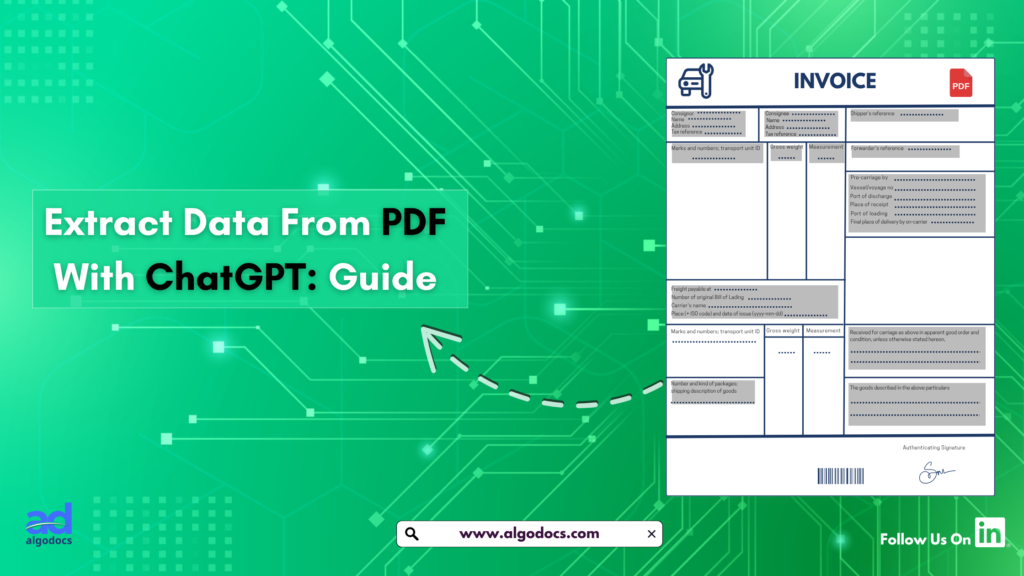
How to Extract PDF Data with ChatGPT?

Back to Blog Table of contents On this page How to Extract PDF Data with ChatGPT? Home › Blog › PDF › How to Extract PDF Data with ChatGPT? Categories PDF Tags data extraction from images By Shubhankar Biswas Published February 28, 2025, 08:52 Updated July 20, 2026, 08:20 We are all familiar with PDFs—an essential document format used for sharing textual data. However, extracting data from a PDF can be a challenging task due to the way information is stored within the file. There are two primary types of PDFs: native PDFs, which are usually editable, and scanned PDFs, which contain images of documents saved as PDF files. Both types are widely used in professional and personal settings. You may have a 50-page document of important notes or receive a 1,000-page scanned report from your manager. Extracting data from these two types of PDFs requires different approaches. Native PDFs are easier to process, while scanned PDFs need advanced OCR and AI capabilities for accurate and efficient data extraction. That’s why we’ll explore how to use the powerful LLM model, ChatGPT, to extract data from PDFs. Additionally, we’ll discuss how AlgoDocs AI provides a more precise and efficient solution for handling both types of PDFs. What You Need to Know Before Starting Before diving into PDF data extraction with ChatGPT, it’s essential to understand the basics. PDFs can vary greatly—some contain plain text that is easy to extract, while others have scanned images, complex tables, or charts that require extra processing. Knowing the type of PDF you’re working with is the first step. ChatGPT, developed by OpenAI, is excellent at processing text but does not directly read PDFs. You need to convert the PDF content into a format it can handle, such as plain text. What You’ll Need: A PDF file A tool to convert the PDF to text (if it’s not already editable) Examples: AlgoDocs AI, Adobe Acrobat, or free online converters Access to ChatGPT (via the web interface or API) Clear instructions for ChatGPT to process the extracted text Understanding these essentials will make the PDF data extraction process smoother and more efficient. Step-by-Step Guide to Extract PDF Data with ChatGPT Now, let’s break down the process into five simple steps that anyone can follow, even without technical expertise. Step 1: Preparing Your PDF File Ensure that your PDF is ready for extraction. If it’s a native text-based PDF, it’s good to go. If it’s a scanned document or an image-based file, use AlgoDocs AI or Adobe Acrobat to convert it into an editable format. While ChatGPT can process scanned PDFs, it may struggle with blurry or unstructured data, leading to errors or inaccurate results. Step 2: Feeding Data into ChatGPT Once you have extracted the text, open ChatGPT and paste it into the chat box. However, don’t just drop the text in without guidance. Provide ChatGPT with clear instructions. For example: “Extract all the dates from this text and list them.” “Identify the item names and prices in this invoice.” If you have a simple PDF and need full data extraction, you can use a straightforward command like: “Extract all data from this PDF.” This method works well for small-scale extractions but may become difficult when dealing with large datasets. Step 3: Structuring and Extracting Insights ChatGPT will process your request and present the extracted data. If the output is unorganized, refine your prompt: “Sort the extracted dates in chronological order.” “Format the item list into a table.” “Summarize the extracted data.” By tweaking your queries, you can refine the results for better readability and usability. Step 4: Troubleshooting Common Issues If ChatGPT misses data or produces inconsistent results, consider: Checking if the text extraction process introduced errors. Adjusting your prompt to be more specific. Cleaning up the extracted text manually before feeding it into ChatGPT. Step 5: Improving Your Extraction Results For more effective results: Use high-quality OCR tools like AlgoDocs  or any online pdf tools for scanned PDFs. Break down complex PDFs into sections (e.g., extract tables separately from narrative text). Use precise prompts to minimize errors (e.g., “Extract all email addresses from this text”). Limitations of Using ChatGPT for PDF Extraction While ChatGPT is powerful, it has limitations: Cannot directly read PDFs – requires conversion. Struggles with complex data – such as tables and handwritten notes. Does not store session data – meaning you cannot reference previous extractions. These limitations highlight why ChatGPT is best for quick extractions rather than large-scale automated tasks. Why AlgoDocs AI Outshines ChatGPT for PDF Data Extraction For more advanced PDF extractions, AlgoDocs AI offers several advantages over ChatGPT: Directly processes PDFs – No need for conversion. Handles structured data effectively – Ideal for tables, invoices, and forms. Works efficiently on large volumes – Extracts data from multiple PDFs simultaneously. Integrates with third party apps – Streamlining workflow automation. For instance, if you’re processing invoices, ChatGPT might only extract limited structured data, while AlgoDocs AI allows you to extract invoice numbers, item lists, and totals accurately. Conclusion Extracting PDF data with ChatGPT is a useful skill for handling small projects efficiently. By converting PDFs to text and providing clear instructions, you can extract valuable insights. However, ChatGPT has its limitations, especially with scanned and complex PDFs. For more precise and large-scale extraction, AlgoDocs AI provides a faster and more reliable alternative. Whether you choose ChatGPT or AlgoDocs, mastering PDF data extraction can save time and enhance productivity. You Might Also Like Bank Statement Extraction: How To Revolutionize Financial Data Management with AlgoDocs AI Introduction In today’s world, managing financial data quickly and accurately is very important. One task that takes a lot of time is bank statement… Ibrahim Nalbant December 31, 2024 How To Convert PDF to Text Using AI: A Comprehensive Guide For 2025 Challenges of Converting How To Convert PDF to Text Using AI: A Comprehensive Guide For 2025PDF to Text Using AI PDF files remain the backbone of… Shubhankar Biswas September 1, 2025 PDF Image

Scroll to Top