Algodocs

ai platform for data extraction

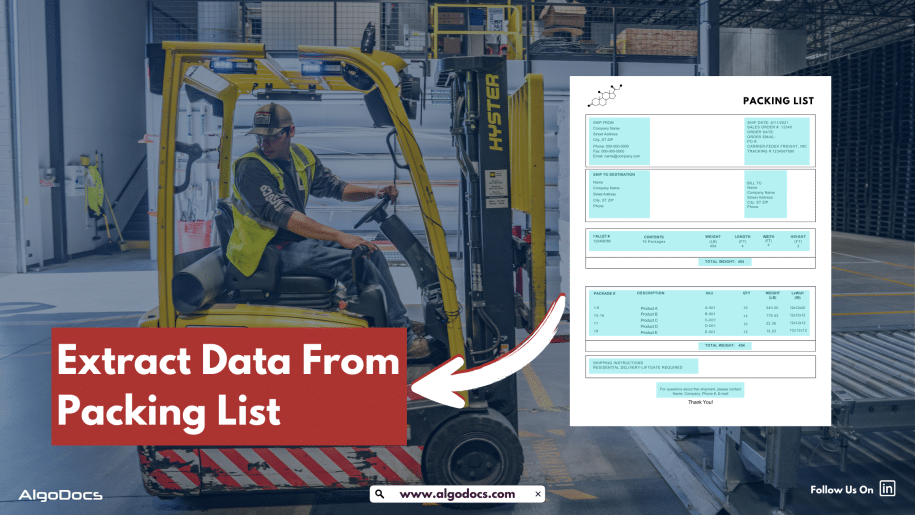
packing list data extraction
Algodocs

How to Automate Packing List Data Extraction: A Practical Guide

Back to Blog Table of contents On this page How to Automate Packing List Data Extraction: A Practical Guide Home › Blog › Algodocs › How to Automate Packing List Data Extraction: A Practical Guide Categories Algodocs Tags ai platform for data extraction algodocs invoice Logistics machine learning packing list ocr By Shubhankar Biswas Published September 1, 2025, 07:38 Updated July 21, 2026, 05:30 A packing list document is essential in freight, cargo, logistics, warehousing, and other industries worldwide. This document contains information about the items, such as their weight, quantity, seller information, buyer information, and destination. Packing list data extraction might not seem like the most exciting task in the world, but if you’re part of a business dealing with logistics, shipping, or supply chain operations, you already know how important these documents are. As straightforward as it sounds, extracting data from these lists can quickly turn into a time-consuming and error-prone chore, especially when done manually. Manual data extraction is slow and full of human errors, which can lead to many organizational troubles, such as increased costs for data extraction. However, using AI-based tools such as Intelligent Document Processing can improve data extraction accuracy, speed, and elevate work efficiency from packing list documents. In this article, we will discuss what a packing list document is, where it is used, the challenges of extracting data from packing lists, how AI-based tools such as Intelligent Document Processing can solve this issue and automate packing list data extraction, and how Algodocs is a game changer for automating packing list data extraction using AI and ML technology. What is a packing list document? A packing list document is a detailed checklist used in shipping to show what’s inside a package or shipment. It includes the product names, quantities, and descriptions of items, along with packaging details (like boxes or bags). Unlike an invoice, it focuses only on the shipment’s contents without mentioning prices. Packing lists help avoid errors, ease customs checks for international shipments, and allow receivers to verify their goods. For senders, it ensures everything planned is shipped; for transporters, it offers clarity for delivery; for receivers, it provides a quick confirmation of their items. It’s a simple yet vital tool in logistics. Where Packing List Document is Used? Packing list documents are widely used in industries involved in shipping, logistics, and trade. Here are some key industries where they play a vital role: Manufacturing: To ensure the safe and accurate delivery of products to customers or distributors. Retail and E-commerce: For tracking and verifying items during order fulfilment and delivery. Import and Export: To comply with customs regulations and ensure smooth international shipping. Freight and Logistics: For managing cargo and verifying shipment contents. Construction: To track materials and equipment deliveries to project sites. Packing lists are crucial for maintaining transparency and accuracy in these industries. So, What is Packing List Data Extraction? Packing list data extraction refers to the process of extracting key information from packing list documents. This data includes product names, item quantities, weights, buyer and seller information, packing details, etc. Packing list documents are used in logistics, shipping, and supply chain operations. You can manually extract data from a packing list, which involves a human doing this, or you can use automated tools such as a packing list OCR tool or AI-based intelligent document processing to automate data extraction from packing list. The Challenges With Manual Data Extraction from Packing List Manually extracting data from packing lists might work when you’re dealing with just a handful of shipments, but scale that up, and it becomes a nightmare. Here’s why manual methods are often more trouble than they’re worth: It Takes Forever: You have to carefully comb through each document, hunting for the information you need. It’s boring and eats up tons of time. Mistakes Happen: Humans get tired, and it’s easy to misread numbers, miss details, or make typos. It’s Expensive: Paying people to sit and type data all day isn’t exactly cost-effective. It’s Hard to Keep Up: As your business grows and you handle more shipments, the workload becomes unmanageable. Packing Lists Aren’t Standardized: They come in all shapes and sizes, so it’s not always clear where to find the info you need. Clearly, manual data entry isn’t the best way to go. Thankfully, technology offers a better option. Automate Packing List Data Extraction With AI When it comes to automating packing list data extraction, two key technologies do most of the heavy lifting: Optical Character Recognition (OCR) and Artificial Intelligence (AI). Try Algodocs Packing List AI OCR For Free What’s OCR? OCR is a technology that turns text in scanned documents (or even photos) into machine-readable data. So, if you’ve got a packing list in PDF or image format, OCR can “read” it and pull out the info you need. Pretty cool, right? Here’s what makes OCR so useful: Recognizes Text: It doesn’t matter if the text is printed, typed, or handwritten—OCR can handle it. Works with Templates: You can tell it what fields to look for (like product names or quantities), and it’ll find them. Supports Different Formats: Whether it’s a clean digital PDF or a scanned, slightly crooked image, OCR can adapt. How AI Makes It Even Better AI takes OCR to the next level with solution like intelligent document processing, the entire data extraction from packing list document can be automated with one click. Instead of just following templates, AI can actually “understand” the data it’s extracting, adapting to different layouts and contexts. Here’s what AI brings to the table: Smarter Extraction: It can recognize patterns and figure out where specific info is located, even in unstructured documents. Learning Capabilities: The more it’s used, the better it gets. Language Support: Perfect for businesses that deal with global shipments. Together, OCR and AI make automating packing list data extraction not just possible but incredibly efficient. Why Automate Packing List Data Extraction Automation isn’t just a buzzword—it actually solves a lot of the issues we talked about earlier. Here’s what you get by automating your packing list data

Data Extraction, invoice extraction

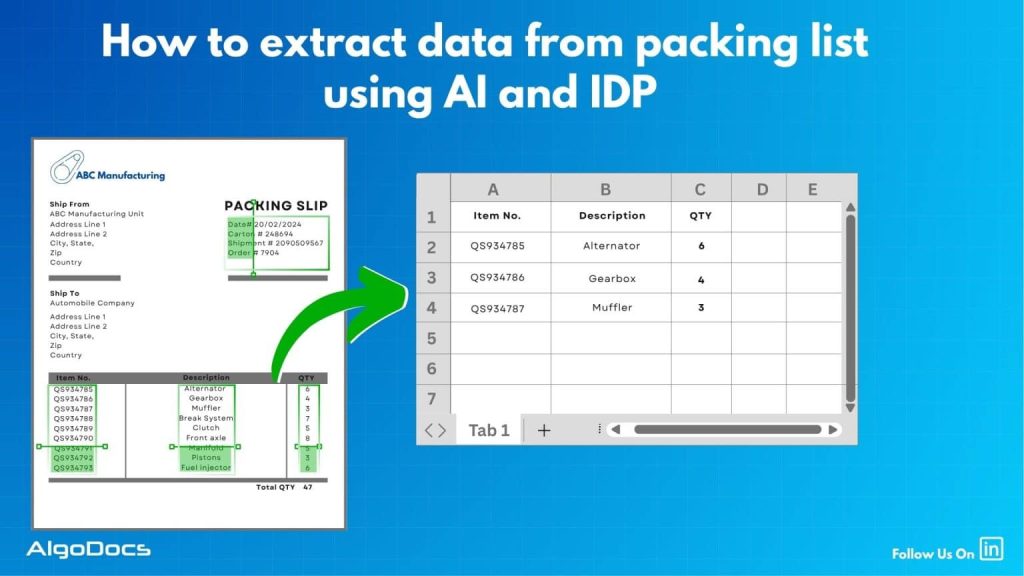
How To Extract Data From Packing List With AI And Intelligent Document Processing (Complete Guide)

Back to Blog Table of contents On this page How To Extract Data From Packing List With AI And Intelligent Document Processing (Complete Guide) Home › Blog › Data Extraction › How To Extract Data From Packing List With AI And Intelligent Document Processing (Complete Guide) Categories Data Extraction invoice extraction Tags ai platform for data extraction invoice extraction packing list data extraction By Shubhankar Biswas Published September 1, 2025, 06:50 Updated July 20, 2026, 10:02 The world of eCommerce revolves around many types of documents. Some of the major documents include packing lists, purchase orders, bills of lading, sea waybills, etc. Now, extracting data from packing lists is another challenge that requires a proper technological approach. But the question still remains: how to extract data from packing lists? Utilizing technology such as OCR, Intelligent Document Processing, and the new tech revolution such as AI has made data extraction from packing lists very easy, accurate, and efficient for businesses. However, handling packing lists manually is a slow and error-prone task, especially when you’re dealing with hundreds or thousands of shipments every month. The risk of human error is high and can lead to serious business setbacks.In this blog, we will explain in detail how to extract data from packing lists using AI and IDP, how packing lists and SKU lists are two different documents, what challenges you may face with packing list data extraction, top tools for packing list data extraction, and how tools like Algodocs offer an effective solution for packing list data extraction. What Is a Packing List? A packing list is a document that provides details of the products lined up for shipment. This includes details such as product names, product descriptions, product quantities, weight, dimensions, number of boxes, and other relevant information.The packing list is usually prepared by the seller or the warehouse and is included with the shipment process. It serves as a reference for everyone involved in the shipping process, including logistics providers, customs officers, and the buyer.Packing lists are typically generated in digital formats such as PDFs, spreadsheets, or Word documents, but they are often printed or scanned, especially in traditional supply chain settings. Because of this, the quality and format of the document can vary significantly. What Is the Purpose of a Packing List in eCommerce? In the eCommerce industry, the packing list is not just a formality—it’s a crucial document that supports the entire order fulfillment process. Here’s why it matters: Order Verification: Helps verify that the correct items and quantities are shipped. Prevents order mismatches and customer complaints. Inventory Management: Supports stock tracking and inventory control. Assists in identifying discrepancies between what was picked and what was shipped. Logistics Coordination: Enables warehouse teams and shipping providers to organize packages efficiently. Streamlines dispatch and delivery operations. Customs and Regulatory Compliance: Helps international shipments clear customs smoothly by providing product details. Ensures compliance with import/export regulations. Returns and Disputes Handling: Used to confirm the contents of returned shipments. Acts as proof in case of disputes regarding missing or damaged items. What is the Difference Between Packing List vs SKU List? SKU list – A SKU list is created and maintained at the individual business level, which shows how many products are available in their inventory to sell in the market. This list contains product details such as product title, product dimensions, weight, SKU ID, product image URL, and other information. Various types of businesses use different types of SKU lists, which can be for their online or offline business inventory. Try Algodocs Free Forever Plan to Automate Data Extraction From Packing List and Other Logistics Documents In Real Time Try Now Packing list – A packing list is generated to list all items that will be shipped by the shipping or logistics company. A packing list includes various information such as the number of items to be shipped, their quantity, number of boxes, tracking number, etc. It basically serves as a receipt that indicates the number of detailed items. What Is Packing List Data Extraction? Packing list data extraction means extracting key-value information from a packing list document with the help of automated tools such as packing list OCR, intelligent document processing tools, or AI and ML-based tools. A typical packing list document contains details such as item descriptions, quantities, product dimensions and weights, sender and receiver address details, shipping dates, and delivery terms. These extracted data from packing lists are later used for record-keeping, tracking, billing, and other business activities by businesses or shipping companies. Previously, packing list data extraction used to be a tedious process as most of the data extraction was done manually by humans. The manual process took more time and the possibility of human error was high. This resulted in many setbacks for businesses due to slower extraction speed, inaccuracy in extracted data, increased extraction costs, and other challenges.But the modern data extraction approach has shifted from manual methods to AI-based methods, which have significantly improved workflow efficiency for businesses. Challenges With Packing List Data Extraction While packing list documents are major documents for shipping and logistics businesses, extracting and organizing data accurately remains a challenge due to: Document Format Variation: A packing list document can come in various formats or layouts. Every logistics provider designs packing list formats in their own way. This could be due to region, language, preference, business type, or other external factors. Unstructured or Poorly Formatted Data: Packing list documents are often generated in unstructured formats, and extracting data from these documents creates many challenges. Scanned or Low-Quality Documents: Document quality is another issue. Poorly scanned documents, documents of very low quality, and skewed fonts create many problems in data extraction. High Volume of Documents: While extracting data from one or two packing list documents seems feasible with manual methods, extracting 100 or sometimes 1000 documents at once isn’t possible manually. It’s slow, full of errors, and inefficient. Language Barriers: Multilingual packing list documents create hurdles in data extraction. Extracting data from regional language documents

Image Data Extraction

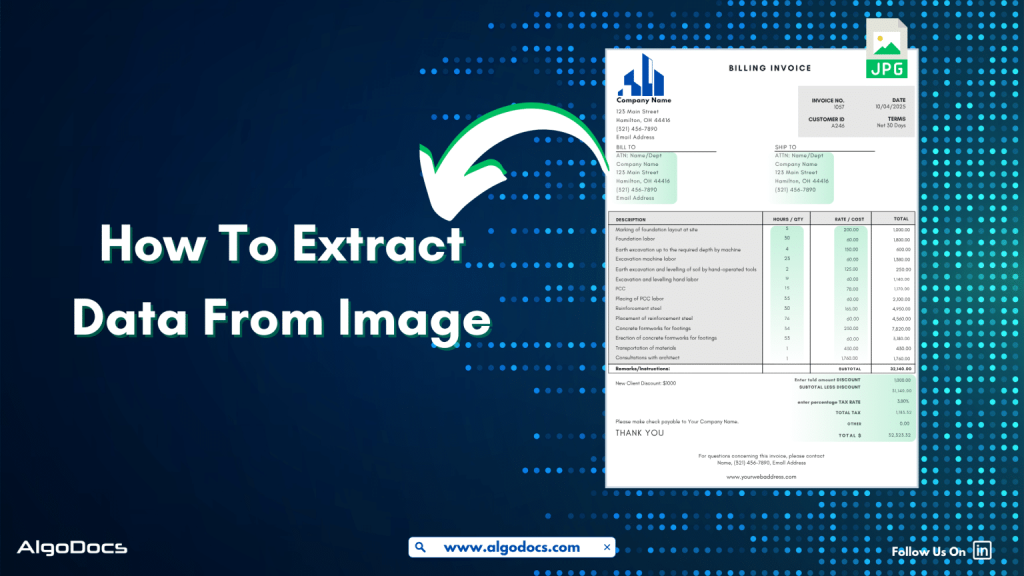
How to Extract Data from Image: With 99% Accuracy

Back to Blog Table of contents On this page How to Extract Data from Image: With 99% Accuracy Home › Blog › Image Data Extraction › How to Extract Data from Image: With 99% Accuracy Categories Image Data Extraction Tags ai platform for data extraction algodocs data extraction from images machine learning By Shubhankar Biswas Published September 1, 2025, 06:37 Updated July 21, 2026, 05:49 Data in today’s digital age comes in various formats. It could be in an Excel sheet, scanned PDFs, Word documents, scanned images, or more complex formats such as JSON or XML. But extracting data from image feels more challenging than others. Why? Because the unstructured content, skewed letters, and blurry images are difficult to process. If we talk about data extraction from images, then these images are obtained from various sources. These might be a scanned copy of a report from your office scanner, a mobile screenshot of a passport or driving license, or photos taken from your mobile of your certificates. It can be handwritten notes, invoices, bills, etc. As we can see, data in image format can be found in many life scenarios. But data extraction from images remains a challenge for us due to inconsistent document layouts, poorly scanned documents, and skewed letters, which make data extraction difficult. The manual method of data extraction is slow and full of human errors, which reduces work efficiency. But with the rise of advanced technologies such as Artificial Intelligence, Machine Learning, Intelligent Document Processing, and OCR, extracting data from images has become easy. In this blog, we will discuss the challenges associated with image data extraction, tools and technologies for extracting data from images, how manual image data extraction is not reliable, the best tools you can consider for image data extraction, and how Algodocs is the best tool for extracting data from images. Let’s explore. What is Image Data Extraction? Image data extraction means to capture and extract data from an image document using technologies such as AI, IDP, and OCR. These image documents can be in the form of JPG, PNG, or other image formats. The extracted data is later stored in a structured format and utilized for various business activities such as analytics, record keeping, decision-making, etc. One of the crucial aspects of image data extraction is that modern businesses thrive on data. The more accurate data extraction from images is, the better the business results. What Types of Data Can an Image Contain? An image can carry a wide variety of data. Here are some major types: Handwritten Notes (Scanned) –Handwritten notes written on paper and scanned with a scanner or mobile device are very common types of image data. Personal notes, bills, invoices, memos, patient forms, college admission forms, etc., are good examples of images containing valuable data. Scanned Documents –Documents are scanned in various scenarios. This could be in the office, where you need to scan a sales report or an ID card such as passports, driving licenses, etc., for verification purposes or any other documents for business or personal needs. Mobile Screenshot Images –A mobile device has become the backbone of our digital life. Except for any personal images, we also tend to carry lots of documents and screenshots of documents on our mobile devices. In many scenarios, we tend to take lots of screenshots of documents or web pages for business and personal use. Computer Screenshot Images –A screenshot taken from a sales report, dashboard, or document is often in image format. These images contain valuable business information, and processing and extracting data from these images is essential for business activities. Types of Documents That Are in Image Data Format Image files containing valuable data often come in the form of scanned documents, photographed documents, screenshots, etc. These documents can be of various types such as: Invoices –Talking about image data, what can be a more useful example than an invoice? An invoice contains data such as item, price, address, invoice number, etc. Generally, invoices are generated as docs or PDF files. But sometimes the same invoice documents are scanned or their pictures taken for sharing and record-keeping purposes. Extracting data from these types of images becomes important for many reasons. Bills and Receipts –A bill is used in many B2B and B2C settings. It’s a proof of sale from the seller to the customer. This contains details such as vendor name, item description, billing date, payment info, etc. A general bill or receipt document can be a physical copy of the actual bill or receipt generated in PDF or document formats. But sometimes this can be in the form of JPG images or screenshots as well. Certificates –Educational certificates often provided by educational institutions, colleges, or schools are generally available in physical formats. But sometimes we carry them in the form of scanned images or photographs as well. ID Cards –ID cards are crucial documents for various types of KYC verification and other business activities. While a physical identity card such as employee ID, passports, driving licenses, etc., can be found in physical formats, sometimes we need to carry these documents in the form of scanned images, pictures, and other digital formats for ease. Bank Statements, Bills, and Others –We can also see the example of bank statements or various types of bills which are often available in physical paper form and are often carried in image, screenshot, or scanned document formats. Challenges Associated with Image Data Extraction While image data extraction is important, there are many challenges that persist in extracting data from images. The challenges include: Sign up for Algodocs Free-Forever Plan Today & Enjoy Premium Features For Free Create Free Account Poor Image Quality –One of the major problems with image data extraction is poor image quality. Poor-quality image data is difficult to capture by human eyes as well as by automated data extraction software such as OCR and Intelligent Document Processing. This can lead to data errors during extraction. Handwritten Texts –Handwritten notes or text that have been converted into an image file

Algodocs

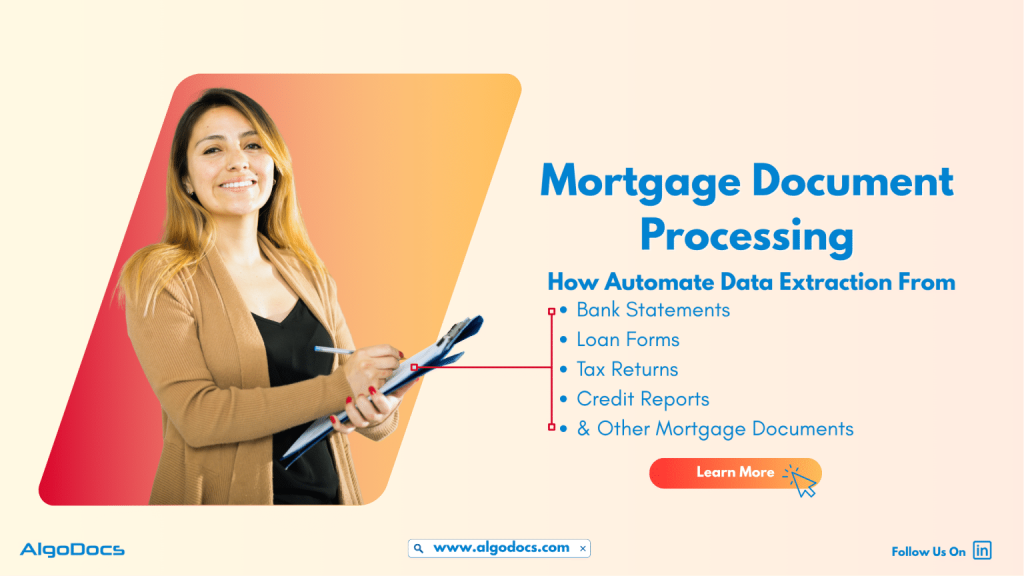
Mortgage Document Processing: How To Automate Data Extraction From Mortgage Documents Using AI

Back to Blog Table of contents On this page Mortgage Document Processing: How To Automate Data Extraction From Mortgage Documents Using AI Home › Blog › Algodocs › Mortgage Document Processing: How To Automate Data Extraction From Mortgage Documents Using AI Categories Algodocs Tags ai platform for data extraction algodocs By Shubhankar Biswas Published September 1, 2025, 06:27 Updated December 4, 2025, 21:45   Tasks such as document processing have always been a challenge for many industries for many years. One of the major industries that has been involved in this never-ending journey is the financial and mortgage industry. With tons of different types of mortgage documents such as loan application forms, bank statements, insurance documents, invoices, and the list goes on. But data extraction from these types of financial or mortgage documents has always been a mundane yet critical aspect of business growth. Why was it a mundane but challenging task? Because of the reliance on outdated data extraction methods like manual data extraction. This form of data extraction method is not only slow but also full of errors and other challenges which slow down data extraction efficiency and business growth. It also hampers the customer experience and the efficiency of the business as well.But the rise of technologies such as AI, ML, and Intelligent Document Processing technology has changed how banks, non-bank lenders, credit unions, and mortgage service providers automate the data extraction process with greater accuracy and speed. In this in-depth blog, we’ll explore what mortgage document processing entails, why it matters in today’s lending ecosystem, the types of documents involved, how AI and intelligent automation play a role, and how SaaS platforms are enabling this transformation. We will also refer to industry benchmarks and studies to offer a fact-driven perspective. Introduction The mortgage lending process involves a complex and time-consuming set of documentation tasks. Every loan application requires the handling of dozens, if not hundreds, of documents — from borrower income verification to title deeds and credit reports. Manually reviewing, validating, and organizing these documents introduces bottlenecks, increases the risk of error, and impacts borrower satisfaction. Mortgage document processing technology is addressing these inefficiencies by bringing automation and intelligence into the document lifecycle. The rise of intelligent document processing (IDP), machine learning (ML), and robotic process automation (RPA) has made it possible to handle large volumes of documents with speed and accuracy. What Is Mortgage Document Processing? Mortgage document processing refers to the digitization, extraction, classification, validation, and storage of documents related to the mortgage lifecycle. This includes automating data capture from scanned paper documents, PDFs, and digital forms, and transforming that unstructured data into structured formats that are machine-readable and easily integrated with loan origination systems (LOS) and customer relationship management (CRM) tools. A robust mortgage document processing system typically involves: Optical Character Recognition (OCR) Natural Language Processing (NLP) Data validation engines Compliance rule engines Integration with backend systems It plays a critical role from pre-qualification to underwriting, closing, and post-closing audits. Challenges in Traditional Mortgage Document Workflows Despite advancements in fintech, many mortgage processes still rely on manual workflows. According to a 2023 report by the Mortgage Bankers Association (MBA), more than 40% of lenders still rely on human-based document checks during underwriting. Key challenges include: High Error Rates: Manual data entry leads to typos and inconsistencies. Slow Turnaround: Loan processing can take 30–45 days due to document shuffling. Compliance Risk: Incomplete or missing documents may lead to regulatory issues. Customer Friction: Borrowers are required to resend or verify the same documents repeatedly. Operational Overhead: Loan processors spend 60–70% of their time managing paperwork. These inefficiencies result in delayed loan approvals, lost business opportunities, and poor borrower experiences. Key Mortgage Documents Involved Mortgage document processing covers a wide array of documents, including: Loan Application (Form 1003): The standard form capturing borrower information. W-2s and Pay Stubs: Used to verify income. Bank Statements: Needed to check assets and savings. Tax Returns: Offer insight into financial history. Credit Reports: Reflect creditworthiness. Title Documents: Confirm ownership and liens. Appraisal Reports: Assess property value. Disclosure Forms: Legal compliance and consumer protection. Closing Disclosure (CD): Final cost breakdown of the mortgage. Each document varies in structure, format, and critical data points, which makes manual processing highly error-prone. The Role of AI in Mortgage Document Processing Artificial Intelligence (AI) has fundamentally changed how mortgage document processing is done. AI-powered solutions use a combination of OCR, machine learning, and NLP to intelligently identify, extract, and validate data from structured and unstructured documents. Try Algodocs Free AI Data Extraction Tool To Automate Data Extraction From Mortgage Document Sign Up How AI Adds Value: Automated Classification: Classifies documents by type (e.g., W-2, tax return) even if mislabeled or scanned poorly. Data Extraction: Pulls out fields like name, income, address, SSN, and loan amount with high accuracy. Error Detection: Flags inconsistencies between documents (e.g., name mismatch). Learning Capabilities: AI models improve with training and feedback, offering higher accuracy over time. Leading SaaS providers now offer AI-enabled platforms with out-of-the-box mortgage document processing capabilities tailored for lending institutions. Benefits of Automated Mortgage Document Processing The impact of automation on mortgage processing is profound. According to a 2024 report by Deloitte, lenders using intelligent automation tools reduce loan processing time by 50% and cut document handling costs by up to 60%. Key benefits include: Faster Loan Turnaround: Automating document reviews significantly speeds up underwriting and approvals. Higher Accuracy: AI minimizes manual errors, improving data reliability. Better Compliance: Ensures all documents are complete, up to date, and audit-ready. Enhanced Scalability: Lenders can handle peak volumes without hiring temporary staff. Improved Customer Experience: Shorter wait times and fewer document requests create a frictionless journey. SaaS Solutions Transforming the Mortgage Landscape SaaS platforms are at the forefront of revolutionizing mortgage document processing. Cloud-based solutions offer real-time access, flexible scalability, and faster implementation compared to legacy on-premise systems. Features of Leading SaaS Mortgage Document Processing Platforms: Template-free data extraction Bulk document ingestion and auto-sorting APIs for integration with LOS and CRM systems Audit trail and document versioning Support for multiple file formats including scanned images, PDFs, DOC, etc. Custom validation rules and document checklists These solutions

Algodocs

The Role of Intelligent Document Processing for Real Estate Document Management and How AI Is Improving It

Back to Blog Table of contents On this page The Role of Intelligent Document Processing for Real Estate Document Management and How AI Is Improving It Home › Blog › Algodocs › The Role of Intelligent Document Processing for Real Estate Document Management and How AI Is Improving It Categories Algodocs Tags ai platform for data extraction algodocs deep learning ocr api real estate data extraction By Shubhankar Biswas Published September 1, 2025, 06:11 Updated July 10, 2026, 08:52 The real estate industry deals with lots of document in day-to-day operation. One of the most common documents are lease agreements, loan documents, mortgage documents, property evaluations, occupancy certificates etc. The volume of paperwork involved in managing real estate transactions is huge and Handling all of this with manual approach can be slow, costly, and full of errors. This is where intelligent document processing for real estate comes in to save the day. . Intelligent Document Processing (IDP) is changing how real estate professionals handle documents. It uses artificial intelligence (AI), machine learning (ML), and optical character recognition (OCR) to scan, read, and organize documents automatically. It helps companies process information faster, more accurately, and with less manual effort. In this blog, we will explore the importance of document management in real estate, how intelligent document processing makes it better, what challenges the industry faces, how AI is improving these processes, and why Algodocs is a great tool for managing real estate documents. What is Real Estate Document Management and data processing? Real estate document management is the process of storing, organizing, retrieving, and sharing documents related to real estate transactions. These documents include contracts, purchase agreements, mortgage documents, rental applications, financial records, property titles, insurance forms, and inspection reports. Managing these documents well is important for several reasons. It keeps transactions legal and traceable. It also protects both buyers and sellers by ensuring that information is correct and up-to-date. Proper document management can also improve customer service by making information easy to find and share. Traditionally, document management in real estate has been paper-based. Even when digital storage is used, it often involves scanning documents and saving them in folders without any automation. This approach makes it difficult to search for information, increases the chances of losing documents, and wastes time during every transaction. As real estate firms grow and deal with more clients and properties, manual document management becomes a bottleneck. There is a need for smarter solutions that can handle this workload efficiently. That is why intelligent document processing is becoming more popular in the real estate industry. How IDP Helps with Real Estate Document Management and Data Processing Intelligent document processing for real estate allows companies to manage documents more efficiently by automating the extraction of information from various types of documents. Whether the documents are scanned images, PDFs, or emails, IDP can read, understand, and classify them automatically. For example, when a rental application is received, an IDP platform can extract the tenant’s name, income details, and rental history. It can also identify the type of document and route it to the right person or system. This reduces manual effort, cuts down on errors, and speeds up the decision-making process. Here are a few ways IDP helps real estate professionals: It reduces the time spent on data entry and document review. It makes compliance easier by keeping accurate records. It enables faster approval cycles for loans, rentals, or property transfers. It improves the customer experience by speeding up communication. It allows for easier auditing and reporting of transactions. IDP systems can handle many different types of real estate documents, such as: Lease agreements Loan applications Deeds and titles Tax forms Appraisal reports Utility bills Financial statements These systems use AI to understand the context of the document and extract key data fields. The extracted data is then passed to a central database, CRM, or enterprise resource planning (ERP) system for further use. Challenges in Real Estate Document Management Even with modern tools, real estate companies still face many challenges when it comes to document management. Some of the most common issues include: 1. High Volume of Documents:Real estate companies deal with hundreds of documents every week. These documents often come from multiple sources such as email, courier, online portals, or clients directly. Organizing all of these files manually is time-consuming. 2. Unstructured Formats:Documents come in many formats. Some are PDFs, some are images, and others are scanned paper documents. Without intelligent tools, extracting data from these formats is hard. 3. Manual Errors:Data entry mistakes can lead to legal problems, lost sales, or financial losses. Manual review processes are slow and prone to human error. 4. Compliance Requirements:Real estate firms must follow legal and financial regulations. Keeping accurate records and audit trails is necessary. Manual systems make this difficult. 5. Storage and Retrieval Issues:Traditional storage systems make it hard to search for or retrieve documents when needed. This can delay transactions and frustrate clients. 6. Security Concerns:Real estate documents often contain sensitive data such as social security numbers, bank information, or credit scores. Storing these securely is a major concern. These challenges show the need for a smarter, more secure, and more scalable solution like intelligent document processing for real estate. What to Consider Before Choosing an IDP Tool for Real Estate Business Before adopting any IDP solution, real estate businesses should consider the following points to make the right choice: 1. Document Variety Support:The IDP tool should be able to process different types of documents, both digital and scanned. It should support PDFs, Word files, images, and email attachments. 2. Accuracy of Data Extraction:Choose a tool that has high accuracy in extracting data from unstructured documents. AI-based platforms improve accuracy over time as they learn from corrections. 3. Integration with Existing Systems:The IDP solution should easily integrate with your existing CRM, ERP, or document management system. This will help automate the entire workflow. 4. Security and Compliance:Look for platforms that follow global security standards such as GDPR or ISO

Algodocs

Best OCR Recognition Software: 10+ Tools You Should Know

Back to Blog Table of contents On this page Best OCR Recognition Software: 10+ Tools You Should Know Home › Blog › Algodocs › Best OCR Recognition Software: 10+ Tools You Should Know Categories Algodocs Tags ai platform for data extraction algodocs character recognition web-based ai platform for data extraction By Shubhankar Biswas Published September 1, 2025, 05:28 Updated July 20, 2026, 05:27 In today’s digital world, people and businesses deal with a lot of paperwork. From scanned documents to printed forms and even handwritten notes, all of this data needs to be turned into something useful. That’s where OCR comes in. OCR stands for Optical Character Recognition. It helps read text from images, PDFs, and scanned documents and changes it into real, editable text. OCR technology is useful in many industries like healthcare, banking, logistics, and education. It helps save time, reduce human error, and organize data quickly. In this blog, we will talk about the best OCR recognition software you can use. Whether you are looking for a free tool, a paid one with advanced features, or an open-source option, we’ve got you covered. Let’s look at the top 10+ OCR tools available today. We’ll explain what each tool is, how it works, and what makes it a good choice. 1. Algodocs 1. Algodocs – Best OCR Recognition Software Algodocs is considered one of the best & most powerful AI based OCR recognition and data extraction tools in the market today. It is a cloud-based platform that helps you to automate data extraction from PDFs, scanned documents, medical reports, invoices, bills, purchase orders, and other documents with accuracy. It is especially helpful for businesses that want to save time and reduce errors while handling large amounts of documents. What makes Algodocs special is its use of AI and machine learning to improve the accuracy of data extraction. You don’t need to write any code to use it. You can create templates for your documents and set up automatic data extraction workflows. Try Algodocs Free Forever Plan Today Sign Up Today Key features of Algodocs: Extract data from PDFs, images, medical bills, invoices, and forms. Supports tables, checkboxes, and handwritten text. Easy-to-use interface with no coding required. Exports to Excel, JSON, XML, and Google Sheets. Strong security for handling sensitive data. Who should use it: logistics organizations, healthcare professionals, finance teams, legal firms, and businesses that handle complex documents. Algodocs offers a free plan with limited pages and paid options for higher volumes. It is perfect for anyone looking to save time and improve document workflows. 2. Nanonets Nanonets is another AI-powered OCR tool that focuses on smart automation. It helps users extract data from a wide range of documents like ID cards, invoices, purchase orders, and receipts. Features: Pre-trained models for common document types. Drag-and-drop interface to create custom workflows. Easy integration with Zapier, Google Sheets, and other tools. Works with scanned documents, mobile images, and more. Nanonets also provides an API, so developers can add OCR to their own apps. It offers a free trial and paid plans for larger use. 3. Docsumo Docsumo is built for businesses that need to handle many documents daily. It works well with financial forms, insurance claims, and KYC documents. Docsumo can extract data even when the documents are not in perfect condition. Features: Automatic table extraction. Smart validation and error checking. Easy export to Excel or databases. Drag-and-drop support for uploading files. Docsumo offers a free plan for testing, and its paid plans are good for growing businesses. 4. Docparser Docparser is a great OCR software for extracting data from business documents like invoices, delivery notes, and contracts. It uses rule-based data extraction, meaning you can tell it exactly what to look for in a document. Features: Process documents in bulk. Turn PDFs into structured data like CSV or Excel. Templates for different document types. Cloud-based, so no installation is needed. Docparser is suitable for teams that need full control over their document data. It is easy to use and very reliable. 5. ABBYY FineReader ABBYY FineReader is a well-known name in the OCR world. It offers advanced OCR features and high accuracy. It works with more than 190 languages and supports both printed and handwritten text. Features: Edit, convert, and compare PDFs. Accurate text recognition. Works with scanned books, legal forms, and multi-page documents. Desktop and cloud options available. ABBYY is best for professionals and organizations that need top-quality OCR. It is a paid tool, but many users say it is worth the cost. 6. Adobe Acrobat Pro Adobe Acrobat Pro is not just a PDF reader. It also includes powerful OCR features. You can scan documents, convert them into searchable PDFs, and even copy the text into Word or Excel. Features: Turn scans into searchable and editable text. Works well with multi-page PDFs. Combine and edit documents easily. Trusted by millions of users around the world. Adobe is great if you already use other Adobe products or want a reliable tool with full PDF support. It offers a free trial and monthly subscription plans. 7. Parseur Parseur is an OCR and document parsing tool for emails, PDFs, and other files. It is ideal for extracting data from incoming messages and scanned documents automatically. Features: Email-to-text and PDF-to-data tools. Point-and-click interface for setting up templates. Works in real-time with tools like Google Sheets and Excel. Supports invoices, shipping receipts, and orders. Parseur is easy to set up and works well for teams that want to speed up data entry without much effort. 8. Tesseract OCR Tesseract is one of the most popular open-source OCR engines. It is free to use and supports more than 100 languages. It works on Windows, Linux, and macOS. Tesseract is mainly used by developers who want to add OCR to their apps or systems. Features: Highly accurate for printed text. Supports many languages. Can be trained for custom fonts or languages. Works well with command-line and programming. Tesseract doesn’t come with a user interface, so it’s not for

Scroll to Top