Algodocs

deep learning

Algodocs

How to Extract Data from Invoice: Transforming Business Efficiency with AI In 2025

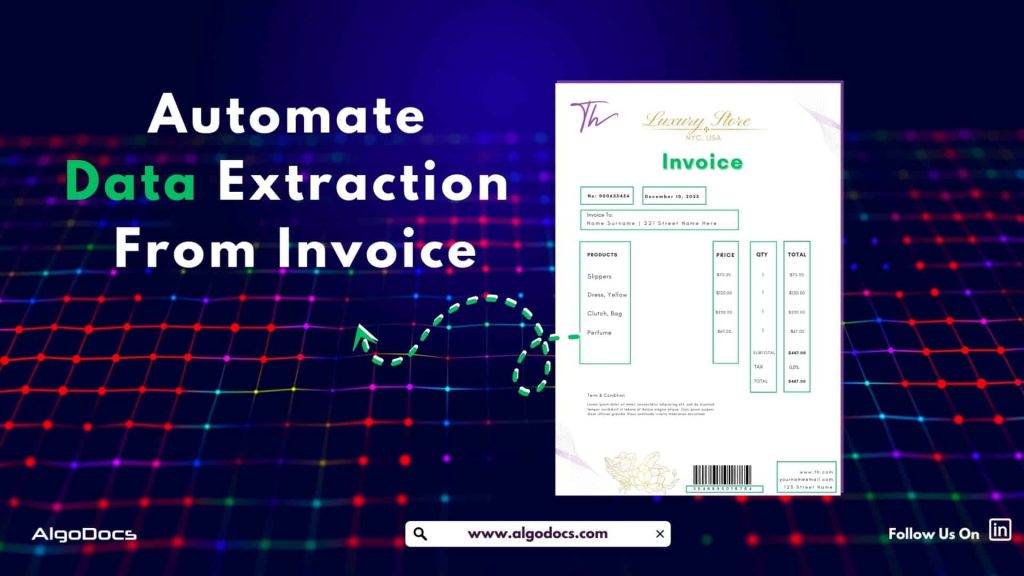
In the modern, fast-paced digital world, businesses often handle a large volume of invoices and bills on a day-to-day basis. These invoices and bills contain critical information and financial details that must be extracted and processed accurately and efficiently to run the business smoothly. However, extracting data from invoices manually is both time-consuming and error-prone. This is where automated invoice data extraction becomes essential. By leveraging the power of Artificial Intelligence (AI) and Optical Character Recognition (OCR), businesses can extract data from invoices seamlessly, reducing manual efforts, enhancing accuracy, and improving operational efficiency. In this blog, we will explore the dimensions of how invoice data extraction works, the technology behind it, its benefits, challenges, and why AI-powered solutions like Algodocs are revolutionizing data extraction from invoices, saving time and cost. So, what is an invoice? An invoice is a document shared by the seller with the buyer to request payment for the service provided. In simple terms, when you, as a seller, offer services such as consultations, freelance work, or any other service, and you want the buyer to pay for the service provided, you will share a document with the buyer. This document contains essential information such as vendor details, buyer details, invoice date, payment details, service details, etc. Invoices are used in almost every industry, specifically by service providers, non-profit organizations, wholesalers, manufacturers, and other industries worldwide. What is invoice data extraction? Invoice data extraction is the process of capturing and extracting essential details from invoices and converting them into structured digital formats that can later be used for other business activities. This includes invoice numbers, dates, supplier details, line items, totals, and tax information. Automating this complex process helps businesses streamline financial operations, reduce human errors often associated with manual data extraction, and improve overall efficiency. An invoice can be a scanned image, a native PDF file, or a scanned image that has been converted into a single PDF file. How to Extract Data from Invoice Efficiently? The process of extracting data from invoices involves multiple steps to ensure accuracy and efficiency: Technologies Used to Extract Data from Invoice AI and machine learning advancements have significantly improved invoice data extraction. The core technologies involved include: Benefits of Extracting Data from Invoice Automatically Looking For The Best All-In-One Invoice Data Extraction Tool? Try Algodocs Invoice Data Extraction Tool For Free and Access All The Paid Features For Free. Create A Free Account Today Create Free Account Automating invoice data extraction offers multiple advantages: Challenges in Extracting Data from Invoice Despite its benefits, invoice data extraction presents certain challenges: Industries Benefiting from Invoice Data Extraction Various industries rely on automated invoice data extraction to streamline operations: Why AI-Powered Solutions Like Algodocs Are Game-Changers AI-driven platforms like Algodocs have emerged as the best apps for invoice data extraction by offering advanced features such as: Finale Thought Extracting data from invoices is revolutionizing financial operations by enabling businesses to automate invoice processing, reduce manual effort, and improve overall efficiency. AI-powered solutions like Algodocs provide the necessary tools to streamline invoice workflows, enhance accuracy, and drive cost savings. As technology continues to evolve, automated invoice data extraction will become an indispensable tool for modern enterprises. By leveraging AI-powered tools to extract data from invoices, businesses can enhance accuracy, reduce costs, and improve efficiency, making invoice automation a necessity for financial management What is invoice data extraction? Invoice data extraction is the automated process of retrieving relevant details such as invoice no, payment details, service details, buyers and sellers details from invoices using AI and OCR technology. How does AI improve invoice data extraction? AI enhances accuracy by recognizing different invoice formats, reducing errors, and automating data structuring. What are the benefits of automated invoice processing? It reduces manual labor, improves accuracy, accelerates payments, and ensures compliance with financial regulations. Can invoice data extraction handle handwritten invoices? Advanced OCR and AI systems can process some handwritten invoices, but accuracy depends on handwriting quality. How can businesses integrate extracted invoice data into their systems? AI-powered solutions like Algodocs provide seamless integration with ERP, accounting, and financial management software.        

Algodocs

The Role of Intelligent Document Processing for Real Estate Document Management and How AI Is Improving It

The real estate industry deals with lots of document in day-to-day operation. One of the most common documents are lease agreements, loan documents, mortgage documents, property evaluations, occupancy certificates etc. The volume of paperwork involved in managing real estate transactions is huge and Handling all of this with manual approach can be slow, costly, and full of errors. This is where intelligent document processing for real estate comes in to save the day. . Intelligent Document Processing (IDP) is changing how real estate professionals handle documents. It uses artificial intelligence (AI), machine learning (ML), and optical character recognition (OCR) to scan, read, and organize documents automatically. It helps companies process information faster, more accurately, and with less manual effort. In this blog, we will explore the importance of document management in real estate, how intelligent document processing makes it better, what challenges the industry faces, how AI is improving these processes, and why Algodocs is a great tool for managing real estate documents. What is Real Estate Document Management and data processing? Real estate document management is the process of storing, organizing, retrieving, and sharing documents related to real estate transactions. These documents include contracts, purchase agreements, mortgage documents, rental applications, financial records, property titles, insurance forms, and inspection reports. Managing these documents well is important for several reasons. It keeps transactions legal and traceable. It also protects both buyers and sellers by ensuring that information is correct and up-to-date. Proper document management can also improve customer service by making information easy to find and share. Traditionally, document management in real estate has been paper-based. Even when digital storage is used, it often involves scanning documents and saving them in folders without any automation. This approach makes it difficult to search for information, increases the chances of losing documents, and wastes time during every transaction. As real estate firms grow and deal with more clients and properties, manual document management becomes a bottleneck. There is a need for smarter solutions that can handle this workload efficiently. That is why intelligent document processing is becoming more popular in the real estate industry. How IDP Helps with Real Estate Document Management and Data Processing Intelligent document processing for real estate allows companies to manage documents more efficiently by automating the extraction of information from various types of documents. Whether the documents are scanned images, PDFs, or emails, IDP can read, understand, and classify them automatically. For example, when a rental application is received, an IDP platform can extract the tenant’s name, income details, and rental history. It can also identify the type of document and route it to the right person or system. This reduces manual effort, cuts down on errors, and speeds up the decision-making process. Here are a few ways IDP helps real estate professionals: IDP systems can handle many different types of real estate documents, such as: These systems use AI to understand the context of the document and extract key data fields. The extracted data is then passed to a central database, CRM, or enterprise resource planning (ERP) system for further use. Challenges in Real Estate Document Management Even with modern tools, real estate companies still face many challenges when it comes to document management. Some of the most common issues include: 1. High Volume of Documents:Real estate companies deal with hundreds of documents every week. These documents often come from multiple sources such as email, courier, online portals, or clients directly. Organizing all of these files manually is time-consuming. 2. Unstructured Formats:Documents come in many formats. Some are PDFs, some are images, and others are scanned paper documents. Without intelligent tools, extracting data from these formats is hard. 3. Manual Errors:Data entry mistakes can lead to legal problems, lost sales, or financial losses. Manual review processes are slow and prone to human error. 4. Compliance Requirements:Real estate firms must follow legal and financial regulations. Keeping accurate records and audit trails is necessary. Manual systems make this difficult. 5. Storage and Retrieval Issues:Traditional storage systems make it hard to search for or retrieve documents when needed. This can delay transactions and frustrate clients. 6. Security Concerns:Real estate documents often contain sensitive data such as social security numbers, bank information, or credit scores. Storing these securely is a major concern. These challenges show the need for a smarter, more secure, and more scalable solution like intelligent document processing for real estate. What to Consider Before Choosing an IDP Tool for Real Estate Business Before adopting any IDP solution, real estate businesses should consider the following points to make the right choice: 1. Document Variety Support:The IDP tool should be able to process different types of documents, both digital and scanned. It should support PDFs, Word files, images, and email attachments. 2. Accuracy of Data Extraction:Choose a tool that has high accuracy in extracting data from unstructured documents. AI-based platforms improve accuracy over time as they learn from corrections. 3. Integration with Existing Systems:The IDP solution should easily integrate with your existing CRM, ERP, or document management system. This will help automate the entire workflow. 4. Security and Compliance:Look for platforms that follow global security standards such as GDPR or ISO 27001. Make sure the tool provides secure access, encryption, and audit trails. 5. Scalability and Speed:As your business grows, the volume of documents will increase. The IDP tool should be able to scale and handle the extra load without delays. 6. User-Friendly Interface:A clean and simple interface makes it easier for non-technical staff to use the platform effectively. 7. Cost Efficiency:Consider the cost of the tool in relation to the benefits it provides. A good IDP tool will save more money in the long run by reducing labor costs and improving productivity. 8. Customization and Flexibility:Every real estate business has unique workflows. The IDP tool should allow custom rules, templates, or data fields to match your specific needs. How AI is Impacting Document Management and Data Processing for Real Estate Industry Artificial intelligence is changing how real estate businesses process and manage

Algodocs

SMB Document Automation & Processing Using IDP and AI

Growing a business in today’s hyper-competitive world can be a real challenge for small and medium enterprises (SMEs). One of the reasons that hinders their progress is the lack of resources to invest in essential services. One of these essential and important services is processing data from various types of documents, which can come in the form of invoices, bills, receipts, contacts, etc. While larger corporations often have solid resources to invest in extensive digital transformation initiatives, many SMBs feel left behind, struggling with manual processes that drain valuable time and resources from the organization. But what if there were a way to scale your business beyond the grips of manual data entry and unlock the true potential of your information? Yes, it is possible with an AI-powered Intelligent Document Processing (IDP) platform. IDP is emerging as a game-changer for SMBs, offering a powerful blend of artificial intelligence (AI), machine learning (ML), and optical character recognition (OCR) to transform how documents are processed. In this blog, we will delve deep into the world of IDP, exploring its mechanics, its immense benefits for SMBs, the challenges it addresses, and what to consider when choosing the right solution to propel your business forward. What is Intelligent Document Processing (IDP)? At its core, Intelligent Document Processing (IDP) is an AI- and ML-based data extraction tool that helps automate data extraction from various types of documents. It can classify, extract, validate, and organize data from both structured and unstructured documents. These documents can be invoices, bills, HR forms, medical bills, shipping documents, etc. Unlike traditional OCR, which merely converts standard images or documents into machine-readable formats, IDP goes beyond basic data extraction. It leverages advanced technologies such as AI and ML algorithms to understand the context of the information, identify relevant data fields, and even handle variations in document layouts and formats. Think of it as a computer program that has the ability to “read” and “understand” documents in a way that mimics human cognition, but at a speed and accuracy level far beyond human capabilities. This means it can process everything from standardized forms and invoices (structured data) to emails, contracts, and even handwritten notes (unstructured and semi-structured data) with 10 times more speed and accuracy. One of the major advantages of intelligent document processing tools is that they can be integrated with desired third-party platforms and business apps. This makes data exchange and processing smooth and saves time. IDP’s automation capability makes repetitive tasks more productive and cost-effective for the organization. How Intelligent Document Processing Works Intelligent document processing is a multistep process, from capturing, processing, and classifying to extracting the final data. We have written a detailed blog on how intelligent document processing works Meanwhile, you can learn how intelligent document processing works: Benefits of Intelligent Document Processing for Small and Medium Enterprises Small and Medium size business can greatly benefit from intelligent document processing as it give more power to small scale business owners to do more with versatile IDP tool. Previously these benefits were limited to large cash enable enterprises. For SMBs, the benefits of implementing an IDP solution are not just incremental; they are transformational. These advantages directly address many of the pain points that commonly hinder growth and profitability in smaller organizations. How it Can Improve Business IDP doesn’t just offer isolated benefits; it fundamentally improves how an SMB operates across various departments and functions: Challenges for SMBs for Data Extraction Despite the clear advantages of efficient data handling, SMBs often face unique and formidable challenges when it comes to data extraction from documents: How IDP Solves It Intelligent Document Processing directly tackles these pervasive challenges, offering robust solutions that empower SMBs to overcome their data extraction hurdles: Challenges Associated with IDP for SMB Businesses While the benefits are compelling, SMBs should also be aware of potential challenges when adopting IDP solutions. Understanding these can help in effective planning and implementation: What to Look for Before Choosing an IDP Tool for SMB Selecting the right IDP tool is a critical decision that can determine the success of your digital transformation efforts. For SMBs, it’s not just about features, but about finding a solution that aligns with their unique constraints and growth aspirations. Here’s what to look for: How Algodocs Can Be a Great Intelligent Document Processing Tool for Small and Medium Size Businesses For small and medium-sized businesses navigating the complex world of document processing, Algodocs stands out as a powerful and intuitive Intelligent Document Processing solution designed to address their specific needs. It recognizes that SMBs require robust functionality without the exorbitant costs or overwhelming complexity often associated with enterprise-grade solutions. Here’s how Algodocs can be a great IDP tool for your business: 1. Unmatched Simplicity and Rapid Deployment: Algodocs prioritizes ease of use. Its highly intuitive, user-friendly interface means that even team members without extensive technical backgrounds can quickly learn to set up and manage document processing workflows. With its low-code/no-code approach, SMBs can configure extraction fields and validation rules with minimal effort, significantly reducing the time from implementation to tangible results. This rapid deployment capability allows your business to start realizing benefits almost immediately. 2. AI-Powered Accuracy for All Document Types: At its core, Algodocs leverages cutting-edge AI and Machine Learning, combined with advanced OCR, to deliver exceptional data extraction accuracy. Whether you’re dealing with clean, structured forms, or messy, semi-structured invoices from various vendors, Algodocs intelligently identifies and extracts the relevant data points. Its continuous learning algorithms ensure that with every document processed, the system gets smarter, adapting to variations and improving accuracy over time, minimizing the need for manual review. 3. Seamless Integration with Your Existing Ecosystem: Algodocs understands that SMBs operate within a pre-existing technology stack. That’s why it offers robust integration capabilities through flexible APIs and pre-built connectors to popular accounting software, CRM systems, ERP platforms, and document management solutions. This ensures that the extracted data flows effortlessly into your core business applications, eliminating data silos and creating a unified, efficient workflow across your organization.

Algodocs

How To Extract Handwriting Data With Handwritten Notes OCR

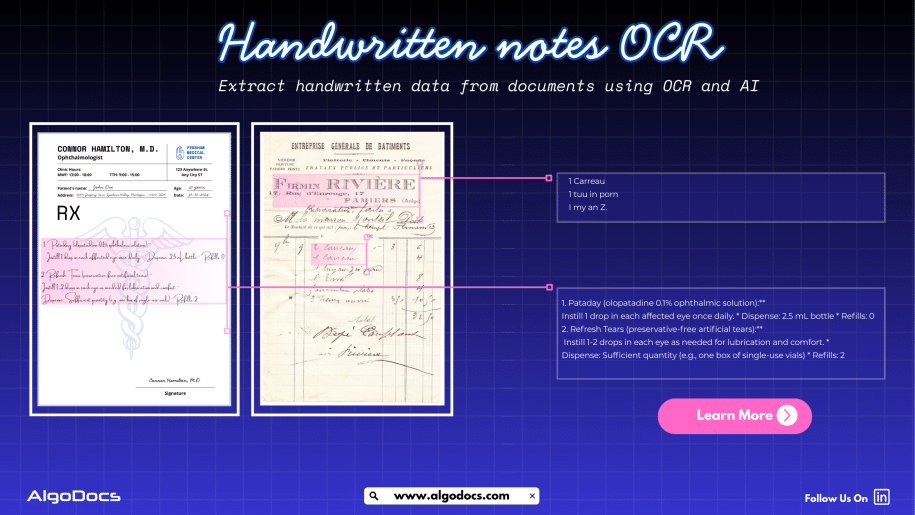
Handwritten notes capture some of our most important ideas, such as meeting minutes, classroom assignments, diary entries, handwritten invoices, medical forms, and much more. But when these valuable insights are trapped on paper, sharing, searching, or analyzing them can be a major challenge. But what if we could instantly turn stacks of handwritten sheets, sticky notes, or scanned handwritten image documents into searchable, editable data? It would surely make our work much easier and more productive. All this can be achieved with the technology called handwritten notes OCR, an advanced data extraction technology that brings the power of optical character recognition (OCR) with AI and ML to process handwritten data from various types of documents with accuracy. In this blog, you will discover how handwritten notes OCR works, why it is now more powerful than ever thanks to AI and machine learning, how modern handwritten notes OCR technology such as intelligent document processing revolutionizes data extraction, and practical tips for digitizing handwritten information in your business or personal life What Is Handwritten Notes OCR? Handwritten notes OCR is a specialized form of optical character recognition designed to capture, convert, and extract handwritten text from various types of documents. These documents are either in scanned image formats or can be PDF documents as well. Handwritten notes OCR turns document data into a digital, machine-readable format. Unlike standard OCR, which works well on clear, formatted images or document data, handwritten notes OCR can recognize the complex and unique nature of individual handwriting styles, even when the text is messy, faded, or uses old-fashioned scripts. With a high-performing handwritten notes OCR tool, you can:• Scan and digitize handwritten assignments, meeting notes, and personal memos.• Preserve historical letters, diaries, and legacy records for research and genealogy.• Archive and search medical forms, receipts, or contracts with handwritten details.• Export transcribed data to systems like Excel, Word, or your business platform — all in seconds. Handwriting vs. Traditional OCR: Why Is It Hard? Older OCR systems struggled to read handwriting, often failing to produce useful results. Anyone who has tried to scan a doctor’s prescription knows the frustration. This is where advanced handwritten notes OCR solutions powered by artificial intelligence come in. How Handwritten Notes OCR Works Modern handwritten notes OCR combines several powerful technologies to capture and convert handwriting into text: Intelligent Document Processing: Putting AI and ML to Work Today, OCR for handwritten notes is supercharged by intelligent document processing (IDP), a blend of AI, machine learning (ML), computer vision, and NLP that turns “just text” into actionable data. Here is what makes IDP so powerful:• Automates data entry from scanned forms, notes, contracts, and even sticky notes.• Learns and adapts to new handwriting styles, layouts, and languages over time.• Classifies documents by type and context, not just by keywords or layout.• Extracts unstructured data, even from non-standard or messy notes.• Reduces manual work, errors, and operational costs, in some cases by up to 32 percent. For example, a handwritten meeting note attached to a scanned invoice is not just digitized for archiving. AI-powered IDP can link the note to the correct customer record and make the content searchable for everyone on your team in seconds. AI and ML: Raising the Bar in Handwritten Notes Data Extraction Artificial intelligence and machine learning have transformed handwritten notes OCR:• Machine Learning Models: By training on thousands or even millions of handwriting samples, these models can recognize a wider variety of writing styles, languages, and scripts.• Neural Networks: Mimicking how human brains read, deep learning models adapt over time, improving accuracy as they process more documents.• Large Language Models (LLMs): When OCR struggles with a word or phrase, LLMs use context clues to predict the correct transcription, boosting results beyond basic pattern matching.• Document Layout Analysis: Advanced IDP tools understand page layouts, tables, forms, and structures, allowing even heavily formatted notes to be converted accurately.• Continuous Learning: Every correction or manual review helps the system improve for the next time. Practical Use Cases and Benefits of Handwritten Notes OCR: • Education: Teachers and students can archive and search assignment notes, grade papers faster, and collaborate on shared materials.• Healthcare: Transcribe doctors’ handwritten notes, prescriptions, and patient forms for secure digital records.• Finance & Legal: Convert contracts, receipts, and case notes into searchable, compliant formats.• Business Operations: Make meeting notes, idea sketches, and legacy documents accessible across the company.• Historical Research: Preserve and analyze old letters, diaries, and census records for genealogy or academic studies. Digitized handwritten notes are easier to search, analyze, share, and back up, making your organization more agile and data-driven. How to Digitize Handwritten Notes: Simple Steps Overcoming Common Challenges Handwriting OCR still faces challenges such as unusual scripts, messy writing, mixed sketches and text, or multi-language notes. Fortunately, AI-based systems continue to improve, with newer tools boasting word error rates below 1 percent and supporting hundreds of languages. If your notes include diagrams, tables, or special formatting, choose platforms that offer layout analysis and form recognition. Training your own AI model, as supported by platforms like Algodocs, can further boost accuracy for specific use cases. Future Trends: Where Is Handwritten Notes OCR Headed? Innovations in AI continue to advance handwritten notes OCR:• Hybrid Models: Combining OCR, ICR (Intelligent Character Recognition), and LLMs for greater context and human-like understanding.• Integration with Workflow Automation: Linking data directly to business processes for instant action, such as triggering approvals, sending alerts, or updating records.• Mobile-first Solutions: Smartphone apps offering real-time digitization and on-the-go accessibility.• Historical Document Support: Advanced models that can read faded, old, or non-standard scripts for research and preservation projects.• Universal Language Support: Systems capable of handling hundreds of languages and dialects for seamless global collaboration. Key Takeaways • Handwritten notes OCR makes it easy to digitize and utilize handwritten information.• AI-based OCR, intelligent document processing, and ML have made handwriting recognition more accurate, fast, and scalable.• Businesses, schools, healthcare, and researchers all benefit from digitized handwritten notes.• Getting started is simple. With the right tool and a few steps, you can transform notes, memos, and archives into digital gold. Conclusion The latest handwritten notes OCR solutions, such as Algodocs, are designed to be intuitive for all users, regardless of technical skill. Whether

Algodocs

Ultimate Guide: How to Extract Tables from PDFs Effortlessly

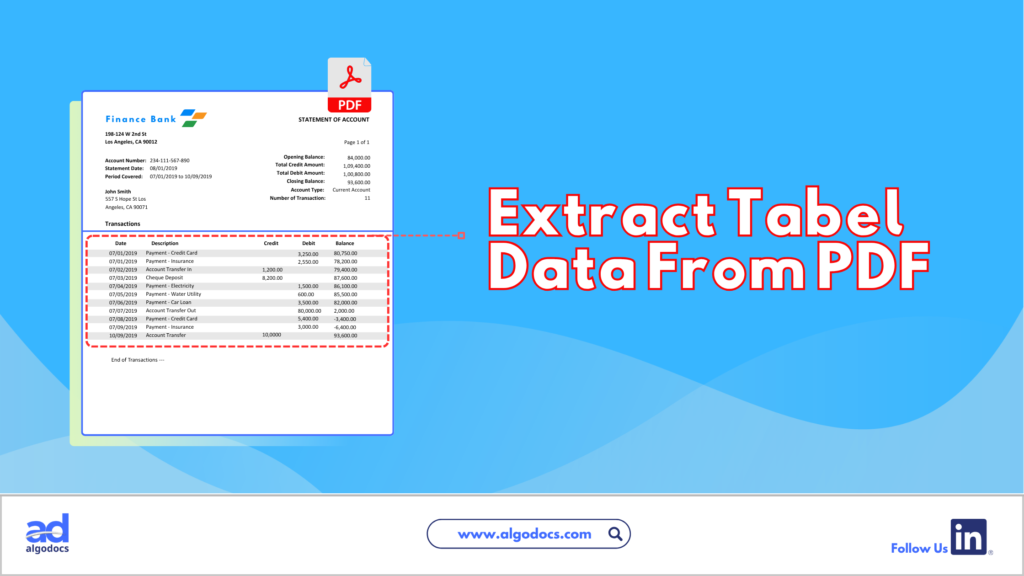
Ultimate Guide: How to Extract Tables from PDFs Effortlessly Introduction Are you struggling to extract tables from PDFs? If you feel trapped in a text-based jungle, hacking your way through dense PDFs to snag a specific table, you’re not alone. PDFs, while fantastic for preserving document formatting, can be a nightmare when you need to liberate the precious data trapped within their tables. Fear not, fellow data warriors! This guide will equip you with the knowledge and tools to transform those PDFs from unruly beasts into neat, organized spreadsheets. How to Extract Tables from PDFs There are two main approaches to conquering the PDF table extraction challenge: manual and automated. Each method has pros and cons, which can help you choose the right approach for your needs. Manual vs. Automated Extraction Manual Extraction The manual approach involves selecting the table in your PDF viewer and painstakingly copying and pasting each cell into a spreadsheet. While this method is straightforward, it comes with several drawbacks. Pros of Manual Extraction: Cons of Manual Extraction: Automated Extraction Automated extraction utilizes software to identify and extract tables from PDFs, significantly reducing the time and effort required. Pros of Automated Extraction: Cons of Automated Extraction: Extracting Tables from PDFs: A Guide to Automated Methods Extracting tables from PDFs can be a tedious task. This section explores several popular automated table extraction methods and their strengths and weaknesses to help you choose the right solution for your needs. Common Automated Table Extraction Methods Built-in PDF Export Tools: Most PDF viewers offer a primary “export to Excel” functionality. This can be convenient for occasional use with simple tables. However, accuracy can be unreliable for complex formatting or merged cells. The exported data might also lack structure, requiring further cleaning and organization. Free Online Tools: Several free web-based tools, such as Tabula and Camelot, tackle essential table extraction. While they offer a step up from manual methods, accuracy can be inconsistent, and limitations often exist regarding file size (e.g., maximum 10MB) or processing volume. OCR (Optical Character Recognition) Software: OCR software is a technology that can convert scanned PDFs with non-machine-readable text into searchable text. It works by analyzing the shapes and patterns of characters and matching them to a known character database. However, OCR accuracy can vary depending on the scanned image quality, and tables might require additional formatting adjustments after conversion. OCR also struggles with handwritten documents. Paid PDF Editing Software: High-end PDF editing software like Adobe Acrobat Pro DC offers table extraction features. While effective, these programs often have a hefty price tag and require a learning curve to master their functionalities. AlgoDocs: Automated Extraction Powerhouse Among these methods, AlgoDocs excels at efficient and user-friendly table extraction. Here’s why it stands out: Effortless Automation This web-based tool automates the entire process, eliminating the need for manual selection or wrestling with complex software. Upload your PDF, and the advanced algorithms will intelligently identify and extract tables, ensuring exceptional accuracy. Unmatched Accuracy Powered by advanced algorithms, our tool prioritizes reliable data extraction. You can be confident your extracted tables are ready for further analysis without worrying about errors. Flexibility for All Needs AlgoDocs caters to users of all levels. The Forever Free plan allows you to explore its capabilities at no cost, with a limit of 50 monthly pages. This plan is ideal for small-scale or occasional users. For high-volume needs, we offer affordable paid plans with increased processing capabilities. Seamless Integration Extract your data in various formats like XML, JSON, CSV, or Excel for effortless integration with your existing spreadsheets and data analysis tools. A robust API is also available, allowing developers to programmatically integrate table extraction functionalities into their workflows for a truly automated experience. Cloud-Based Convenience No software downloads or installations are necessary. It can be accessed from any device with an internet connection, making it a perfect choice for on-the-go data analysis. By leveraging this data extraction tool’s automated prowess, you can reclaim your valuable time and ensure the accuracy of your extracted data. Let this tool be your trusted companion in the world of PDF table extraction! Detailed Guide on Using AlgoDocs Let’s delve into the automated PDF table extraction world using our user-friendly and powerful tool. How to Extract Tables from PDFs: Step-by-Step Instructions Step 1: Log in to your account and go to the dashboard, which is the home page. Step 2: Click on the Extractor tab. On the right side of the Extractor tab, you will notice a populated option for choosing what kind of extractor you want to create. Step 3: Click Custom Extractor, and a new window to name the extractor will appear. Step 4: Now, it’s time to upload your sample PDF file. Once you’ve done that, click ‘Create Extractor ‘. The window will close, and you’ll find your newly created extractor in the folder as shown below. Step 5: Click on Manage next to your newly created extractor to go to the field/table creation page. Step 6: Click on the +Add to show the extraction methods options. Step 7: Click on TABLE EXTRACTION. This will launch a new window in which you can preview the sample PDF document you uploaded. Step 8: Click on Continue. This will open your space to manipulate the detected data and structure it according to your own preference. Based on the uploaded sample PDF, the system detected multiple tables. Step 9: Select the table option for Manual selection. This page also shows multiple options that can be used to format the extracted table(s) are available, such as “Merge table.” Step 10: The next step is to select the page number of the table you want by selecting “Select tables.” After that, click Apply Filter, and the table will reproduce as per the image below. Step 11:  You can apply the available filters to structure the table in your desired format. Step 12:  For example, you can select which section of the table you want to keep using the KEEP

PDF Text Extraction
Algodocs

PDF Text Extraction: Our Comprehensive Guide 2024

PDF Text Extraction: Our Comprehensive Guide 2024 In a society filled with advanced technology, Portable Document Formats or PDFs are considered supreme. They retain the structure as well as the format, including graphics and charts of the documents. However, conversion of data from PDF to another format that requires analysis or editing is not easy. Apart from exploring the most vital topic of PDF text extraction, this detailed blog also enables you to learn more about enhancing content through text extraction. Types of PDFs The two primary types of PDFs have a very important distinction that directly impacts how you process texts. Searchable PDFs: These PDFs have text embedded in them. This makes copying, pasting, and searching within a document very simple and hassle-free. Examples of such objects include reports, eBooks, and other documents created in a digital environment. Scanned PDFs: These include electronic images of the actual paper-based documents. They have no text layer and thus must be processed further with Optical Character Recognition technology. Optical Character Recognition (OCR) Optical Character Recognition (OCR) simply translates scanned PDFs into forms you can edit. It is a technology that scans the PDF and carefully analyzes the image data it contains, breaks characters into individual segments, and decrypts them to form a machine-readable text. The degree of variation in OCR technology depends greatly on the readability or quality of the source document scanned. Aspects such as the type of font used, the quality of the image, and whether there are large chunks of text with a complicated layout will affect the OCR outputs. The current generation of OCR engines has become very complex and can handle various kinds of inputs and provide high accuracy rates, which builds up confidence in using the tool. Step-by-Step Functions of OCR: A Multifaceted Approach: Exploring Text Extraction Methods Now that you understand the different types of PDFs and the role of OCR. Let’s explore the various methods available for extracting text: Manual Copy and Paste (Limited Use): This method is capable of extracting a few words from a searchable PDF. Right-click the arrow placed near the desired text passage and click on copy, unlock your word processing software, and paste. This technique is quite useful, but for really big documents, it becomes incredibly tedious and highly impractical. Built-in PDF Reader Export (Searchable PDFs Only): All typical PDF viewers, like Adobe Acrobat Reader, contain the native “Export” feature. This enables you to convert the searchable PDF into a file format you may wish to edit further, such as Word format (.docx). It is ideal for fast conversion of PDFs that are already easily searchable, but for scanned PDFs, it is useless. Online PDF to Text Conversion Tools (Flexibility and Convenience): Many sites on the World Wide Web offer PDF-to-text conversion services. These are online OCR tools that work more like PDF text extraction. You upload your PDF, click on the Convert button, and receive a downloadable text file. Here are some benefits of online PDF to Text conversion tools: Offline PDF Text Extraction Software (Advanced Features): For users who want to extract text from PDFs without an online interface, there are many offline text extraction applications. These programs offer a more comprehensive range of features compared to traditional tools, such as: However, there are also some drawbacks to consider: How to Choose the Right Text Extraction Method The optimal method for text extraction depends on several factors: Volume of PDFs Basic tools that come with MS Office, like the PDF reader export, might be enough if one only occasionally needs to sign several documents. However, if you are likely to process dozens of documents, for example, consider online tools that support batch processing or offline tools with good batch capabilities. Document Type Many methods can parse basic PDF documents with few formatting features. However, if the text layout is complicated or if high precision is needed, one can use stand-alone programs with additional functions, such as OCR, or use online tools that allow for customization. Security Concerns While working with sensitive documents, it is better to search for software that can use data protection principles such as encryption and compliance with industry standards. Budget There is abundant freeware available on the Internet, but certain constraints may limit the number of files processed or the number of features available. The free versions are generally less downloadable and have fewer options than the paid versions. Finding the Perfect Fit: Popular Text Extraction Solutions As mentioned before, extracting text from PDF can be done in many ways and with different levels of effectiveness: Online Text Extraction Tools: For those who may need advanced and high accuracy while processing simple or even advanced scanned files such as the ones with handwritten or tables, there are online applications such as AlgoDocs. Because of their interfaces and the availability of features, they are one of the best choices. Let’s look at the famous tool in detail. AlgoDocs: A Powerful and Secure PDF Text Extraction Tool Those who consider getting a more progressive and quite efficient product can use this advanced web based automated data extraction tool. It is an application designed for different categories of people. The Forever Free plan is more suitable for individuals as well as small companies. It enables one to scrape text from as many as 50 pages per month. This tool is efficient as well for large document libraries since it can process hundreds, if not thousands, of files at a time. How to Use AlgoDocs? Simply open the program and drag and drop the PDF into the tool, or open the file from Google Drive or Dropbox. The rest is done by our tool as it uses its advanced Optical Character Recognition OCR to translate documents into a usable text format. In the following screencast video, AlgoDocs demonstrates steps for extracting data from PDF and image documents in less than a minute. Benefits of Using This PDF Text Extraction Tool Unmatched Accuracy: This handy tool uses

Algodocs

Extract Tables from Images with AlgoDocs

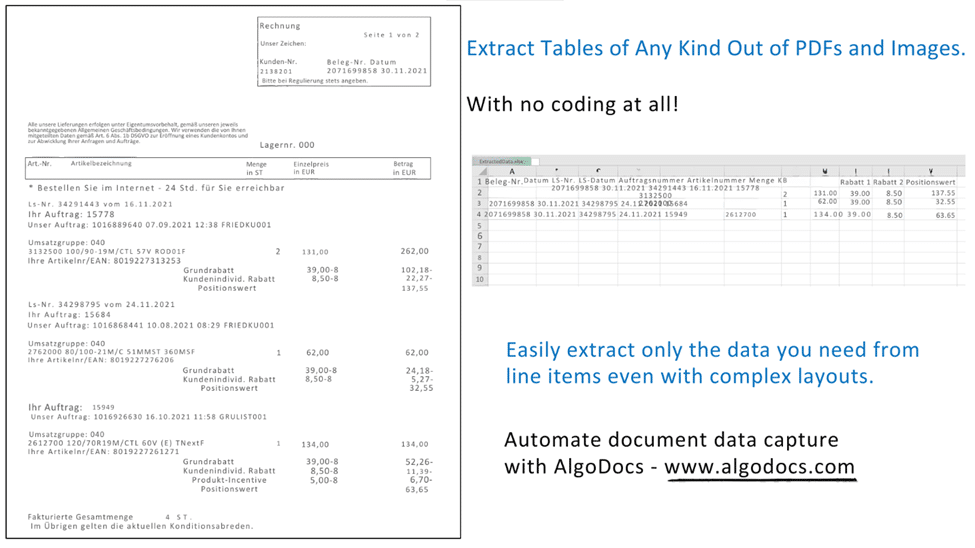
One might find themselves overwhelmed by a deluge of paperwork—orders, checks, articles—all containing valuable data locked up in tables. Extracting this information manually is like looking for a needle in a haystack. What if there was a way to free this data with some simple mouse movements? This is where image to table conversion becomes essential, transforming images into usable data. At AlgoDocs, we pride ourselves on making this process seamless. Sit tight and let the journey to efficient table extraction from images begin! How We Extract Tables from Images (and How Others Do It Too) There are specialized programs that help extract table information from scanned files like images and PDFs. But how does this happen? The All-Seeing Eye of OCR: At the center is Optical Character Recognition (OCR) technology. It functions like a digital magnifying glass, identifying text within the images frame by frame. The Mastermind of Layout Analysis: Sophisticated calculations dissect the layout of the image to understand patterns or lines that form the tables’ structure. AlgoDocs and the Gang: We are not the only entities in this data extraction game, are we? Why Choose AlgoDocs? Here’s Your Ticket to Data Freedom While these options exist, this AI-based software stands out as the data extraction champion. Here’s why: Simplicity We prioritize user-friendliness. Table extraction requires little or no effort from the user because our interface is user-friendly regardless of the user’s technical level. Saves Time Data extraction manually is very time-consuming and tiresome. That’s why our tool automates the entire process, freeing you to focus on more strategic tasks. Easy Workflow This tool comes as a feature in your tool chests and is naturally added to your day-to-day approaches seamlessly— Its seamless integration with existing tools and workflows ensures a smooth transition into your data management routine—no more data juggling across different platforms. You can trust our tool to adapt to your needs. Efficiently Extracts Data Designed for various professional fields, it can save hundreds and possibly thousands of hours for researchers, students, and home users. This relieves them from the burden of having to spend hours manipulating data to achieve the required outcome, freeing them up to practice concepts. A Feature-Packed Extraction Powerhouse We offer a robust suite of features designed to streamline your data extraction process and ensure exceptional results: • Cutting-Edge AI Technology: This is why we can state that when it comes to such tasks as tables’ extraction, AI contributes to the process, and therefore, we assure you of high results and fast, profound processing. • Seamless API Integration: It has intrinsic API incorporated, which means that one has the independent power to start them effortlessly with other APIs, and this lays down all the power in the extraction segment. In addition, Zapier allows you to link AlgoDocs to over 2,000 different web services. Automated connections known as Zaps, which can be set up in minutes with no coding, can automate your daily tasks and create workflows between apps that would otherwise be impossible. • Effortless Batch Processing: From thousands of images to many more thousands on a daily basis, or even millions weekly, it can assist you. As for this task, our batch processing capabilities should have no trouble managing it: they work on large sets as a matter of course. • Flexible File Format Support: As for supported file formats we accept images of varying formats and PDF files and are happy to be considered as your ultimate resource for extracting data. • Real-Time Data Access: Wish waiting can be scrapped off as one of the things that has no place in this fashion tale. It is online, which is why our system promptly pulls the tables and gives you access to your important data. • Unmatched Accuracy: We respect data and we strive to make sure that it remains closed to any alterations. Our system has high accuracy rates that it provides documents filled with complete and thorough results for the customers. • Forever Free Forever: It is our firm conviction that all should be able to get hands on some highly efficient data extraction solutions. This is why we provide users with a forever free subscription that enables you to convert up to 50 pages every month- for free! Advanced Functionalities: Conquering Toughest Tables Here’s how AlgoDocs tackles even the most challenging scenarios: Taming Handwritten Challenges: Of course, while writing on paper, people make different mistakes – that’s why we can recognize even the most complex handwritten tables with great success. Conventionally, handwriting oftentimes comes in different forms and our smart AI engine comes ready to deal with all these forms making it easier to convert reports, historical documents among others into usable data. Bye-bye Watermarks and Background Woes: Effectively erases overlays, watermarks, and elaborate backgrounds using sophisticated image pre-processing algorithms. This ensures that regardless of the shapes and forms that the input image came in, the data extracted is easy to manipulate and usable. Security Like Fort Knox: We do appreciate the need to ensure that the data collected and stored in this database is secure at all times. We have adequate security measures that protect the input data as well as the data that is in the course of being uploaded, processed, or stored. This means that we respect data privacy laws very much to ensure that your confidential data remains highly protected from any unauthorized access. Use Cases: Unleashing the Power of Extracted Data It has a wide range of applicability for cases where it is necessary to convert an image to a table. Conclusion It is equally beneficial in extracting necessary information in today’s environment where images are used vastly. Many people give up great ideas because of messy tables. AlgoDocs gives you the ability to turn on what is hidden in your data. Sign up now, and grab 50-page monthly conversions along with our forever free trial and unleash the power of seamless data extraction. Frequently Asked Questions Do I need to train

Algodocs

Extract Invoice Data from PDF with AI: How to Automate Data Extraction

An efficient methods of handling Invoices should be applied in the current techniques of business and especially in bureaucratic organizations. AI invoice data extraction is not just about automating data extraction but it is more of an immense power of deriving useful insights for effective financial decision making. Conceive a process where the extraction of data from invoices is efficient and at the same time puts less effort and has better quality. The above is the glimpse of AI in formally extracting data from invoices – the solution that could revolutionize your business. What is Invoice Data Extraction? Invoice data extraction is the capability of operate and render the data correlated to invoices in a form that can be better analyzed. This entails tasks such as the identification of invoice numbers, dates, amounts, vendor details, and lines on paper and electronic invoices. Ideally, it should be in a form that could be input directly into the accounting software, the ERP, or any other system. Common Invoice Data Extraction Methods Some of the widely used techniques for invoice data extraction are discussed below: Manual Data Entry: Picture the tedious process of having to look at each invoice individually and then re-enter the information from it by using a keyboard. However, this method is applicable for only several invoices and very time-consuming, and I am likely to make mistakes when doing this. Thus, it may lead to inaccurate decisions as well as mistakes in financial decisions and, therefore, is inefficient. Automated Data Extraction: Methods, including OCR and AI, accelerate the capturing and processing of invoice data at an incredibly rapid pace. This also saves time and energy and brings convenience in handling the many invoices while at the same time offsetting the workloads of personnel in the department of finance and accounts. With this, they can plan on more significant things, having a sense of power and control over the time and tools they use. Benefits of Extract Invoice Data Boost your invoice processing with AlgoDocs, an AI-powered one-stop solution. If PDF is causing you grief, AlgoDocs, specializing in invoice parsing, uses AI and OCR to make light work of parsing data in this format, as well as scanned and handwritten text. This invoice data extraction software works like a charm since it has a well-developed user interface that will allow even a new user to perform most operations. Batch processing and automatic transmission of data also further increase the speed and ease of data conversion over manual processing. It is time to migrate to a smarter automatic invoice procurement system that operates on Artificial Intelligence technology. As seen, employing this tool to extract data from an invoice involves a few easy steps. Step-By-Step Guide: Step 1: Log in to your account and go to the home page, which is the Dashboard. Step 2: Click on the Extractor tab. On the right side of the Extractor tab, you will notice a populated option for choosing what kind of extractor you want to create. Step 3: Click on Invoices from the above screen, and it will pop up a new window to name the extractor. Step 4: After you have named the extractor, click on Create Extractor . The Window will close, and you will be able to see your extractor in the folder as below, Step 5: Click on the File Manager tab , and you will notice just on the right side of the File Manage tab, there is an icon labeled root. Step 6: Right-click on the root , and it will pop up a drop-down menu with different actions. Step 7: Click on Upload files for Data Extraction , this will launch a new window that you can use to upload your PDF document from your device. Step 8: Click on the blue button labeled + Choose files . This will open your device files folder, where you can find and select the exact document. Step 9: Select the Extractor from the drop-down menu. Step 10: The next step is to select the Upload button at the bottom of the pop-up window. By doing this, this AI invoice processing tool starts to process the invoice for data extraction. Step 11: To see the output, go to Extracted Data and select the extractor from the drop-down Menu. Step 12: This will show all the invoices that have been processed using the extractor. You can see which invoice is in particular by looking at the document name. Step 13: Once you are satisfied with the data, scroll to the end of the last column. You will see an option in the Icon form to export the extracted data to Excel, XML, or JSON. For example, if you choose Excel, the output will look as follows. If you want to choose particular fields and not show all the extracted fields, you can do that by going back to the Extractor tab and selecting the Fields/Tables icon. A new window will populate, which allows you to edit, rename, or delete the fields you do not want to be displayed. Once you have selected the field you want, go back to the extracted date and check the output. If you are satisfied, you can go ahead and export the file to Excel, XML, or JSON. Here is the output to Excel after editing the fields. To Sum Up Invoice data extraction is an important task regardless of the type of company, whether big or small. This process can be done with the help of AI, hence the term advanced Optical Character Recognition; it takes less time and helps determine the accuracy level and valuable insights out of invoice data. Regardless of the nature and size of the company or enterprise, using AI-based advanced data extraction, such as AlgoDocs, can yield important improvements in productivity, accuracy, and even financial management. FAQs 1. Is AI data extraction completely accurate? Despite realizing high levels of accuracy in its operations, it is pertinent to mention that AI

Scroll to Top