Algodocs

invoice process

Data Extraction, PDF

What is a PDF Parser?

Back to Blog Table of contents On this page What is a PDF Parser? Home › Blog › Data Extraction › What is a PDF Parser? Categories Data Extraction PDF Tags ai platform for data extraction algodocs character recognition data extraction from images deep learning export extracted data to excel invoice process machine learning ocr api web-based ai platform for data extraction By Shubhankar Biswas Published October 13, 2025, 12:03 Updated July 29, 2026, 02:32 A PDF Parser is a program or a library that enables end-users and organizations to parse data from native PDF documents. Often, organizations need to parse PDF documents for specific fields such as Account Number, Date, Address, Bill to/from information, or parse tabular data. PDF Parsers are usually needed and used for processing and parsing data from large amounts of documents. On the other hand, when you have a handful of documents you simply go and copy the data you need from PDF documents manually and paste it to Excel or anywhere you need it to be. PDF Parsers enable end-users to get data from hundreds and thousands of PDF documents in real time by saving huge amounts of time and, thus, money. Parsing pdf documents isn’t an easy task. There are various ways native pdf documents are generated and parsing data from such pdf documents requires smart approaches. Parsed data from PDF documents greatly varies depending on the industry, which means the data parsed might also greatly change, which complicates the task. Parsing PDF medical forms, which contain specific fields such as First, Middle, and Last names, Sex, Date of Birth, etc. are very different from PDF purchase orders that contain mainly the items in the tabular form with such columns as Item No, Code, Quantity, Item Price, Amount, etc. Therefore, if PDF Parser produces just a bunch of text from a PDF document it does not make much sense for the end-user. What end-users or organizations require is the structured data parsed from PDF documents. In other words, PDF Parser should extract from PDF documents only the data the end-user needs and in the right structured format. For this, the PDF Parser must be smart and flexible enough to parse PDF documents with various layouts and data types. How to parse PDF documents with various layouts? Algodocs allows you to parse PDF documents of any complexity in their layouts and type of data. With the flexible extracting rules of Algodocs, you can parse data from PDFs with different layouts. It is very easy and quick to set up extractors in Algodocs for your PDF documents. We provide 100% free technical support and are ready to set up extractors for you. While we provide free support for creating extracting rules, you may check our help and support section if you wish to learn how to create extracting rules in Algodocs. Watch the following introductory video to get an idea of how it works in Algodocs. Feel free to start a free subscription right now and parse your pdf documents. You can use Algodocs free forever with 50 pages per month. If you need to process a higher number of pages, then please see our affordable pricing plans. If you have specific requirements and need a custom solution, please contact us. You Might Also Like PDF Data Extraction: The Best Tool and Techniques PDFs are ubiquitous in every organization, serving as the go-to format for sharing and exchanging business data. However, extracting, editing, or… Shubhankar Biswas October 13, 2025 PDF Image Extraction: A Comprehensive Guide To Extracting Image Data From Scanned Pdf Files In 2025 PDF image extraction is a challenging process. Without proper tools and technology, this process can be tedious and prone to errors, which can… Shubhankar Biswas September 1, 2025 Convert PDF to JSON – Convert PDF Documents to Structured JSON Objects Table of Contents Introduction Organizations in various industries widely use PDF documents, since no doubt PDF is a common document format for… Shubhankar Biswas October 13, 2025 Start extracting your data today No credit card required. Process up to 50 pages per month on the Forever Free plan. Book a Demo Get Started for Free

PDF

Convert PDF to JSON – Convert PDF Documents to Structured JSON Objects

Back to Blog Table of contents On this page Convert PDF to JSON – Convert PDF Documents to Structured JSON Objects Home › Blog › PDF › Convert PDF to JSON – Convert PDF Documents to Structured JSON Objects Categories PDF Tags ai platform for data extraction algodocs character recognition data extraction from images deep learning export extracted data to excel invoice process machine learning ocr api web-based ai platform for data extraction By Shubhankar Biswas Published October 13, 2025, 11:59 Updated July 21, 2026, 05:15 Introduction Organizations in various industries widely use PDF documents, since no doubt PDF is a common document format for businesses to transfer data. Purchase orders, Invoices, Agreements, and many more document types are interchanged in PDF formats. On the other hand, JSON is another format that represents data in a structured format, which is widely used in transferring data between web applications. As a result, Working with JSON is much easier than with PDF. Therefore, in this article, we will talk about PDF and JSON formats and how you can convert your PDF documents to JSON format. What is a PDF? PDF (Portable Document Format) was initially developed by Adobe® Systems in 1992 and is standardized as ISO 32000. What makes PDF so popular is it is independent of the application software, hardware, and operating system. Other than text and images PDF files may contain a variety of content such as annotations, form fields, layers, etc. There are many advantages of PDF format such as multi-dimensionality, which we have already mentioned – being able to contain various types of content, text, images, videos, vector graphics, interactive fields, hyperlinks, and buttons. Moreover, PDF documents are easily created and viewed on different devices.  Security in PDF was one of the primary concerns of Adobe® Systems. Therefore, PDFs have different access levels to protect the content and the whole document, such as passwords, digital signatures, and watermarks. However, some of the downsides of a PDF are the complexity of editing and especially extracting data from it. Moreover, PDFs are not generated in the same way, so different PDF files can be created in various ways, which complicates the task of extracting data from PDF documents. What is a JSON? JSON (JavaScript Object Notation) is a very popular data format, which appeared in the early 2000s. JSON is a language-independent data format and is used to transfer data between software applications, particularly web applications, usually between server and client.  Most of the API integrations are realized using JSON format for data transfer since it is very easy to work with JSON. Consider a JSON object called person, which contains the following information:{   “name”: “John”,   “surname”: “Doe”,   “age”: 25} Accessing fields of a JSON object is as simple as using the name of the object and the field name you want to access by separating them with a dot as follows: To access a person’s name we use person.name, which will give us “John” as a result. Similarly, we do for surname and age fields: person.surname, person.age Note how easy it is to access any field of a JSON object, which is definitely not compared to accessing specific information in the PDF document. How does JSON differ from PDF? Although PDF and JSON are both widely spread and used, there is a huge difference between PDF and JSON. The difference between them is simply in the purpose of their usage. PDF is mainly used for exchanging information between humans, since it contains text, graphics, illustrations such as images and videos, etc. On the other hand, JSON is mainly used between computer programs and different applications for communicating and exchanging data between each other. It is not an easy task for a human to read information from a JSON file, especially if it is a compressed one, but it is a perfect way to access information from JSON for a software application. The opposite goes for the PDF. Therefore, PDF and JSON become important, useful, and helpful only when they are used in the right place and for the right purpose. How to Convert PDF to JSON? Often, organizations need to transfer data to other programs for further processing. This data is often stored in PDF documents since businesses often speak to each other in a “PDF language”. However, extracting information from PDF documents can be challenging.  The simplest solution is that you can always copy and paste text from a PDF and send it to where it belongs. However, this simple approach has many problems, since first of all this will work only with native PDF files (not scans) for which you can even use some free PDF Parsers. Another problem even if your PDF documents are all native, it is not easy to copy the entire table from a PDF by maintaining its format, especially if the table spans over multiple pages, for example, 100 or 1000 pages. Additionally, often organizations need to extract specific data from PDFs, for example not the entire table, but instead specific rows or columns based on some conditions. Last, but not least, it is not worth spending your valuable time on menial data entry! Convert PDF documents to JSON with Algodocs Algodocs offers a perfect solution to extract any type of data from PDF documents and transfer it to other programs in real-time. Algodocs can extract fields and tables of any complexity from native as well as scanned PDF documents. You can convert your PDF documents to JSON in three steps with Algodocs. First, start by creating an extractor in Algodocs. Algodocs has some preprocessing operations that take some time depending on the number of pages your PDF document contains; usually, it is around 15-20 seconds. Then, go to the ‘Extracting Rules’ editor to create your extracting rules for every field you need to extract from your PDF documents. Similarly, if you need to extract tables from your PDF documents you can create extracting rules for tables by selecting ‘Table’ as the data type. After you are done with creating and extracting rules,

Algodocs

Extract handwritten text from scanned PDFs and images

Back to Blog Table of contents On this page Extract handwritten text from scanned PDFs and images Home › Blog › Algodocs › Extract handwritten text from scanned PDFs and images Categories Algodocs Tags ai platform for data extraction algodocs character recognition data extraction from images deep learning export extracted data to excel invoice process machine learning ocr api web-based ai platform for data extraction By Shubhankar Biswas Published October 13, 2025, 11:56 Updated November 10, 2025, 13:34 Optical Character Recognition (OCR) engines are primarily focused on machine-printed text and may produce low accuracy for handwritten text. Intelligent Character Recognition (ICR) is an advanced recognition system that is used to recognize handwritten text. This allows the automatic conversion of text in an image into letter codes that are usable within computer and text-processing applications. Although many processes involve computer-based operations and are implemented in a digital environment, paper is still vastly used across most core business processes such as mortgage origination, order fulfillment, contracts, and other documents that usually require handwritten input and signatures. Nowadays, the digitalization of paper documents plays an important role, and deciding on the right data capture software is critical since handwriting recognition unlike printed text recognition is a more complex task that usually involves advanced deep learning algorithms. Algodocs: Deep Learning Handwriting Recognizer Algodocs is capable of converting handwritten text into machine-printed text with high accuracy. With the ICR of Algodocs, you can automate your document processing workflow and get rid of manual data entry. Scan your paper documents with handwritten text and let Algodocs automatically extract data and convert it to Excel or JSON. Let’s consider the following portion of a scanned document, which contains a table of two columns filled with handwritten numbers. If you upload this image to your account at Algodocs, you will see the following output, which has 100% accuracy. Algodocs uses advanced ICR engines trained with Artificial Intelligence algorithms and Deep Learning. The above example includes mostly digits. Another example with characters is given below. The following is the extracted text by Algodocs from the above image. As we can see Algodocs performs well in handwritten text extraction from scanned documents. Feel free to start a free subscription right now and test your handwritten scanned documents. You can use Algodocs free forever with 50 pages per month. If you need to process a higher number of pages, then please see our affordable pricing plans. If you have specific requirements and need a custom solution, please contact us. You Might Also Like How to Extract Handwritten Data from PDFs with Algodocs? Table of Contents Want to learn how to extract handwritten data from PDFs easily for your business documents? Algodocs is a powerful AI platform… Shubhankar Biswas October 13, 2025 Conquer Multilingual Data Extraction: A Step-by-Step Guide with Algodocs Introduction Sick of spending hours manually extracting data from multilingual PDFs and images? It could be more efficient, prone to mistakes, and,… Shubhankar Biswas October 12, 2025 Why convert PDF to Word on MacBook (Mac)? Picture this: You have a PDF file that needs to be revised or a scanned document that you wish to convert into an editable format like an MS Word… Shubhankar Biswas October 12, 2025 Start extracting your data today No credit card required. Process up to 50 pages per month on the Forever Free plan. Book a Demo Get Started for Free

Image Data Extraction

A Guide on Extracting Tables From Low-Quality Scanned Documents

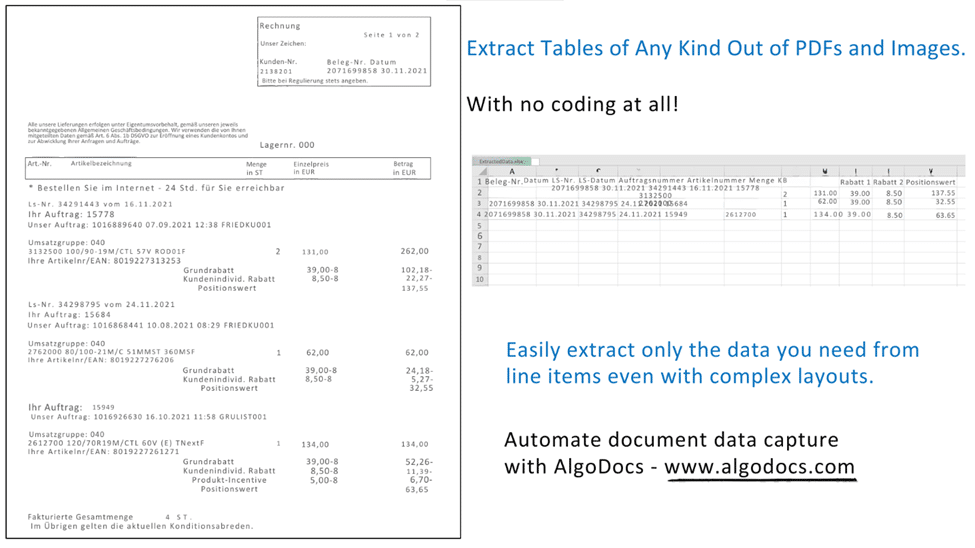
Back to Blog Table of contents On this page A Guide on Extracting Tables From Low-Quality Scanned Documents Home › Blog › Image Data Extraction › A Guide on Extracting Tables From Low-Quality Scanned Documents Categories Image Data Extraction Tags ai platform for data extraction algodocs character recognition data extraction from images deep learning export extracted data to excel invoice process machine learning ocr api web-based ai platform for data extraction By Shubhankar Biswas Published October 13, 2025, 11:52 Updated July 22, 2026, 09:54 Many companies deal with thousands of documents every month. Document workflow automation becomes vital for such companies as the number of documents increases. One of the most frequent and at the same time tedious operations when processing documents is reading data from tables, especially when documents are scanned PDFs or images. Automating table extraction from scanned documents and exporting them into Excel or JSON within seconds is a dream for every company dealing with manual data entry. Automating table data extraction from scanned documents and images reduces operational costs and saves a lot of time. In this article, we will talk about table extraction from scanned documents or images with low quality. You, most probably, came across some online tools that can extract tabular data from documents. However, there are a few that really work with low-quality scanned documents or images taken by a mobile device. Optical Character Recognition (OCR) is the technology used for converting scanned images into text. However, standard OCR tools require you to apply certain image processing operations on the images before you can apply OCR on them. Without manual pre-processing, OCR will fail in most cases, and accuracy will be low. Unfortunately, even with pre-processing operations free OCR tools produce poor performance. How to extract tables from scanned PDFs and images with low quality? Algodocs has an advanced AI-powered OCR engine that automatically handles any type of scanned PDF or image with a low quality. Algodocs accepts either colorful scanned images, black and white, or any other settings and extracts data with high accuracy. Algodocs can process scanned images with as low a dpi as 75. If you have scanned PDFs or images with low quality, then Algodocs is the right solution for you. You may start a free subscription right now and test your own scanned documents since we offer a free subscription (forever) with 50 pages per month. If you need to process a higher number of pages, then please see our affordable pricing plans. Please read our article on the basic steps for table extraction from documents here: Extract tables from PDF and scanned documents Algodocs: the best software tool to extract tables from scanned PDFs and images Consider the portions of the scanned documents below and the tables that Algodocs extracted from them. Example #1 Sample scanned image with low-quality (black and white) Extracted table by Algodocs. Example #2 Extracted table by Algodocs As you can see, the accuracy of Algodocs is perfect even with low-quality scans. However, there are cases when scanned images may cause Algodocs to make mistakes concerning small characters such as punctuation or other symbols (points, commas, date separators, etc.). Let’s have a look at the example below with a scanned image and see what Algodocs could extract from it. The extracted table from the above-scanned image is shown below. As you can see, there are numbers that are extracted with wrong decimal separators (indicated in red circles), i.e. a decimal point is mistakenly recognized as a comma. This is due to the dark background that some rows have on the image. With the help of flexible extracting rules of Algodocs, the workaround is quick and simple. Whenever you have low-quality scanned PDFs of images, we always advise you to follow the steps explained below. Step1. Remove all points and commas from the numbers We apply the ‘Search & Replace’ filter in Algodocs by using regular expressions as the search type. We apply this rule to all the columns in the example below, but you can restrict this rule to a specific column when needed. In order to find all dots or commas we use .|, as the search term and we leave empty the second field (replace by this), since we simply want to remove them. Step 2. Convert all numbers to their previous format Since we removed all points and commas from numbers, they actually increased, i.e. multiplied by 100 we can say (2,378.63 became 237863). Therefore, since we know that our numbers had 2 decimal places, we can divide all numbers by 100 to get the original numbers. The ‘Arithmetic Operation’ filter helps us implement exactly this. We divide numbers by 100 in the last column as shown in the example below. You may apply this filter to other columns too. That’s it. We got numbers in their original form with 100% accuracy! The same approach can be applied to other symbols when you have documents with a low quality. Please, contact us if you need any assistance. You Might Also Like How to Extract Handwritten Data from PDFs with Algodocs? Table of Contents Want to learn how to extract handwritten data from PDFs easily for your business documents? Algodocs is a powerful AI platform… Shubhankar Biswas October 13, 2025 Data Extraction for Legal Industry : How Intelligent Document Processing (IDP) Can Transform Legal Industry Document Workflow The global law and legal services industry is expected to reach $1,591.56 billion by the end of 2032, according to a report. The legal industry… Shubhankar Biswas October 12, 2025 Extract Tables from Images with AlgoDocs Extract Tables from Images with AlgoDocs One might find themselves overwhelmed by a deluge of paperwork—orders, checks, articles—all containing… Ibrahim Nalbant June 20, 2024 Start extracting your data today No credit card required. Process up to 50 pages per month on the Forever Free plan. Book a Demo Get Started for Free

Artificial Intelligence, Data Extraction

AI Data Extraction Checklist: Transform Business with Algodocs

Back to Blog Table of contents On this page AI Data Extraction Checklist: Transform Business with Algodocs Home › Blog › Artificial Intelligence › AI Data Extraction Checklist: Transform Business with Algodocs Categories Artificial Intelligence Data Extraction Tags bank ocr deep learning digital transformation Finance ocr invoice invoice process KYC loan forms packing list ocr pdf to text sea waybill ocr web-based ai platform for data extraction By Shubhankar Biswas Published October 13, 2025, 09:25 Updated July 23, 2026, 07:33 What is AI Data Extraction? Let’s discuss data – a lot of data. Modern-day businesses are losing themselves in the sea of information. Whether it is an invoice, a contract, a weekly report, or a form, paper documents are still part of everyday life. Extracting data from such documents is a tedious, repetitive, and painful process if done manually. This is where AI data extraction comes to the rescue. It is a game-changer for anyone who has to work with several papers. Incorporating AI means data entry activities are done efficiently and there’s an increase in the accuracy and productivity of your business. Algodocs is a perfect example of an AI data extraction tool. Why? Let’s find out. Understanding Your Data: The Foundation for Successful AI Data Extraction Before you set loose the AI on your documents, I thought it’s best to discuss a little about your data. It is essential to know what type of data you are going to extract and what the process is going to be like. Identify Your Data Sources First things first: where do you store your data? The first action plan is to identify this source. Is it hidden in files and papers or dispersed in different online sites as in virtual archives? You’ll find your data in various forms: Manual records or documents that include invoices, contracts, and reports, among others. Documents in PDF files, Word documents, Excel, images, and many others. Databases that store many formats of data about any department in an organization. Assessing Data Quality Data quality is super essential for accuracy in the extraction process. Ensure that you go through your assembled data to determine whether it meets the standard of completeness, consistency, and accuracy. Check that all required data items are included. Check whether the formats, units of measurement, and terms used for data are consistent. Validating steps where errors, inconsistencies, or outliers will affect the outcome must be adopted diligently. Dedicating time to data preparation will enable laying down the key fundamentals of an AI data extraction project. Optimizing the extraction results of Algodocs, the company provides you with tools for evaluating data quality and detecting potential problems. Choosing the Right AI Data Extraction Tool Picking the right tool to extract AI data is critical to the success of any AI project. As we have seen, there are numerous strategies out there; that is why it is crucial to define your requirements precisely and compare tools based on the crucial factors. Critical Considerations for Tool Selection Accuracy: The whole idea of training an AI in the first place is to increase accuracy, isn’t it? Search for the tool with favorable accuracy characteristics, especially in the case of processing intricate and diversely formatted documents. Don’t forget about tables, crazy handwriting, or low-quality pictures. Speed: It’s important, especially in dealing with large numbers of documents that are prevalent in the modern organization. However, time translates to costs, more so when handling big data at hand or any other business. Having a fast and efficient tool can save hours, if not days off of your time. Flexibility is very important, especially for those industries that anticipate expansion. Scalability: The tool should be designed for growth which includes a higher amount of input data and scalability of business over time. Document Types: Think about the countless supported document types with your tool (PDFs, images, Word, Excel, and more). Data Formats: Verify that the tool can export information according to your preferred choice format (CSV, XML, JSON, etc.). Integrations: This is very important as technology should be compatible with the current systems and applications. In other words, a single tool could essentially serve the purpose. But if a tool can integrate with other existing systems, then that’s ideal. It integrates with frequently used business applications such as CRMs, ERPs, and data warehouses. Pricing: Analyze cost distribution for various pricing structures considering your estimated budget. Customer Support: Customer support should be reliable and available for providing technical support and answering questions at all times. Types of AI Data Extraction Tools Cloud-Based Tools AI data extraction in cloud-based is also beneficial since it is scalable, easily accessible, and mostly cheaper. These tools are stored at service providers’ central servers, and users only need an Internet connection to use them. Examples: Google Cloud Document AI, Amazon Textract, ABBYY Cloud OCR, and Algodocs. On-Premise Tools On-premise solutions allow necessary control over infrastructure, but they can be more expensive. These tools are deployed and run on the organization’s own IT systems and infrastructure. It is worth mentioning that Algodocs is a web-based tool; however, it can also be used On-premise. Examples: Kofax, OpenText, and Algodocs. Open-Source Tools Using and adapting open-source AI data extraction tools is more flexible and customizable, but implementing these tools requires technical skills. Examples: Tesseract OCR, OpenCV Mobile Apps Mobile applications usually reside on document capture and basic data mining capabilities. This is perfect for small data snippets or impromptu snapshots of information gathering. However, such tools may not work well when a large quantity of structured content, such as tables, is involved. Not to forget that handwriting style and layout complexities can cause the accuracy of such tools to drop. Examples: Google Lens or Microsoft Office Lens can scan your document and convert the text into a digital format. Making an Informed Decision Considering the following aspects and your organization’s requirements, you can choose the right AI data extraction tool for your organization. Feature Cloud-Based On-Premise Open-Source Mobile Apps Accuracy High High Varies Varies Speed High High Varies

Data Extraction

The Ultimate FAQ: Mastering AI Data Extraction for Efficient Document Processing

Back to Blog Table of contents On this page The Ultimate FAQ: Mastering AI Data Extraction for Efficient Document Processing Home › Blog › Data Extraction › The Ultimate FAQ: Mastering AI Data Extraction for Efficient Document Processing Categories Data Extraction Tags data extraction invoice process loan forms machine learning ocr api By Shubhankar Biswas Published October 12, 2025, 20:25 Updated July 20, 2026, 04:17 As technologies advance in this vast world, information is abundant around us. Data is everywhere: from invoices, bank statements, HR forms, sales orders, contracts, and social media to customer feedback. That brings the question, how can we handle this flood of information around us? This is where data extraction tools pops in. AI data extraction is like a smart digital assistant rummaging through piles of documents, emails, and images to pick out what you need. It’s like having employees working round the clock, with no strikes and no coffee break arguments. In its simplest form, AI data extraction uses machine learning and natural language processing to ‘think’ in a language just as you and I do. It uses this capability to recognize data like tables and handwritten and then extract information. Subsequently, it converts unstructured data into structured form that is easy to work with. But why is this so important? Data extraction can unravel the hidden riches embedded deep within your data. It is time-saving, error-free, and enables individuals to make the right decisions that may prove beneficial to any business. It identifies patterns, filters data, and transforms complex data structures into easily analyzable formats. How AI Data Extraction Works Data Extraction involves using complex technologies such as Optical Character Recognition (OCR), Natural Language Processing (NLP), and Computer Vision. OCR is the system’s eyes that read documents and images to input text. NLP understands text meaning and context, while Computer Vision interprets visual elements like table borders, brand names, warranties, signatures, etc. The process typically starts with data preprocessing, cleaning, and preparing the raw data for extraction. Then, AI-based models, such as Algodocs trained on vast amounts of data, swing into action. They identify patterns and extract relevant/required entities like names, dates, amounts, tables, marks, signatures, etc. Next, Algodocs allows users to export the extracted data directly into their software or structured formats like spreadsheets, XML, or JSON. It’s like teaching a computer to read, understand, and extract wanted/essential info, just like you would with a book or an article. AI data extraction tools like Algodocs handle massive data volumes in seconds or minutes instead of hours or days. Types of Data That Can Be Extracted with AI AI data extraction isn’t limited to just plain text on a page. It’s like a versatile detective, capable of uncovering clues hidden within various data types. First, there is textual data extraction. AI extracts pertinent textual data like names, addresses, and products from PDFs, screenshots, emails, and social media posts. It’s as if you have a secretary who summarizes the important parts of a large pile of documents. Then, numerical data extraction, such as table extraction, is performed. AI extracts prices, quantities, and dates from invoices and financial statements, even handling complex multipage tables. This includes everything from logos and warranty details to signatures, making it a valuable tool for finance, healthcare, manufacturing, etc. Lastly, AI data extraction can address the Wild West or relatively free-for-all environment of semi-structured and unstructured data. It uncovers unknown heroes in your data, whether stored in paperwork or digital formats. Besides, it is imperative to note that Algodocs is the leading AI platform for unlocking rich information from PDFs and images. We have no time for manual data entry anymore! You can easily export your data as Excel, Word, JSON, XML, etc. In addition, a powerful API is available to export extracted data to your apps directly. Furthermore, Zapier lets you connect 2,000+ other web services and set them up in minutes without coding. It also provides a forever-free plan where you can process up to 50 pages every month! Affordable plans are available if you need to process more pages. Use Cases for AI Data Extraction AI data extraction is no longer an idea – it has become an essential tool that is revolutionizing businesses in many industries. Let’s delve into some compelling use cases: Invoice Processing and Accounts Payable Automation: No more manually inputting data and dealing with piles of papers containing invoices. This can involve extracting meaningful information from invoices, such as the vendor details, the invoice number, and the items purchased, thereby saving you a lot of time and effort when it comes to your accounts payable. Experience the Algodocs feature for free, and start automating your invoices today! Streamlining Data Entry and Document Digitization: Irrespective of whether your company processes customer forms, HR records, or legal documents, AI data extraction can turn your data into digital assets in no time. Enhancing Customer Onboarding and KYC Processes: Institutional KYC (Know Your Customer) checks are essential for fraud prevention in financial institutions, but the paperwork can be cumbersome. AI data extraction can help collect client data from ID documents, accelerating the onboarding process and decreasing compliance issues. Contract Analysis and Legal Document Review: Legal documents generally exhibit complexity and require long reading and analysis times. Here, AI data extraction can help recognize keywords such as clause, date, and obligation, thus freeing professionals for more important matters. Empowering Market Research and Competitive Intelligence: Sometimes, data collection of market trends and competitors could be a challenge. AI data extraction can assist in data gathering and analysis. Revolutionizing Healthcare Data Extraction and Analysis: The healthcare industry is saturated with patient information, clinical documents, and trial results. From such documents, AI data extraction can extract useful information to aid in diagnosis and treatment and as a reference for research. Benefits of AI Data Extraction That is why it is necessary to discuss the potential advantages of AI data extraction, for which various application cases have been described above. It’s not just about fancy new technologies

Algodocs

Top 5 Data Extraction Tools for 2025: Streamline Your Document Processing With AI

Back to Blog Table of contents On this page Top 5 Data Extraction Tools for 2025: Streamline Your Document Processing With AI Home › Blog › Algodocs › Top 5 Data Extraction Tools for 2025: Streamline Your Document Processing With AI Categories Algodocs Tags ai platform for data extraction algodocs data extraction from images invoice process ocr api By Shubhankar Biswas Published October 12, 2025, 18:57 Updated July 20, 2026, 04:07 Harnessing Advanced Technologies for Efficient Data Management Data processing is the backbone of modern businesses. As companies adopt cutting-edge technologies to boost efficiency, data extraction and storage become crucial in shaping their future. Whether you’re a large enterprise or a small business, handling substantial data is inevitable. Relying on manual methods is not only slow but also prone to errors, which can significantly impact your business’s efficiency and lead to potential losses. Thankfully, advancements in technology, particularly OCR (Optical Character Recognition) applications, have made data extraction much simpler and more accurate. The rise of artificial intelligence and machine learning has further enhanced OCR capabilities, making it incredibly easy to extract data from a wide range of documents, including blurry invoices and bills. In this blog post, we’ll explore the top 5 data extraction tools of 2025 that can help you efficiently manage your document data. Algodocs Best Data Extraction tool Algodocs is an advanced AI-powered data extraction platform designed to automate data extraction from PDFs, scanned images, and handwritten notes. When discussing the most reliable data extraction tools of 2025, Algodocs tops the chart With Algodocs, you can extract data from BOL documents, invoices, passports, ID cards, medical bills, or any type of document easily. Built with intelligent AI and ML algorithms, Algodocs can capture and extract data from blurry images, unstructured documents, and complex handwritten notes at 10X faster speed compared to any traditional or modern OCR apps.  The prebuilt extractors enable users to extract data from documents without any complex and lengthy setup. You don’t need any technical knowledge to use the Algodocs app. With a very intuitive and easy UI, Algodocs can be used by anyone from any background.  The seamless third-party app integration with Algodocs makes it one of the best choices for businesses to use as an AI tool. You can integrate Algodocs with Zapier, Google Docs, FTP, and other platforms for data integration.  Pros of Algodocs  High Accuracy: Algodocs utilizes advanced AI & ML algorithms to achieve over 99.99% accuracy in data extraction. This precision ensures minimal errors and reliable data processing, making it ideal for handling critical documents.  Ease of Use: The platform offers an intuitive and user-friendly interface, making it accessible even for non-technical users. The prebuilt extractor makes it super easy to use Algodocs for document processing. You don’t need extensive coding knowledge to create an extractor in Algodocs. With just a few clicks, you can extract data from a document easily.  Versatility: Algodocs supports a wide range of document types, including PDFs, Word documents, images, and handwritten notes. This versatility allows businesses to streamline various document processing tasks with a single tool.  API Integration: Algodocs offers a straightforward API for seamless integration with existing business systems and workflows. This integration capability enhances efficiency and eliminates the need for manual data entry. You can easily integrate Algodocs with third-party tools such as Zapier, SharePoint, Dropbox, REST API, and other services without paying extra costs.  Customer Support: Algodocs provides excellent customer support, assisting users in every possible way, even for small bundles. This support is invaluable for troubleshooting and learning best practices.  Affordable Pricing: Algodocs comes with very affordable and flexible pricing plans so that every business segment can utilize Algodocs features. Our basic plan starts at $23 USD per month and includes 300 monthly credits. You have access to all the integrations and other benefits in the plan, so you don’t need to pay extra for any integration or add-on services. You can also customize a plan as per your requirements. With lots of features and benefits, we can say that Algodocs is a great tool for the list of top data extraction tools of 2025. Cons of Algodocs Algodocs is a powerful tool for businesses looking to automate their document processing and improve efficiency. However, it’s essential to consider the potential drawbacks and evaluate whether it meets your specific needs and budget.  Docparser Docparser is an ideal document processing tool for converting PDFs and extracting data from various types of documents. It can be a great platform for medium and large businesses looking for data extraction and automation solutions. Pros Docparser excels in its ability to extract data accurately from documents. It is a great tool for all types of data extraction tasks, including processing different types of documents and invoices. The app’s accuracy is excellent, and the platform offers pre-built extractor options, allowing users to easily set up and extract data from documents. Additional add-ons such as parsing assistance, multi-factor account authentication, version control, and other features make it a highly capable data extraction product. Cons While Docparser offers excellent features, one of its biggest drawbacks is pricing. The basic plan starts at $30 USD, which can be expensive for some users. Additionally, extra charges apply for using any additional add-ons or features, which further increases the cost and could be a significant downside for the platform. Docsumo Docsumo is a powerful data extraction tool that allows you to easily extract information from documents and invoices. It includes features like automatic document classification, analytics, and batch processing, enabling efficient data capture and extraction from a wide range of document types. Pros One of the most highlighted features of Docsumo is its batch processing and accuracy in data extraction. With its robust capabilities, Docsumo is an excellent option for large businesses looking for reliable document processing solutions. Cons One of the biggest drawbacks of Docsumo is its pricing model. The pricing starts at $299 USD per month, which only includes 1,000 credits per month. This limitation can be a significant disadvantage for businesses with higher processing needs. Nanonets Nanonets is a feature-rich document

sea waybill ocr
Algodocs

Sea Waybill OCR: Revolutionizing Maritime Logistics With AI-Powered Document Processing

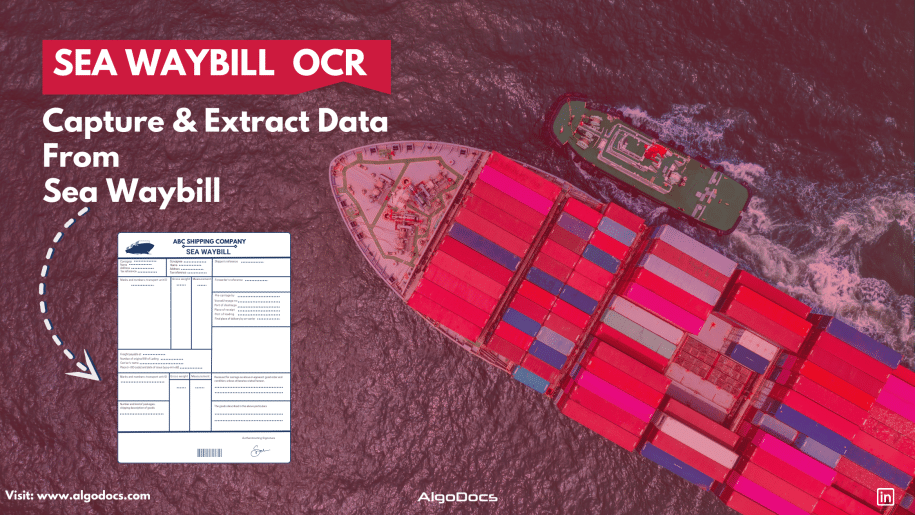
Back to Blog Table of contents On this page Sea Waybill OCR: Revolutionizing Maritime Logistics With AI-Powered Document Processing Home › Blog › Algodocs › Sea Waybill OCR: Revolutionizing Maritime Logistics With AI-Powered Document Processing Categories Algodocs Tags ai platform for data extraction algodocs character recognition image to text invoice process sea waybill ocr By Shubhankar Biswas Published September 1, 2025, 08:39 Updated July 20, 2026, 08:08 Introduction Maritime logistics plays a crucial role in global trade, with millions of shipping documents processed daily. Among them, the sea waybill is a critical document in ocean freight digitalization, facilitating cargo movement and ensuring smooth supply chain operations. However, manually extracting and processing bulk sea waybills is time-consuming, prone to errors, and inefficient. With the advent of OCR (Optical Character Recognition) technology, businesses can now automate data extraction from shipping documents, streamlining operations and reducing human intervention. Sea Waybill OCR is a transformative technology that helps logistics companies by providing fast, accurate, and scalable data extraction solutions for document processing and automation. In this blog, we will explore how OCR technology is revolutionizing the maritime industry, along with its benefits, use cases, and future trends. Understanding the Sea Waybill A sea waybill is a shipping document issued by a carrier that acts as a contract of carriage but does not confer title to the goods. Unlike a bill of lading (BOL), a sea waybill is non-negotiable, meaning that the consignee can take delivery of goods without presenting the original document. This makes it a preferred choice for faster and more efficient transactions. Key Differences: Sea Waybill vs. Bill of Lading What is a Sea Waybill? A Sea Waybill is a commonly used document in international shipping that simplifies the transportation process. Why is it important? Acts as a Receipt – Confirms that the carrier has received the goods for shipment. Specifies the Destination – Clearly indicates where the shipment is headed. Does Not Transfer Ownership – Unlike a Bill of Lading, it does not grant ownership rights to the holder. Simplifies Delivery – Reduces paperwork and speeds up the shipping process. Ideal for Established Trade Relationships – Best suited for situations where: Ownership remains unchanged during transit. There is no need for a document to control the transfer of goods. By streamlining logistics, the Sea Waybill helps freight forwarders and businesses ensure faster, hassle-free deliveries. What is a Bill of Lading? A Bill of Lading (BOL) is a crucial document in international trade that serves multiple purposes in the shipping process. Why is it Important? Acts as a Primary Shipping Document – It is the key document required for importing and exporting goods. Identifies Key Parties – It specifies the sender (shipper), the carrier (transport company), and the recipient (consignee). Serves as a Receipt – It confirms that the shipping company has received the goods in proper condition. Establishes Legal Ownership – The BOL proves who owns the goods during transit. Grants Control Over the Shipment – The person holding the original BOL has the right to: Claim the goods upon arrival. Transfer ownership to another party in the supply chain. By clearly defining roles and responsibilities, the Bill of Lading ensures smooth coordination among all parties involved in the shipment process. Feature Sea Waybill Bill of Lading (BOL) Negotiability Non-negotiable Negotiable Document Requirement No original required for delivery Original required for cargo release Speed of Transaction Faster, direct delivery Slower due to title transfer Risk of Fraud Lower risk Higher risk Since sea waybills are widely used in automated document processing, integrating OCR solutions can significantly improve efficiency. What is Sea Waybill OCR? Sea Waybill OCR technology is designed to automatically capture and extract data from scanned sea waybill images and PDFs. You don’t need to set up custom extractors or rules, as the system automatically recognizes document types, layouts, and data fields, extracting values with precision. This OCR model is trained on vast amounts of data using AI and machine learning, allowing it to understand patterns, layouts, and data types in sea waybill documents. By leveraging the power of AI and ML, Sea Waybill OCR seamlessly digitizes and automates data extraction from shipping documents, making the process faster and more efficient. By using machine learning-based OCR, businesses can accurately capture essential information such as: Shipper and consignee details Cargo descriptions Freight terms Port of loading and discharge Carrier and vessel details This eliminates the need for manual data entry and enhances the accuracy and efficiency of logistics operations. The Role of AI in OCR for Sea Waybills Modern AI-powered OCR solutions go beyond simple text recognition. They incorporate advanced natural language processing (NLP), deep learning, and computer vision to extract structured data from unstructured documents. Here’s how AI enhances OCR capabilities: Intelligent Data Extraction – AI models can recognize different fields in sea waybills and classify information accurately. Handwritten and Printed Text Recognition – AI-powered OCR can process both typed and handwritten text, improving versatility. Multi-Language Support – Maritime trade is global, and AI-driven OCR supports multiple languages for seamless operations. Automated Data Validation – AI cross-checks extracted information with databases to ensure accuracy. Seamless Integration with ERP and TMS – OCR solutions integrate with transportation management systems (TMS) and enterprise resource planning (ERP) software for real-time data processing. Benefits of Implementing Sea Waybill OCR 1. Increased Efficiency & Speed Manual data entry is slow and labor-intensive. OCR enables instant data extraction, reducing processing time from hours to minutes. 2. Cost Reduction Automated document processing minimizes labour costs and operational expenses by reducing manual intervention. 3. Improved Accuracy & Data Integrity Human errors in shipping documents can lead to costly delays. AI-powered OCR enhances accuracy and ensures compliance with shipping regulations. 4. Better Compliance & Security OCR solutions can flag inconsistencies and prevent fraud, ensuring better regulatory compliance in maritime trade. 5. Scalability Businesses can process large volumes of documents effortlessly, making it ideal for shipping companies, freight forwarders, and customs agencies. Use Cases of OCR in Maritime Logistics 1. Digitization of Shipping Documents OCR converts physical sea waybills into digital formats, making them searchable and easy to retrieve. 2. Automated Freight Auditing AI-powered

PDF Table Extraction
PDF

Ultimate Guide: How to Extract Tables from PDFs Effortlessly

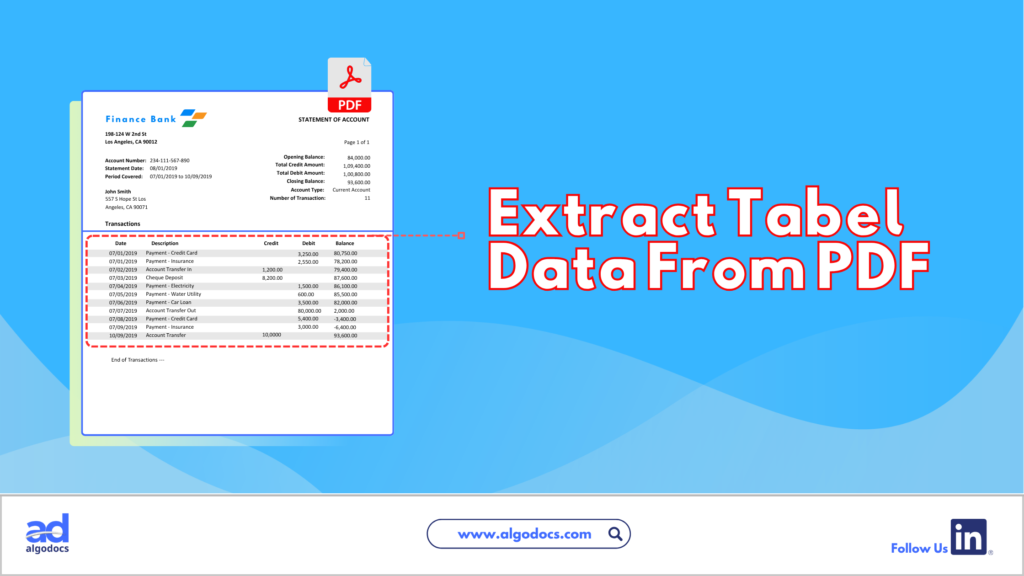
Back to Blog Table of contents On this page Ultimate Guide: How to Extract Tables from PDFs Effortlessly Home › Blog › PDF › Ultimate Guide: How to Extract Tables from PDFs Effortlessly Categories PDF Tags bank ocr deep learning Finance ocr invoice process loan forms packing list ocr pdf to text sea waybill ocr web-based ai platform for data extraction By Shubhankar Biswas Published June 25, 2024, 07:13 Updated July 21, 2026, 04:42 Are you struggling to extract tables from PDFs? If you feel trapped in a text-based jungle, hacking your way through dense PDFs to snag a specific table, you’re not alone. PDFs, while fantastic for preserving document formatting, can be a nightmare when you need to liberate the precious data trapped within their tables. Fear not, fellow data warriors! This guide will equip you with the knowledge and tools to transform those PDFs from unruly beasts into neat, organized spreadsheets. How to Extract Tables from PDFs There are two main approaches to conquering the PDF table extraction challenge: manual and automated. Each method has pros and cons, which can help you choose the right approach for your needs. Manual vs. Automated Extraction Manual Extraction The manual approach involves selecting the table in your PDF viewer and painstakingly copying and pasting each cell into a spreadsheet. While this method is straightforward, it comes with several drawbacks. Pros of Manual Extraction: Free (no software needed) Granular control over the selection area Cons of Manual Extraction: Time-consuming, especially for large PDFs with multiple tables Prone to errors during data entry (copy-pasting mistakes) Not ideal for repetitive tasks Automated Extraction Automated extraction utilizes software to identify and extract tables from PDFs, significantly reducing the time and effort required. Pros of Automated Extraction: Saves a ton of time and effort Reduces data entry errors Often offers additional features like data cleaning and formatting Cons of Automated Extraction: May require software installation (though web-based options exist) Accuracy can vary depending on the tool and PDF complexity Extracting Tables from PDFs: A Guide to Automated Methods Extracting tables from PDFs can be a tedious task. This section explores several popular automated table extraction methods and their strengths and weaknesses to help you choose the right solution for your needs. Common Automated Table Extraction Methods Built-in PDF Export Tools: Most PDF viewers offer a primary “export to Excel” functionality. This can be convenient for occasional use with simple tables. However, accuracy can be unreliable for complex formatting or merged cells. The exported data might also lack structure, requiring further cleaning and organization. Free Online Tools: Several free web-based tools, such as Tabula and Camelot, tackle essential table extraction. While they offer a step up from manual methods, accuracy can be inconsistent, and limitations often exist regarding file size (e.g., maximum 10MB) or processing volume. OCR (Optical Character Recognition) Software: OCR software is a technology that can convert scanned PDFs with non-machine-readable text into searchable text. It works by analyzing the shapes and patterns of characters and matching them to a known character database. However, OCR accuracy can vary depending on the scanned image quality, and tables might require additional formatting adjustments after conversion. OCR also struggles with handwritten documents. Paid PDF Editing Software: High-end PDF editing software like Adobe Acrobat Pro DC offers table extraction features. While effective, these programs often have a hefty price tag and require a learning curve to master their functionalities. AlgoDocs: Automated Extraction Powerhouse Among these methods, AlgoDocs excels at efficient and user-friendly table extraction. Here’s why it stands out: Effortless Automation This web-based tool automates the entire process, eliminating the need for manual selection or wrestling with complex software. Upload your PDF, and the advanced algorithms will intelligently identify and extract tables, ensuring exceptional accuracy. Unmatched Accuracy Powered by advanced algorithms, our tool prioritizes reliable data extraction. You can be confident your extracted tables are ready for further analysis without worrying about errors. Flexibility for All Needs AlgoDocs caters to users of all levels. The Forever Free plan allows you to explore its capabilities at no cost, with a limit of 50 monthly pages. This plan is ideal for small-scale or occasional users. For high-volume needs, we offer affordable paid plans with increased processing capabilities. Seamless Integration Extract your data in various formats like XML, JSON, CSV, or Excel for effortless integration with your existing spreadsheets and data analysis tools. A robust API is also available, allowing developers to programmatically integrate table extraction functionalities into their workflows for a truly automated experience. Cloud-Based Convenience No software downloads or installations are necessary. It can be accessed from any device with an internet connection, making it a perfect choice for on-the-go data analysis. By leveraging this data extraction tool’s automated prowess, you can reclaim your valuable time and ensure the accuracy of your extracted data. Let this tool be your trusted companion in the world of PDF table extraction! Detailed Guide on Using AlgoDocs Let’s delve into the automated PDF table extraction world using our user-friendly and powerful tool. How to Extract Tables from PDFs: Step-by-Step Instructions Step 1: Log in to your account and go to the dashboard, which is the home page. Step 2: Click on the Extractor tab. On the right side of the Extractor tab, you will notice a populated option for choosing what kind of extractor you want to create. Step 3: Click Custom Extractor, and a new window to name the extractor will appear. Step 4: Now, it’s time to upload your sample PDF file. Once you’ve done that, click ‘Create Extractor ‘. The window will close, and you’ll find your newly created extractor in the folder as shown below. Step 5: Click on Manage next to your newly created extractor to go to the field/table creation page. Step 6: Click on the +Add to show the extraction methods options. Step 7: Click on TABLE EXTRACTION. This will launch a new window in which you can preview the sample PDF document you uploaded. Step

PDF Text Extraction
Algodocs

PDF Text Extraction: Our Comprehensive Guide 2024

PDF Text Extraction: Our Comprehensive Guide 2024 In a society filled with advanced technology, Portable Document Formats or PDFs are considered supreme. They retain the structure as well as the format, including graphics and charts of the documents. However, conversion of data from PDF to another format that requires analysis or editing is not easy. Apart from exploring the most vital topic of PDF text extraction, this detailed blog also enables you to learn more about enhancing content through text extraction. Types of PDFs The two primary types of PDFs have a very important distinction that directly impacts how you process texts. Searchable PDFs: These PDFs have text embedded in them. This makes copying, pasting, and searching within a document very simple and hassle-free. Examples of such objects include reports, eBooks, and other documents created in a digital environment. Scanned PDFs: These include electronic images of the actual paper-based documents. They have no text layer and thus must be processed further with Optical Character Recognition technology. Optical Character Recognition (OCR) Optical Character Recognition (OCR) simply translates scanned PDFs into forms you can edit. It is a technology that scans the PDF and carefully analyzes the image data it contains, breaks characters into individual segments, and decrypts them to form a machine-readable text. The degree of variation in OCR technology depends greatly on the readability or quality of the source document scanned. Aspects such as the type of font used, the quality of the image, and whether there are large chunks of text with a complicated layout will affect the OCR outputs. The current generation of OCR engines has become very complex and can handle various kinds of inputs and provide high accuracy rates, which builds up confidence in using the tool. Step-by-Step Functions of OCR: A Multifaceted Approach: Exploring Text Extraction Methods Now that you understand the different types of PDFs and the role of OCR. Let’s explore the various methods available for extracting text: Manual Copy and Paste (Limited Use): This method is capable of extracting a few words from a searchable PDF. Right-click the arrow placed near the desired text passage and click on copy, unlock your word processing software, and paste. This technique is quite useful, but for really big documents, it becomes incredibly tedious and highly impractical. Built-in PDF Reader Export (Searchable PDFs Only): All typical PDF viewers, like Adobe Acrobat Reader, contain the native “Export” feature. This enables you to convert the searchable PDF into a file format you may wish to edit further, such as Word format (.docx). It is ideal for fast conversion of PDFs that are already easily searchable, but for scanned PDFs, it is useless. Online PDF to Text Conversion Tools (Flexibility and Convenience): Many sites on the World Wide Web offer PDF-to-text conversion services. These are online OCR tools that work more like PDF text extraction. You upload your PDF, click on the Convert button, and receive a downloadable text file. Here are some benefits of online PDF to Text conversion tools: Offline PDF Text Extraction Software (Advanced Features): For users who want to extract text from PDFs without an online interface, there are many offline text extraction applications. These programs offer a more comprehensive range of features compared to traditional tools, such as: However, there are also some drawbacks to consider: How to Choose the Right Text Extraction Method The optimal method for text extraction depends on several factors: Volume of PDFs Basic tools that come with MS Office, like the PDF reader export, might be enough if one only occasionally needs to sign several documents. However, if you are likely to process dozens of documents, for example, consider online tools that support batch processing or offline tools with good batch capabilities. Document Type Many methods can parse basic PDF documents with few formatting features. However, if the text layout is complicated or if high precision is needed, one can use stand-alone programs with additional functions, such as OCR, or use online tools that allow for customization. Security Concerns While working with sensitive documents, it is better to search for software that can use data protection principles such as encryption and compliance with industry standards. Budget There is abundant freeware available on the Internet, but certain constraints may limit the number of files processed or the number of features available. The free versions are generally less downloadable and have fewer options than the paid versions. Finding the Perfect Fit: Popular Text Extraction Solutions As mentioned before, extracting text from PDF can be done in many ways and with different levels of effectiveness: Online Text Extraction Tools: For those who may need advanced and high accuracy while processing simple or even advanced scanned files such as the ones with handwritten or tables, there are online applications such as AlgoDocs. Because of their interfaces and the availability of features, they are one of the best choices. Let’s look at the famous tool in detail. AlgoDocs: A Powerful and Secure PDF Text Extraction Tool Those who consider getting a more progressive and quite efficient product can use this advanced web based automated data extraction tool. It is an application designed for different categories of people. The Forever Free plan is more suitable for individuals as well as small companies. It enables one to scrape text from as many as 50 pages per month. This tool is efficient as well for large document libraries since it can process hundreds, if not thousands, of files at a time. How to Use AlgoDocs? Simply open the program and drag and drop the PDF into the tool, or open the file from Google Drive or Dropbox. The rest is done by our tool as it uses its advanced Optical Character Recognition OCR to translate documents into a usable text format. In the following screencast video, AlgoDocs demonstrates steps for extracting data from PDF and image documents in less than a minute. Benefits of Using This PDF Text Extraction Tool Unmatched Accuracy: This handy tool uses

Scroll to Top