Algodocs

Author name: Shubhankar Biswas

Image Data Extraction

How to Extract Data from Image: With 99% Accuracy

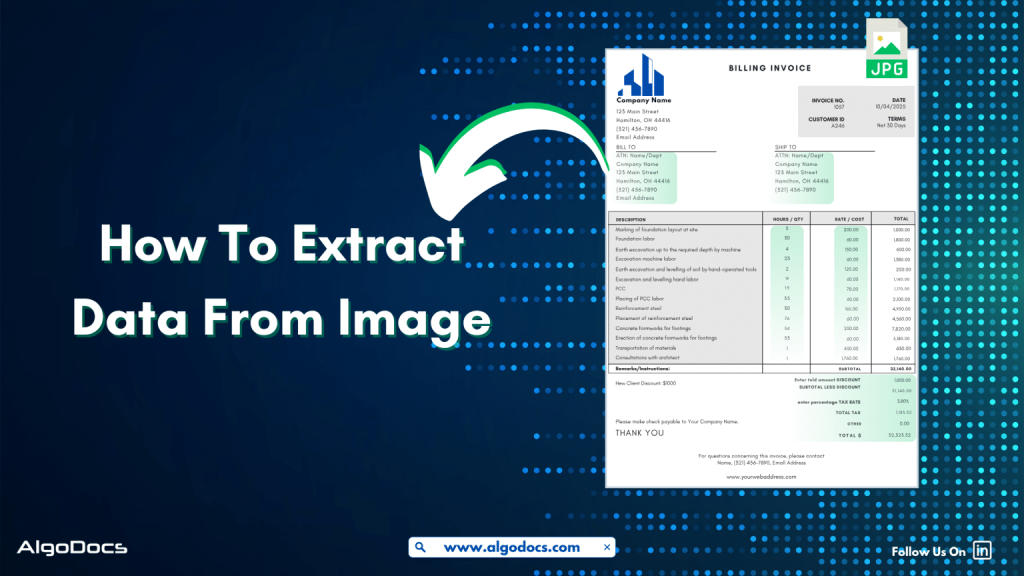
Back to Blog Table of contents On this page How to Extract Data from Image: With 99% Accuracy Home › Blog › Image Data Extraction › How to Extract Data from Image: With 99% Accuracy Categories Image Data Extraction Tags ai platform for data extraction algodocs data extraction from images machine learning By Shubhankar Biswas Published September 1, 2025, 06:37 Updated July 21, 2026, 05:49 Data in today’s digital age comes in various formats. It could be in an Excel sheet, scanned PDFs, Word documents, scanned images, or more complex formats such as JSON or XML. But extracting data from image feels more challenging than others. Why? Because the unstructured content, skewed letters, and blurry images are difficult to process. If we talk about data extraction from images, then these images are obtained from various sources. These might be a scanned copy of a report from your office scanner, a mobile screenshot of a passport or driving license, or photos taken from your mobile of your certificates. It can be handwritten notes, invoices, bills, etc. As we can see, data in image format can be found in many life scenarios. But data extraction from images remains a challenge for us due to inconsistent document layouts, poorly scanned documents, and skewed letters, which make data extraction difficult. The manual method of data extraction is slow and full of human errors, which reduces work efficiency. But with the rise of advanced technologies such as Artificial Intelligence, Machine Learning, Intelligent Document Processing, and OCR, extracting data from images has become easy. In this blog, we will discuss the challenges associated with image data extraction, tools and technologies for extracting data from images, how manual image data extraction is not reliable, the best tools you can consider for image data extraction, and how Algodocs is the best tool for extracting data from images. Let’s explore. What is Image Data Extraction? Image data extraction means to capture and extract data from an image document using technologies such as AI, IDP, and OCR. These image documents can be in the form of JPG, PNG, or other image formats. The extracted data is later stored in a structured format and utilized for various business activities such as analytics, record keeping, decision-making, etc. One of the crucial aspects of image data extraction is that modern businesses thrive on data. The more accurate data extraction from images is, the better the business results. What Types of Data Can an Image Contain? An image can carry a wide variety of data. Here are some major types: Handwritten Notes (Scanned) –Handwritten notes written on paper and scanned with a scanner or mobile device are very common types of image data. Personal notes, bills, invoices, memos, patient forms, college admission forms, etc., are good examples of images containing valuable data. Scanned Documents –Documents are scanned in various scenarios. This could be in the office, where you need to scan a sales report or an ID card such as passports, driving licenses, etc., for verification purposes or any other documents for business or personal needs. Mobile Screenshot Images –A mobile device has become the backbone of our digital life. Except for any personal images, we also tend to carry lots of documents and screenshots of documents on our mobile devices. In many scenarios, we tend to take lots of screenshots of documents or web pages for business and personal use. Computer Screenshot Images –A screenshot taken from a sales report, dashboard, or document is often in image format. These images contain valuable business information, and processing and extracting data from these images is essential for business activities. Types of Documents That Are in Image Data Format Image files containing valuable data often come in the form of scanned documents, photographed documents, screenshots, etc. These documents can be of various types such as: Invoices –Talking about image data, what can be a more useful example than an invoice? An invoice contains data such as item, price, address, invoice number, etc. Generally, invoices are generated as docs or PDF files. But sometimes the same invoice documents are scanned or their pictures taken for sharing and record-keeping purposes. Extracting data from these types of images becomes important for many reasons. Bills and Receipts –A bill is used in many B2B and B2C settings. It’s a proof of sale from the seller to the customer. This contains details such as vendor name, item description, billing date, payment info, etc. A general bill or receipt document can be a physical copy of the actual bill or receipt generated in PDF or document formats. But sometimes this can be in the form of JPG images or screenshots as well. Certificates –Educational certificates often provided by educational institutions, colleges, or schools are generally available in physical formats. But sometimes we carry them in the form of scanned images or photographs as well. ID Cards –ID cards are crucial documents for various types of KYC verification and other business activities. While a physical identity card such as employee ID, passports, driving licenses, etc., can be found in physical formats, sometimes we need to carry these documents in the form of scanned images, pictures, and other digital formats for ease. Bank Statements, Bills, and Others –We can also see the example of bank statements or various types of bills which are often available in physical paper form and are often carried in image, screenshot, or scanned document formats. Challenges Associated with Image Data Extraction While image data extraction is important, there are many challenges that persist in extracting data from images. The challenges include: Sign up for Algodocs Free-Forever Plan Today & Enjoy Premium Features For Free Create Free Account Poor Image Quality –One of the major problems with image data extraction is poor image quality. Poor-quality image data is difficult to capture by human eyes as well as by automated data extraction software such as OCR and Intelligent Document Processing. This can lead to data errors during extraction. Handwritten Texts –Handwritten notes or text that have been converted into an image file
Mortgage Document Processing
Algodocs

Mortgage Document Processing: How To Automate Data Extraction From Mortgage Documents Using AI

Back to Blog Table of contents On this page Mortgage Document Processing: How To Automate Data Extraction From Mortgage Documents Using AI Home › Blog › Algodocs › Mortgage Document Processing: How To Automate Data Extraction From Mortgage Documents Using AI Categories Algodocs Tags ai platform for data extraction algodocs By Shubhankar Biswas Published September 1, 2025, 06:27 Updated December 4, 2025, 21:45 Tasks such as document processing have always been a challenge for many industries for many years. One of the major industries that has been involved in this never-ending journey is the financial and mortgage industry. With tons of different types of mortgage documents such as loan application forms, bank statements, insurance documents, invoices, and the list goes on. But data extraction from these types of financial or mortgage documents has always been a mundane yet critical aspect of business growth. Why was it a mundane but challenging task? Because of the reliance on outdated data extraction methods like manual data extraction. This form of data extraction method is not only slow but also full of errors and other challenges which slow down data extraction efficiency and business growth. It also hampers the customer experience and the efficiency of the business as well.But the rise of technologies such as AI, ML, and Intelligent Document Processing technology has changed how banks, non-bank lenders, credit unions, and mortgage service providers automate the data extraction process with greater accuracy and speed. In this in-depth blog, we’ll explore what mortgage document processing entails, why it matters in today’s lending ecosystem, the types of documents involved, how AI and intelligent automation play a role, and how SaaS platforms are enabling this transformation. We will also refer to industry benchmarks and studies to offer a fact-driven perspective. Introduction The mortgage lending process involves a complex and time-consuming set of documentation tasks. Every loan application requires the handling of dozens, if not hundreds, of documents — from borrower income verification to title deeds and credit reports. Manually reviewing, validating, and organizing these documents introduces bottlenecks, increases the risk of error, and impacts borrower satisfaction. Mortgage document processing technology is addressing these inefficiencies by bringing automation and intelligence into the document lifecycle. The rise of intelligent document processing (IDP), machine learning (ML), and robotic process automation (RPA) has made it possible to handle large volumes of documents with speed and accuracy. What Is Mortgage Document Processing? Mortgage document processing refers to the digitization, extraction, classification, validation, and storage of documents related to the mortgage lifecycle. This includes automating data capture from scanned paper documents, PDFs, and digital forms, and transforming that unstructured data into structured formats that are machine-readable and easily integrated with loan origination systems (LOS) and customer relationship management (CRM) tools. A robust mortgage document processing system typically involves: Optical Character Recognition (OCR) Natural Language Processing (NLP) Data validation engines Compliance rule engines Integration with backend systems It plays a critical role from pre-qualification to underwriting, closing, and post-closing audits. Challenges in Traditional Mortgage Document Workflows Despite advancements in fintech, many mortgage processes still rely on manual workflows. According to a 2023 report by the Mortgage Bankers Association (MBA), more than 40% of lenders still rely on human-based document checks during underwriting. Key challenges include: High Error Rates: Manual data entry leads to typos and inconsistencies. Slow Turnaround: Loan processing can take 30–45 days due to document shuffling. Compliance Risk: Incomplete or missing documents may lead to regulatory issues. Customer Friction: Borrowers are required to resend or verify the same documents repeatedly. Operational Overhead: Loan processors spend 60–70% of their time managing paperwork. These inefficiencies result in delayed loan approvals, lost business opportunities, and poor borrower experiences. Key Mortgage Documents Involved Mortgage document processing covers a wide array of documents, including: Loan Application (Form 1003): The standard form capturing borrower information. W-2s and Pay Stubs: Used to verify income. Bank Statements: Needed to check assets and savings. Tax Returns: Offer insight into financial history. Credit Reports: Reflect creditworthiness. Title Documents: Confirm ownership and liens. Appraisal Reports: Assess property value. Disclosure Forms: Legal compliance and consumer protection. Closing Disclosure (CD): Final cost breakdown of the mortgage. Each document varies in structure, format, and critical data points, which makes manual processing highly error-prone. The Role of AI in Mortgage Document Processing Artificial Intelligence (AI) has fundamentally changed how mortgage document processing is done. AI-powered solutions use a combination of OCR, machine learning, and NLP to intelligently identify, extract, and validate data from structured and unstructured documents. Try Algodocs Free AI Data Extraction Tool To Automate Data Extraction From Mortgage Document Sign Up How AI Adds Value: Automated Classification: Classifies documents by type (e.g., W-2, tax return) even if mislabeled or scanned poorly. Data Extraction: Pulls out fields like name, income, address, SSN, and loan amount with high accuracy. Error Detection: Flags inconsistencies between documents (e.g., name mismatch). Learning Capabilities: AI models improve with training and feedback, offering higher accuracy over time. Leading SaaS providers now offer AI-enabled platforms with out-of-the-box mortgage document processing capabilities tailored for lending institutions. Benefits of Automated Mortgage Document Processing The impact of automation on mortgage processing is profound. According to a 2024 report by Deloitte, lenders using intelligent automation tools reduce loan processing time by 50% and cut document handling costs by up to 60%. Key benefits include: Faster Loan Turnaround: Automating document reviews significantly speeds up underwriting and approvals. Higher Accuracy: AI minimizes manual errors, improving data reliability. Better Compliance: Ensures all documents are complete, up to date, and audit-ready. Enhanced Scalability: Lenders can handle peak volumes without hiring temporary staff. Improved Customer Experience: Shorter wait times and fewer document requests create a frictionless journey. SaaS Solutions Transforming the Mortgage Landscape SaaS platforms are at the forefront of revolutionizing mortgage document processing. Cloud-based solutions offer real-time access, flexible scalability, and faster implementation compared to legacy on-premise systems. Features of Leading SaaS Mortgage Document Processing Platforms: Template-free data extraction Bulk document ingestion and auto-sorting APIs for integration with LOS and CRM systems Audit trail and document versioning Support for multiple file formats including scanned images, PDFs, DOC, etc. Custom validation rules and document checklists These solutions are

Intelligent Document Processing for Real Estate
Algodocs

The Role of Intelligent Document Processing for Real Estate Document Management and How AI Is Improving It

Back to Blog Table of contents On this page The Role of Intelligent Document Processing for Real Estate Document Management and How AI Is Improving It Home › Blog › Algodocs › The Role of Intelligent Document Processing for Real Estate Document Management and How AI Is Improving It Categories Algodocs Tags ai platform for data extraction algodocs deep learning ocr api real estate data extraction By Shubhankar Biswas Published September 1, 2025, 06:11 Updated July 10, 2026, 08:52 The real estate industry deals with lots of document in day-to-day operation. One of the most common documents are lease agreements, loan documents, mortgage documents, property evaluations, occupancy certificates etc. The volume of paperwork involved in managing real estate transactions is huge and Handling all of this with manual approach can be slow, costly, and full of errors. This is where intelligent document processing for real estate comes in to save the day. . Intelligent Document Processing (IDP) is changing how real estate professionals handle documents. It uses artificial intelligence (AI), machine learning (ML), and optical character recognition (OCR) to scan, read, and organize documents automatically. It helps companies process information faster, more accurately, and with less manual effort. In this blog, we will explore the importance of document management in real estate, how intelligent document processing makes it better, what challenges the industry faces, how AI is improving these processes, and why Algodocs is a great tool for managing real estate documents. What is Real Estate Document Management and data processing? Real estate document management is the process of storing, organizing, retrieving, and sharing documents related to real estate transactions. These documents include contracts, purchase agreements, mortgage documents, rental applications, financial records, property titles, insurance forms, and inspection reports. Managing these documents well is important for several reasons. It keeps transactions legal and traceable. It also protects both buyers and sellers by ensuring that information is correct and up-to-date. Proper document management can also improve customer service by making information easy to find and share. Traditionally, document management in real estate has been paper-based. Even when digital storage is used, it often involves scanning documents and saving them in folders without any automation. This approach makes it difficult to search for information, increases the chances of losing documents, and wastes time during every transaction. As real estate firms grow and deal with more clients and properties, manual document management becomes a bottleneck. There is a need for smarter solutions that can handle this workload efficiently. That is why intelligent document processing is becoming more popular in the real estate industry. How IDP Helps with Real Estate Document Management and Data Processing Intelligent document processing for real estate allows companies to manage documents more efficiently by automating the extraction of information from various types of documents. Whether the documents are scanned images, PDFs, or emails, IDP can read, understand, and classify them automatically. For example, when a rental application is received, an IDP platform can extract the tenant’s name, income details, and rental history. It can also identify the type of document and route it to the right person or system. This reduces manual effort, cuts down on errors, and speeds up the decision-making process. Here are a few ways IDP helps real estate professionals: It reduces the time spent on data entry and document review. It makes compliance easier by keeping accurate records. It enables faster approval cycles for loans, rentals, or property transfers. It improves the customer experience by speeding up communication. It allows for easier auditing and reporting of transactions. IDP systems can handle many different types of real estate documents, such as: Lease agreements Loan applications Deeds and titles Tax forms Appraisal reports Utility bills Financial statements These systems use AI to understand the context of the document and extract key data fields. The extracted data is then passed to a central database, CRM, or enterprise resource planning (ERP) system for further use. Challenges in Real Estate Document Management Even with modern tools, real estate companies still face many challenges when it comes to document management. Some of the most common issues include: 1. High Volume of Documents:Real estate companies deal with hundreds of documents every week. These documents often come from multiple sources such as email, courier, online portals, or clients directly. Organizing all of these files manually is time-consuming. 2. Unstructured Formats:Documents come in many formats. Some are PDFs, some are images, and others are scanned paper documents. Without intelligent tools, extracting data from these formats is hard. 3. Manual Errors:Data entry mistakes can lead to legal problems, lost sales, or financial losses. Manual review processes are slow and prone to human error. 4. Compliance Requirements:Real estate firms must follow legal and financial regulations. Keeping accurate records and audit trails is necessary. Manual systems make this difficult. 5. Storage and Retrieval Issues:Traditional storage systems make it hard to search for or retrieve documents when needed. This can delay transactions and frustrate clients. 6. Security Concerns:Real estate documents often contain sensitive data such as social security numbers, bank information, or credit scores. Storing these securely is a major concern. These challenges show the need for a smarter, more secure, and more scalable solution like intelligent document processing for real estate. What to Consider Before Choosing an IDP Tool for Real Estate Business Before adopting any IDP solution, real estate businesses should consider the following points to make the right choice: 1. Document Variety Support:The IDP tool should be able to process different types of documents, both digital and scanned. It should support PDFs, Word files, images, and email attachments. 2. Accuracy of Data Extraction:Choose a tool that has high accuracy in extracting data from unstructured documents. AI-based platforms improve accuracy over time as they learn from corrections. 3. Integration with Existing Systems:The IDP solution should easily integrate with your existing CRM, ERP, or document management system. This will help automate the entire workflow. 4. Security and Compliance:Look for platforms that follow global security standards such as GDPR or ISO

Algodocs

Best OCR Recognition Software: 10+ Tools You Should Know

Back to Blog Table of contents On this page Best OCR Recognition Software: 10+ Tools You Should Know Home › Blog › Algodocs › Best OCR Recognition Software: 10+ Tools You Should Know Categories Algodocs Tags ai platform for data extraction algodocs character recognition web-based ai platform for data extraction By Shubhankar Biswas Published September 1, 2025, 05:28 Updated July 20, 2026, 05:27 In today’s digital world, people and businesses deal with a lot of paperwork. From scanned documents to printed forms and even handwritten notes, all of this data needs to be turned into something useful. That’s where OCR comes in. OCR stands for Optical Character Recognition. It helps read text from images, PDFs, and scanned documents and changes it into real, editable text. OCR technology is useful in many industries like healthcare, banking, logistics, and education. It helps save time, reduce human error, and organize data quickly. In this blog, we will talk about the best OCR recognition software you can use. Whether you are looking for a free tool, a paid one with advanced features, or an open-source option, we’ve got you covered. Let’s look at the top 10+ OCR tools available today. We’ll explain what each tool is, how it works, and what makes it a good choice. 1. Algodocs 1. Algodocs – Best OCR Recognition Software Algodocs is considered one of the best & most powerful AI based OCR recognition and data extraction tools in the market today. It is a cloud-based platform that helps you to automate data extraction from PDFs, scanned documents, medical reports, invoices, bills, purchase orders, and other documents with accuracy. It is especially helpful for businesses that want to save time and reduce errors while handling large amounts of documents. What makes Algodocs special is its use of AI and machine learning to improve the accuracy of data extraction. You don’t need to write any code to use it. You can create templates for your documents and set up automatic data extraction workflows. Try Algodocs Free Forever Plan Today Sign Up Today Key features of Algodocs: Extract data from PDFs, images, medical bills, invoices, and forms. Supports tables, checkboxes, and handwritten text. Easy-to-use interface with no coding required. Exports to Excel, JSON, XML, and Google Sheets. Strong security for handling sensitive data. Who should use it: logistics organizations, healthcare professionals, finance teams, legal firms, and businesses that handle complex documents. Algodocs offers a free plan with limited pages and paid options for higher volumes. It is perfect for anyone looking to save time and improve document workflows. 2. Nanonets Nanonets is another AI-powered OCR tool that focuses on smart automation. It helps users extract data from a wide range of documents like ID cards, invoices, purchase orders, and receipts. Features: Pre-trained models for common document types. Drag-and-drop interface to create custom workflows. Easy integration with Zapier, Google Sheets, and other tools. Works with scanned documents, mobile images, and more. Nanonets also provides an API, so developers can add OCR to their own apps. It offers a free trial and paid plans for larger use. 3. Docsumo Docsumo is built for businesses that need to handle many documents daily. It works well with financial forms, insurance claims, and KYC documents. Docsumo can extract data even when the documents are not in perfect condition. Features: Automatic table extraction. Smart validation and error checking. Easy export to Excel or databases. Drag-and-drop support for uploading files. Docsumo offers a free plan for testing, and its paid plans are good for growing businesses. 4. Docparser Docparser is a great OCR software for extracting data from business documents like invoices, delivery notes, and contracts. It uses rule-based data extraction, meaning you can tell it exactly what to look for in a document. Features: Process documents in bulk. Turn PDFs into structured data like CSV or Excel. Templates for different document types. Cloud-based, so no installation is needed. Docparser is suitable for teams that need full control over their document data. It is easy to use and very reliable. 5. ABBYY FineReader ABBYY FineReader is a well-known name in the OCR world. It offers advanced OCR features and high accuracy. It works with more than 190 languages and supports both printed and handwritten text. Features: Edit, convert, and compare PDFs. Accurate text recognition. Works with scanned books, legal forms, and multi-page documents. Desktop and cloud options available. ABBYY is best for professionals and organizations that need top-quality OCR. It is a paid tool, but many users say it is worth the cost. 6. Adobe Acrobat Pro Adobe Acrobat Pro is not just a PDF reader. It also includes powerful OCR features. You can scan documents, convert them into searchable PDFs, and even copy the text into Word or Excel. Features: Turn scans into searchable and editable text. Works well with multi-page PDFs. Combine and edit documents easily. Trusted by millions of users around the world. Adobe is great if you already use other Adobe products or want a reliable tool with full PDF support. It offers a free trial and monthly subscription plans. 7. Parseur Parseur is an OCR and document parsing tool for emails, PDFs, and other files. It is ideal for extracting data from incoming messages and scanned documents automatically. Features: Email-to-text and PDF-to-data tools. Point-and-click interface for setting up templates. Works in real-time with tools like Google Sheets and Excel. Supports invoices, shipping receipts, and orders. Parseur is easy to set up and works well for teams that want to speed up data entry without much effort. 8. Tesseract OCR Tesseract is one of the most popular open-source OCR engines. It is free to use and supports more than 100 languages. It works on Windows, Linux, and macOS. Tesseract is mainly used by developers who want to add OCR to their apps or systems. Features: Highly accurate for printed text. Supports many languages. Can be trained for custom fonts or languages. Works well with command-line and programming. Tesseract doesn’t come with a user interface, so it’s not for

Data Extraction

SMB Document Automation & Processing Using IDP and AI

Back to Blog Table of contents On this page SMB Document Automation & Processing Using IDP and AI Home › Blog › Data Extraction › SMB Document Automation & Processing Using IDP and AI Categories Data Extraction Tags algodocs data extraction data extraction from images deep learning image recognition By Shubhankar Biswas Published September 1, 2025, 05:13 Updated July 23, 2026, 06:53 Growing a business in today’s hyper-competitive world can be a real challenge for small and medium enterprises (SMEs). One of the reasons that hinders their progress is the lack of resources to invest in essential services such as smb document automation services etc. One of these essential and important services is processing data from various types of documents, which can come in the form of invoices, bills, receipts, contacts, etc. While larger corporations often have solid resources to invest in extensive digital transformation initiatives, many SMBs feel left behind, struggling with manual processes that drain valuable time and resources from the organization. But what if there were a way to scale your business beyond the grips of manual data entry and unlock the true potential of your information? Yes, it is possible with an AI-powered Intelligent Document Processing (IDP) platform. IDP is emerging as a game-changer for SMBs, offering a powerful blend of artificial intelligence (AI), machine learning (ML), and optical character recognition (OCR) to transform how documents are processed. In this blog, we will delve deep into the world of IDP, exploring its mechanics, its immense benefits for SMBs, the challenges it addresses, and what to consider when choosing the right solution to propel your business forward. What is Intelligent Document Processing (IDP)? At its core, Intelligent Document Processing (IDP) is an AI- and ML-based data extraction tool that helps automate data extraction from various types of documents. It can classify, extract, validate, and organize data from both structured and unstructured documents. These documents can be invoices, bills, HR forms, medical bills, shipping documents, etc. Unlike traditional OCR, which merely converts standard images or documents into machine-readable formats, IDP goes beyond basic data extraction. It leverages advanced technologies such as AI and ML algorithms to understand the context of the information, identify relevant data fields, and even handle variations in document layouts and formats. Think of it as a computer program that has the ability to “read” and “understand” documents in a way that mimics human cognition, but at a speed and accuracy level far beyond human capabilities. This means it can process everything from standardized forms and invoices (structured data) to emails, contracts, and even handwritten notes (unstructured and semi-structured data) with 10 times more speed and accuracy. One of the major advantages of intelligent document processing tools is that they can be integrated with desired third-party platforms and business apps. This makes data exchange and processing smooth and saves time. IDP’s automation capability makes repetitive tasks more productive and cost-effective for the organization. How Intelligent Document Processing Works Intelligent document processing is a multistep process, from capturing, processing, and classifying to extracting the final data. We have written a detailed blog on how intelligent document processing works Meanwhile, you can learn how intelligent document processing works: Document Ingestion: The journey begins with ingesting documents into the IDP system. This can be done through various channels, including scanners for physical documents, email attachments, network folders, or direct integrations with business applications. The system can handle a wide array of file formats, such as PDFs, images (JPEG, PNG, TIFF), Word documents, and more. Pre-processing and Enhancement: Once ingested, documents undergo a pre-processing phase to optimize them for accurate data extraction. This involves techniques like de-skewing (straightening crooked images), noise reduction (removing specks and imperfections), binarization (converting to black and white for better text recognition), and de-speckling. These steps significantly improve the quality of the document image, ensuring higher accuracy in subsequent stages. Document Classification: This is where the “intelligent” aspect truly shines. The IDP solution uses AI and ML algorithms, often incorporating Natural Language Processing (NLP), to automatically classify the ingested documents. For instance, it can distinguish between an invoice, a purchase order, a customer complaint, or an HR application. This classification is crucial for routing documents to the appropriate processing workflows and applying the correct extraction rules. The system learns from historical data and user feedback, becoming increasingly accurate over time in its classification abilities. Data Extraction: Once a document is classified, the IDP system employs sophisticated algorithms to identify and extract specific data points. This is where OCR works in tandem with AI and ML. For structured documents, it might use pre-defined templates. However, for semi-structured and unstructured documents, it uses contextual understanding to locate key-value pairs (e.g., “Invoice Number: 12345”, “Total Amount: $500.00”), dates, names, addresses, and other relevant information, regardless of their position on the page. Machine learning continuously refines the extraction models, leading to higher accuracy with each processed document. Data Validation and Verification: To ensure data integrity, extracted information undergoes a rigorous validation process. This can involve: Rule-based validation: Checking against pre-defined business rules (e.g., ensuring a total amount matches the sum of line items). Cross-referencing: Validating extracted data against existing databases or internal systems (e.g., verifying a vendor’s name against a vendor master list). Human-in-the-Loop (HITL): For uncertain or low-confidence extractions, the system flags the data for human review and correction. This human feedback is invaluable, as it feeds back into the machine learning models, enabling continuous improvement and higher automation rates over time. Data Export and Integration: The final, validated data is then exported in a structured format (e.g., CSV, JSON, XML) and seamlessly integrated into your existing business applications. This could include Enterprise Resource Planning (ERP) systems, Customer Relationship Management (CRM) software, accounting platforms, document management systems, or any other critical business application, ensuring a unified and accessible data flow. Benefits of Intelligent Document Processing for Small and Medium Enterprises Small and Medium size business can greatly benefit from intelligent document processing as it give more power to small scale business owners to do more with versatile IDP tool.

Algodocs

How To Extract Handwriting Data With Handwritten Notes OCR

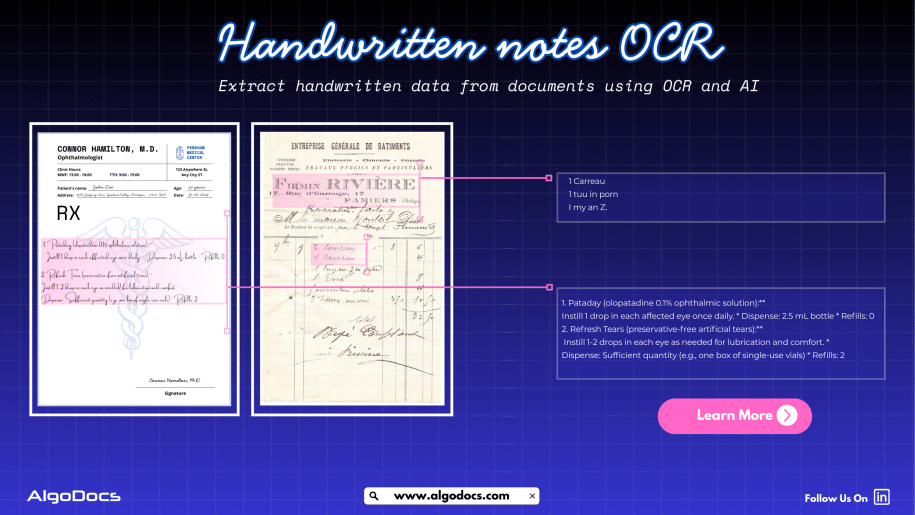
Back to Blog Table of contents On this page How To Extract Handwriting Data With Handwritten Notes OCR Home › Blog › Algodocs › How To Extract Handwriting Data With Handwritten Notes OCR Categories Algodocs Tags algodocs data extraction deep learning Handwriting data extraction handwriting recognition machine learning OCR ocr api By Shubhankar Biswas Published August 31, 2025, 18:20 Updated July 13, 2026, 07:16 Handwritten notes capture some of our most important ideas, such as meeting minutes, classroom assignments, diary entries, handwritten invoices, medical forms, and much more. But when these valuable insights are trapped on paper, sharing, searching, or analyzing them can be a major challenge. But what if we could instantly turn stacks of handwritten sheets, sticky notes, or scanned handwritten image documents into searchable, editable data? It would surely make our work much easier and more productive. All this can be achieved with the technology called handwritten notes OCR, an advanced data extraction technology that brings the power of optical character recognition (OCR) with AI and ML to process handwritten data from various types of documents with accuracy. In this blog, you will discover how handwritten notes OCR works, why it is now more powerful than ever thanks to AI and machine learning, how modern handwritten notes OCR technology such as intelligent document processing revolutionizes data extraction, and practical tips for digitizing handwritten information in your business or personal life What Is Handwritten Notes OCR? Handwritten notes OCR is a specialized form of optical character recognition designed to capture, convert, and extract handwritten text from various types of documents. These documents are either in scanned image formats or can be PDF documents as well. Handwritten notes OCR turns document data into a digital, machine-readable format. Unlike standard OCR, which works well on clear, formatted images or document data, handwritten notes OCR can recognize the complex and unique nature of individual handwriting styles, even when the text is messy, faded, or uses old-fashioned scripts. With a high-performing handwritten notes OCR tool, you can:• Scan and digitize handwritten assignments, meeting notes, and personal memos.• Preserve historical letters, diaries, and legacy records for research and genealogy.• Archive and search medical forms, receipts, or contracts with handwritten details.• Export transcribed data to systems like Excel, Word, or your business platform — all in seconds. Handwriting vs. Traditional OCR: Why Is It Hard? Older OCR systems struggled to read handwriting, often failing to produce useful results. Anyone who has tried to scan a doctor’s prescription knows the frustration. This is where advanced handwritten notes OCR solutions powered by artificial intelligence come in. How Handwritten Notes OCR Works Modern handwritten notes OCR combines several powerful technologies to capture and convert handwriting into text: Image CaptureThe process starts with a scanned image or photo of your handwritten document — anything from a notebook scan to a smartphone snapshot of a meeting agenda. PreprocessingTo enhance recognition accuracy, the system may adjust brightness and contrast, remove background noise, and straighten text lines. Character RecognitionAI-based OCR analyzes each character, word, and phrase using machine learning models trained on countless samples of handwritten text. Unlike rigid, template-based systems, these models can identify even highly variable writing. Context UnderstandingNewer systems use natural language processing (NLP) and large language models (LLMs) to predict words and recognize context when text is unclear, filling in gaps with intelligent guesses. Data ExportFinally, the transcribed text is exported to your chosen software, converted into a searchable PDF, or sent directly to a database or document management system. Intelligent Document Processing: Putting AI and ML to Work Today, OCR for handwritten notes is supercharged by intelligent document processing (IDP), a blend of AI, machine learning (ML), computer vision, and NLP that turns “just text” into actionable data. Here is what makes IDP so powerful:• Automates data entry from scanned forms, notes, contracts, and even sticky notes.• Learns and adapts to new handwriting styles, layouts, and languages over time.• Classifies documents by type and context, not just by keywords or layout.• Extracts unstructured data, even from non-standard or messy notes.• Reduces manual work, errors, and operational costs, in some cases by up to 32 percent. For example, a handwritten meeting note attached to a scanned invoice is not just digitized for archiving. AI-powered IDP can link the note to the correct customer record and make the content searchable for everyone on your team in seconds. AI and ML: Raising the Bar in Handwritten Notes Data Extraction Artificial intelligence and machine learning have transformed handwritten notes OCR:• Machine Learning Models: By training on thousands or even millions of handwriting samples, these models can recognize a wider variety of writing styles, languages, and scripts.• Neural Networks: Mimicking how human brains read, deep learning models adapt over time, improving accuracy as they process more documents.• Large Language Models (LLMs): When OCR struggles with a word or phrase, LLMs use context clues to predict the correct transcription, boosting results beyond basic pattern matching.• Document Layout Analysis: Advanced IDP tools understand page layouts, tables, forms, and structures, allowing even heavily formatted notes to be converted accurately.• Continuous Learning: Every correction or manual review helps the system improve for the next time. Practical Use Cases and Benefits of Handwritten Notes OCR: • Education: Teachers and students can archive and search assignment notes, grade papers faster, and collaborate on shared materials.• Healthcare: Transcribe doctors’ handwritten notes, prescriptions, and patient forms for secure digital records.• Finance & Legal: Convert contracts, receipts, and case notes into searchable, compliant formats.• Business Operations: Make meeting notes, idea sketches, and legacy documents accessible across the company.• Historical Research: Preserve and analyze old letters, diaries, and census records for genealogy or academic studies. Digitized handwritten notes are easier to search, analyze, share, and back up, making your organization more agile and data-driven. How to Digitize Handwritten Notes: Simple Steps Choose the Right OCR ToolLook for systems that advertise dedicated handwritten notes OCR, ideally with AI-powered data extraction. Platforms such as Algodocs, Transkribus, Adobe Scan, and Google Document AI offer specialized handwriting recognition features. Scan or Photograph Your NotesUse a smartphone, scanner, or dedicated app to capture images of your handwritten documents. Clear, well-lit images with straight lines

Extract PDF Data with ChatGPT
PDF

How to Extract PDF Data with ChatGPT?

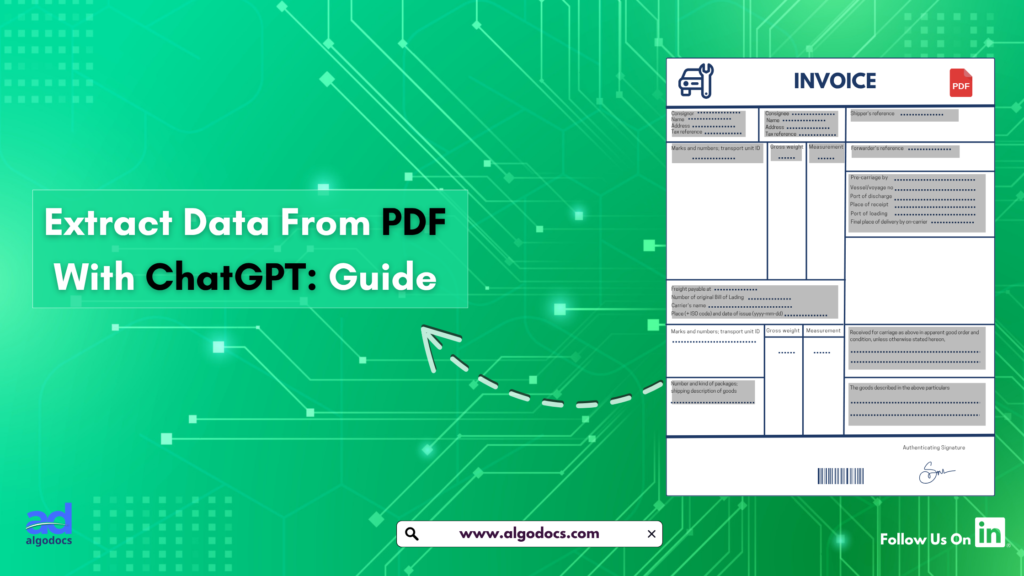
Back to Blog Table of contents On this page How to Extract PDF Data with ChatGPT? Home › Blog › PDF › How to Extract PDF Data with ChatGPT? Categories PDF Tags data extraction from images By Shubhankar Biswas Published February 28, 2025, 08:52 Updated July 20, 2026, 08:20 We are all familiar with PDFs—an essential document format used for sharing textual data. However, extracting data from a PDF can be a challenging task due to the way information is stored within the file. There are two primary types of PDFs: native PDFs, which are usually editable, and scanned PDFs, which contain images of documents saved as PDF files. Both types are widely used in professional and personal settings. You may have a 50-page document of important notes or receive a 1,000-page scanned report from your manager. Extracting data from these two types of PDFs requires different approaches. Native PDFs are easier to process, while scanned PDFs need advanced OCR and AI capabilities for accurate and efficient data extraction. That’s why we’ll explore how to use the powerful LLM model, ChatGPT, to extract data from PDFs. Additionally, we’ll discuss how AlgoDocs AI provides a more precise and efficient solution for handling both types of PDFs. What You Need to Know Before Starting Before diving into PDF data extraction with ChatGPT, it’s essential to understand the basics. PDFs can vary greatly—some contain plain text that is easy to extract, while others have scanned images, complex tables, or charts that require extra processing. Knowing the type of PDF you’re working with is the first step. ChatGPT, developed by OpenAI, is excellent at processing text but does not directly read PDFs. You need to convert the PDF content into a format it can handle, such as plain text. What You’ll Need: A PDF file A tool to convert the PDF to text (if it’s not already editable) Examples: AlgoDocs AI, Adobe Acrobat, or free online converters Access to ChatGPT (via the web interface or API) Clear instructions for ChatGPT to process the extracted text Understanding these essentials will make the PDF data extraction process smoother and more efficient. Step-by-Step Guide to Extract PDF Data with ChatGPT Now, let’s break down the process into five simple steps that anyone can follow, even without technical expertise. Step 1: Preparing Your PDF File Ensure that your PDF is ready for extraction. If it’s a native text-based PDF, it’s good to go. If it’s a scanned document or an image-based file, use AlgoDocs AI or Adobe Acrobat to convert it into an editable format. While ChatGPT can process scanned PDFs, it may struggle with blurry or unstructured data, leading to errors or inaccurate results. Step 2: Feeding Data into ChatGPT Once you have extracted the text, open ChatGPT and paste it into the chat box. However, don’t just drop the text in without guidance. Provide ChatGPT with clear instructions. For example: “Extract all the dates from this text and list them.” “Identify the item names and prices in this invoice.” If you have a simple PDF and need full data extraction, you can use a straightforward command like: “Extract all data from this PDF.” This method works well for small-scale extractions but may become difficult when dealing with large datasets. Step 3: Structuring and Extracting Insights ChatGPT will process your request and present the extracted data. If the output is unorganized, refine your prompt: “Sort the extracted dates in chronological order.” “Format the item list into a table.” “Summarize the extracted data.” By tweaking your queries, you can refine the results for better readability and usability. Step 4: Troubleshooting Common Issues If ChatGPT misses data or produces inconsistent results, consider: Checking if the text extraction process introduced errors. Adjusting your prompt to be more specific. Cleaning up the extracted text manually before feeding it into ChatGPT. Step 5: Improving Your Extraction Results For more effective results: Use high-quality OCR tools like AlgoDocs  or any online pdf tools for scanned PDFs. Break down complex PDFs into sections (e.g., extract tables separately from narrative text). Use precise prompts to minimize errors (e.g., “Extract all email addresses from this text”). Limitations of Using ChatGPT for PDF Extraction While ChatGPT is powerful, it has limitations: Cannot directly read PDFs – requires conversion. Struggles with complex data – such as tables and handwritten notes. Does not store session data – meaning you cannot reference previous extractions. These limitations highlight why ChatGPT is best for quick extractions rather than large-scale automated tasks. Why AlgoDocs AI Outshines ChatGPT for PDF Data Extraction For more advanced PDF extractions, AlgoDocs AI offers several advantages over ChatGPT: Directly processes PDFs – No need for conversion. Handles structured data effectively – Ideal for tables, invoices, and forms. Works efficiently on large volumes – Extracts data from multiple PDFs simultaneously. Integrates with third party apps – Streamlining workflow automation. For instance, if you’re processing invoices, ChatGPT might only extract limited structured data, while AlgoDocs AI allows you to extract invoice numbers, item lists, and totals accurately. Conclusion Extracting PDF data with ChatGPT is a useful skill for handling small projects efficiently. By converting PDFs to text and providing clear instructions, you can extract valuable insights. However, ChatGPT has its limitations, especially with scanned and complex PDFs. For more precise and large-scale extraction, AlgoDocs AI provides a faster and more reliable alternative. Whether you choose ChatGPT or AlgoDocs, mastering PDF data extraction can save time and enhance productivity. You Might Also Like Bank Statement Extraction: How To Revolutionize Financial Data Management with AlgoDocs AI Introduction In today’s world, managing financial data quickly and accurately is very important. One task that takes a lot of time is bank statement… Ibrahim Nalbant December 31, 2024 How To Convert PDF to Text Using AI: A Comprehensive Guide For 2025 Challenges of Converting How To Convert PDF to Text Using AI: A Comprehensive Guide For 2025PDF to Text Using AI PDF files remain the backbone of… Shubhankar Biswas September 1, 2025 PDF Image

Data Extraction, purchase order

How to Extract Data from Purchase Orders With AlgoDocs Purchase Order OCR. A Comprehensive Guide For 2025

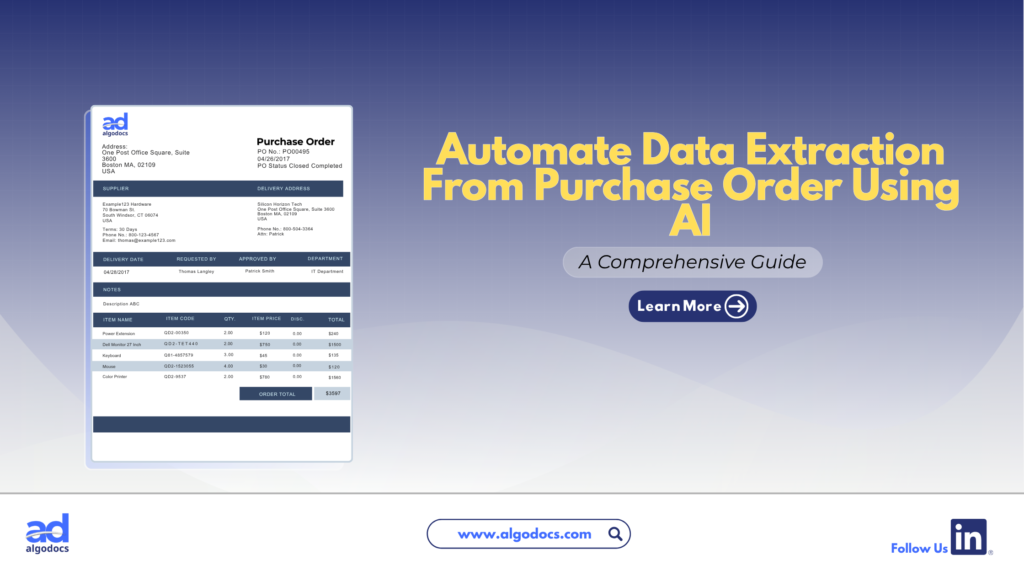
Back to Blog Table of contents On this page How to Extract Data from Purchase Orders With AlgoDocs Purchase Order OCR. A Comprehensive Guide For 2025 Home › Blog › Algodocs › How to Extract Data from Purchase Orders With AlgoDocs Purchase Order OCR. A Comprehensive Guide For 2025 Categories Algodocs Tags algodocs data extraction IDP intelligent document processing machine learning OCR Optical Character Recognition Purchase Order OCR web-based ai platform for data extraction By Ibrahim Nalbant Published January 2, 2025, 07:18 Updated July 10, 2026, 09:25 Purchase orders (POs) are critical documents in business operations, which makes purchase order data extraction and automation an important step in processing purchase orders. They ensure clear communication between buyers and sellers, detailing the goods or services, pricing, and other contractual terms. With the rise of digitization, extracting data from purchase orders efficiently has become essential for modern businesses. Both b2b and b2c business scenarios use a purchase order to facilitate clear communication between two parties. It helps in maintaining important information related to the transaction of goods between two parties. This guide explores how to extract data from purchase orders, focusing on tools like purchase order OCR and strategies to streamline the process. What is a Purchase Order?  A purchase order (PO) is a written document issued by a buyer to a seller that indicates the type, quantity, and agreed price for products or services by two parties. It plays a very crucial role in ensuring smooth procurement operations and is a legally binding document once accepted by the seller. In simple terms, a purchase order (PO) document describes what goods have been requested by the buyer to sellers to confirm their interest in procuring goods and services. Key Elements of a Purchase Order  PO Number: A unique identifier.  Buyer and Seller Information: Contact details and addresses.  Order Details: Description, quantity, and price of items.  Delivery Terms: Shipping method, destination, and date.  Payment Terms: Agreed payment timelines and methods.  Manually managing this information is time consuming, especially for businesses handling large volumes of POs. Challenges of Manually Extracting Data From Purchase Order  Relying on manual methods to extract and process data from purchase orders leads to many challenges for businesses. Time Consuming: Extracting data from a purchase order manually is a time-consuming task. If you have to extract data from a single page document, then manually it can take hours, but using a purchase order app for data extraction only takes 5 to 10 minutes. Error Prone: One of the biggest challenges with manually extracting data from a purchase order is that it is prone to error. The most common human errors, such as typos or missed fields, can disrupt workflows and lead to costly mistakes. Due to the high volume of data, errors tend to happen if data is being extracted with manual method. Scalability Issues: As businesses grow, manually processing hundreds or thousands of purchase orders becomes unsustainable. The manual processing of 100 purchase order documents can slow down the productivity of an organization, which can lead to other challenges, such as loss of profit and time. Resource Intensive Manual methods require significant labour, which leads to a rise in operational costs. To overcome these challenges, businesses are turning to automation tools like purchase order OCR technology. Since the purchase order OCR technology requires very little or no human intervention. What is a Purchase Order OCR Technology  Purchase Order OCR (Optical Character Recognition) is a technology that captures and converts a printed or handwritten text into machine-readable data. This type of OCR technology is built and trained to capture and extract data such as vendor name, buyer name, date, amount, address, and other information from a PO document. You can save this extracted data in Excel, CSV, JSON, or another file format. With the help of purchase order OCR technology, businesses can significantly save time and money and scale their business to greater heights. The advent of AI OCR tools such as AlgoDocs Purchase Order OCR has made data extraction from purchase orders more accurate and productive. How Does Purchase Order OCR Work?  Purchase Order OCR (Optical Character Recognition) is a technology that streamlines the extraction of information from purchase orders. It works by scanning documents in various formats—such as PDFs, images, or scanned papers—and recognizing text to extract key data like order numbers, item descriptions, quantities, prices, and delivery dates. The data is subsequently organized into a structured format, facilitating seamless integration into procurement systems. Automating this process allows Purchase Order OCR to decrease manual data entry, reduce errors, and improve the efficiency of the procurement workflow. Scanning Documents: Paper POs are digitized using scanners.  Data Recognition: The OCR engine identifies text fields such as PO numbers, item descriptions, and quantities.  Data Extraction: The software extracts relevant fields and organizes them into a structured format.  Integration: The extracted data is transferred into systems like ERP or accounting software. What Is AlgoDocs Purchase Order OCR AI App Algodocs is an AI-based purchase order OCR app that extracts data from PO documents. AlgoDocs uses AI technology to automate data extraction from pdfs, scanned documents, and handwritten notes. You can build your own extractor in Algodocs and train the AI model to capture, analyze, and process the data from a document. You can integrate Algodocs with third-party apps for document processing and data extraction. Signup for AlgoDocs Free-Forever plan and access all premium features for free Sign Up Real World Application of Purchase Order OCR Technology A purchase order OCR (Optical Character Recognition) app is a highly beneficial tool for industries of all types. Whether you are operating in a B2B (Business-to-Business) or B2C (Business-to-Consumer) environment, implementing a PO OCR solution can significantly enhance productivity and drive business growth. However, certain industries stand to gain the most from the adoption of OCR technology: Retail and E-commerce: In the fast-paced world of retail and e-commerce, businesses generate a high volume of purchase order documents daily. As customer transactions increase, so does the number

Bank Statement Extraction
bill of lading, intelligent document processing, passport, PDF

Bank Statement Extraction: How To Revolutionize Financial Data Management with AlgoDocs AI

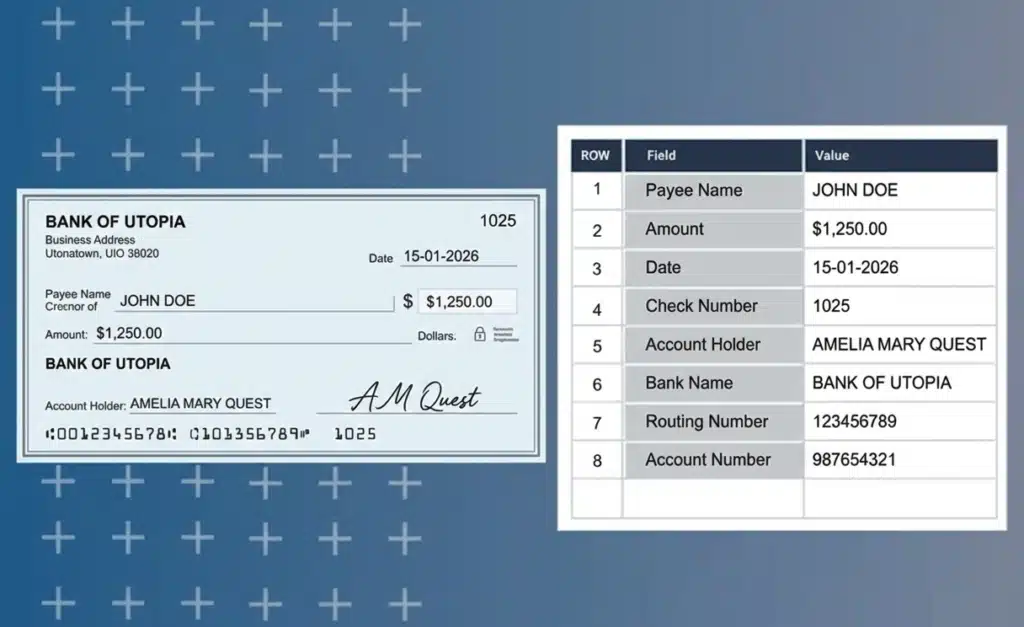
Back to Blog Table of contents On this page Bank Statement Extraction: How To Revolutionize Financial Data Management with AlgoDocs AI Home › Blog › bill of lading › Bank Statement Extraction: How To Revolutionize Financial Data Management with AlgoDocs AI Categories bill of lading intelligent document processing passport PDF Tags agentic ai Invoice Data Extraction passport data extraction pdf to text Purchase Order OCR By Ibrahim Nalbant Published December 31, 2024, 11:13 Updated June 25, 2025, 16:52 Introduction In today’s world, managing financial data quickly and accurately is very important. One task that takes a lot of time is bank statement extraction. Thanks to technology, especially Optical Character Recognition (OCR), and more advanced technology like Intelligent Document Processing (IDP) and AI, this job has become much easier. This blog will explain what bank statement extraction is, why it’s needed, the challenges it presents, and the best tools for the job. We’ll also discuss how AlgoDocs’ Intelligent Document Processing (IDP) tool can make extracting bank statement data easier and more convenient. What is a Bank Statement? A bank statement is a record of all the financial transactions that have occurred in a bank account over a specific period. These bank statements can be personal or corporate financial statements. They provide a detailed overview of all the deposits, withdrawals, and other activities that have impacted the account’s balance. This includes transactions like cash deposits and withdrawals, checks written and cleared, electronic transfers, ATM withdrawals, and even interest earned or fees charged. Essentially, it’s a comprehensive summary of the account’s financial activity, allowing account holders to track their spending, monitor their income, and identify any discrepancies or unauthorized transactions. What is Bank Statement Data Extraction? Bank statement data extraction means extracting data from bank statements. These bank statements can be in PDF files, Excel files, or scanned documents. In a bank statement or a standard financial document, you will find data such as transaction details, account balances, dates, amounts, account holder names, tax details, etc. If you want to extract data from a bank statement, you can either choose the manual data extraction method or pick an online financial data extraction tool to get the job done. However, manual data extraction takes a lot of time and is prone to errors, which can create more problems. That’s why businesses these days often use bank statement OCR to make data extraction easy and effective. Why Bank Statement Extraction is Needed Many businesses handle a large number of financial receipts, bank statements, and financial records as part of their daily operations. Extracting and organizing this vast amount of data can be a challenging task. Here are some key reasons why bank statement extraction is essential: Financial Analysis: Extracting data from bank statements allows businesses to understand their spending patterns, income sources, and overall financial activities. This analysis helps in making informed financial decisions, budgeting, and forecasting future financial needs. Bookkeeping and Accounting: Accurate data extraction simplifies the bookkeeping and accounting processes. By having organized and structured financial data, businesses can maintain accurate records and easily reconcile transactions, ensuring that their financial books are always up-to-date. Audit and Compliance: Extracting data from bank statements is crucial for meeting legal requirements and ensuring transparency in financial reporting. During audits, having organized data makes it easier to demonstrate compliance with financial regulations and standards, such as those set by tax authorities. Fraud Detection: Monitoring financial transactions through data extraction helps in detecting and preventing fraudulent activities. By analyzing bank statement data, businesses can identify suspicious patterns or unauthorized transactions, allowing them to take timely action to mitigate risks. Which Industries Require Bank Statement Extraction Many industries require efficient bank statement extraction, including: Banking and Finance: This industry relies heavily on bank statement extraction for monitoring transactions, processing loans, and managing accounts. Efficient data extraction helps in maintaining accurate records and ensuring compliance with financial regulations. Accounting Firms: Accounting firms use bank statement extraction to prepare financial statements and provide tax services. Accurate data extraction simplifies the accounting process, making it easier to maintain precise financial records and ensure timely tax compliance. Legal Firms: Legal firms need bank statement extraction for forensic accounting and legal support. Extracted data can be crucial in investigating financial discrepancies, supporting legal cases, and providing accurate financial evidence in court. Healthcare: The healthcare industry uses bank statement extraction for handling payments and processing insurance claims. Efficient data extraction helps in managing patient billing, ensuring accurate insurance claim processing, and maintaining financial transparency. E-commerce and Retail: E-commerce and retail businesses rely on bank statement extraction to manage cash flow and vendor payments. Extracted financial data helps in monitoring sales transactions, managing expenses, and ensuring timely payments to suppliers. Challenges with Manual Bank Statement Extraction Manually extracting data from bank statements has several problems: Time-Consuming: Entering data manually is time-consuming. Extracting data from each sheet of a bank statement requires significant time for analysis and capture, making the process even more cumbersome. Error-Prone: Human errors can lead to inaccurate records. Manual data extraction is prone to mistakes, as human eyes can’t always interpret everything correctly. This can result in serious consequences, such as data extraction errors, missed valuable data, and other issues. High Costs: Manual data extraction is costly because it requires employing more personnel to extract data from documents. This ultimately increases the operational costs for the company. Scalability Issues: With manual data extraction, you can’t adjust the number of personnel based on requirements. Therefore, scalability options with manual data extraction are very limited. Data Security: When your data is exposed to human intervention, there is a risk that it can be misused for illegal activities. Bank statement data is very sensitive, and exposure to the wrong hands can lead to serious trouble for individuals or organizations. What is a Bank Statement OCR? Optical Character Recognition (OCR) is a technology that converts various types of documents, such as scanned papers, PDFs, or images, into editable and searchable data. A bank statement OCR specifically

Algodocs

How to Convert Handwriting to Excel for Free: Best Free Online Tools

Back to Blog Table of contents On this page How to Convert Handwriting to Excel for Free: Best Free Online Tools Home › Blog › Algodocs › How to Convert Handwriting to Excel for Free: Best Free Online Tools Categories Algodocs Tags ai powered tools convert handwritten to text loan forms By Ibrahim Nalbant Published July 5, 2024, 14:26 Updated July 20, 2026, 09:47 Keep reading to discover the best practices and tools for optimizing data conversion. How to Convert Handwriting to Excel Spreadsheets: When reading ‘How to Convert Handwriting to Excel Free’ might sound interesting but the procedure may not be very easy. Nonetheless, due to modern technological elements, it has become easier. There are several methods and tools you can use to achieve this: Manual Data Entry Let’s talk about the most common approach, which is typing in the data from handwritten sources into Excel sheets. This method is very time-consuming and error-prone. This is best used for short documents. Top OCR Software for Converting Handwriting to Excel OCR technology has made significant improvements in automated data extraction. Your handwritten notes are immediately captured and evaluated by OCR, and from there, the text is converted to a format that is understandable to the machines. Best Mobile Apps for Handwriting to Excel Conversion There are multiple mobile apps available in the market for converting handwriting to Excel. These apps are handy and good for some basic operations. Some of the mobile apps are: The use of mobile apps has also boosted handwriting recognition in the following ways: Practical Web-Based Tools for Handwriting to Excel It is also possible to find several online tools that transcribe handwriting to Excel for those who do not want to download and use any extra software: Still, all aforementioned Handwriting to Excel systems, except AlgoDocs, have some problems with Why AlgoDocs is the Best Choice for Converting Handwriting to Excel AlgoDocs, an efficient web-based AI tool, is a dream for anyone who does not enjoy data entry. This tool is best for converting handwritten documents and notes into Excel by extracting data for PDFs and images. It minimizes errors and is very efficient, which saves you a lot of time and energy since it employs sophisticated Artificial Intelligence. Accuracy and Efficiency This platform best utilizes AI and machine learning technologies to scan and recognize handwritten items extremely accurately. This builds confidence in your data as it guarantees that all the converted Excel spreadsheets are error-free and can be used immediately. User-Friendly Interface Not only is the idea of AlgoDocs powerful, but the tool is also developed to be as friendly as possible. This makes it easily understandable and usable by users with many different kinds of experiences. You do not have to be a tech guy to be able to use it. What sets this tool apart is that you can work with it in comfort. Versatility As for using the platform efficiently, the service is not restricted to the digitizing of handwriting only. It can handle different document types and forms, making it possible for you to use it to extract data of any type. The User Benefits of AlgoDocs As shown above, it has many advantages, which make it the best tool for converting handwriting to Excel online for free. Forever Free Subscription Join the AlgoDocs today and make use of all the incredible features the software has to offer with a chance to get a Forever Free Subscription! You can submit as many documents as you need per month and get free document parsing for the first 50 pages. Explore our cost-effective pricing options if your document needs exceed this limit. AlgoDocs Goes Beyond Handwritten It should be noted that it is capable of extracting information from a considerable number of document types, not only handwritten. These include typed documents such as Word docs, images, PDFs, and many others. For this reason, this tool can be considered an all-in-one solution for all your extraction requirements. Extract Your Data in Various Formats AlgoDocs enables one to export data in different formats, including XML, JSON, CSV, or Excel, making it easier to feed the data into spreadsheets and other tools. In addition, with Zapier integration, you enable the use of over 2000 other web services with it, further increasing its capabilities. Furthermore, the available API enhances this functionality by allowing developers to incorporate data extraction features into their own software solutions seamlessly. Use Cases The tool is useful to a broad audience because it benefits every type of user. Business Professionals (Finance, Data Analysis): In particular, for business professionals, the handwritten records and data are swiftly and easily transferable into an Excel document through AlgoDocs, making the analysis and compilation of reports less problematic and time-consuming. Researchers and Academics (Data Extraction from Papers): The benefits for researchers and academics are very apparent. The tool allows for the digitization of handwritten notes and research data. This makes it easier to sort data and analyze it, hence enhancing overall performance. Students (Assignments, Reports): It helps students save time and effort as it enables them to submit handwritten assignments/reports and convert them into Excel format. General Users (Receipts, Invoices, etc.): The general public can scan their receipts, invoices, and any other handwritten document and upload them to this platform, which eases document tracking. How to Convert Handwriting to Excel Spreadsheets using AlgoDocs: Step-by-Step Guide Sample Document Step 1: Log in to your account and go to the dashboard, which is the home page. Step 2: Click on the Extractor tab. On the right side of the Extractor tab, you will notice a populated option for choosing what kind of extractor you want to create. Step 3: Click Custom, and a new window to name the extractor will appear. Step 4: Upload the sample PDF file and click Create Extractor. The Window will close, and you will be able to see your extractor in the folder as below, Step 5: From the above window, click on

Scroll to Top